
Àpèjúwe
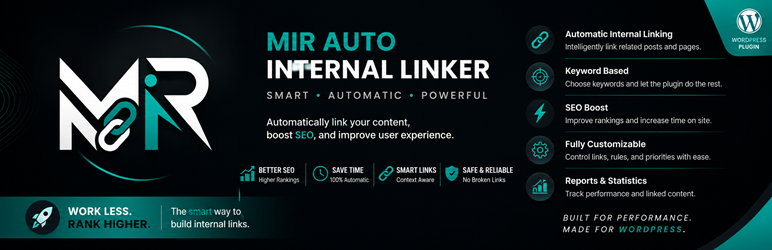
Mir Auto Internal Linker helps you create internal links automatically from selected keywords to target URLs.
Features:
- Create keyword-to-URL rules.
- Limit links per keyword and per post.
- Set keyword priority.
- Optional new-tab and nofollow attributes.
- Skip existing links and headings.
- Choose supported public post types.
- Exclude specific posts and categories.
- Basic linking statistics.
- Translation-ready and includes Persian translation files.
The plugin processes content when it is displayed. It does not permanently rewrite post content.
Ìgbéwọlẹ̀
- Upload the
mir-auto-internal-linkerfolder to/wp-content/plugins/or install the ZIP file from the WordPress Plugins screen. - Activate the plugin through the Plugins screen.
- Open Auto Internal Linker > Keywords and add your keyword rules.
- Configure global behavior in Auto Internal Linker > Settings.
FAQ
-
Does the plugin permanently change post content?
-
No. Links are generated dynamically when content is displayed.
-
Can I exclude posts or categories?
-
Yes. Add post IDs or category IDs in the plugin settings.
-
Does it avoid existing links?
-
Yes. By default, text already inside anchor tags is skipped.
Àwọn àgbéyẹ̀wò
Kò sí àwọn àgbéyẹ̀wò fún plugin yìí.
Àwọn Olùkópa & Olùgbéejáde
“Mir Auto Internal Linker” jẹ́ ètò ìṣàmúlò orísun ṣíṣí sílẹ̀. Àwọn ènìyàn wọ̀nyí ti ṣe ìkópa sí plugin yìí.
Àwọn Olùkópa
Túmọ̀ “Mir Auto Internal Linker” sí èdè rẹ.
Ṣe o nífẹ̀ẹ́ sí ìdàgbàsókè?
Ṣàwárí koodu, ṣàyẹ̀wò ibi ìpamọ́ SVN, tàbí ṣe àgbékalẹ̀ sí àkọsílẹ̀ ìdàgbàsókè nípasẹ̀ RSS.
Àkọsílẹ̀ àwọn àyípadà
1.0.0
- Initial release.