

Àpèjúwe
York IE Ìtumọ̀ Yorùbá: – Theme Switcher lets editors assign a theme to a single piece of content or preview how that content looks in another installed theme. The site-wide active theme stays unchanged.
Features
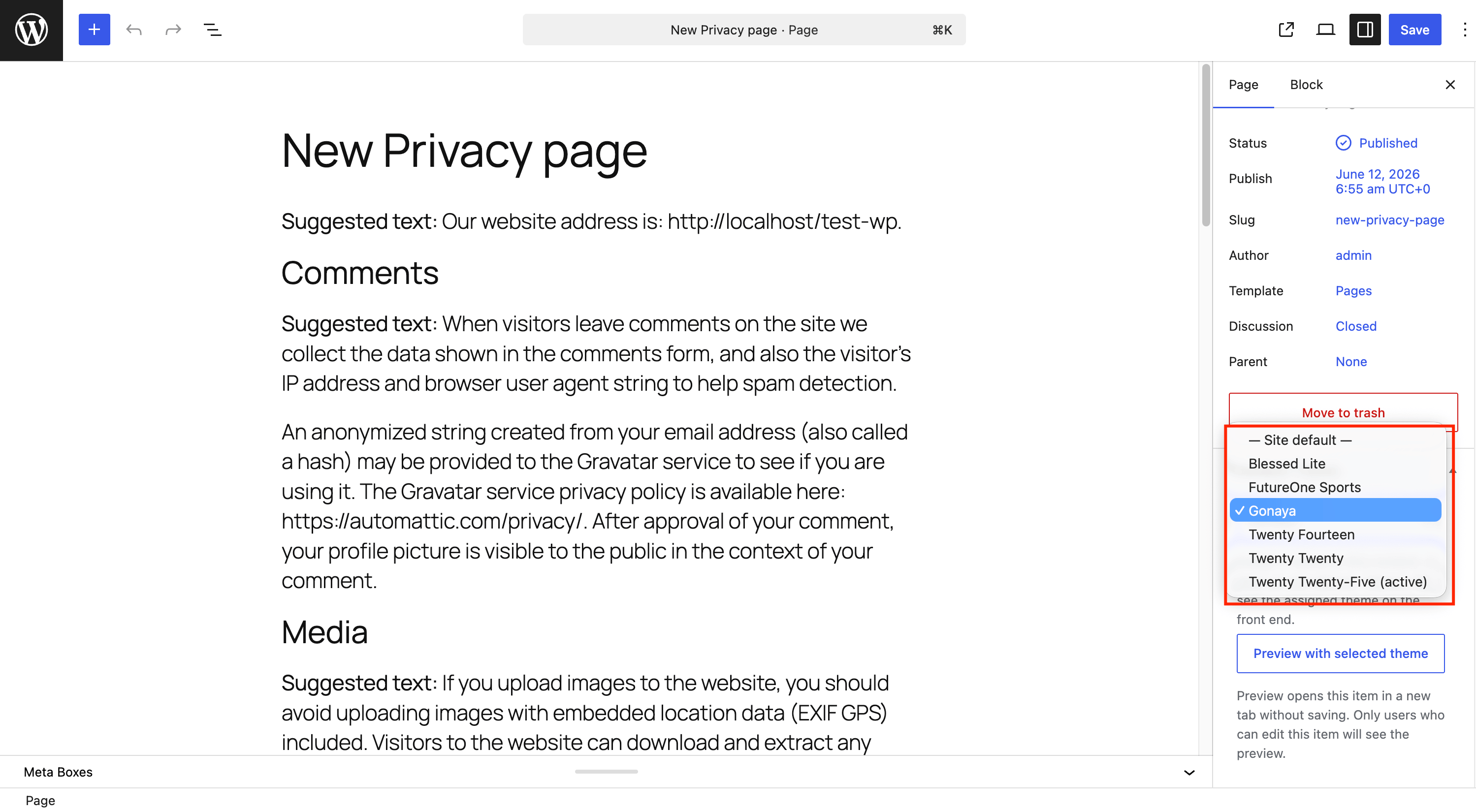
- Assign a theme per post, page, or public custom post type
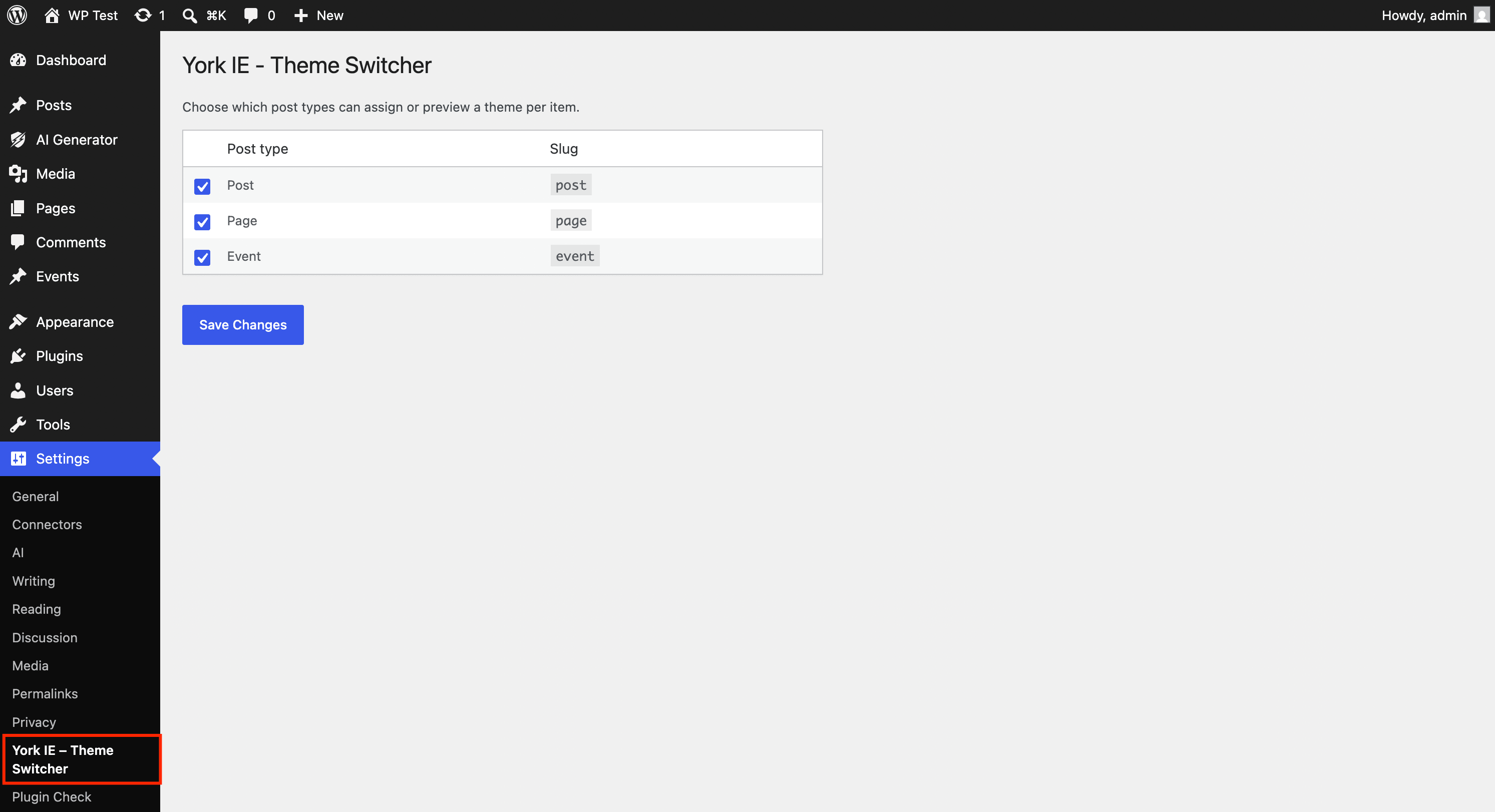
- Settings page to enable theme switching per post type
- Preview any supported item with another installed theme in a new tab
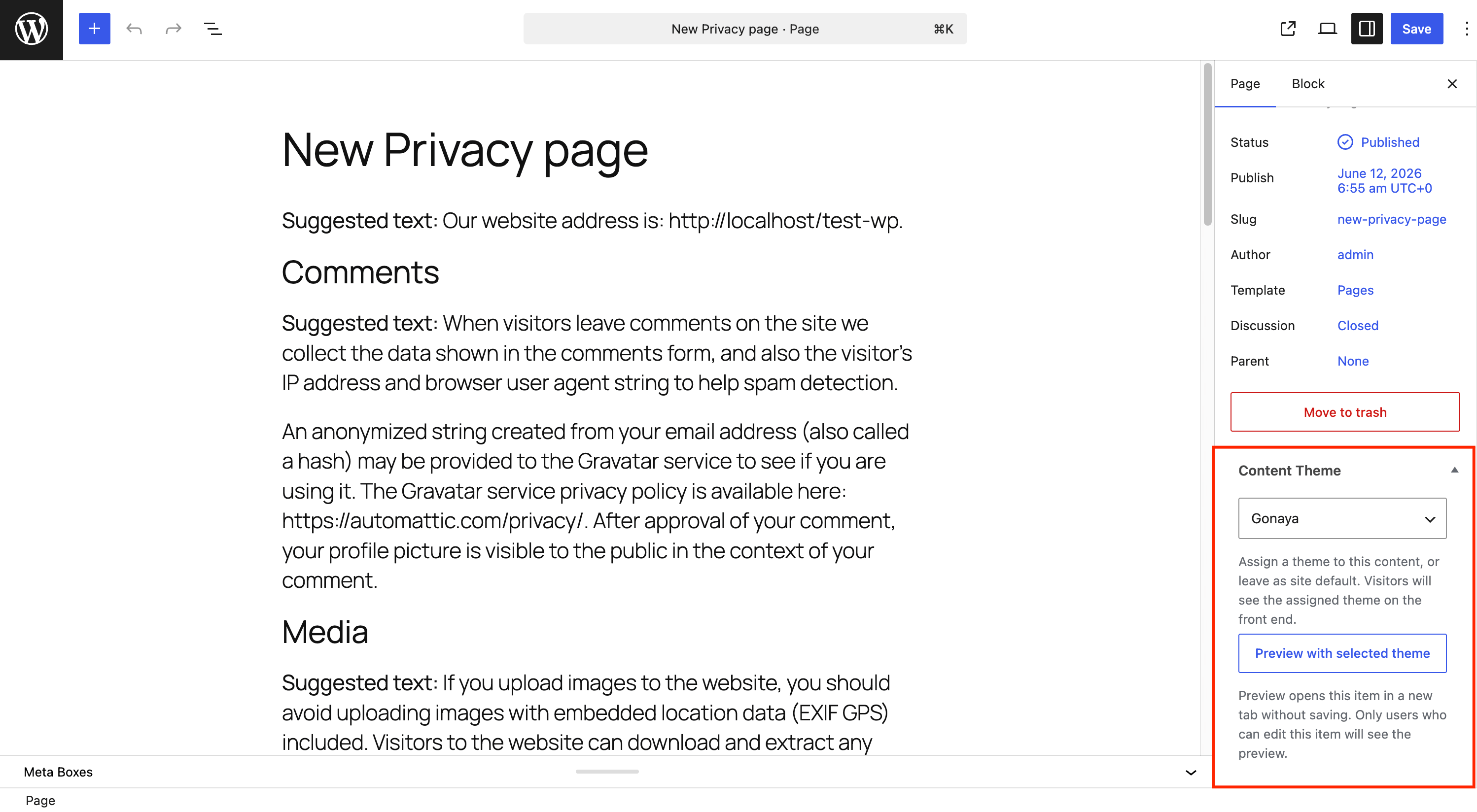
- Content Theme meta box in the editor sidebar
- Front-end admin bar menu for quick theme previews while logged in
- Preview banner with an exit link when previewing
- Works with subdirectory WordPress installs
How it works
- Edit a post, page, or custom post type.
- Choose a theme from the Content Theme sidebar panel.
- Click Update to save the assignment, or use Preview with selected theme to test without saving.
Visitors see the assigned theme only on that content item. Other pages continue using the active site theme.
Permissions
- Theme preview URLs require a valid nonce and permission to edit the item or the
switch_themescapability. - Assigned themes are visible to all visitors on the front end for that content item.
Developer filters
pagethsw_supported_post_types— Limit or extend supported post types.pagethsw_is_supported_post_early— Control post type support beforeinit.
Àwọn àwòrán ìbòjú
Ìgbéwọlẹ̀
- Install the plugin through the WordPress Plugins screen.
- Activate the plugin through the Plugins screen in WordPress.
- Edit any supported post, page, or custom post type and use the Content Theme panel in the sidebar.
- Go to Settings York IE Ìtumọ̀ Yorùbá: – Theme Switcher to choose which post types are enabled.
FAQ
-
Does this change the active theme for the whole site?
-
No. It only changes the theme used for the selected content item. The active theme under Appearance Themes is not modified.
-
Which content types are supported?
-
Public post types with an admin UI are supported by default, including posts, pages, and custom post types. Attachments, revisions, templates, and other internal post types are excluded.
-
Why can I preview a theme but visitors still see the default theme?
-
Preview mode is for logged-in users with permission to edit the item. To apply a theme for everyone, choose a theme in Content Theme, save the item, and open the public URL without preview query arguments.
-
Can I limit which post types show the Content Theme panel?
-
Yes. Open Settings York IE Ìtumọ̀ Yorùbá: – Theme Switcher and check only the post types you want. Developers can use the
pagethsw_supported_post_typesfilter.
Àwọn àgbéyẹ̀wò
Kò sí àwọn àgbéyẹ̀wò fún plugin yìí.
Àwọn Olùkópa & Olùgbéejáde
“York IE Ìtumọ̀ Yorùbá: – Theme Switcher” jẹ́ ètò ìṣàmúlò orísun ṣíṣí sílẹ̀. Àwọn ènìyàn wọ̀nyí ti ṣe ìkópa sí plugin yìí.
Àwọn Olùkópa
Túmọ̀ “York IE Ìtumọ̀ Yorùbá: – Theme Switcher” sí èdè rẹ.
Ṣe o nífẹ̀ẹ́ sí ìdàgbàsókè?
Ṣàwárí koodu, ṣàyẹ̀wò ibi ìpamọ́ SVN, tàbí ṣe àgbékalẹ̀ sí àkọsílẹ̀ ìdàgbàsókè nípasẹ̀ RSS.
Àkọsílẹ̀ àwọn àyípadà
1.5.3
- Update plugin branding to York IE Ìtumọ̀ Yorùbá: – Theme Switcher.
1.5.2
- Remove deprecated
pts_filter hooks; usepagethsw_filters only.
1.5.1
- Rename plugin to York IE Ìtumọ̀ Yorùbá: – Theme Switcher.
1.5.0
- Prefix all options, meta keys, hooks, and identifiers with
pagethsw_per WordPress.org guidelines. - Migrate legacy
pts_data automatically on upgrade.
1.4.1
- Fix Plugin Check database query warnings for slug-based post lookups.
1.4.0
- Add settings page to enable theme switching per post type.
1.3.2
- Fix Plugin Check input sanitization and nonce verification warnings.
1.3.1
- Fix Plugin Check database escaping warnings in post lookup queries.
1.3.0
- Prepare plugin for WordPress.org distribution.
- Add uninstall routine and directory submission files.
1.2.3
- Fix saved theme assignments for custom post types before
init. - Improve URL resolution for subdirectory installs.
1.2.2
- Remove duplicate block editor sidebar panel.
1.2.1
- Include pages in supported post types.
1.2.0
- Add support for posts and custom post types.
- Fix block editor saving and subdirectory permalink handling.
1.0.0
- Initial release with per-page theme assignment and preview.