

Àpèjúwe
Patcherly catches WordPress and WooCommerce errors and provides bug fixes ready to review and apply in seconds.
WeÌtumọ̀ Yorùbá: ’ve all been there…
-
A plugin update ships a broken function call on your PHP version. Checkout dies on Friday night. YouÌtumọ̀ Yorùbá: ’re debugging at 11pm while your customers panic.
-
A theme update changes something subtle and now 5% of your checkout flow errors. YouÌtumọ̀ Yorùbá: ’re chasing your developer for days. Meanwhile, youÌtumọ̀ Yorùbá: ’re losing orders.
-
A custom integration breaks and your customers canÌtumọ̀ Yorùbá: ’t access their accounts. Bad reviews roll in, your reputation takes the hit.
This is what Patcherly finally stops. It was built by WordPress experts with 15+ years experience debugging and fixing these exact bugs.
Patcherly watches your site 24/7. When something breaks, it detects it instantly, proposes a fix tailored to your website (not some generic AI fix), backs up your files on your server, and waits for your approval.
You stay in control. You review the fix. You decide. If somethingÌtumọ̀ Yorùbá: ’s wrong, rollback is one click (and automatic if our tests fail). Your site stays yours.
Think of it as giving yourself the superpower to fix production bugs safely and instantly, without waiting for days while the outage is costing you customers and reputation, giving you peace of mind back.
How it works
- Watch Ìtumọ̀ Yorùbá: – Install the plugin, pair your site in 2 minutes, and Patcherly starts monitoring.
- Think Ìtumọ̀ Yorùbá: – When an error happens, Patcherly analyzes it with full context about your site and proposes a focused fix.
- Fix Ìtumọ̀ Yorùbá: – You review and approve. We back up your files on your server. The patch applies. Tests run. If anythingÌtumọ̀ Yorùbá: ’s off, automatic rollback.
ThatÌtumọ̀ Yorùbá: ’s it. YouÌtumọ̀ Yorùbá: ’re always in the loop. Nothing changes without you.
Free to start. 30-day Pro trial included.
Install the plugin, pair your site, and get a full 30-day Pro trial with no credit card. After that, keep the free Personal plan or subscribe. See pricing.
Built on trust
Your files stay on your server. Period. We never store your source code, database, or media. Only whatÌtumọ̀ Yorùbá: ’s needed to fix a bug leaves your site: error details and a short code snippet. Pre-apply backups live on your infrastructure, never ours. Your code doesnÌtumọ̀ Yorùbá: ’t train AI models and we never ask for access to your website or credentials.
Resources
Patcherly.com · Help Center · Security · Privacy · Discord
Àwọn àwòrán ìbòjú
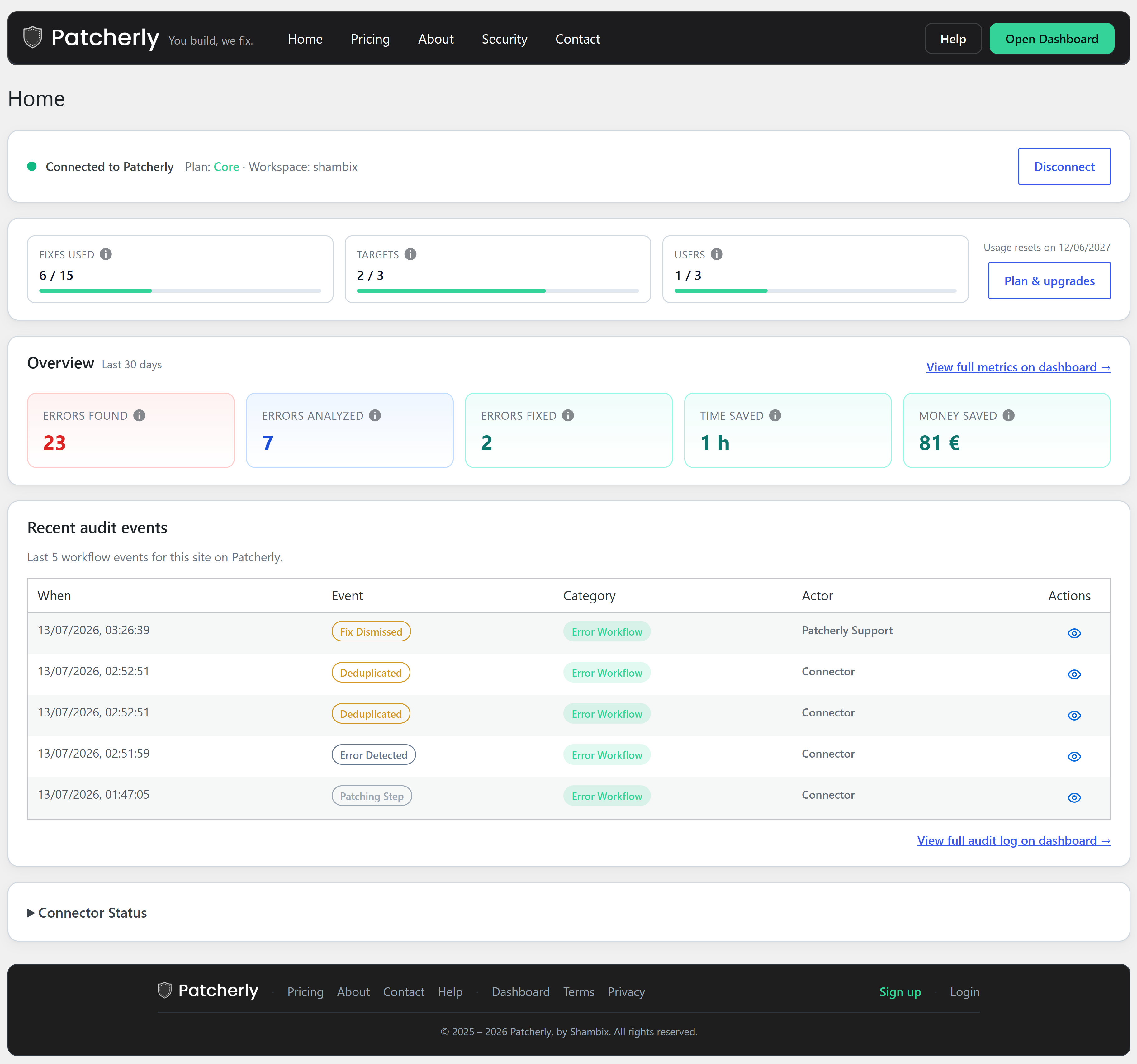
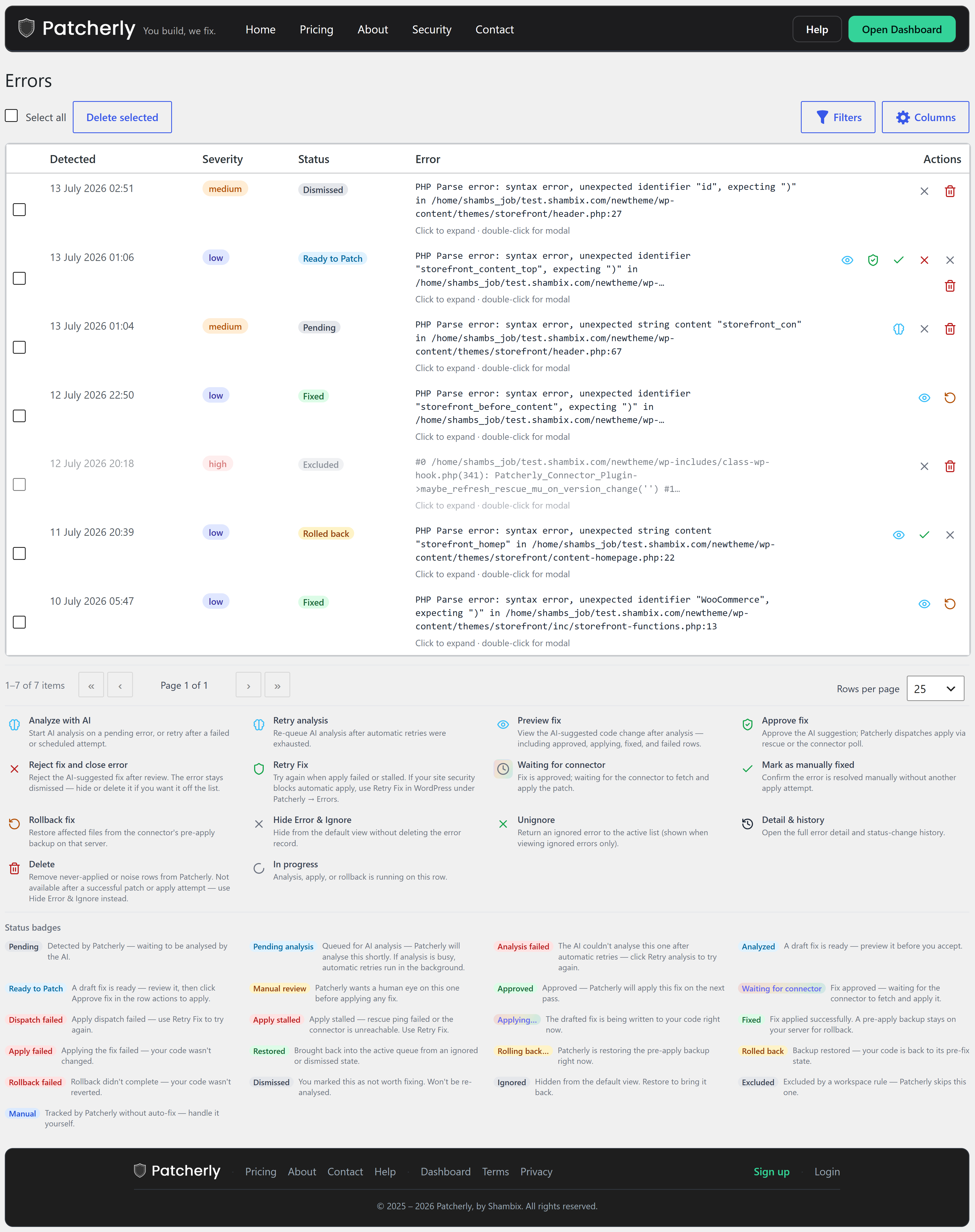
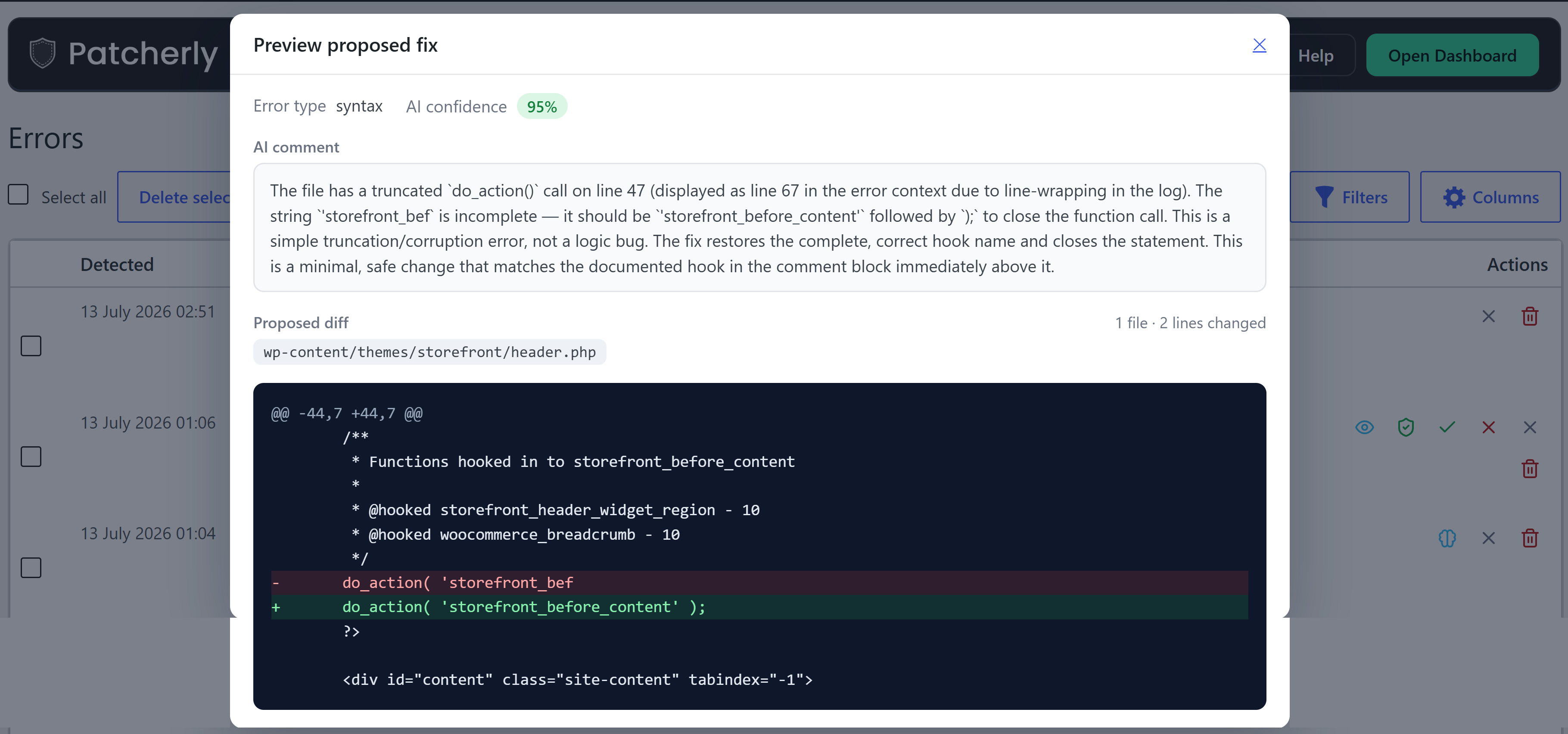
Ìgbéwọlẹ̀
- Install Patcherly from Plugins Add New, or upload the
patcherlyfolder to/wp-content/plugins/. - Activate the plugin.
- Go to Patcherly Home.
- Click Connect with Patcherly and finish pairing.
- Done — your site is monitored.
FAQ
-
Do I need a Patcherly account?
-
Yes, but itÌtumọ̀ Yorùbá: ’s free. Sign up, install the plugin, and connect. YouÌtumọ̀ Yorùbá: ’ll get a 30-day full Pro trial immediately.
-
What if I donÌtumọ̀ Yorùbá: ’t like a fix?
-
No problem. Rollback with one click from the dashboard, or manually anytime the backup exists on your server.
-
What data leaves my site?
-
Only whatÌtumọ̀ Yorùbá: ’s needed to diagnose and fix: error details, a code snippet, and basic site metadata. Never your database, media, or user data. Backups stay on your server. You can check exactly what gets sent from the Settings page -> Context. Privacy Policy.
-
Is anything sent before I connect?
-
No. Nothing happens until you complete Connect with Patcherly in the plugin.
-
Does this replace my dashboard?
-
No. wp-admin shows errors and recent activity. Full history, multiple sites, team access, and billing live in the dashboard.
-
Can I turn on auto-apply?
-
Yes, optional. Most keep manual approval on. Enable auto-apply in your dashboard if you want Patcherly to apply fixes automatically if the fix confidence is above 90% (available on paid plans).
-
What is Emergency Rescue?
-
A safety net that stays active even if the main plugin canÌtumọ̀ Yorùbá: ’t load (e.g. a bad theme custom code or plugin update crashed your site completely). Keeps monitoring, patching and rollback available when you need them most. On by default; disable in Settings Advanced if you prefer.
-
Does the plugin edit my wp-config.php?
-
No. From the pluginÌtumọ̀ Yorùbá: ’s Settings, if we detect you may need to enable debugging, you can either paste a snippet manually in your wp-config.php, or click Apply snippet and weÌtumọ̀ Yorùbá: ’ll do it for you.
-
WhereÌtumọ̀ Yorùbá: ’s the source?
Àwọn àgbéyẹ̀wò
Kò sí àwọn àgbéyẹ̀wò fún plugin yìí.
Àwọn Olùkópa & Olùgbéejáde
“Patcherly” jẹ́ ètò ìṣàmúlò orísun ṣíṣí sílẹ̀. Àwọn ènìyàn wọ̀nyí ti ṣe ìkópa sí plugin yìí.
Àwọn Olùkópa

Ṣe o nífẹ̀ẹ́ sí ìdàgbàsókè?
Ṣàwárí koodu, ṣàyẹ̀wò ibi ìpamọ́ SVN, tàbí ṣe àgbékalẹ̀ sí àkọsílẹ̀ ìdàgbàsókè nípasẹ̀ RSS.
Àkọsílẹ̀ àwọn àyípadà
2.5.3
- Complete rewrite: aligned tone and messaging with PatcherlyÌtumọ̀ Yorùbá: ’s core philosophy. Removed generic language, added relatable pain points and emphasis on control and trust.
2.5.2
- Maintenance release aligned with current Patcherly connector package.
2.5.0
- First public release on WP.org
- Improved signup copy and trial FAQ for hosted plans.