

Àpèjúwe
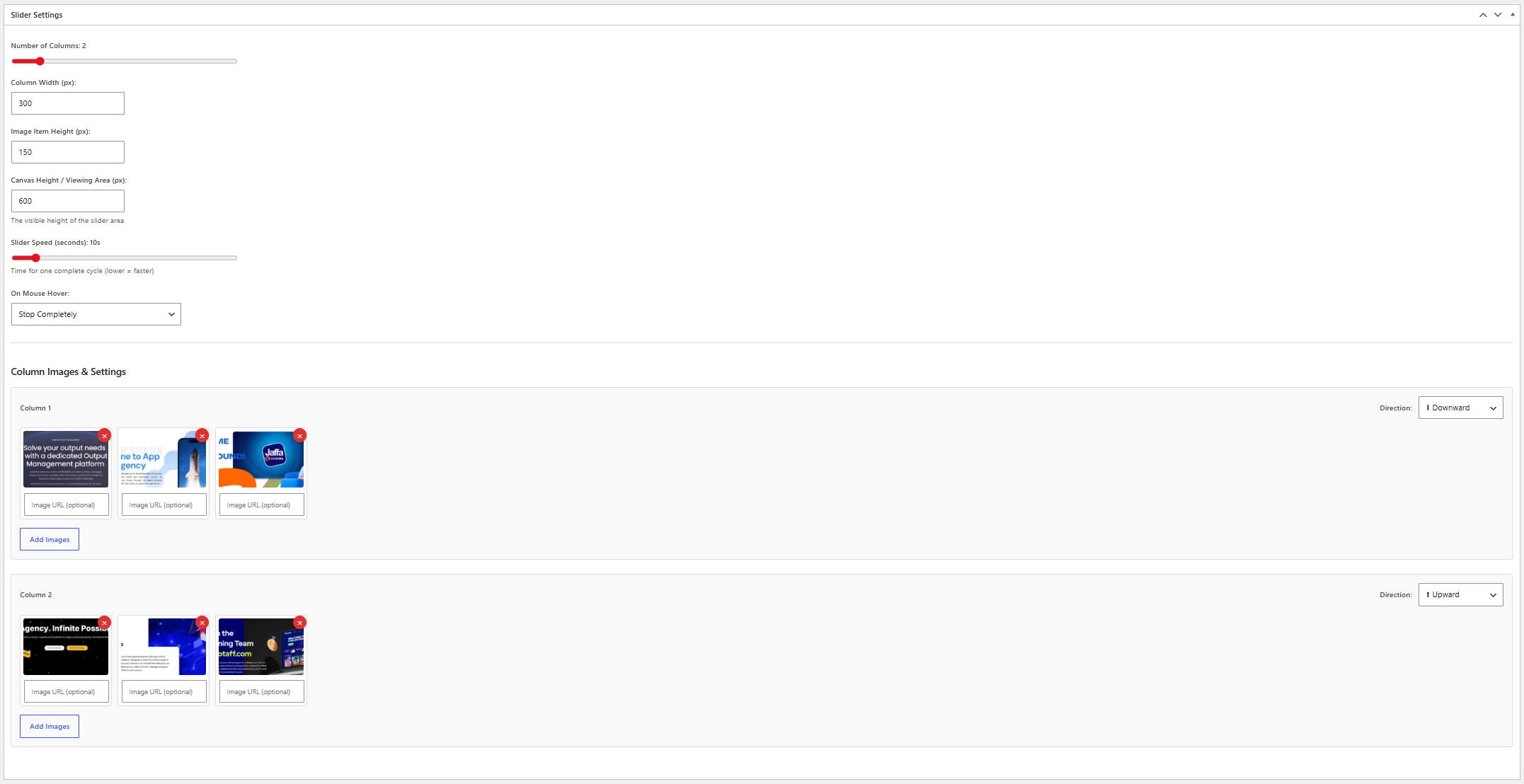
Vertical Card Slider allows you to create smooth vertical scrolling image sliders with multiple columns and customizable settings.
Features:
- Create unlimited sliders
- Multiple scrolling columns
- Upward and downward scrolling directions
- Adjustable scrolling speed
- Pause or slow down on hover
- Custom link URL for each image
- Responsive design
- Simple shortcode integration
- Lightweight and easy to use
Àwọn àwòrán ìbòjú

Ìgbéwọlẹ̀
- Upload the plugin files to the
/wp-content/plugins/stackfounder-vertical-card-sliderdirectory, or install the plugin through the WordPress plugins screen. - Activate the plugin through the ‘Plugins’ screen in WordPress.
- Navigate to Vertical Card Slider in the WordPress admin menu.
- Create a new slider and add your images.
- Copy the generated shortcode and place it in any page, post, or widget.
FAQ
-
How do I display a slider?
-
Use the shortcode:
[sfvcs_vertical_card_slider id="123"]Replace
123with the slider ID shown in the admin area. -
Can I add links to images?
-
Yes. Each image can have its own custom destination URL.
-
Is the plugin responsive?
-
Yes. The slider adapts to different screen sizes.
-
Can I control the scrolling speed?
-
Yes. You can adjust the speed and hover behavior from the slider settings.
Àwọn àgbéyẹ̀wò
Kò sí àwọn àgbéyẹ̀wò fún plugin yìí.
Àwọn Olùkópa & Olùgbéejáde
“Stackfounder Vertical Card Slider” jẹ́ ètò ìṣàmúlò orísun ṣíṣí sílẹ̀. Àwọn ènìyàn wọ̀nyí ti ṣe ìkópa sí plugin yìí.
Àwọn Olùkópa
Túmọ̀ “Stackfounder Vertical Card Slider” sí èdè rẹ.
Ṣe o nífẹ̀ẹ́ sí ìdàgbàsókè?
Ṣàwárí koodu, ṣàyẹ̀wò ibi ìpamọ́ SVN, tàbí ṣe àgbékalẹ̀ sí àkọsílẹ̀ ìdàgbàsókè nípasẹ̀ RSS.
Àkọsílẹ̀ àwọn àyípadà
1.0.1
- Initial public release.
- Improved plugin metadata and documentation.
- Added uninstall support.
- Added translation-ready structure.