
Àpèjúwe
Flying Pay is an all-in-one payment information gateway designed for Bangladeshi merchants. It provides a clean, modern interface for customers to get payment details and submit transaction information.
Key Features:
- Mobile Banking: Support for bKash, Nagad, and Rocket.
- Multi-Bank Support: Integrated with Al-Arafa Islami Bank, Pubali Bank, Dutch Bangla Bank, and Islami Bank PLC.
- Crypto Support: Built-in Binance Pay and RedotPay options.
- Interactive UI: Modern tab-based design with selection blur effects for better user experience.
- Copy to Clipboard: One-click copy for Account numbers, Routing numbers, and Amounts.
- File Upload: Option for customers to upload payment screenshots/slips for bank transfers.
- Admin Control: Enable or disable any specific method from the WooCommerce settings.
Documentation
For detailed instructions on how to set up and use Flying Pay, please visit our official documentation:
Plugin Documentation
Support & Review
If you find Flying Pay helpful for your business, please consider leaving us a 5-star review! Your feedback helps us to keep improving the plugin and providing better support to the community.
Àwọn àwòrán ìbòjú
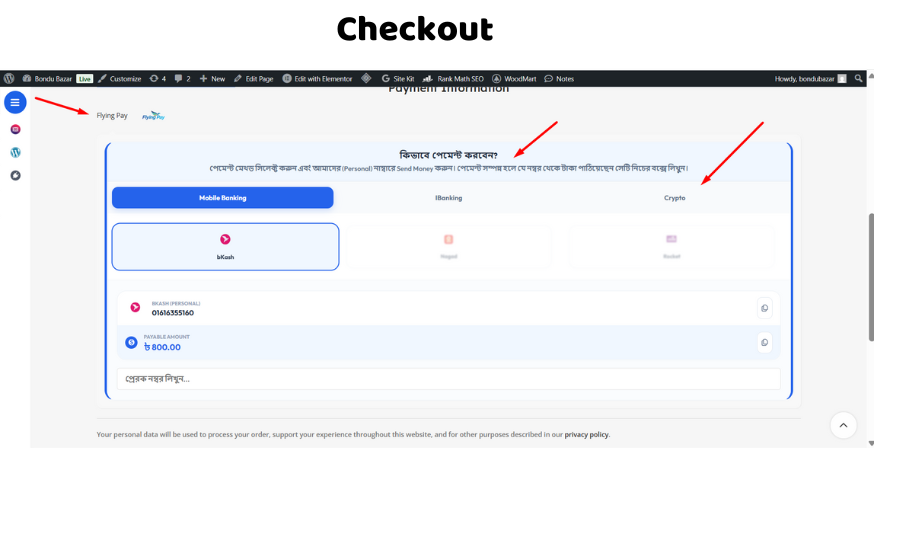
Checkout UI with Tab system showing Mobile, Bank, and Crypto options. 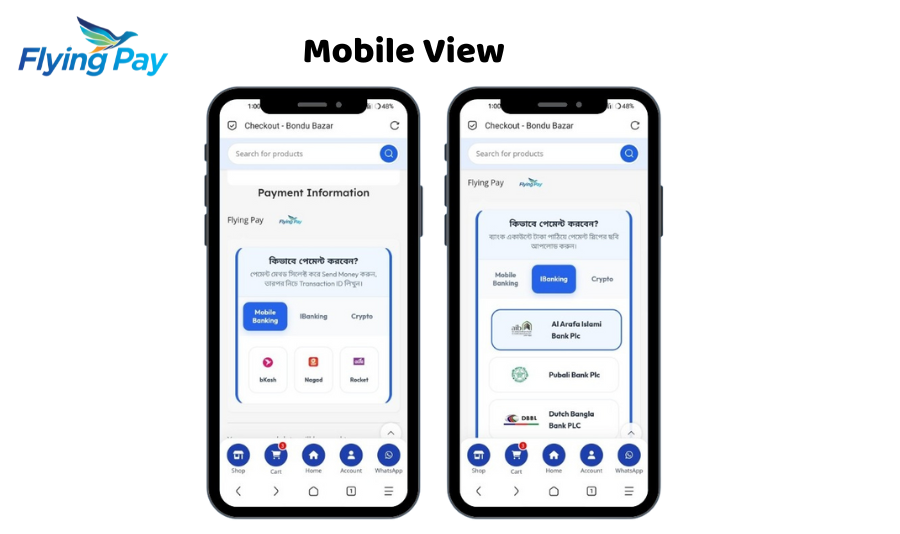
Selection Blur effect highlighting the chosen payment card. 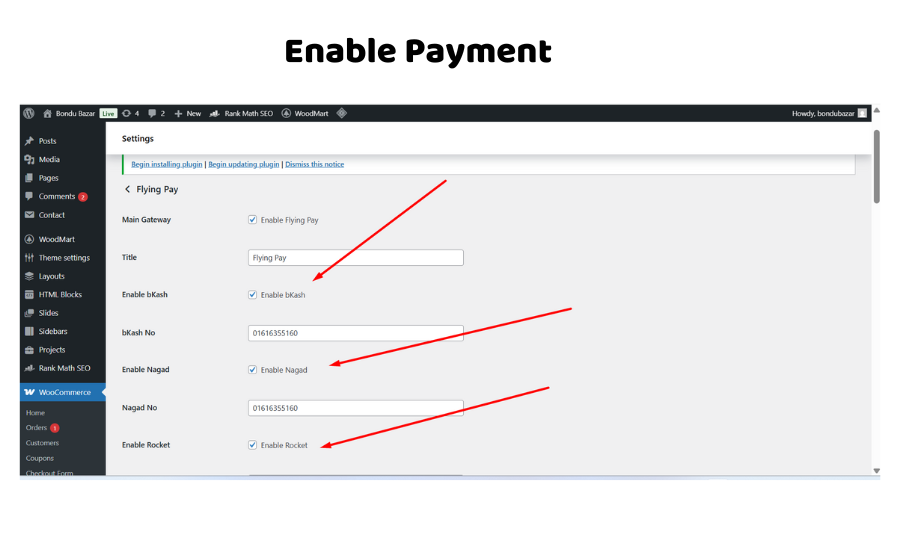
Ìgbéwọlẹ̀
- Upload the
flying-pay-gatewayfolder to the/wp-content/plugins/directory. - Activate the plugin through the ‘Plugins’ menu in WordPress.
- Go to WooCommerce > Settings > Payments.
- Click on Flying Pay to configure your bank accounts and mobile numbers.
FAQ
-
Does this plugin support automatic payments?
-
No, Flying Pay is a manual payment gateway. It shows your payment details (Bank/Mobile/Crypto) to the customer, and they manually send the money and provide transaction info.
-
Can I use it without WooCommerce?
-
No, this plugin is specifically built as an extension for WooCommerce.
-
Which banks are supported?
-
Currently, it supports Al-Arafa Islami Bank (AIBL), Pubali Bank, Dutch Bangla Bank (DBBL), and Islami Bank (IBBL).
-
Is there a limit on how many payment methods I can enable?
-
No, you can enable or disable bKash, Nagad, Rocket, all 4 banks, and Crypto options simultaneously from the settings.
-
Does it support screenshot uploads?
-
Yes, customers can upload their payment slips or screenshots directly from the checkout page for bank transfers.
Àwọn àgbéyẹ̀wò

Àwọn Olùkópa & Olùgbéejáde
“Flying Pay” jẹ́ ètò ìṣàmúlò orísun ṣíṣí sílẹ̀. Àwọn ènìyàn wọ̀nyí ti ṣe ìkópa sí plugin yìí.
Àwọn Olùkópa
Ṣe o nífẹ̀ẹ́ sí ìdàgbàsókè?
Ṣàwárí koodu, ṣàyẹ̀wò ibi ìpamọ́ SVN, tàbí ṣe àgbékalẹ̀ sí àkọsílẹ̀ ìdàgbàsókè nípasẹ̀ RSS.
Àkọsílẹ̀ àwọn àyípadà
1.0.0
- Initial Public Release on WordPress.org.
- Added support for 4 different banks (AIBL, Pubali, DBBL, IBBL).
- Added Crypto payment support (Binance & RedotPay).
- Modern tab-based UI with selection blur effect.