
Àpèjúwe
Image Roulette is a plugin that allows you to create galleries from your Media Library and display a random image from those galleries using either shortcodes or Gutenberg blocks. Perfect for displaying rotating testimonials, featured products, random artwork, or any content where you want to show variety.
Features
- Create Custom Galleries: Organize your Media Library images into custom galleries
- Random Image Display: Show a different image each time the page loads
- Gutenberg Block Support: Native block editor integration
- Shortcode Support: Use anywhere shortcodes are supported
- Flexible Image Sizing: Choose from registered image sizes or set custom dimensions
- Aspect Ratio Preservation: Smart resizing that maintains image proportions
- Accessibility Ready: Full support for alt text, captions, and screen readers
- User-Friendly Admin: Intuitive interface for managing galleries
- Bulk Operations: Select, edit, and delete multiple images at once
Usage
Creating a Gallery:
1. Go to Settings Image Roulette in your admin dashboard
2. Click “Create New Gallery”
3. Enter a gallery name
4. Select images from your Media Library
5. Save your gallery
Using the Block:
1. Add the “Image Roulette” block to any page or post
2. Select your gallery from the dropdown
3. Configure image size settings
4. Publish your content
Using the Shortcode:
[imagro id=”gallery_1Ìtumọ̀ Yorùbá: ″]
Shortcode Parameters:
* id Ìtumọ̀ Yorùbá: – Gallery ID (required)
* size Ìtumọ̀ Yorùbá: – Registered image size (thumbnail, medium, large, full)
* width Ìtumọ̀ Yorùbá: – Custom width in pixels
* height Ìtumọ̀ Yorùbá: – Custom height in pixels
Examples:
* [imagro id="gallery_123" size="large"]
* [imagro id="gallery_123" width="300"]
* [imagro id="gallery_123" width="400" height="300"]
Credits
This plugin was inspired by a request from @michelleames for speednetworkonline.com to create an accessible random image block.
Àwọn àwòrán ìbòjú
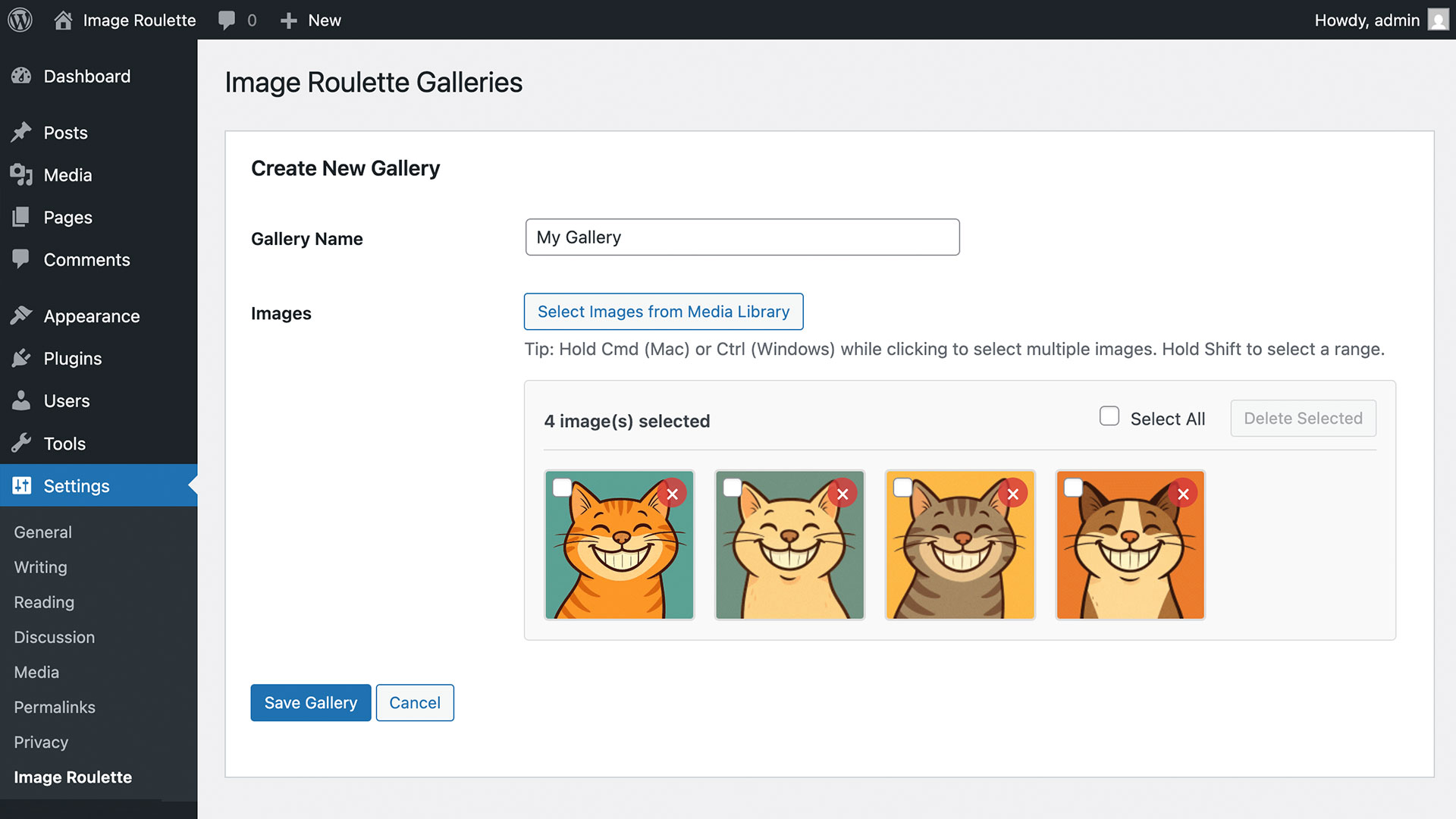
Gallery management interface 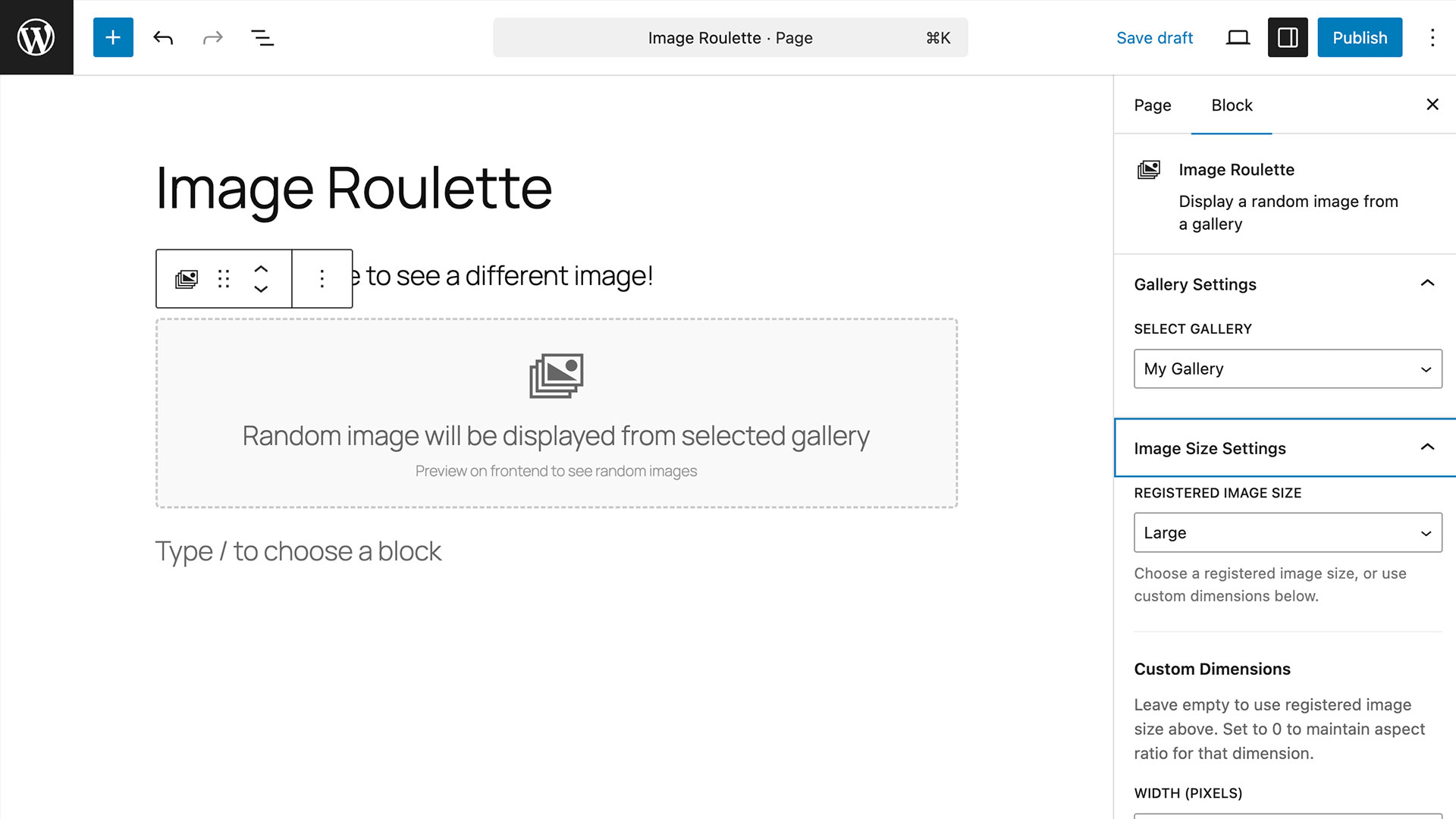
Gutenberg block settings panel with sizing options 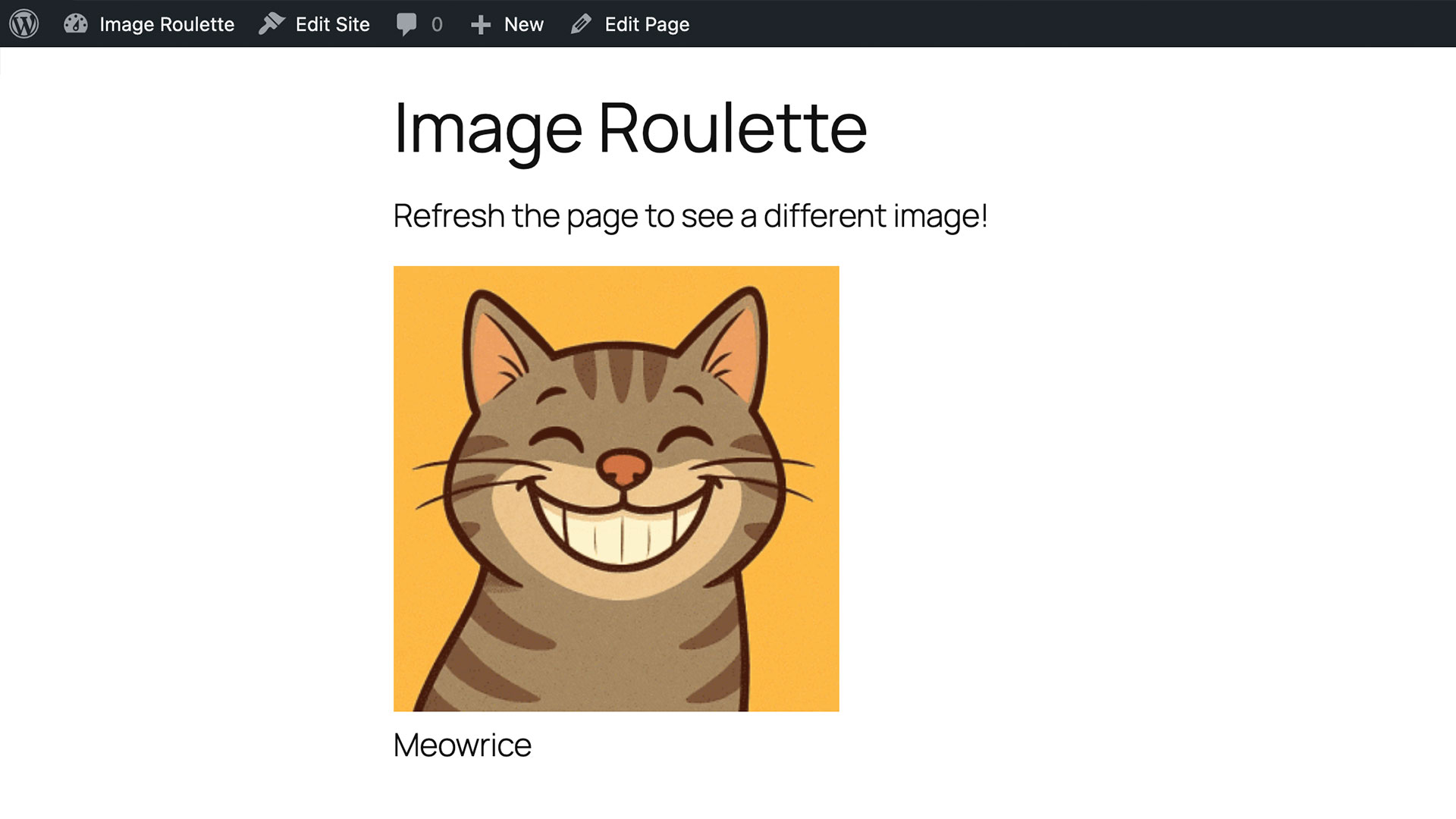
Example of random image display on frontend
Àwọn ìdí
Plugin yìí pèsè 1 ìdí.
- Image Roulette
Ìgbéwọlẹ̀
- Upload the plugin files to the
/wp-content/plugins/image-roulettedirectory, or install the plugin through the plugins screen directly. - Activate the plugin through the ‘Plugins’ screen
- Use the Settings Image Roulette screen to create your first gallery
FAQ
-
Can I use multiple galleries on the same page?
-
Yes! You can use as many Image Roulette shortcodes or blocks as you want on a single page, each displaying from different galleries.
-
Do images maintain their aspect ratio when resized?
-
Yes, when using custom width or height (setting one to 0), the plugin automatically calculates the other dimension to maintain the original aspect ratio.
-
Is the plugin accessible?
-
Absolutely! Image Roulette includes full support for alt text, image titles, captions, and follows web accessibility standards.
-
Can I style the output?
-
Yes, the plugin outputs clean HTML with CSS classes that you can style:
*.imagro-imageÌtumọ̀ Yorùbá: – Main container
*.imagro-errorÌtumọ̀ Yorùbá: – Error messages
Àwọn àgbéyẹ̀wò
Kò sí àwọn àgbéyẹ̀wò fún plugin yìí.
Àwọn Olùkópa & Olùgbéejáde
“Image Roulette Ìtumọ̀ Yorùbá: – Random Image Block” jẹ́ ètò ìṣàmúlò orísun ṣíṣí sílẹ̀. Àwọn ènìyàn wọ̀nyí ti ṣe ìkópa sí plugin yìí.
Àwọn Olùkópa
A ti túmọ̀ “Image Roulette Ìtumọ̀ Yorùbá: – Random Image Block” sí èdè agbègbè 1 kan. Ọpẹ́lọpẹ́ fún àwọn atúmọ̀ èdè fún àwọn ìkópa wọn.
Túmọ̀ “Image Roulette Ìtumọ̀ Yorùbá: – Random Image Block” sí èdè rẹ.
Ṣe o nífẹ̀ẹ́ sí ìdàgbàsókè?
Ṣàwárí koodu, ṣàyẹ̀wò ibi ìpamọ́ SVN, tàbí ṣe àgbékalẹ̀ sí àkọsílẹ̀ ìdàgbàsókè nípasẹ̀ RSS.
Àkọsílẹ̀ àwọn àyípadà
1.0.0
- Initial release
- Gallery creation and management
- Gutenberg block support
- Shortcode support
- Custom image sizing
- Accessibility features
- Bulk image operations