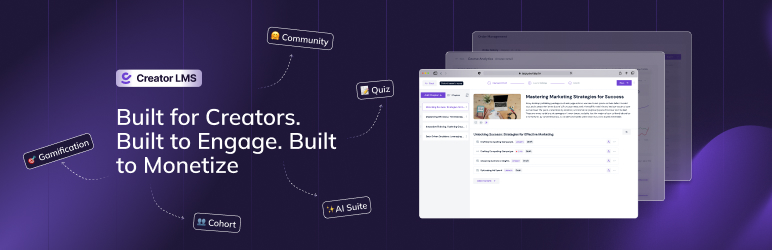

Àpèjúwe
Creator LMS is a complete WordPress plugin built specifically for creators, coaches, and educators who want to create, sell, and manage online courses without technical complexity or expensive add-ons. Trusted by 100+ creators worldwide — rated ⭐⭐⭐⭐⭐ 5 stars across all reviews.
Creator LMS focuses on a fast way to launch courses. It is designed to engage students with cohorts and community features. Sell memberships, subscriptions and charge one time fees with the built in eCommerce features.
See Creator LMS in action:
The core plugin is 100% FREE forever with unlimited courses, students, lessons, quizzes, certificates, and native checkout with Stripe.
🚀 Live Demo | 📘 Documentation | 🎥 Video Tutorials | 🎬 Setup Tutorial | 💁♂️ Facebook Community | 🗺️ Public Roadmap
Why Choose Creator LMS?
Built for Creators, Not Complexity
Most WordPress LMS plugins require extensive technical knowledge, and force you to install 10+ additional plugins just to get basic features working.
It is the best WordPress LMS plugin for:
✨ Solo course creators launching their first product
👨🏫 Coaches and consultants running cohort-based programs
🎓 Educators building engaged learning communities
🏢 Small agencies who need to deliver LMS sites fast
💼 Trainers creating employee development programs
Our WordPress Course Plugin has everything you need!
- ✅ AI-powered course outline creation (Pro) Ìtumọ̀ Yorùbá: – OpenAI and Anthropic integrated. Generate course plans within minutes and we do professional prompt engineering for you in the background.
- ✅ Content Protection (Pro) Ìtumọ̀ Yorùbá: – Our system automatically blurs the screen when someone tries to use a recording software.
- ✅ Built-in community platform (Pro) Ìtumọ̀ Yorùbá: – Let students post their confusions and let them help themselves.
- ✅ Custom video player Ìtumọ̀ Yorùbá: – Embed YouTube and Vimeo videos without platform branding. No YouTube recommendations, no Vimeo watermarks — just your content.
- ✅ Native eCommerce built-in Ìtumọ̀ Yorùbá: – Accept payments via Stripe and Mollie without any additional plugin. No WooCommerce required.
- ✅ Cohort-based learning (Pro) Ìtumọ̀ Yorùbá: – Run live, time-based courses with student cohorts.
- ✅ One-click upsells & down-sells (Pro) Ìtumọ̀ Yorùbá: – Monetize without complex funnel builders.
- ✅ Advanced email automation (Pro) Ìtumọ̀ Yorùbá: – Keep students engaged with Mail Mint integration.
- ✅ Gamification (Pro) Ìtumọ̀ Yorùbá: – Badges, leaderboards, and rewards built-in. No additional plugin needed.
- ✅ Analytics Ìtumọ̀ Yorùbá: – Track student performance, progress, and revenue with an analytical view.
- ✅ Theme Compatibility Ìtumọ̀ Yorùbá: – Works with 30+ popular WordPress themes and page builders.
- ✅ Builder Integration Ìtumọ̀ Yorùbá: – Special widgets for Gutenberg, Elementor, and Bricks Builder.
- ✅ Google Meet and Zoom Integration Ìtumọ̀ Yorùbá: – Take live classes on your preferred platform and tool.
Launch Your First Course in 3 Simple Steps:
- Share some information with our AI assistant about you, the course topic and student demographics.
- Work on the suggested contents.
- Upload them and hit publish!
Our WordPress LMS plugin is designed to get you from idea to revenue faster than any other WordPress course plugin; without sacrificing the advanced features youÌtumọ̀ Yorùbá: ’ll need as you scale.
⭐ What Users Are Saying
Creator LMS has a 100% five-star rating on WordPress.org. HereÌtumọ̀ Yorùbá: ’s why creators love it:
“Everything in one plugin” — No need to buy 5 add-ons to get features that Creator LMS includes out of the box.
“Best LMS for creators” — Simple enough for beginners, powerful enough to scale.
“Native checkout is a game-changer” — No WooCommerce, no complexity, just sell.
👉 Read all reviews on WordPress.org | Leave your own review
If Creator LMS has helped your business, please take 2 minutes to leave a review. It helps other creators find the plugin and helps us keep improving it. 🙏
🌟 Complete Feature List
Here are all the features we have included to help you sell courses:
🏗️ Course Creation & Management
Ìtumọ̀ Yorùbá: – Unlimited courses and lessons
Ìtumọ̀ Yorùbá: – Multiple lesson types (video, audio, text, embedded files)
Ìtumọ̀ Yorùbá: – Chapter and module organization
Ìtumọ̀ Yorùbá: – Visual course structure builder
Ìtumọ̀ Yorùbá: – Lesson reordering with drag-and-drop
Ìtumọ̀ Yorùbá: – Course prerequisites and dependencies
Ìtumọ̀ Yorùbá: – Lesson preview for unenrolled students
Ìtumọ̀ Yorùbá: – Multiple course layout templates
Ìtumọ̀ Yorùbá: – Custom course thumbnails and featured images
Ìtumọ̀ Yorùbá: – Course intro/preview videos
Ìtumọ̀ Yorùbá: – Downloadable course materials and attachments
Ìtumọ̀ Yorùbá: – Course categories and tags
Ìtumọ̀ Yorùbá: – Course difficulty levels
Ìtumọ̀ Yorùbá: – Estimated course duration settings
Ìtumọ̀ Yorùbá: – Password-protected courses
Ìtumọ̀ Yorùbá: – Public, private, and draft course status
Ìtumọ̀ Yorùbá: – Course scheduling and launch dates
Ìtumọ̀ Yorùbá: – Bulk course management
Ìtumọ̀ Yorùbá: – Course duplication for faster creation
🧩 Quiz & Assessment System
Ìtumọ̀ Yorùbá: – Flexible quiz builder with 6+ question types
Ìtumọ̀ Yorùbá: – Multiple Choice Questions (MCQ)
Ìtumọ̀ Yorùbá: – True/False questions
Ìtumọ̀ Yorùbá: – Fill in the blank questions
Ìtumọ̀ Yorùbá: – Short answer questions
Ìtumọ̀ Yorùbá: – Essay questions
Ìtumọ̀ Yorùbá: – Matching questions
Ìtumọ̀ Yorùbá: – Quiz timer and time limits
Ìtumọ̀ Yorùbá: – Pass/fail grading system
Ìtumọ̀ Yorùbá: – Automatic grading for objective questions
Ìtumọ̀ Yorùbá: – Manual grading for subjective questions
Ìtumọ̀ Yorùbá: – Quiz prerequisites and restrictions
Ìtumọ̀ Yorùbá: – Randomize questions and answers
Ìtumọ̀ Yorùbá: – Quiz attempts tracking and limits
Ìtumọ̀ Yorùbá: – Detailed quiz result reports
Ìtumọ̀ Yorùbá: – Question explanations and feedback
Ìtumọ̀ Yorùbá: – Retake options and controls
Ìtumọ̀ Yorùbá: – Quiz completion certificates
Ìtumọ̀ Yorùbá: – Quiz performance analytics
📜 Certificates & Credentials
Ìtumọ̀ Yorùbá: – Custom certificate templates
Ìtumọ̀ Yorùbá: – Automated certificate generation
Ìtumọ̀ Yorùbá: – Certificate download for students
Ìtumọ̀ Yorùbá: – Course completion certificates
Ìtumọ̀ Yorùbá: – Certificate verification system
Ìtumọ̀ Yorùbá: – Custom certificate text and branding
Ìtumọ̀ Yorùbá: – Multiple certificate designs
Ìtumọ̀ Yorùbá: – Email delivery of certificates
Ìtumọ̀ Yorùbá: – Certificate tracking and management
💳 Native eCommerce & Monetization
Ìtumọ̀ Yorùbá: – Built-in native checkout system
Ìtumọ̀ Yorùbá: – Stripe payment integration
Ìtumọ̀ Yorùbá: – Mollie payment gateway
Ìtumọ̀ Yorùbá: – Offline/manual payment recording
Ìtumọ̀ Yorùbá: – Stripe Link payment support
Ìtumọ̀ Yorùbá: – PayPal integration
Ìtumọ̀ Yorùbá: – Authorize.net integration
Ìtumọ̀ Yorùbá: – Razorpay payment gateway
Ìtumọ̀ Yorùbá: – Order management dashboard
Ìtumọ̀ Yorùbá: – Revenue tracking and reports
Ìtumọ̀ Yorùbá: – Sales analytics
Ìtumọ̀ Yorùbá: – Coupon and discount codes
Ìtumọ̀ Yorùbá: – Free and paid course options
Ìtumọ̀ Yorùbá: – One-time payment courses
Ìtumọ̀ Yorùbá: – Course bundles and packages
Ìtumọ̀ Yorùbá: – Subscription and membership pricing
Ìtumọ̀ Yorùbá: – Refund management
Ìtumọ̀ Yorùbá: – Tax calculation support
Ìtumọ̀ Yorùbá: – Invoice generation
Ìtumọ̀ Yorùbá: – Payment confirmation emails
👥 Cohort-Based Learning
Ìtumọ̀ Yorùbá: – Create time-based course cohorts
Ìtumọ̀ Yorùbá: – Set cohort start and end dates
Ìtumọ̀ Yorùbá: – Automatic student grouping by cohort
Ìtumọ̀ Yorùbá: – Cohort-specific content and schedules
Ìtumọ̀ Yorùbá: – Live lesson scheduling within cohorts
Ìtumọ̀ Yorùbá: – Cohort progress tracking
Ìtumọ̀ Yorùbá: – Deadline management per cohort
Ìtumọ̀ Yorùbá: – Student collaboration within cohorts
Ìtumọ̀ Yorùbá: – Cohort completion tracking
🏘️ Built-In Community Platform
Ìtumọ̀ Yorùbá: – Discussion channels for courses
Ìtumọ̀ Yorùbá: – Student-to-student interaction
Ìtumọ̀ Yorùbá: – Instructor Q&A sections
Ìtumọ̀ Yorùbá: – Community posts and comments
Ìtumọ̀ Yorùbá: – Course-specific communities
Ìtumọ̀ Yorùbá: – Knowledge sharing and peer support
Ìtumọ̀ Yorùbá: – Community moderation tools
Ìtumọ̀ Yorùbá: – Member profiles in community
Ìtumọ̀ Yorùbá: – Direct messaging between students
Ìtumọ̀ Yorùbá: – Community notifications
🎮 Gamification System
Ìtumọ̀ Yorùbá: – Achievement badges and awards
Ìtumọ̀ Yorùbá: – Learning milestones and levels
Ìtumọ̀ Yorùbá: – Points and rewards system
Ìtumọ̀ Yorùbá: – Course completion rewards
Ìtumọ̀ Yorùbá: – Progress-based achievements
Ìtumọ̀ Yorùbá: – Use your custom made badges
Ìtumọ̀ Yorùbá: – Badge display on student profiles
🤖 AI Assistance
Ìtumọ̀ Yorùbá: – AI-powered course outline generation
Ìtumọ̀ Yorùbá: – AI quiz and question generation (coming soon)
Ìtumọ̀ Yorùbá: – Course graphics and thumbnail generation
Ìtumọ̀ Yorùbá: – Choice of AI models (OpenAI or Anthropic)
Ìtumọ̀ Yorùbá: – Customizable AI prompts
Ìtumọ̀ Yorùbá: – AI-assisted curriculum design
📧 Email Automation & Marketing
Ìtumọ̀ Yorùbá: – Automated course enrollment emails
Ìtumọ̀ Yorùbá: – Course completion notifications
Ìtumọ̀ Yorùbá: – Quiz completion emails
Ìtumọ̀ Yorùbá: – Certificate delivery emails
Ìtumọ̀ Yorùbá: – Purchase confirmation emails
Ìtumọ̀ Yorùbá: – Password reset emails
Ìtumọ̀ Yorùbá: – Welcome email sequences
Ìtumọ̀ Yorùbá: – Behavior-based email triggers
Ìtumọ̀ Yorùbá: – Progress-triggered email campaigns
Ìtumọ̀ Yorùbá: – Lesson completion follow-ups
Ìtumọ̀ Yorùbá: – Quiz result notifications
Ìtumọ̀ Yorùbá: – Milestone congratulations emails
Ìtumọ̀ Yorùbá: – Re-engagement campaigns
Ìtumọ̀ Yorùbá: – Mail Mint integration for advanced automation
Ìtumọ̀ Yorùbá: – Custom email templates
Ìtumọ̀ Yorùbá: – Email template editor
Ìtumọ̀ Yorùbá: – Email scheduling
💸 One-Click Offers
Ìtumọ̀ Yorùbá: – One-click upsells after purchase
Ìtumọ̀ Yorùbá: – One-click down-sells for declined offers
Ìtumọ̀ Yorùbá: – Upsell premium courses
Ìtumọ̀ Yorùbá: – Course bundle upsells
Ìtumọ̀ Yorùbá: – No redirects or complex funnels
Ìtumọ̀ Yorùbá: – Offer conversion tracking
Ìtumọ̀ Yorùbá: – Custom offer pages
💎 Membership & Subscriptions
Ìtumọ̀ Yorùbá: – Recurring subscription management
Ìtumọ̀ Yorùbá: – Weekly, Monthly and yearly subscription plans
Ìtumọ̀ Yorùbá: – One-time membership options
Ìtumọ̀ Yorùbá: – Tiered membership levels (coming soon)
Ìtumọ̀ Yorùbá: – Member-only course access
Ìtumọ̀ Yorùbá: – Subscription renewal automation
Ìtumọ̀ Yorùbá: – Cancellation handling
Ìtumọ̀ Yorùbá: – Access level management (coming soon)
Ìtumọ̀ Yorùbá: – Membership pricing flexibility
Ìtumọ̀ Yorùbá: – Subscription analytics
Ìtumọ̀ Yorùbá: – Member retention tracking (coming soon)
Ìtumọ̀ Yorùbá: – Automatic access control
📝 Assignments & Assessments
Ìtumọ̀ Yorùbá: – File upload assignments
Ìtumọ̀ Yorùbá: – Text-based assignment submissions (coming soon)
Ìtumọ̀ Yorùbá: – Assignment deadlines and due dates
Ìtumọ̀ Yorùbá: – Late submission handling (coming soon)
Ìtumọ̀ Yorùbá: – Manual grading by instructors
Ìtumọ̀ Yorùbá: – Assignment feedback and comments
Ìtumọ̀ Yorùbá: – Grade tracking and management
Ìtumọ̀ Yorùbá: – Assignment pass/fail criteria
Ìtumọ̀ Yorùbá: – Assignment prerequisites
Ìtumọ̀ Yorùbá: – Resubmission options
Ìtumọ̀ Yorùbá: – Assignment completion tracking
🔐 Content Protection
Ìtumọ̀ Yorùbá: – Prevent right-click copying
Ìtumọ̀ Yorùbá: – Disable video downloads
Ìtumọ̀ Yorùbá: – Screen recording prevention
Ìtumọ̀ Yorùbá: – Disable browser inspect element
Ìtumọ̀ Yorùbá: – Secure video streaming
Ìtumọ̀ Yorùbá: – Content expiration dates
📊 Analytics & Reporting
Ìtumọ̀ Yorùbá: – Student progress tracking
Ìtumọ̀ Yorùbá: – Course completion rates
Ìtumọ̀ Yorùbá: – Quiz performance analytics
Ìtumọ̀ Yorùbá: – Revenue and sales reports
Ìtumọ̀ Yorùbá: – Enrollment statistics and trends
Ìtumọ̀ Yorùbá: – Student engagement metrics
Ìtumọ̀ Yorùbá: – Detailed earnings breakdowns
Ìtumọ̀ Yorùbá: – Course popularity analytics
Ìtumọ̀ Yorùbá: – Export reports to CSV (coming soon)
Ìtumọ̀ Yorùbá: – Custom date range reporting
Ìtumọ̀ Yorùbá: – Visual charts and graphs
Ìtumọ̀ Yorùbá: – Instructor earnings reports
Ìtumọ̀ Yorùbá: – Student learning analytics
Ìtumọ̀ Yorùbá: – Conversion rate tracking
👤 Student Experience
Ìtumọ̀ Yorùbá: – Clean student dashboard
Ìtumọ̀ Yorùbá: – My Courses overview
Ìtumọ̀ Yorùbá: – Progress tracking for each course
Ìtumọ̀ Yorùbá: – Course bookmarks and favorites
Ìtumọ̀ Yorùbá: – Course reviews and ratings
Ìtumọ̀ Yorùbá: – Student profile management
Ìtumọ̀ Yorùbá: – Learning history
Ìtumọ̀ Yorùbá: – Certificate downloads
Ìtumọ̀ Yorùbá: – Achievement showcase
Ìtumọ̀ Yorùbá: – Course search and filtering
Ìtumọ̀ Yorùbá: – Mobile-responsive interface
Ìtumọ̀ Yorùbá: – Seamless video playback
Ìtumọ̀ Yorùbá: – Resume from last position
Ìtumọ̀ Yorùbá: – Course completion status
🔌 Integrations & Compatibility
Ìtumọ̀ Yorùbá: – Gutenberg (WordPress Block Editor)
Ìtumọ̀ Yorùbá: – Elementor page builder
Ìtumọ̀ Yorùbá: – Bricks Builder integration
Ìtumọ̀ Yorùbá: – WPBakery Page Builder
Ìtumọ̀ Yorùbá: – Stripe payment gateway
Ìtumọ̀ Yorùbá: – PayPal (Pro)
Ìtumọ̀ Yorùbá: – Mollie payment gateway
Ìtumọ̀ Yorùbá: – Authorize.net (Pro)
Ìtumọ̀ Yorùbá: – Razorpay (Pro)
Ìtumọ̀ Yorùbá: – Mail Mint email automation (Pro)
Ìtumọ̀ Yorùbá: – WP Fusion CRM integration (Pro)
Ìtumọ̀ Yorùbá: – Webhook integration
Ìtumọ̀ Yorùbá: – WooCommerce Action Scheduler
Ìtumọ̀ Yorùbá: – SCORM compliance
Ìtumọ̀ Yorùbá: – 30+ WordPress theme compatibility
Ìtumọ̀ Yorùbá: – Custom CSS support
Ìtumọ̀ Yorùbá: – Developer-friendly hooks and filters
🔄 Migration & Setup
Ìtumọ̀ Yorùbá: – One click migration from Learndash, Tutor LMS and LearnPress
Ìtumọ̀ Yorùbá: – SCORM import/export support
Ìtumọ̀ Yorùbá: – JSON import/export
Ìtumọ̀ Yorùbá: – Bulk content import
Ìtumọ̀ Yorùbá: – Setup wizard for easy onboarding
Ìtumọ̀ Yorùbá: – Sample course templates
Ìtumọ̀ Yorùbá: – Niche-specific course imports
Ìtumọ̀ Yorùbá: – One-click demo import
Ìtumọ̀ Yorùbá: – Guided configuration
Ìtumọ̀ Yorùbá: – Video setup tutorials
🌐 Localization & Accessibility
Ìtumọ̀ Yorùbá: – RTL (Right-to-Left) language support
Ìtumọ̀ Yorùbá: – Fully translatable
Ìtumọ̀ Yorùbá: – Spanish language included
Ìtumọ̀ Yorùbá: – WPML compatible
Ìtumọ̀ Yorùbá: – Translation plugin support
Ìtumọ̀ Yorùbá: – Multilingual course support
Ìtumọ̀ Yorùbá: – Accessibility-ready design
Ìtumọ̀ Yorùbá: – Keyboard navigation support
Ìtumọ̀ Yorùbá: – Screen reader compatible
Ìtumọ̀ Yorùbá: – High contrast mode support
⚙️ Technical Features
Ìtumọ̀ Yorùbá: – Regular security updates
Ìtumọ̀ Yorùbá: – Performance optimized
Ìtumọ̀ Yorùbá: – Caching compatible
Ìtumọ̀ Yorùbá: – CDN friendly
Ìtumọ̀ Yorùbá: – Scalable architecture
Ìtumọ̀ Yorùbá: – Database optimization
Ìtumọ̀ Yorùbá: – Custom HTML support in course builder
Ìtumọ̀ Yorùbá: – Video controls for video lessons
Ìtumọ̀ Yorùbá: – Customizable Permalink Structure
Ìtumọ̀ Yorùbá: – Developer documentation
Ìtumọ̀ Yorùbá: – REST API support
Ìtumọ̀ Yorùbá: – Webhook support
WhoÌtumọ̀ Yorùbá: ’s Creator LMS Perfect For?
This WordPress LMS plugin is designed for anyone who wants to share knowledge and monetize their expertise online:
👨💼 Solo Course Creators
Launch your first online course without the overwhelm. Creator LMS gives you everything you need in one plugin. No technical expertise required, no expensive add-ons to buy.
👩🏫 Coaches & Consultants
Run live cohort-based programs where students start together, learn together, and complete together. Perfect for group coaching programs and mentorship courses.
🎓 Online Educators
Create effective learning experiences with quizzes, assignments, certificates, and community features. Build a platform where students donÌtumọ̀ Yorùbá: ’t just consume content, they get assessment reports and certificates to share.
🏢 Agencies & Developers
Buil online course selling websites for clients faster with fewer plugins and dependencies. Creator LMSÌtumọ̀ Yorùbá: ’s all-in-one approach means less troubleshooting, less maintenance, and happier clients.
💼 Corporate Trainers
Build internal courses employee training programs with progress tracking, assessments, and completion certificates. Track team learning and development all in one eLearning platform.
🌟 Membership Site Owners
Combine courses with community features to create recurring-revenue streams. Keep members engaged month after month.
📈 Digital Marketers
Use built-in one-click offers to maximize customer value. Upsell advanced courses, cohort access, and premium content without complex funnel builders.
How Creator LMS Compares
Creator LMS Free includes:
- Unlimited courses, lessons, and students
- Native Stripe and Mollie checkout — no WooCommerce required
- Certificate builder with verification
- 6+ quiz question types
- Gutenberg, Elementor, and Bricks Builder integration
- Basic analytics
Creator LMS Pro adds (features that cost extra elsewhere):
LearnDash, Tutor LMS, and LearnPress require separate paid add-ons for each of these. Creator LMS Pro bundles them at one price:
- Built-in community platform
- Cohort-based learning
- AI-powered course generation
- One-click upsells and down-sells
- Gamification (badges, leaderboards, points)
- Content protection
- Memberships and subscriptions
- Advanced email automation (Mail Mint)
- Additional payment gateways (PayPal, Authorize.net, Razorpay)
vs. SaaS platforms (Teachable, Thinkific, Kajabi)
Creator LMS runs on your own WordPress site. Zero revenue share. No monthly platform fees that scale with your income. Your student data, course content, and revenue stay 100% yours.
Free migration included
Already on another LMS? One-click migration from LearnDash, Tutor LMS, and LearnPress is free and built in. Our support team assists at no cost.
🏗️ Intuitive Course Builder
Create best selling online courses in minutes with Creator LMSÌtumọ̀ Yorùbá: ’s drag-and-drop course builder. This WordPress LMS plugin is designed specifically for creators—not developers.
Multiple Lesson Types
- Video Lessons Ìtumọ̀ Yorùbá: – Upload self-hosted videos or paste any YouTube/Vimeo URL. Creator LMS plays them through a custom branded player — no YouTube recommendations bleeding into your course, no Vimeo watermarks, no distractions.
- Audio Lessons Ìtumọ̀ Yorùbá: – Perfect for podcast-style courses or music instruction
- Text Lessons Ìtumọ̀ Yorùbá: – Rich text editing with formatting, images, and embeds
- Downloadable Resources Ìtumọ̀ Yorùbá: – PDFs, worksheets, templates, and more
- Mixed Media Ìtumọ̀ Yorùbá: – Combine video, text, and downloads in a single lesson
Course Organization
Create unlimited chapters to organize lessons into logical sections. Add descriptions to each chapter, set prerequisites between lessons, and control the flow of your course content.
Lesson Preview
Let potential students preview select lessons before enrolling. Show them the quality of your content and teaching style to increase conversions.
Custom Course Layouts
Choose from multiple professionally-designed course layout templates. Match your course presentation to your teaching style and brand aesthetic.
Quick Course Creation
With AI assistant, generate complete course outlines in seconds. The AI creates lesson structures, chapter organization, and even suggests content—all you need to do is refine and add your unique expertise.
🧩 Powerful Quiz & Assessment System
Test student knowledge and boost engagement with Creator LMSÌtumọ̀ Yorùbá: ’s flexible quiz builder supporting 6+ question types.
Comprehensive Question Types
- Multiple Choice
- Single Choice
- True / False
- Short & Long Text
- Fill In The Blank
- Reorder
- Image Matching
💳 Native eCommerce Ìtumọ̀ Yorùbá: – Sell Courses Your Way
Our WordPress LMS plugin includes a complete native checkout system built specifically for selling online courses—no WooCommerce required.
Why Native eCommerce Matters
Traditional LMS plugins often require additional eCommerce plugins, creating complexity and potential conflicts. Creator LMS takes a different approach: streamlined checkout designed specifically for course sales.
Built-In Payment Processing
Accept payments with Stripe (included free), Mollie, and offline payments right out of the box. Pro adds PayPal, Authorize.net, and Razorpay for global payment flexibility.
Seamless Checkout Experience
Students go from course page to enrolled in seconds with our optimized checkout flow. No cart abandonment, no complex checkout fields—just simple, fast course purchase.
Order Management
View all orders for your WordPress LMS in one dashboard. Track revenue, manage refunds, …
Àwọn àwòrán ìbòjú
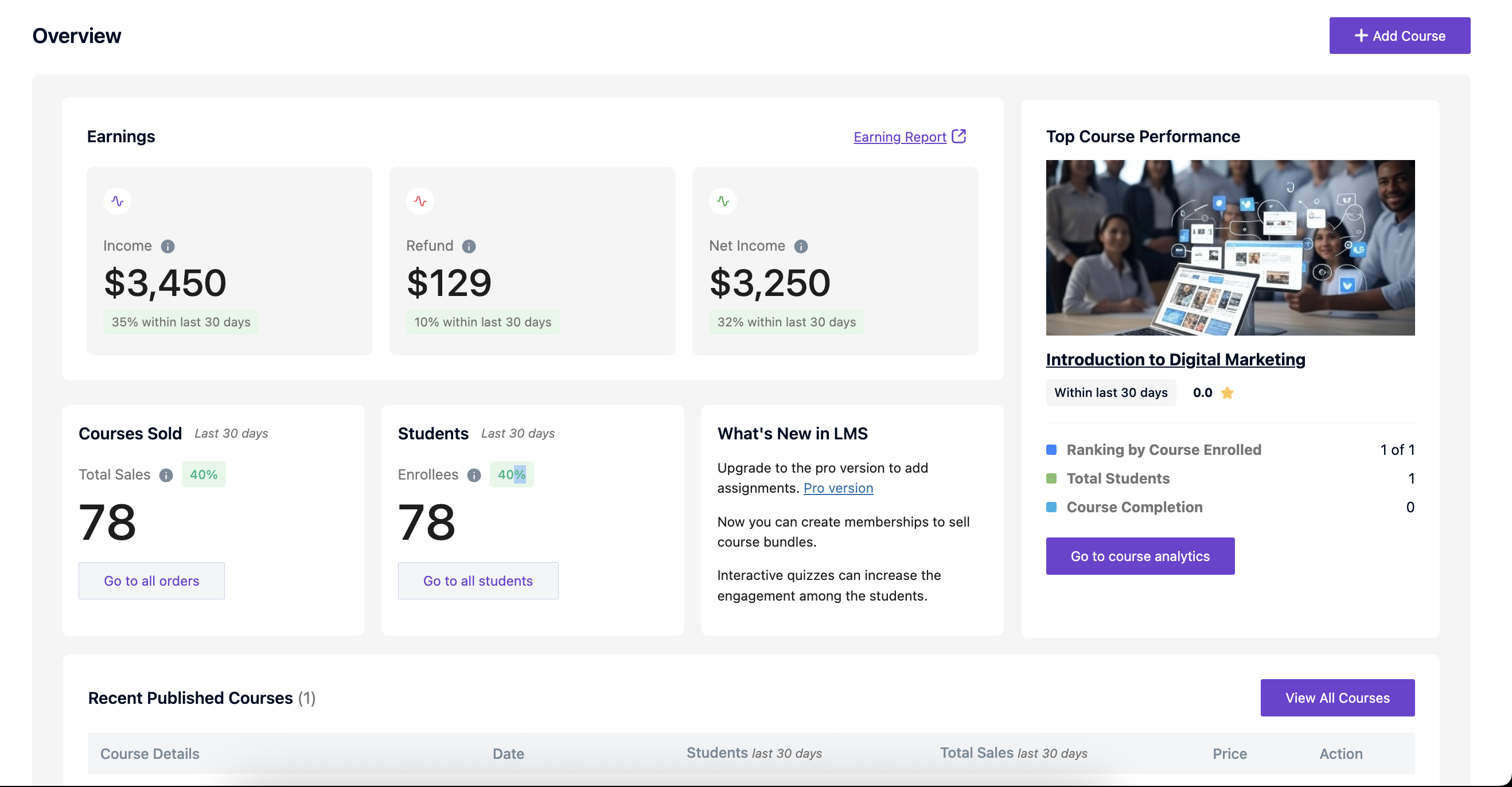
Course dashboard UI 
Course builder UI with chapters and lessons 
Lesson builder UI 
Quiz setup with various question types 
Certificate builder UI 
Global Settings UI 
Automated Emails 
Single Course Page UI (Without Purchase) 
Checkout Page UI 
Single Lesson Page UI 
Single Course Page UI (After Completing the Course) 
Student My courses Page UI 
Student Profile Edit UI
Àwọn ìdí
Plugin yìí pèsè 7 àwọn ìdí.
- Buy Now Button
- CreatorLMS Profile
- Offer Button
- CreatorLMS My Courses
- CreatorLMS Dashboard
- CreatorLMS Checkout
- CreatorLMS Course List
Ìgbéwọlẹ̀
- Log in to your WordPress dashboard
- Navigate to Plugins Add New
- Search for “Creator LMS”
- Click “Install Now” on the Creator LMS plugin
- After installation, click “Activate”
- Follow the setup wizard to configure your LMS
FAQ
-
Is Creator LMS free to use?
-
Yes! The core Creator LMS plugin is 100% free and includes everything you need to create and sell online courses: unlimited courses, lessons, quizzes, certificates, native checkout with Stripe, and basic email automation.
-
Do I need WooCommerce to sell courses?
-
No. Creator LMS includes a fully native checkout system built specifically for course sales — no WooCommerce or any other eCommerce plugin required. Accept payments with Stripe and Mollie out of the box, record offline payments, and manage all orders from the Creator LMS dashboard. WooCommerce integration is on the roadmap as an optional addition for users who need it, but it will never be required.
-
Does the checkout process require WooCommerce?
-
No. Creator LMS has its own native checkout — WooCommerce is never installed or needed. Students go from course page to enrolled in a streamlined two-step checkout powered by Stripe or Mollie. No cart, no WooCommerce order flow, no plugin conflicts. Order management, refunds, and revenue tracking all live inside Creator LMS.
-
Can I issue certificates to students?
-
Yes. Creator LMS includes a certificate builder to create and issue professional completion certificates for each course. Certificates are automatically generated when students meet completion requirements.
-
Can I migrate courses from another LMS?
-
Absolutely. Creator LMS offers free migration tools for Tutor LMS, LearnDash, and LearnPress. We also support SCORM imports from any SCORM-compliant LMS. Our support team can assist with migration if needed.
-
What makes Creator LMS different from Tutor LMS or LearnDash?
-
Creator LMS is built specifically for creators, not institutions. We include native eCommerce (no WooCommerce required), cohort-based learning, built-in community platform, one-click upsells, and AI course generation—all in one plugin. Other LMS platforms require 5-10 paid add-ons to get similar features.
-
WhatÌtumọ̀ Yorùbá: ’s included in the Pro version?
-
Pro adds: cohort-based courses, built-in community platform, AI Suite (course generation), gamification (badges, leaderboards), advanced email automation with Mail Mint, one-click offers, memberships and subscriptions, assignments, content protection, additional payment gateways (PayPal, Authorize.net, Razorpay), and premium integrations.
-
Can I run cohort-based courses?
-
Yes, with Creator LMS Pro. Create time-based cohorts where students start together and progress on a schedule. Perfect for group coaching, bootcamps, and live programs. Free version supports self-paced courses only.
-
Does Creator LMS have a community feature?
-
Yes, in Creator LMS Pro. Build discussion forums, Q&A sections, and member profiles without installing BuddyPress or separate community plugins. Everything is integrated into the LMS.
-
Can I use my own branding and design?
-
Absolutely. Creator LMS works with any WordPress theme and all major page builders (Elementor, Bricks, Gutenberg, WPBakery, uiXpress). Customize course layouts, colors, and branding to match your site.
-
Is Creator LMS suitable for beginners?
-
Yes! Creator LMS is designed for creators without technical backgrounds. The setup wizard guides you through configuration, course templates help you start quickly, and video tutorials cover every feature. You can launch your first course in under an hour.
-
What payment methods are supported?
-
Free version includes Stripe, Mollie, and offline payments. Pro adds PayPal, Authorize.net, and Razorpay. WeÌtumọ̀ Yorùbá: ’re also adding WooCommerce integration soon for access to 100+ payment gateways.
-
Can I create quizzes with multiple question types?
-
Yes. Creator LMS supports 6+ question types: multiple choice, true/false, fill in the blank, short answer, essay, and matching questions. Quizzes can have time limits, attempt limits, and pass/fail requirements.
-
Does Creator LMS work with my WordPress theme?
-
Yes. Creator LMS is designed to work with any properly-coded WordPress theme. WeÌtumọ̀ Yorùbá: ’ve tested compatibility with 30+ popular themes including Astra, GeneratePress, Kadence, OceanWP, and more.
-
Can I offer free and paid courses?
-
Yes. You can create free courses, paid courses, or mix both. Offer free introductory courses to build your audience, then upsell to premium paid courses.
-
How many courses can I create?
-
Unlimited. Both free and pro versions allow unlimited courses, lessons, quizzes, and students. No artificial limits.
-
Does Creator LMS slow down my website?
-
No. Creator LMS is built with performance in mind. The plugin is lightweight, follows WordPress coding standards, and is compatible with caching plugins. Most sites see no noticeable performance impact.
-
Can I have multiple instructors?
-
Yes. Creator LMS supports multiple instructors. Each instructor can create and manage their own courses, track their earnings, and manage their students.
-
Is there a mobile app for students?
-
Currently, Creator LMS is fully responsive on mobile browsers. A dedicated mobile app for iOS and Android is on our roadmap for Q2 2026.
-
How do I get support?
-
Free users get community forum support. Pro users get priority email support with faster response times. Visit our support forum or check our documentation.
-
Can I try Pro features before buying?
-
Check out our live demo to explore all Pro features. We also offer a 30-day money-back guarantee on all Pro purchases.
-
Where do I report security bugs found in this plugin?
-
Please report security bugs found in the source code of the Creator LMS plugin through the Patchstack Vulnerability Disclosure Program. The Patchstack team will assist you with verification, CVE assignment, and notify the developers of this plugin.= Does Creator LMS support recurring subscriptions? =
Yes, in Creator LMS Pro. Create monthly, yearly, or custom subscription plans. Students can subscribe for ongoing access to courses or membership areas. -
Can I integrate Creator LMS with my email marketing tool?
-
Yes. Creator LMS Pro integrates with Mail Mint for advanced email automation. You can also use webhooks to connect with Zapier, Make, and other automation platforms to integrate with any email marketing tool.
-
What happens if I deactivate the plugin?
-
Your course data remains in your WordPress database. If you reactivate Creator LMS later, all your courses, students, and settings will be exactly as you left them.
-
Can I export my course data?
-
Yes. You can export courses, student data, and order information to CSV files for backup or migration to other systems.
-
Does Creator LMS support video hosting?
-
Yes. Creator LMS works with self-hosted videos, YouTube, Vimeo, and any embeddable video source. All videos play through Creator LMSÌtumọ̀ Yorùbá: ’s custom video player — YouTube and Vimeo URLs are supported but stripped of platform branding, so students see no YouTube recommendations, no Vimeo watermarks, and no distracting logos. Pro will add Amazon S3 integration for optimized video hosting.
-
How often is Creator LMS updated?
-
We release updates regularly—typically 1-2 major updates per quarter plus security patches as needed. All updates are free for both free and pro users.
-
How does Creator LMS compare to LearnDash and Tutor LMS?
-
Creator LMS Free includes native Stripe checkout with no WooCommerce required — something that requires additional setup in LearnDash and Tutor LMS. Creator LMS Pro then adds built-in community, cohort-based learning, AI course generation, one-click upsells/down-sells, and gamification — features that require expensive separate add-ons in competing plugins. Creator LMS Pro bundles all of these at one price. Free one-click migration from LearnDash, Tutor LMS, and LearnPress is built in.
-
Is Creator LMS a good alternative to Teachable or Thinkific?
-
Yes. Creator LMS runs on your own WordPress site — no monthly platform fees, no revenue share, and full ownership of your student data and course content. You pay for hosting, not a percentage of every sale.
-
Does Creator LMS work on WordPress Multisite?
-
Yes. Creator LMS is compatible with WordPress Multisite (network) installations.
-
Is my student data secure?
-
Yes. All student data is stored in your own WordPress database under your hosting account. No student data is sent to third-party servers (except payment data processed by your chosen payment gateway). We ship regular security updates and participate in the Patchstack Vulnerability Disclosure Program for responsible disclosure.
Àwọn àgbéyẹ̀wò


Àwọn Olùkópa & Olùgbéejáde
“Creator LMS Ìtumọ̀ Yorùbá: – Online Courses and eLearning Plugin” jẹ́ ètò ìṣàmúlò orísun ṣíṣí sílẹ̀. Àwọn ènìyàn wọ̀nyí ti ṣe ìkópa sí plugin yìí.
Àwọn Olùkópa


A ti túmọ̀ “Creator LMS Ìtumọ̀ Yorùbá: – Online Courses and eLearning Plugin” sí àwọn èdè agbègbè 2. Ọpẹ́lọpẹ́ fún àwọn atúmọ̀ èdè fún àwọn ìkópa wọn.
Túmọ̀ “Creator LMS Ìtumọ̀ Yorùbá: – Online Courses and eLearning Plugin” sí èdè rẹ.
Ṣe o nífẹ̀ẹ́ sí ìdàgbàsókè?
Ṣàwárí koodu, ṣàyẹ̀wò ibi ìpamọ́ SVN, tàbí ṣe àgbékalẹ̀ sí àkọsílẹ̀ ìdàgbàsókè nípasẹ̀ RSS.
Àkọsílẹ̀ àwọn àyípadà
1.2.6 (2026-05-12)
- Enhanced community platform features including post interactions and discussion channels
- Improved compatibility between Creator LMS free and Creator LMS Pro plugin
1.2.5 (2026-05-04)
- Implemented Gutenberg blocks for the Student Dashboard, Student My Courses, and Student Profile pages
- Added functionality to restore deleted pages in Creator LMS
- Fixed design issues on the Students page
- Updated the tracking package
1.2.4 (2026-04-06)
- Removed duplicate query form CreatorLMS pages
1.2.3 (2026-04-02)
- Updated tracking package
1.2.2 (2026-03-12)
- Fixed caching issue on the checkout page
- Updated tracking package
1.2.1 (2026-03-04)
- Added custom video player for video lessons
- Improved resume course logic to navigate to the last visited lesson
- Fixed duplicate orders being created in the backend with Mollie payment
1.2.0 (2026-02-24)
- Improved and reorganized the Settings page user interface for better usability.
1.1.20 (2026-02-19)
- Fixed Bricks Builder content and style not updating on the frontend
- Fixed Google Meet lesson showing “Meeting has ended” when WordPress timezone is UTC+0
- Fixed refund action updating order status incorrectly
- Fixed Start button being enabled for expired live classes
1.1.19 (2026-02-17)
- Added new option in the Checkout block to set layout type
- Updated thankyou page content for failed payment
- Enhanced “No seat available” button UX
- Enhanced error message positioning for Razorpay
- Fixed filtering issue on the course listing page
- Fixed coupon, category, and tag deletion issue
- Fixed filter issue on the order listing page
- Fixed security vulnerability issue in the setup wizard
1.1.18 (2026-02-15)
- Fixed Zoom meeting update action failure after re-enabling settings
- Fixed UI issue on the checkout page
1.1.17 (2026-02-10)
- Enhanced onboarding process
- Updated Thank You page text based on order status
- Restricted multiple clicks on category and tag creation buttons
- Added filter option for all supported payment gateways on the order listing page
- Fixed Mollie payment issue
- Fixed course name issue with special characters
- Fixed category migration issue
- Fixed student logged-in time issue
- Restricted new order email for failed payments
- Fixed filter issue on the course listing page
1.1.16 (2026-01-27)
- Fixed checkout completion issue when Creator LMS Pro is not activated
- Fixed JavaScript error in the Mollie payment gateway
1.1.15 (2026-01-22)
- Added option to block and unblock students from the site
- Fixed course completion event trigger issue
- Fixed external video migration issue
- Fixed payment description application issue on the checkout page
1.1.14 (2026-01-14)
- Added a new settings to clear CreatorLMS caches
- Added “See More” toggle for long membership descriptions
- Fixed HTML content cropping and navigation issues in Creator LMS
- Fixed default country and missing translation issues in Creator LMS
1.1.13 (2026-01-06)
- Fixed vulnerability issue
1.1.12 (2026-01-02)
- Added Categories and Tags management
- Added niche selection section in the setup wizard to import a sample course
- Updated guest checkout email to include the frontend profile URL instead of the backend login URL
1.1.11 (2025-12-31)
- Fixed a security vulnerability issue
- Fixed timezone issue in cohort-based courses
1.1.10 (2025-12-24)
- Fixed pagination and total certificate count display issues on the Certificate Listing page
1.1.9 (2025-12-22)
- Fixed a critical issue when deleting a course
1.1.8 (2025-12-19)
- Added integration with WPBakery Page Builder
- Added a new migration option from LearnPress
- Added Spanish language support
1.1.7 (2025-12-11)
- Added compatibility with WP Fusion integration in Creator LMS Pro
- Fixed PHP error
1.1.6 (2025-11-26)
- Updated pricing on the Free vs Pro page
1.1.5 (2025-11-21)
- Added compatibility with WordPress plain permalink structure
1.1.4 (2025-11-19)
- Added custom HTML support in the course builder
- Added compatibility with Creator LMS Pro
- Resolved conflict with the Woostify theme
- Resolved coupon application issue
- Resolved conflict with the Bricks theme
- Resolved course builder navigation issue
1.1.3 (2025-11-06)
- Added compatibility with Creator LMS Pro
- Fixed UI issue with the Bricks theme
1.1.2 (2025-10-28)
- Added Stripe link payment
- Fixed email builder design issue
1.1.1 (2025-10-23)
- Added compatibility with Webhook
- Added compatibility with Authorize.net
1.1.0 (2025-10-16)
- Added Bricks Builder integration
- Added Mollie payment gateway integration
- Added compatibility with enhanced Community feature
- Added compatibility with one-time Membership
1.0.5 (2025-09-24)
- Fixed Stripe payment setup issue
- Fixed style issue on the dashboard caused by Creator LMS
- Fixed order list loading issue
1.0.4 (2025-09-23)
- Added RTL (Right-to-Left) language support
- Made the entire plugin fully translatable
- Fixed conflict with WooCommerce Thank You page
- Fixed filter issue on the course listing page
1.0.3 (2025-09-17)
- Added video controls for video-type lessons
- Added compatibility with WooCommerce Action Scheduler
- Fixed PHP error when checking Creator LMS page conditions
1.0.2 (2025-09-04)
- Added compatibility with uiXpress
- Resolved permalink issue on course archive page
1.0.1 (2025-09-02)
- Added compatibility with Creator LMS Pro
- Introduced lesson preview for unenrolled students
- Enhanced sorting and filtering across all listing pages
1.0.0 (2025-07-25)
- Initial release of Creator LMS
- Course and lesson builder
- Quiz creation
- Payment integration