
Àpèjúwe
Affiliate Amazon Shortcode is an Amazon affiliate plugin for WordPress that displays Amazon products in posts and pages using simple shortcodes.
It supports Amazon Creators API v3, automatically detects the appropriate v3.1 / v3.2 / v3.3 OAuth endpoint, supports Amazon marketplaces worldwide, and helps diagnose common Credential, Partner Tag and Marketplace configuration errors.
Existing installations can keep saved legacy API profiles for backward compatibility. New configurations should use Amazon Creators API v3.
Product page, screenshots, documentation and PRO purchase:
https://www.softwareapp.it/affiliate-amazon-shortcode/
Main features
- Amazon Creators API v3 with automatic OAuth region detection
- Separate API profiles so existing legacy configurations can remain available during migration
- Amazon marketplaces worldwide with independent Marketplace and Partner Tag configuration
- Guided API connection test with clear fixes for InvalidAssociate, InvalidPartnerTag, eligibility and OAuth errors
- API Test automatically saves the values currently entered before testing
- Smart caching and retry/backoff protection to reduce API calls
- Product title, image, price and savings data when returned by Amazon
- Automatic product-box language based on the WordPress site language
- Manual language override globally or per shortcode
- Responsive product grids with a configurable global number of columns
- Existing Card/List layout and custom-style compatibility
- FREE version supports up to 3 products and up to 3 global grid columns
PRO features
- Up to 9 products per shortcode and up to 4 grid columns
- Premium templates: Compact, Modern Card, Editorial Minimal, Recommended Highlight, Deal Box and Comparison Table
- Dedicated product comparison shortcode
- Product feature highlights when available from Amazon
- Configurable Product Highlights word limit to keep boxes compact
- Theme presets and fully custom colors
- Custom CTA button text and optional badge
- Per-shortcode overrides for product count, template, theme, columns, CTA, badge, language and highlights length
- No FREE watermark
Learn more or purchase PRO:
https://www.softwareapp.it/affiliate-amazon-shortcode/
Shortcodes
Basic usage
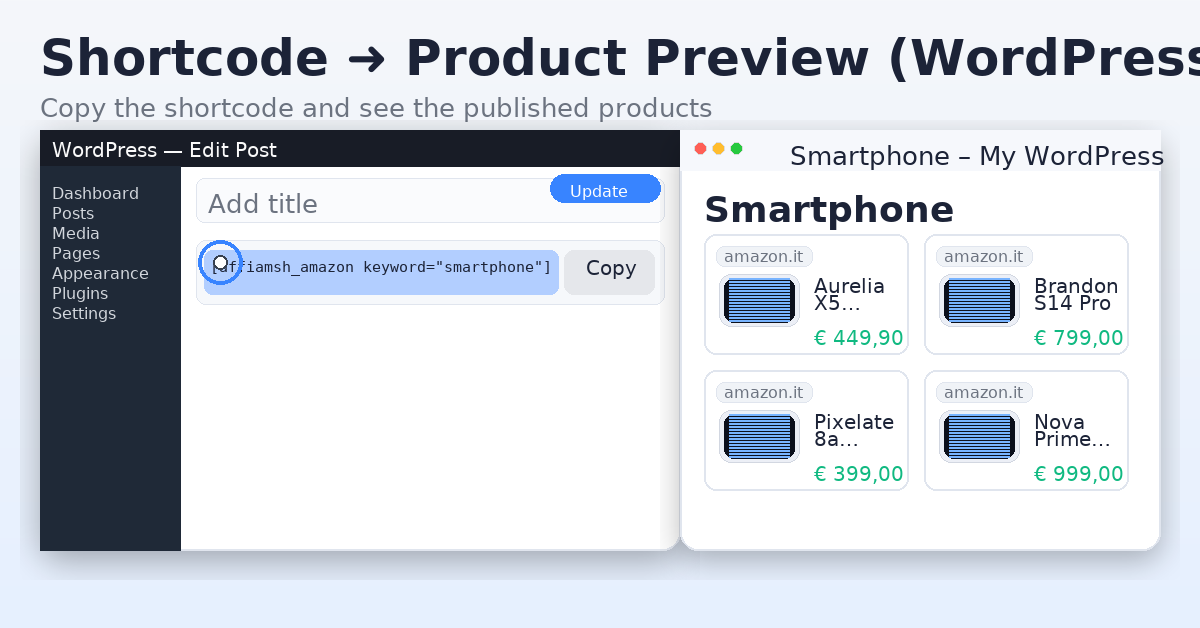
[affiamsh_amazon keyword="wireless headphones"]
The base shortcode automatically uses the global display settings saved in the plugin admin, including Number of Products, Number of Columns, image size, font size, Box Language and the selected PRO display options when PRO is active.
For example, if the global settings are Number of Products = 3 and Number of Columns = 3, this shortcode:
[affiamsh_amazon keyword="robot vacuum"]
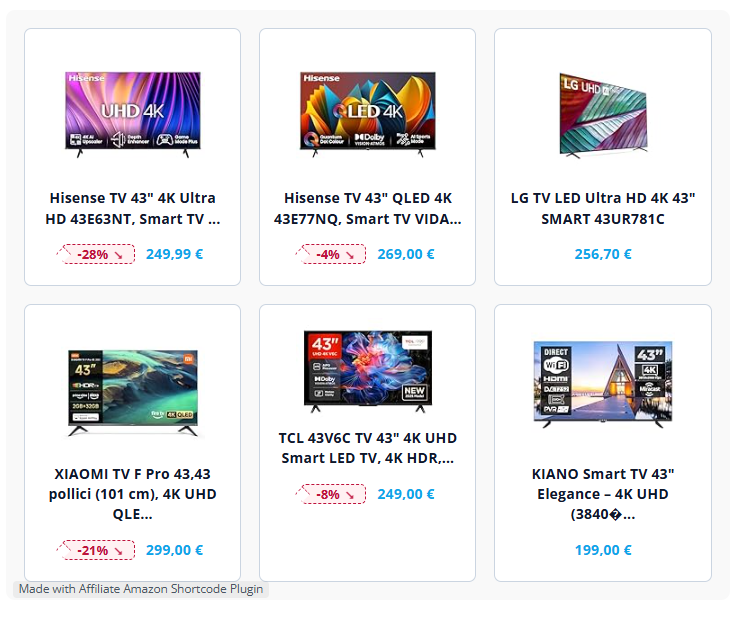
shows 3 products in a 3-column grid on normal desktop widths when using a grid-based layout.
The layout is responsive: multi-column grids automatically reduce the number of columns on narrower screens.
Important: the legacy list layout intentionally displays products as a vertical list, and the comparison layout uses its own responsive comparison table. The global Number of Columns setting and columns="x" override do not apply to those two layouts.
Language override
Force the frontend product-box language:
[affiamsh_amazon keyword="wireless headphones" language="it"]
Supported values:
autoenitesfrdeptnlpltrsvja-
arlanguage=”auto” follows the WordPress site language.
Complete shortcode attribute reference
Available in FREE and PRO
keyword="..."— Amazon product search keyword.language="..."— Overrides the product-box language for this shortcode. Supported values are listed above.
PRO only
number="1-9"— Number of products to display. Overrides the global Number of Products setting for this shortcode.template="..."— Overrides the global template for this shortcode.theme="..."— Overrides the global color theme for this shortcode.columns="1-4"— Overrides the global Number of Columns setting for grid-based layouts.button="..."— Custom CTA button text in layouts that display a CTA button.badge="..."— Optional custom badge text on product-box layouts.-
highlight_words="0-200"— Maximum total number of words displayed in Product Highlights for each product. Use0for no word limit.item_count is not a shortcode attribute. To control the number of products use
number="x"in PRO or the global Number of Products setting.
Template values
Available template values:
card— standard card gridlist— legacy vertical list; column settings do not applycompact— compact product cardsmodern— modern card layoutminimal— editorial minimal layouthighlight— recommended/highlight layoutdeal— deal-focused layoutcomparison— comparison table; column settings do not apply
Theme values
Available theme values:
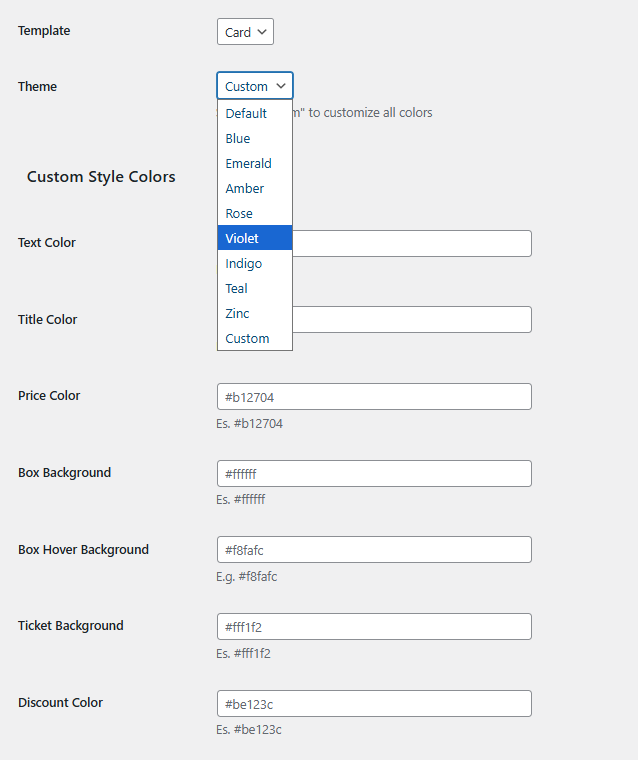
slateblueemeraldamberrosevioletindigotealzinccustom
The custom theme uses the custom colors configured in the PRO display settings.
PRO shortcode examples
Display 3 products in 3 columns:
[affiamsh_amazon keyword="robot vacuum" number="3" columns="3"]
Use the Modern template and Blue theme:
[affiamsh_amazon keyword="robot vacuum" number="3" template="modern" theme="blue" columns="3"]
Customize the CTA and badge:
[affiamsh_amazon keyword="robot vacuum" number="3" template="highlight" button="Check price" badge="Our pick"]
Limit Product Highlights to 25 words:
[affiamsh_amazon keyword="robot vacuum" number="3" template="modern" highlight_words="25"]
Full example:
[affiamsh_amazon keyword="robot vacuum" number="6" template="modern" theme="blue" columns="3" button="Check price" badge="Our pick" language="en" highlight_words="25"]
Product Highlights
highlight_words controls only the length of Product Highlights. Product Highlights must first be enabled in the **Display (PRO)** settings.
When Amazon returns feature data, highlights are displayed in these layouts:
modernhighlightdealcomparison
The highlight_words value is a total word budget per product. Use highlight_words="0" for no word limit.
CTA button and badge
The button attribute customizes the CTA label in layouts that display a CTA button, including Modern, Editorial Minimal, Recommended Highlight, Deal and Comparison.
The badge attribute adds custom badge text to product-box layouts. The Comparison layout uses its own comparison/top-pick presentation.
Comparison shortcode
PRO also provides a dedicated comparison shortcode:
[affiamsh_amazon_compare keyword="wireless headphones" number="3"]
This automatically selects the Comparison Table layout. If number is omitted, the comparison shortcode requests 3 products.
Global settings and per-shortcode overrides
Shortcode attributes override the corresponding global display settings only for that shortcode.
For example, if the global grid uses 3 columns, one specific PRO shortcode can use 2 columns with:
[affiamsh_amazon keyword="smartwatch" columns="2"]
Shortcodes without override attributes continue using the global settings.
Amazon Creators API setup
New Creators API v3 credentials normally look like:
- Credential ID:
amzn1.application-oa2-client... - Credential Secret:
amzn1.oa2-cs.v1...
You do not need to select v3.1, v3.2 or v3.3 manually. The plugin tries the appropriate Amazon OAuth endpoints, detects the credential region and caches the working endpoint.
The credential region and product marketplace are separate concepts. A valid credential can authenticate globally, but the Partner Tag must be valid for the selected Marketplace.
External Services
This plugin connects directly to Amazon services in order to retrieve product data.
Amazon Creators API / Login with Amazon
https://affiliate-program.amazon.com/creatorsapi
For Creators API, the Credential ID and Credential Secret are sent to the appropriate Amazon OAuth endpoint to obtain an access token. Product requests send the access token, selected Marketplace, Partner Tag and requested product/search information to Amazon.
Legacy Amazon Product Advertising service (existing installations only)
https://webservices.amazon.com/paapi5/documentation/
Legacy credentials and product request information are sent directly to Amazon only when an existing installation explicitly selects that legacy profile.
All API communications use HTTPS. The plugin does not send Amazon credentials or product-request data to SoftwareApp.it.
Àwọn àwòrán ìbòjú
Ìgbéwọlẹ̀
- Upload and activate the plugin.
- Open Affiliate Amazon Shortcode in the WordPress admin.
- Select Creators API v3 (Recommended).
- Paste your Amazon Credential ID and Credential Secret.
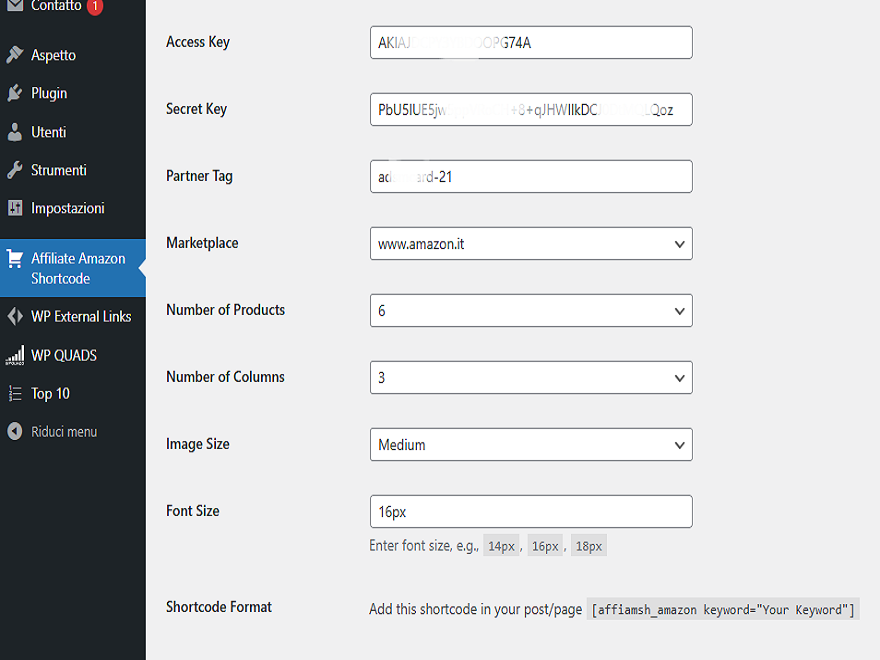
- Select the target Amazon Marketplace and enter the Partner Tag / Tracking ID registered for that marketplace.
- Click Test API Connection. The current values are saved automatically before the test.
- Configure the default Number of Products, Number of Columns and other display settings.
- Add
[affiamsh_amazon keyword="your keyword"]to a post or page.
FAQ
-
Which API should I use?
-
Use Creators API v3 for all new configurations. Legacy profiles are retained only so existing installations can continue working while they migrate.
-
What does InvalidAssociate mean?
-
Your OAuth credential is valid, but the Partner Tag is not linked to the selected Amazon Marketplace. Select the correct marketplace or use a Tracking ID registered for that marketplace.
-
What does AssociateNotEligible mean?
-
Amazon accepted authentication but the Associates account currently does not meet Creators API eligibility requirements. The plugin displays the Amazon reason and a guided explanation in the API test.
-
Do I have to save before testing the API?
-
No. Test API Connection saves the values currently entered and then performs the test.
-
How many products can I show?
-
FREE supports up to 3 products. PRO supports up to 9 and allows
number="x"per shortcode. -
How do columns work?
-
The global Number of Columns setting is inherited by the basic shortcode. FREE supports up to 3 global grid columns and PRO supports up to 4. PRO can also override the global value for one shortcode with
columns="1"throughcolumns="4".The
listandcomparisontemplates use dedicated layouts and therefore ignore the grid column setting. -
Why are my products displayed one below another?
-
First check the selected template. The legacy
listtemplate is intentionally vertical. For a multi-column product grid use Card, Compact, Modern, Minimal, Highlight or Deal and set Number of Columns to 2, 3 or 4 as available for your license.Version 3.6 also strengthens the frontend grid rules so WordPress theme CSS cannot easily override the saved Number of Columns setting.
-
Can I keep my existing product box design?
-
Yes. Existing Card/List layouts, themes and saved custom styling remain compatible. Premium templates are opt-in and do not automatically replace existing boxes.
-
Can product box labels be translated automatically?
-
Yes. Automatic mode follows the site language. You can also choose a global Box Language or use
language="it",language="de", etc. in one shortcode. -
Can I shorten product feature bullets?
-
Yes in PRO. Enable Product Highlights and set a word limit globally, or use
highlight_words="25"for one shortcode. -
Where can I see screenshots or purchase PRO?
-
Visit the official product page:
https://www.softwareapp.it/affiliate-amazon-shortcode/
Àwọn àgbéyẹ̀wò


Àwọn Olùkópa & Olùgbéejáde
“Affiliate Amazon Shortcode” jẹ́ ètò ìṣàmúlò orísun ṣíṣí sílẹ̀. Àwọn ènìyàn wọ̀nyí ti ṣe ìkópa sí plugin yìí.
Àwọn Olùkópa
A ti túmọ̀ “Affiliate Amazon Shortcode” sí èdè agbègbè 1 kan. Ọpẹ́lọpẹ́ fún àwọn atúmọ̀ èdè fún àwọn ìkópa wọn.
Túmọ̀ “Affiliate Amazon Shortcode” sí èdè rẹ.
Ṣe o nífẹ̀ẹ́ sí ìdàgbàsókè?
Ṣàwárí koodu, ṣàyẹ̀wò ibi ìpamọ́ SVN, tàbí ṣe àgbékalẹ̀ sí àkọsílẹ̀ ìdàgbàsókè nípasẹ̀ RSS.
Àkọsílẹ̀ àwọn àyípadà
3.6
- Fixed global Number of Columns inheritance for the basic
[affiamsh_amazon]shortcode by using explicit responsive column classes. - Strengthened grid CSS so WordPress theme styles cannot easily collapse a configured multi-column product grid to one column.
- Added automatic shortcode-cache invalidation when the plugin version changes.
- Added defensive validation for saved product and column counts.
- Prevented FREE output from accidentally inheriting premium templates left in old PRO settings.
- Expanded shortcode documentation with every supported attribute, accepted values and layout-specific notes.
- Clarified that
item_countis not a shortcode parameter; usenumberinstead. - Added official product-page and PRO purchase links to the documentation.
3.5
- Refocused public plugin copy on Amazon Creators API v3.
- Removed legacy API naming from the main description, feature list and promotional admin copy.
- Kept the legacy integration available for backward compatibility and disclosed it only where technically or legally relevant.
- No change to API behavior, saved settings, shortcodes or existing product boxes.
3.4
- Refreshed WordPress.org readme, plugin metadata and search tags.
- Updated documentation for Creators API v3, premium layouts, comparison shortcode, localization and Product Highlights word limits.
- Corrected outdated feature descriptions and moved older release history to
changelog.txt.
3.3
- Added exact
template="..."value below the Template selector. - Added configurable Product Highlights word limit and
highlight_words="25"shortcode override. - Preserved existing Card/List layouts, shortcodes and custom styling.