

Àpèjúwe
User Role Maker is a easy to use WordPress plugin that allows you to easily manage custom roles and capabilities for your website. Whether youÌtumọ̀ Yorùbá: ’re creating new roles, editing existing ones, or ensuring role-based access control, User Role Maker provides an intuitive interface and robust functionality to streamline the management of user roles.
Features
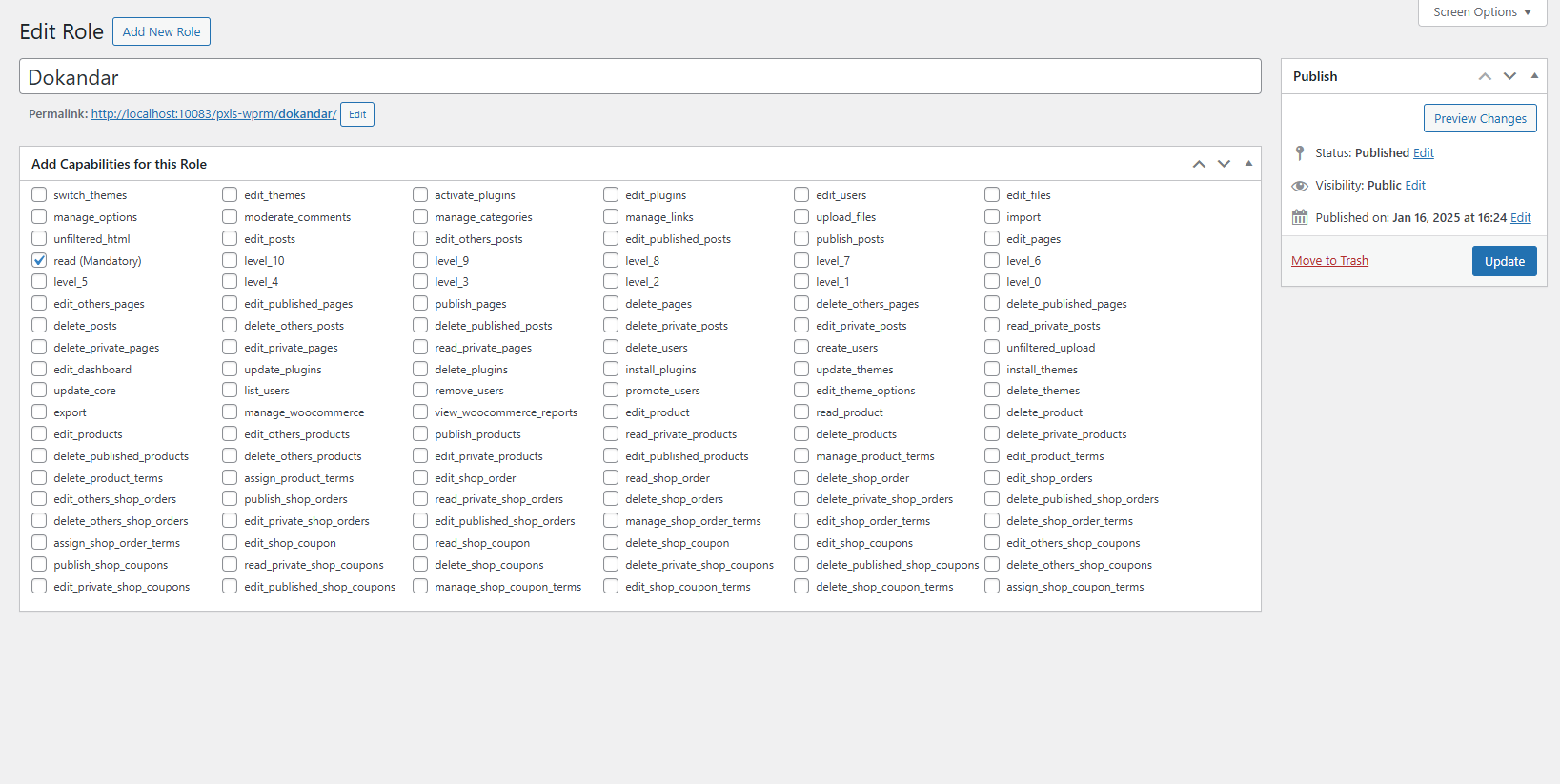
- Create Custom Roles: Define new roles with specific capabilities tailored to your needs.
- Edit Roles: Modify existing roles to update permissions or roles.
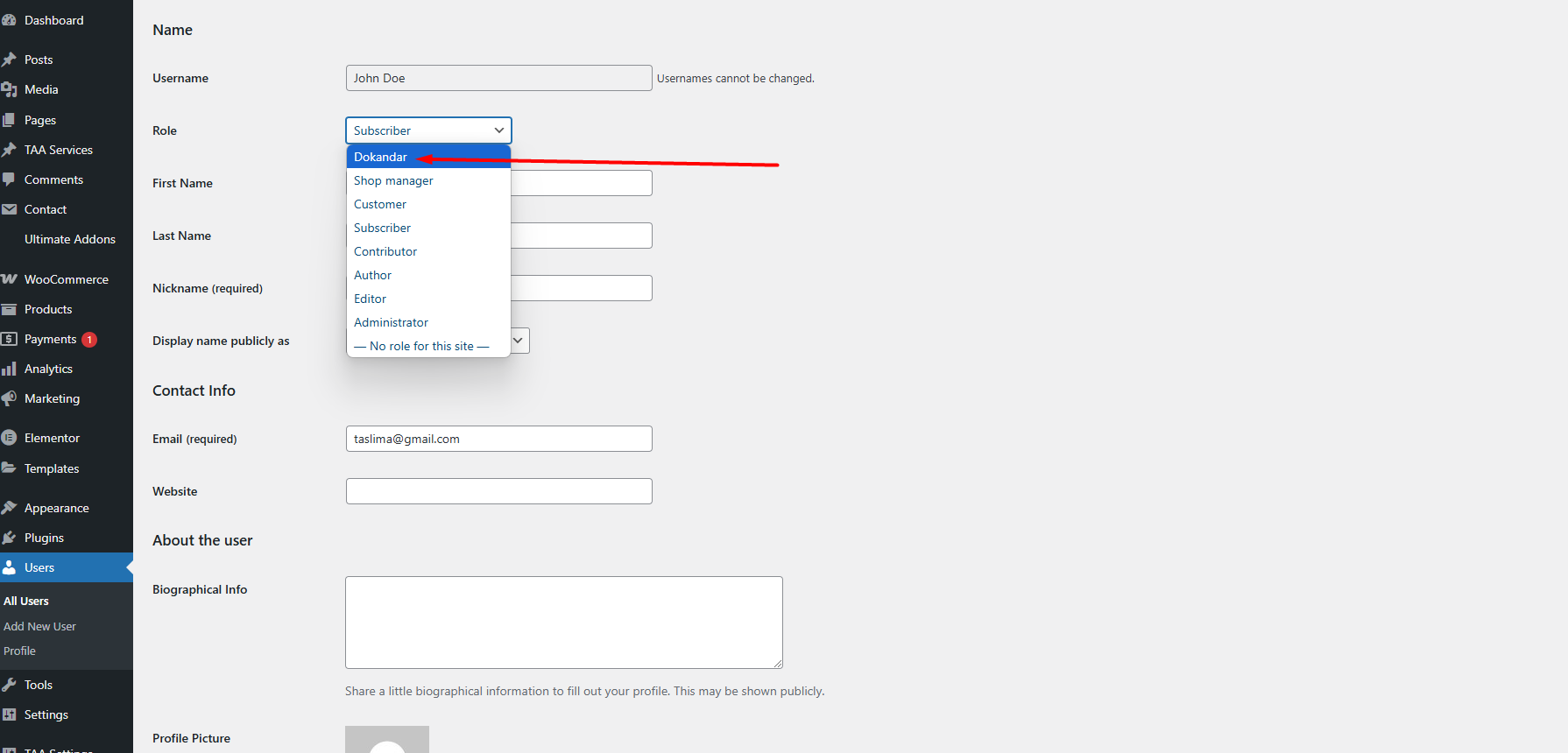
- Delete Roles: Remove roles and automatically reassign users to the default ‘Subscriber’ role.
- Capabilites Management: Add, remove, and update capabilities for roles.
- User Role Assignment: Automatically reassign users to the ‘Subscriber’ role when a custom role is deleted.
Usage
-
Creating a New Role:
- Navigate to the User Role Maker Optin
- Add a new post or edit an existing one.
- Fill in the title and capabilities for the new role.
- Save the post to create or update the role.
-
Editing an Existing Role:
- Edit the custom post with the desired role.
- Update the title and capabilities as needed.
- Save the post to apply changes to the role.
-
Deleting a Role:
- Move the custom post associated with the role to trash.
- The plugin will automatically reassign users to the ‘Subscriber’ role.
Author
- Ashikur Rahman
Author Website
Developer Email
License
This plugin is licensed under the GPL-2.0+ License.
Àwọn àwòrán ìbòjú

Ìgbéwọlẹ̀
-
Upload the Plugin:
- Download the
User Role Makerplugin ZIP file. - Go to your WordPress admin panel, navigate to
Plugins > Add New. - Click ‘Upload Plugin’ and select the downloaded ZIP file.
- Click ‘Install Now’ and then ‘Activate’ to activate the plugin.
- Download the
-
Using the Plugin:
- Navigate to the
User Role Makermenu item in the WordPress admin panel. - Use the metabox on the custom post type to manage roles and capabilities.
- Customize roles by adding or removing capabilities.
- Delete roles to automatically reassign users to the ‘Subscriber’ role.
- Navigate to the
Àwọn àgbéyẹ̀wò
Kò sí àwọn àgbéyẹ̀wò fún plugin yìí.
Àwọn Olùkópa & Olùgbéejáde
“User Role Maker” jẹ́ ètò ìṣàmúlò orísun ṣíṣí sílẹ̀. Àwọn ènìyàn wọ̀nyí ti ṣe ìkópa sí plugin yìí.
Àwọn Olùkópa
Túmọ̀ “User Role Maker” sí èdè rẹ.
Ṣe o nífẹ̀ẹ́ sí ìdàgbàsókè?
Ṣàwárí koodu, ṣàyẹ̀wò ibi ìpamọ́ SVN, tàbí ṣe àgbékalẹ̀ sí àkọsílẹ̀ ìdàgbàsókè nípasẹ̀ RSS.
Àkọsílẹ̀ àwọn àyípadà
[Version 1.0.0]
- Initial release with custom role creation and management.
- Added support for editing and deleting roles.
- Automatic reassignment of users to ‘Subscriber’ role upon role deletion.