
Àpèjúwe
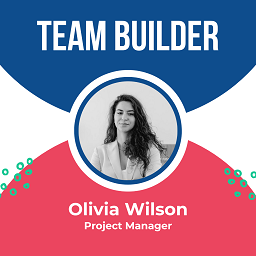
The perfect solution to effortlessly showcase your team members on your website! This powerful plugin allows you to display your teamÌtumọ̀ Yorùbá: ’s profiles with ease, using attractive grid and slider layouts. With a user-friendly shortcode, highlighting your team has never been simpler. Enhance your website with our Team WordPress Plugin and let your audience get to know your team with ease. ItÌtumọ̀ Yorùbá: ’s super easy to use and makes your team look awesome!
Standard Features
- Responsive Team Builder Showcase
- Compatible With Elementor Page Builder
- Fully Responsive.
- All Browser support.
- Bootstrap Based
- 4 Template Designs
- Social Icon Setings
- Columns Settings
- Custom CSS Style
- Team Details Color Option
- Social Color Option
- Color Unlimited
- Add and Remove Team Members
- Team Builder Showcase by Unique Post id
- Use via short-code.
Demo
Check Free Plugin Demo Ìtumọ̀ Yorùbá: – Click Here
Àwọn àwòrán ìbòjú


Ìgbéwọlẹ̀
Download & Upload:
- Download the Team Builder Showcase plugin (.zip file)
- In your admin area, go to the Plugins menu and click on Add New
- Click on Upload Plugin and choose the
team-builder-showcase.zipfile and click on Install Now - Activate the plugin and Enjoy!
Manually:
- Download and upload the Team Builder Showcase plugin to the
/wp-content/plugins/directory - Activate the plugin through the Plugins menu in WordPress
FAQ
-
Is Team Builder Showcase free?
-
Yes, Team Builder Showcase is a free plugin.
-
Does it work with any WordPress theme?
-
Yes, it will work with any standard WordPress theme.
Àwọn àgbéyẹ̀wò
Kò sí àwọn àgbéyẹ̀wò fún plugin yìí.
Àwọn Olùkópa & Olùgbéejáde
“Team Builder Showcase” jẹ́ ètò ìṣàmúlò orísun ṣíṣí sílẹ̀. Àwọn ènìyàn wọ̀nyí ti ṣe ìkópa sí plugin yìí.
Àwọn Olùkópa
Túmọ̀ “Team Builder Showcase” sí èdè rẹ.
Ṣe o nífẹ̀ẹ́ sí ìdàgbàsókè?
Ṣàwárí koodu, ṣàyẹ̀wò ibi ìpamọ́ SVN, tàbí ṣe àgbékalẹ̀ sí àkọsílẹ̀ ìdàgbàsókè nípasẹ̀ RSS.
Àkọsílẹ̀ àwọn àyípadà
1.0.7
- Compatible with WordPress 6.8
1.0.6
- Compatible with WordPress 6.7
1.0.5
- Compatible with WordPress 6.6
1.0.4
- Multi Shortcode Issue Resolved.
1.0.3
- Demo Added.
1.0.2
- Update in designs.
1.0.1
- Issue Resolved.
1.0.0
- This is an initial release.