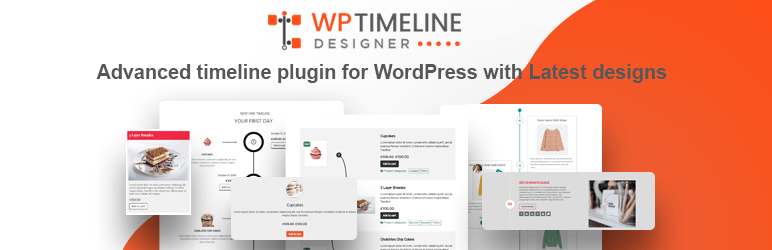

Àpèjúwe
Timeline Designer plugin comes with various customizable options to help you easily make blog post timeline within just one minute. You just have to select a build in template and customize it according to your need like number of post to show on timeline, what date format you want to use, which color you want to apply in background of timeline and what color should be timeline as well as you have typograph option, padding, margin, post excerpt, build in social media icons etc.
Plugin will not collect any data from your site visitors. So it is GDPR compatible.
You have an option to show timeline vertically or horizontally, pagination option which is fully customizable.
Display a completely responsive & customizable post timeline on your website which match with the look and feel of your website.
It builts with 100% customization of color, background color, font size, border and many more that you think.
HOW IT WORKS
Step 1 : Create a Layout Ìtumọ̀ Yorùbá: – Create a new layout and give it a name.
Step 2 : Select Page to show timeline Ìtumọ̀ Yorùbá: – Select a page to show timeline or page shortcode of layout in a page to show timeline.
Step 3 : Select Post or Custom Post Type Ìtumọ̀ Yorùbá: – Plugin provide option to select post and custom post type which will show in timeline.
Step 4 : Design Layout Ìtumọ̀ Yorùbá: – Select a layout and customize it using color options, font/Typography, animation, show/hide element and using other many layout options.
Step 5 : Use Shortcode to display timeline Ìtumọ̀ Yorùbá: – Add a shortcode in any page, anywhere to display created layout.
FEATURES
- 6 Layout Templates Ìtumọ̀ Yorùbá: – 6 existing customizable layout templates with vertical and horizontal layout.
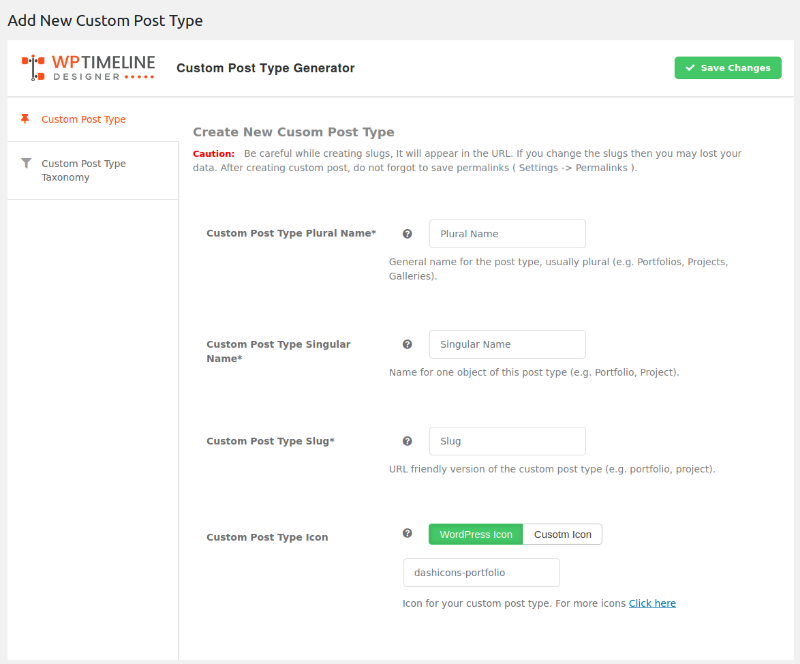
- Post and Custom Post Type Ìtumọ̀ Yorùbá: – Support custom post type to show posts of a particular post type in a timeline.
- **Meta Option ** Ìtumọ̀ Yorùbá: – Show or Hide Meta such as date, author, comment, category, tag etc. and meta typography options.
- Customize Timeline Ìtumọ̀ Yorùbá: – set template background color, template layout color, show/hide timeline icon and basic animation.
- Customizable Post Title Ìtumọ̀ Yorùbá: – option to set title color, hove color, alignment and link settings.
- Customizable Post Content Ìtumọ̀ Yorùbá: – show full text or summary excerpt, display html or pure text, add dropcap, set content length, content color, typography.
- Read More Text and Button Ìtumọ̀ Yorùbá: – Customizable read more text and button options with color, alignment, padding and margin options.
- Content Box Options Ìtumọ̀ Yorùbá: – Style post content box using content box options.
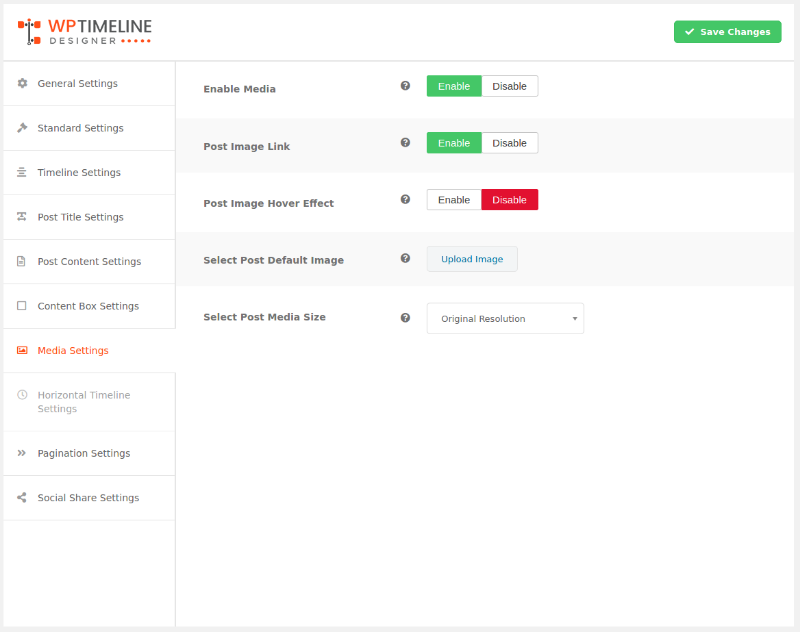
- Adjust Media Ìtumọ̀ Yorùbá: – set size of post feature image, add featured image custom size , add animation on featured image, image link, upload default image for posts.
- Horizontal Timeline Ìtumọ̀ Yorùbá: – With the horizontal option you can customize horizontal timeline such enable auto slide, scrolling speed, number item in navigation, number of slide etc.
- Pagination Ìtumọ̀ Yorùbá: – numeric pagination with customizable template.
- Social Media Share Ìtumọ̀ Yorùbá: – Social Media with pre icon pack, alignment, icon layout setting, enable/disable icon option particular social media.
- Google Fonts Ìtumọ̀ Yorùbá: – most unique select google font perfect for timeline.
- Fully Responsive Ìtumọ̀ Yorùbá: – Fully responsive will all devices
PRO version features
- 12+ Layout Templates Ìtumọ̀ Yorùbá: – 12+ customizable layout templates
- Unlimited Timeline color Ìtumọ̀ Yorùbá: – variety of color options to set up timeline, example: odd and even color, meta link color, repetitive color, timeline starting and ending text color etc.
- Custom Timeline Icon and Image Ìtumọ̀ Yorùbá: – setup default timeline post icon or image
- Post Title Typography Ìtumọ̀ Yorùbá: – setup title font, font size, line-height, font-style etc.
- 12+ animation Ìtumọ̀ Yorùbá: – 12+ timeline animations.
- Ultimate FIlter Ìtumọ̀ Yorùbá: – filter option ever best included all which require as well as advanced filter option, sort option.
- Advanced Pagination Ìtumọ̀ Yorùbá: – pagination has a numeric pagination, a load on scroll option, as well ajax loader button, all pagination option customizable with pre templates.
- Woo Product Post Type Support Ìtumọ̀ Yorùbá: – perfect for product timeline come with customizable options like, add cart button, rating, price, sale tag.
- Easy Digital Download Support Ìtumọ̀ Yorùbá: – Support Easy Digital Download Post type with customizable options.
- HIGH PRIORITY SUPPORT Ìtumọ̀ Yorùbá: – Fast professional support for premium users
Upgrade to PRO!
Àwọn àwòrán ìbòjú





Ìgbéwọlẹ̀
1. Go to Plugins > Add New.
2. Click on Upload Plugin and browse and select timeline-designer.zip then click on Install Now.
3. To activate Wp Timeline, Click on Activate link.
4. After plugin activation, move on Wp Timeline page of WordPress.
\1
1.4.1
- Security: Fix SQL injection in admin shortcode list search (
sparam) using $wpdb->prepare and esc_like. - Security: Sanitize
orderbyand use prepared statements for pagination queries. - Maintenance: Update \”Tested up to\” to 6.7.3 and add \”Requires PHP: 7.4\”.
1.4
Release Date: July 29, 2024
* Updated: Make compatible with WordPress version 6.6.1
* Fix minor bug issue.
1.3
Release Date: July 11, 2024
* Updated: Make compatible with WordPress version 6.5.5
* Added: Post Title Maximum Line Feature
* Fix minor bug issue.
* Fixed: Code Improvements
1.2
Release Date: April 11, 2024
* Updated: Make compatible with WordPress version 6.5.2
* Fix minor Bug issue.
1.1
Release Date: February 1, 2024
* Updated: Make compatible with WordPress version 6.4.3
* Updated: Make compatible with PHP version 8.3
* Updated: Make compatible with Font Awesome 6
1.0.9
Release Date: December 13, 2023
* Updated: Make compatible with WordPress version 6.4.2
1.0.8
Release Date: November 10, 2023
* Updated: Make compatible with WordPress version 6.4.1
* Fixed: minor bug issue
1.0.7
Release Date: July 31, 2023
* Updated: Make compatible with WordPress version 6.2.2
* Fixed: Design issues
* Fixed: Code Improvements
1.0.6
Release Date: April 5, 2023
* Updated: Make compatible with WordPress version 6.2
* Updated: Make compatible with PHP version 8.2
* Added: Lazyload Feature
* Fixed: minor bug issue
1.0.5
Release Date: December 21, 2022
* Updated: Make compatible with WordPress version 6.1.1
* Fixed: Code Improvements
1.0.4
Release Date: November 8, 2022
* Updated: Make compatible with WordPress version 6.1
* Fixed: minor bug issue
1.0.3
Release Date: August 18, 2022
* Updated: Make compatible with WordPress version 6.0.1
* Fixed: Make compatible with UpdraftPlus Plugin
* Fixed: minor bug issue
1.0.2
Release Date: May 31, 2022
* Updated: Make compatible with WordPress version 6.0
* Fixed: minor bug issue
1.0.1
Release Date: February 9, 2022
* Updated: Make compatible with WordPress version 5.9
* Updated: Make compatible with WordPress PHP 8.0
* Fixed: minor bug issue
1.0.0
Release Date: February 13, 2021
- Initial Release
Àwọn àgbéyẹ̀wò

Àwọn Olùkópa & Olùgbéejáde
“Timeline Designer” jẹ́ ètò ìṣàmúlò orísun ṣíṣí sílẹ̀. Àwọn ènìyàn wọ̀nyí ti ṣe ìkópa sí plugin yìí.
Àwọn Olùkópa


Túmọ̀ “Timeline Designer” sí èdè rẹ.
Ṣe o nífẹ̀ẹ́ sí ìdàgbàsókè?
Ṣàwárí koodu, ṣàyẹ̀wò ibi ìpamọ́ SVN, tàbí ṣe àgbékalẹ̀ sí àkọsílẹ̀ ìdàgbàsókè nípasẹ̀ RSS.