

Àpèjúwe
EnvyPreloader is a WordPress plugin that helps you to create multiple preloader with different styles. There are lots of option for customize your plugin that makes your website more user friendly. You can show anywhere of your website by using shortcode and also select which type of devices you want to show/hide.
EnvyPreloader Management
General Options
* Enable/Disable Preloader
* Multiple Styles For Preloader
* Where you want to show? All, Home, Pages, Posts
* Show/Hide On Desktop Devices
* Show/Hide On Mobile Devices
* Show Preloader For One Time
Message Options
* Enable/Disable Message Option
* Welcome Message
* Random Message
* Message Position
* Font Size, Font Weight, Line Height, Letter Spacing, Font Color
Progress Options
* Multiple Types Of Progress
* Progress Position
* Progress Bar Width
* Progress Bar Height
* Progress Bar Background Color
* Progress Bar Font Color
* Font Size, Font Weight, Line Height, Letter Spacing
Event Options
* Minimum Load Time
* Maximum Load Time
* Select Background Animation

    ** Slide Left & Right
    ** Slide Up
    ** Slide Down
    ** Slide Left
    ** Slide Right
    ** Fade Out
    ** Shrink & Fade
    ** Split & Reveal Vertically
    ** Split & Reveal Horizontally
Appearance Options
* Background Color Type
* Background Solid Color
* Background Gradient Color
* Transparent Background Color
* Background Opacity
* Close Button Show Or Hide
* Close Button Background Color
* Close Button Font Color
* Desktop Background Image
* Mobile Background Image
Advanced Options
* Enable/Disable Advanced Option
* Shortcode Generator
Àwọn àwòrán ìbòjú
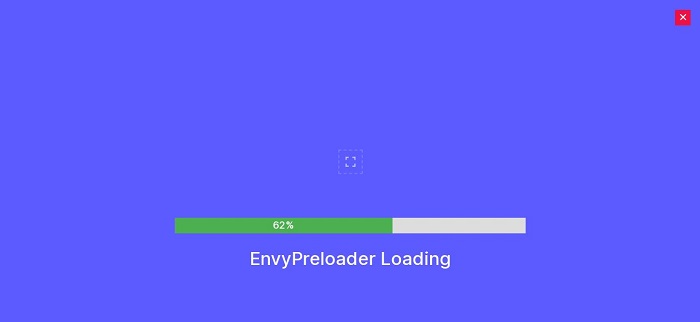
EnvyPreloader Demo 1 
EnvyPreloader Demo 2 
EnvyPreloader Demo 3 
EnvyPreloader Demo 4 
EnvyPreloader Demo 5 
EnvyPreloader Demo 6 
EnvyPreloader Demo 7 
EnvyPreloader Demo 8 
EnvyPreloader Demo 9 
EnvyPreloader Demo 10
Ìgbéwọlẹ̀
From the dashboard:
- Go to the WordPress Dashboard “Add New Plugin” section
- Search For “EnvyPreloader”
- Install, then Activate it
From control panel:
- Unzip (if it is zipped) and Upload
envy-preloaderfolder to the/wp-content/plugins/directory - Activate the plugin through the ‘Plugins’ menu in WordPress

Àwọn Olùkópa & Olùgbéejáde
“EnvyPreloader Ìtumọ̀ Yorùbá: – Website Preloader WordPress Plugin” jẹ́ ètò ìṣàmúlò orísun ṣíṣí sílẹ̀. Àwọn ènìyàn wọ̀nyí ti ṣe ìkópa sí plugin yìí.
Àwọn Olùkópa
Túmọ̀ “EnvyPreloader Ìtumọ̀ Yorùbá: – Website Preloader WordPress Plugin” sí èdè rẹ.
Ṣe o nífẹ̀ẹ́ sí ìdàgbàsókè?
Ṣàwárí koodu, ṣàyẹ̀wò ibi ìpamọ́ SVN, tàbí ṣe àgbékalẹ̀ sí àkọsílẹ̀ ìdàgbàsókè nípasẹ̀ RSS.
Àkọsílẹ̀ àwọn àyípadà
1.0 Ìtumọ̀ Yorùbá: – December 22, 2020
- Initial Release