Title: JetFormBuilder — Dynamic Blocks Form Builder
Author: jetmonsters
Published: Ṣẹrẹ 25, 2021
Last modified: Òkúdù 25, 2026
---
Ṣàwárí àwọn plugin

# JetFormBuilder — Dynamic Blocks Form Builder
Láti ọwọ́ [jetmonsters](https://profiles.wordpress.org/jetmonsters/)
[Ṣe ìgbàsílẹ̀](https://downloads.wordpress.org/plugin/jetformbuilder.3.6.3.zip)
* [Àwọn àlàyé](https://yor.wordpress.org/plugins/jetformbuilder/#description)
* [Àwọn àgbéyẹ̀wò](https://yor.wordpress.org/plugins/jetformbuilder/#reviews)
* [Ìdàgbàsókè](https://yor.wordpress.org/plugins/jetformbuilder/#developers)
[Ìrànlọ́wọ́](https://wordpress.org/support/plugin/jetformbuilder/)
## Àpèjúwe
**JetFormBuilder — Dynamic Blocks Form Builder**
A functional yet easy-to-use Form Builder plugin lets you create, edit, and style
advanced form types in the block editor (Gutenberg). No more supplementary drag-
and-drop form builders. You can now use a one-stop interface to develop fully operative
custom forms.
#### SUPPORT
Please use our Github repo for the any issues/bugs/problems Ìtumọ̀ Yorùbá: – [https://github.com/Crocoblock/jetformbuilder/issues/](https://github.com/Crocoblock/jetformbuilder/issues/)
[JetFormBuilder](https://jetformbuilder.com/?utm_source=wp_org&utm_medium=referral&utm_campaign=jetformbuilder)
lets you build any kind of form nice and easy. Its **24+ field blocks** allow creating
forms from scratch or reassembling the existing ones. Throw JetStyleManager into
the mix, and you’ll be able to adjust every form field’s fonts and style settings.
Create form types, customize, and style – all in WordPress default blocks editor.
> At first, I thought this was just another free form builder for Gutenberg, but
> I was wrong. I wanted to share what got me so excited about it after only the
> first 5 minutes.
– Paul Charlton from WPTuts.
#### WORDPRESS FORMS YOU CAN CREATE
JetFormBuilder is a user-friendly form creator that lets you create new forms and
add them to the form page. From a simple form to multi-step form design – you can
nail down any form type:
* Signup form
* User profile form
* Quick contact form
* Subscription form
* Online survey form
* Appointment form
* Application form
* Booking form
* Event registration form
* Multi-Page Form with a progress bar
* WordPress Post Submission Form
* Request a Quote Form
* Feedback Survey Contact Form
* Make a Suggestion Contact Form
* Change Request Forms
* Maintenance Request Contact Form
* Scholarship Application Form
* Make a Referral Contact Form
* Volunteer Registration Contact Form
* Credit Card Payment
* Make a Donation Form
* Product Purchase Form
* Newsletter Signup Form
* Online Petitions
### BASIC FEATURES
#### VARIOUS FIELD TYPES
Find inside 24+ JetFormBuilder blocks colored to stand out from the crowd. You can
mix and match them freely until you achieve a unique row or column layout.
#### POST SUBMIT ACTIONS
Choose from 12 available actions and set any you want to be performed after the
form is submitted on the frontend:
* Send Email;
* Insert/Update Post;
* Register User;
* Update User;
* Update Options;
* Call Hook;
* Call Webhook;
* Redirect to Page;
* MailChimp;
* ActiveCampaign;
* GetResponse;
* Save Form Record;
* And more.
#### MULTI-STEP FORM & FORM BREAK BLOCK
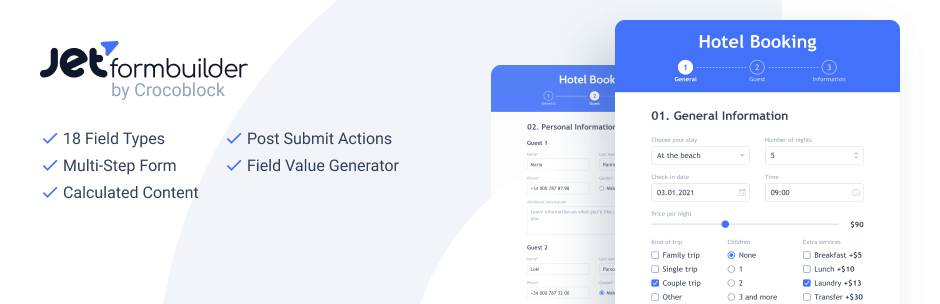
Use **Form Page Break** to build multi-step WordPress forms. Divide the fields and
place them into separate tabs. Add a customizable “**Apply**” button to proceed
to the next step. Enable file uploads if desired. By adding a **Form Progress**
bar, you’ll indicate the form’s first, current, and last steps.
#### CUSTOM FIELD STYLES
We integrated JetStyleManager & Gutenberg to make it possible for you to [style the form fields](https://jetformbuilder.com/features/style-overview/?utm_source=wp_org&utm_medium=referral&utm_campaign=jetformbuilder)
as desired. Style settings can be applied to anything in the text box, form description,
required mark, and content label, too.
#### BEGINNER-FRIENDLY & VISUAL
No more confusing field rows and additional styling. Because Gutenberg is a visual
editor, you can monitor the form creation process as if you were on the frontend.
All field types can be found in the JetForm Fields block in the WordPress dashboard.
#### STORE FORM RECORD
Manage the entry submissions in the convenient Dashboard. Add Store Form Record
post-submit action to save all the submitted forms in one place and check their
status, basic data, and filled in fields’ data. Review the error’s details if any.
#### PAYMENT METHODS INTEGRATION
Accept all kinds of payments securely via any of your forms, be it one-off, recurring,
fixed, variable fees, or user-entered amounts. JetFormBuilder supports WooCommerce,
[Stripe, and PayPal integrations](https://jetformbuilder.com/features/how-to-configure-payment-gateways/?utm_source=wp_org&utm_medium=referral&utm_campaign=jetformbuilder).
Check the payments basic details: status, date, amount in one place in the Dashboard.
### ADVANCED JETFORMBUILDER FEATURES
#### CONDITIONAL LOGIC
You can adjust the visibility conditions of any form field. Just use the corresponding
JetFormBuilder block and decide which field will be shown and when. Besides that,
there’s a chance to fine-tune the way **Post Submit Actions** perform on the backend.
You set the conditions according to which the Actions will be executed or not.
#### CALCULATED CONTENT
Build dedicated Calculator and Order forms or add extra functionality to any other
form type. The Calculated field type will carry out basic and complex calculations
real quick.
#### REPEATER FIELD
Repeater creates an interface to add and remove a repeatable group of input elements.
You can use a Repeater field to add a group of fields any number of times. Create
Repeater groups to display custom data smoothly.
#### HIDDEN FIELDS
Can’t decide what to do with system fields that were not meant for users to be seen?
It’s simple. Hide them. JetFormBuilder’s functionality allows you to make a form
field invisible on the frontend.
#### MAP FIELD
Allows adding map coordinates, longitude and latitude, and physical address itself
via form to the posts, users, taxonomies or options pages.
### More JetFormBuilder Features
* **Field Value Generator Function.** Three available functions help you generate
the field values dynamically.
* **Really Hidden Fields.** Secure hidden fields by disabling HTML render.
* **JetEngine Forms migration.** Duplicate all the forms you created through JetEngine
to Gutenberg in one click.
* **Editable post-submit messages.** Use the default message texts or input those
you see fit.
* **Spam filtering & protection.** Add a Google reCAPTCHA to your form easily.
* **File uploads.** Decide which users you would authorize to attach files to your
website forms: registered, not-registered, or all users.
* **Form submit type.** Choose between the page reload and AJAX options.
* **Drag-and-drop editor.** Grab the form block and place it where you want in
a matter of seconds.
* **Input mask.** Three mask types are available – numeric, alphabetical, and alphanumeric.
Just copy and paste the needed one to make it work.
* **Numbers range generator.** Dynamically generate a range of numbers to be used
in Checkbox, Select & Radio Fields.
* **Inline fields editing.** Edit the field labels and descriptions in-place.
* **Form validation.** Check if the entered user data is correct and whether to
let them proceed with the form submission or not.
* **Form patterns.** Save time while creating a form layout? It’s possible! JetFormBuilder
grants access to Form Patterns, which you can use to build contact, login & register,
application, profile, booking, and subscription forms.
[Read more about all JetFormBuilder features here](https://jetformbuilder.com/?utm_source=wp_org&utm_medium=referral&utm_campaign=jetformbuilder)
### JETFORMBUILDER PRO ADDONS — GO FARTHER, GET MORE
JetFormBuilder PRO version allows you to go far beyond the ordinary forms. Its pack
of mighty addons gives a second-to-none form-building experience.
Buy the [PRO addons](https://jetformbuilder.com/pricing/?utm_source=wp_org&utm_medium=referral&utm_campaign=jetformbuilder)
and see how easy it will be to:
* automate marketing campaigns;
* optimize lead generation process;
* enjoy the autocomplete functionality;
* integrate payment methods;
* and much more.
**Please note:** Our server will be contacted for updating any Pro add-on you have
installed on your website. More info you can find on the [Privacy Policy page](https://jetformbuilder.com/privacy-policy/)
#### FORM FEATURES
Build a form easily, be it simple or complex. Such specific features as autocomplete
fields, form availability setup, form responses limitation, and form progress saving
will improve the user experience.
* [Save Form Progress](https://jetformbuilder.com/addons/save-form-progress/?utm_source=wp_org&utm_medium=referral&utm_campaign=jetformbuilder).
This addon autosaves the form progress and data provided by the user whenever
the filling process went wrong.
* [Address Autocomplete](https://jetformbuilder.com/addons/address-autocomplete/?utm_source=wp_org&utm_medium=referral&utm_campaign=jetformbuilder).
Once the user starts typing in the Address field, this addon can suggest up to
5 places to auto-fill the field.
* [Limit Form Responses](https://jetformbuilder.com/addons/limit-form-responses/?utm_source=wp_org&utm_medium=referral&utm_campaign=jetformbuilder).
This addon controls the general number of form submissions and impedes the same
user from submitting repeatedly.
* [Select Field Autocomplete](https://jetformbuilder.com/addons/select-autocomplete/?utm_source=wp_org&utm_medium=referral&utm_campaign=jetformbuilder).
Use this addon for the Select field type; it allows you to auto-fill it dynamically.
* [Schedule Forms](https://jetformbuilder.com/addons/schedule-forms/?utm_source=wp_org&utm_medium=referral&utm_campaign=jetformbuilder).
This functionality allows you to set up the form availability by indicating its
open and close dates.
* [User Login](https://jetformbuilder.com/addons/user-login/?utm_source=wp_org&utm_medium=referral&utm_campaign=jetformbuilder).
This addon allows you to configure the Login User post-submit action. Add it
to the login form and let users log in with their credentials.
* [Advanced Color Picker](https://jetformbuilder.com/addons/advanced-color-picker/?utm_source=wp_org&utm_medium=referral&utm_campaign=jetformbuilder).
Use this addon to activate the advanced color picker feature and fine-tune the
color opacity in the frontend form fields.
* [Hierarchical Select](https://jetformbuilder.com/addons/hierarchical-select/?utm_source=wp_org&utm_medium=referral&utm_campaign=jetformbuilder).
This addon allows you to pull the taxonomy term data into Select fields in the
front-end form putting them in a level-wise hierarchy.
#### EMAIL MARKETING
Create contact forms for collecting user data and managing it the way you like.
Garner more subscribers and add them to your mailing lists using the right email
marketing tool.
* [MailerLite Action](https://jetformbuilder.com/addons/mailerlite-action/?utm_source=wp_org&utm_medium=referral&utm_campaign=jetformbuilder).
Use this extension to manage subscriber groups and add a handy “autoresponder”
that’ll cover newsletters.
* [MailPoet](https://jetformbuilder.com/addons/mailpoet/?utm_source=wp_org&utm_medium=referral&utm_campaign=jetformbuilder).
This addon allows you to generate new leads, manage subscriber data, and automate
email notification sending.
* [ConvertKit](https://jetformbuilder.com/addons/convertkit-action/?utm_source=wp_org&utm_medium=referral&utm_campaign=jetformbuilder).
Install this email marketing addon to grow your audience reach and generate more
income from subscription lists.
#### MARKETING AUTOMATION
Want to automate email marketing campaigns? Select the most convenient integration
that is sure to facilitate subscriber management.
* [Moosend](https://jetformbuilder.com/addons/moosend/?utm_source=wp_org&utm_medium=referral&utm_campaign=jetformbuilder).
This addon creates a connection between your WordPress site and Moosend email
marketing software. Thanks to it, you will be able to collect email addresses
and manage subscribers to the fullest.
#### CRM & SALES
Integrate JetFormBuilder-created forms and the mighty CRMs. It will help you boost
lead gen tremendously. Obtain the necessary visitor data and manipulate it in a
database using numerous options.
* [HubSpot](https://jetformbuilder.com/addons/hubspot/?utm_source=wp_org&utm_medium=referral&utm_campaign=jetformbuilder).
Use this mailing list addon to collect leads, create new contacts, edit the existing
subscribers, and send email notifications centrally. It supports authorization
by API key and OAuth 2.0.
#### PAYMENTS
Get your site eCommerce-ready. Choose the preferred payment method, add its gateway
to the form, and decide which actions will be executed before/after the payment
is processed.
* [Stripe Payments](https://jetformbuilder.com/addons/stripe-payments/?utm_source=wp_org&utm_medium=referral&utm_campaign=jetformbuilder).
With the help of this addon, you add a Stripe payment gateway to the JetFormBuilder
forms, which allows you to carry out payments.
* [WooCommerce Cart & Checkout Action](https://jetformbuilder.com/addons/woocommerce-cart-checkout-action/?utm_source=wp_org&utm_medium=referral&utm_campaign=jetformbuilder).
This addon allows adding one product to the cart and redirecting users to WooCommerce
checkout once they submit the form.
* [PayPal Recurring Payments](https://jetformbuilder.com/addons/paypal-recurring-payments?utm_source=wp_org&utm_medium=referral&utm_campaign=jetformbuilder).
It allows you to create recurring subscriptions for your customers and accept
payments via the form.
### Demo
Check out the JetFormBuilder demo page and figure out what functionality you get.
Explore the [demo](https://jetformbuilder.com/demo/?utm_source=wp_org&utm_medium=referral&utm_campaign=jetformbuilder)
now.
### Integrations
* **[JetEngine](https://bit.ly/3sttCJ1)**
Use the JetEngine potential when setting
up a form. You can add meta fields and custom taxonomies to the JetFormBuilder
fields, generate the field values dynamically and put the JetEngine-built custom
post types into the dynamic settings.
* **[JetStyleManager](https://bit.ly/3st6hHj)**
We added the opportunity to change
the way Gutenberg Form blocks will look on the frontend. You can style up every
component separately. Hit the brush icon on the WordPress admin panel and do
the necessary styling in the Block Style section.
* **[JetBooking](https://bit.ly/3AXi83h)**
Create a user-friendly booking form
with the JetFormBuilder. Extend your form with advanced features, as calculated
content, smart notifications, etc. Add page breakers to make the multi-step form
for your users.
* **[JetAppointment](https://bit.ly/3meQPNW)**
Combine the JetAppointment features
with JetFormBuilder to create a fully-fledged appointment website for any needs.
More third-party plugin integrations are in the works.
### Documentation
Learn every little thing about the JetFormBuilder WordPress plugin & put theory
to practice:
* [JetFormBuilder tutorials](https://www.youtube.com/watch?v=WB0B3QLhZK0&list=PL26jaHWVtLFwcxXItL9J9qNJ8pWzKUuGg)
* [JetFormBuilder documentation](https://jetformbuilder.com/features/overview/)
## Àwọn àwòrán ìbòjú
[⌊Creating a form structure⌉⌊Creating a form structure⌉[
Creating a form structure
[⌊Adding new form fields⌉⌊Adding new form fields⌉[
Adding new form fields
[⌊Form Break field⌉⌊Form Break field⌉[
Form Break field
[⌊Post-submit Action setup⌉⌊Post-submit Action setup⌉[
Post-submit Action setup
[⌊Style settings⌉⌊Style settings⌉[
Style settings
## Àwọn ìdí
Plugin yìí pèsè 2 àwọn ìdí.
* Fields Preview Build a custom preview of filled form data with HTML, CSS, and
macros that display field values.
* JetForm
## FAQ
### What page builders is JetFormBuilder compatible with?
JetFormBuilder uses the WordPress native blocks editor, also known as Gutenberg,
for creating forms. Apart from Gutenberg, JetFormBuilder is compatible with Elementor.
You can output a form on the frontend using the **JetForm** widget and style its
looks, as well. As to the remaining page builders (like Divi, Oxygen, etc.), the
form can be displayed via a shortcode only. To style its fields, you’ll need **[JetStyleManager](https://crocoblock.com/plugins/jetstylemanager/?utm_source=wp_org&utm_medium=referral&utm_campaign=jetformbuilder)**.
### Is it possible to create a form that allows adding/editing posts on the frontend?
Yes. You can use the **Insert/Update Post** post-submit Action to add and edit posts
of any type from the frontend. Besides that, you’re able to assign and modify any
metadata of the given post.
### Can I create a user registration form?
Absolutely. You can use the **Register User** post-submit Action to create a custom
registration form. This post-submit action allows you to set user metadata, as well.
### Can the form be integrated with Zapier, Integromat, or similar third-party services?
Sure. You can create a script that runs on a webhook in either Zapier or Integromat
and then use the **Call Webhook** post-submit Action to launch it when the form
is being submitted.
### Is it possible to send emails through a JetFormBuilder form?
It is. Thanks to the [**Send Email** post-submit Action](https://jetformbuilder.com/features/send-email/),
you can send any number of emails you want during any form submission. For instance,
you’re able to send an email to a predefined address, the site administrator’s email,
or the email address specified in one of the submitted form fields.
### Is JetFormBuilder compatible with ACF?
Yes. JetFormBuilder is compatible with ACF, Toolset, and JetEngine itself.
### Can I transfer JetEngine Forms to Gutenberg?
If desired, you can transfer all JetEngine Forms to Gutenberg using a special addon–
[**JetFormBuilder Converter**](https://github.com/Crocoblock/jet-form-builder-converter).
### What field types are available in JetFormBuilder?
JetFormBuilder currently embraces **24 field blocks**, but the number is to grow
eventually.
* **Select Field** – Creates a drop-down list, where the user can choose one option.
* **Text Field** – Adds a single narrow text bar to the form and collects short
text information.
* **Hidden Field** – Invisible on the frontend and can store values for further
calculations.
* **Radio Field** – Creates a list of options where only a single variant can be
picked.
* **Checkbox Field** – A multi-optional field that allows choosing several variants
at once.
* **Conditional Block** – Stores conditions and fields on which Conditional Visibility
is based.
* **Number Field** – Sets either a separate bar to be filled with numbers or a
range thereof.
* **DateTime Field** – Merges the Date and Time Fields into one.
* **Date Field** – Allows setting the date manually or choosing it from a drop-
down calendar.
* **Time Field** – Allows setting the time manually or choosing it from a drop-
down timer.
* **Calculated Field** – Takes the values from meta and form fields and uses them
to calculate a formula.
* **Color Picker Field** – Allows selecting custom colors in the form field on
the frontend.
* **Media Field** – Allows the users to upload a media file from their PC to the
website.
* **Wysiwyg Field** – Allows adding some styled text, HTML coding, etc., to the
form.
* **Range Field** – Creates a range with a slider that can be moved back and forth.
* **Heading Field** – Allows you to add a heading to the whole form or its parts.
* **Textarea Field** – Creates a text area where the data can be placed in several
lines.
* **Submit Field** – Adds a “Submit” button to the end of the form.
* **Repeater Field** – Creates a repeatable block, which includes as many fields
as needed.
* **Form Page Break** – Adds a “Next page” button to the multi-step form.
* **Form Pages Start** Ìtumọ̀ Yorùbá: – Splits form into pages.
* **Progress Bar** Ìtumọ̀ Yorùbá: – Showcases the steps quantity in the form and
displays the currently filled one.
* **Group Break Field** – Adds a single line that divides one part of the form
from another.
### Is it possible to get JetFormBuilder PRO for Free?
It is, actually. If you’ve already purchased either an All-Inclusive or Lifetime
Crocoblock package, all JetFormBuilder PRO Addons are available to you for free.
For those of you who got a Custom subscription, there’s always a chance to [upgrade](https://crocoblock.com/upgrade/?utm_source=wp_org&utm_medium=referral&utm_campaign=jetformbuilder).
In this case, you’ll have to pay the difference between your current plan and that
you choose.
### Can I Import/Export/Duplicate forms?
Yes. ItÌtumọ̀ Yorùbá: ’s a push-a-button easy to import/export and duplicate your
forms using the default WordPress features.
### How to check the submitted form records?
Once you set the [**Store Form Record Action**](https://jetformbuilder.com/features/how-to-use-store-form-record-action/)
you can check every single submitted form field data, submission date, the status
of completeness, and user name on the [**Form Records Page](https://jetformbuilder.com/features/wordpress-custom-form-records-page/).
### How can I report security bugs?
You can report security bugs through the Patchstack Vulnerability Disclosure Program.
The Patchstack team help validate, triage and handle any security vulnerabilities.
[Report a security vulnerability.](https://patchstack.com/database/vdp/jetformbuilder)
## Àwọn àgbéyẹ̀wò

### [Wonderful!](https://wordpress.org/support/topic/wonderful-1116/)
[Cyrille Sanson](https://profiles.wordpress.org/css31/) Òkúdù 17, 2026
This form plugin offers many features, even in its free version. It also has the
advantage of being compatible with Mosparo, an anti-spam system that I’ve been very
happy with.

### [A fantastic AI-connected form builder](https://wordpress.org/support/topic/a-fantastic-ai-connected-form-builder/)
[vindic8r](https://profiles.wordpress.org/vindic8r/) Èbìbí 14, 2026
When your business is dependent on WP plugin providers, its critical you put your
eggs in baskets that are reliable and attentive. Crocoblock embodies these principles
for us. Their native integration with AI models via MCPs and their Command Center
just means that theyÌtumọ̀ Yorùbá: ’re also strategically de-risking their products.

### [Good functionality, but zero support for long-standing i18n bugs](https://wordpress.org/support/topic/good-functionality-but-zero-support-for-long-standing-i18n-bugs/)
[Orhan Colak](https://profiles.wordpress.org/ocolak/) Igbe 27, 2026
I really wanted to give this 5 stars because the form builder logic is solid. However,
a plugin is only as good as its support. Serious localization (i18n) issues have
been documented on this forum for over 2 years without any fix or even an acknowledgement
from the team. My own support requests also remain unanswered. It feels like the
community is being ignored. Specifically, for the Phone Field, the JS translation
files exist in the plugin folder but are not correctly enqueued/used for the country
list. Since there is no official fix, I had to solve it via PHP for my Turkish users.
For anyone struggling with the same issue, you can use this filter as a workaround:
add_filter( ‘jet-form-builder/phone-field/i18n’, function( $i18n ) { if ( strpos(
get_locale(), ‘tr’ ) !== 0 ) return $i18n; $tr_translations = [ ‘selectedCountryAriaLabel’
=> ‘Seçili ülke’, ‘noCountrySelected’ => ‘Ülke seçilmedi’, ‘countryListAriaLabel’
=> ‘Ülke listesi’, ‘searchPlaceholder’ => ‘Ara’, ‘zeroSearchResults’ => ‘Sonuç bulunamadı’,//
Add country ISO codes here (e.g., ‘tr’ => ‘Türkiye’, ‘us’ => ‘ABDÌtumọ̀ Yorùbá: ’…)‘
tr’ => ‘Türkiye’, ‘az’ => ‘Azerbaycan’ ]; return array_merge( $i18n, $tr_translations);});
I hope the developers start paying attention to the community. Until then, 3 stars
is the maximum I can give for an “unsupported” tool.

### [A complete and dependable form + data system for WordPress](https://wordpress.org/support/topic/a-complete-and-dependable-form-data-system-for-wordpress/)
[Jose Gonzalez](https://profiles.wordpress.org/elector75/) Igbe 5, 2026
I’ve used a lot of form builders over the years, and JetFormBuilder (within the
Crocoblock ecosystem) stands out for one main reason: it’s built for real projects,
not just simple forms. You can connect forms directly to custom post types, dynamic
data, and complex workflows without needing multiple external plugins. That reduces
complexity and makes everything easier to maintain long-term. The system is flexible
without being fragile, and updates have been consistent. If you’re working on anything
beyond basic sites, this is a much more sustainable solution compared to most standalone
form plugins.

### [Powerful Dynamic Form Builder](https://wordpress.org/support/topic/powerful-dynamic-form-builder/)
[Ibrahim Hossen](https://profiles.wordpress.org/ibrahiminfo77/) Ẹrẹ́nà 26, 2026
I’ve been using JetFormBuilder for the past two years across both my personal and
client projects, and it has consistently exceeded my expectations. I’ve used many
form builders over the years, but JetFormBuilder stands out as one of the best for
dynamic form creation especially if you’re working with custom data in WordPress.
Highly recommended for developers and anyone looking for a powerful, flexible, and
modern form builder plugin!

### [Good form builder plugin](https://wordpress.org/support/topic/good-form-builder-plugin/)
[martin24](https://profiles.wordpress.org/martin24/) Ẹrẹ́nà 18, 2026
Good plugin if you want to create a custom form. Have an initial learning curve,
but once you figure out it will be so easy to use.
[ Ka gbogbo àwọn àgbéyẹ̀wò 70 ](https://wordpress.org/support/plugin/jetformbuilder/reviews/)
## Àwọn Olùkópa & Olùgbéejáde
“JetFormBuilder — Dynamic Blocks Form Builder” jẹ́ ètò ìṣàmúlò orísun ṣíṣí sílẹ̀.
Àwọn ènìyàn wọ̀nyí ti ṣe ìkópa sí plugin yìí.
Àwọn Olùkópa
* [ jetmonsters ](https://profiles.wordpress.org/jetmonsters/)
* [ Crocoblock ](https://profiles.wordpress.org/crocoblock/)
* [ Andrey Shevchenko ](https://profiles.wordpress.org/mjhead/)
* [ Oleksandr Ivanenko ](https://profiles.wordpress.org/hugreed/)
A ti túmọ̀ “JetFormBuilder — Dynamic Blocks Form Builder” sí èdè agbègbè 1 kan.
Ọpẹ́lọpẹ́ fún [àwọn atúmọ̀ èdè](https://translate.wordpress.org/projects/wp-plugins/jetformbuilder/contributors)
fún àwọn ìkópa wọn.
[Túmọ̀ “JetFormBuilder — Dynamic Blocks Form Builder” sí èdè rẹ.](https://translate.wordpress.org/projects/wp-plugins/jetformbuilder)
### Ṣe o nífẹ̀ẹ́ sí ìdàgbàsókè?
[Ṣàwárí koodu](https://plugins.trac.wordpress.org/browser/jetformbuilder/), ṣàyẹ̀wò
[ibi ìpamọ́ SVN](https://plugins.svn.wordpress.org/jetformbuilder/), tàbí ṣe àgbékalẹ̀
sí [àkọsílẹ̀ ìdàgbàsókè](https://plugins.trac.wordpress.org/log/jetformbuilder/)
nípasẹ̀ [RSS](https://plugins.trac.wordpress.org/log/jetformbuilder/?limit=100&mode=stop_on_copy&format=rss).
## Àkọsílẹ̀ àwọn àyípadà
**3.6.3**
Ìtumọ̀ Yorùbá: – FIX: Restore repeater macro filter compatibility without
breaking formatted output Ìtumọ̀ Yorùbá: – FIX: Calculated Field now correctly processes
empty Multi Select values Ìtumọ̀ Yorùbá: – FIX: Require User Access selection in
Media Field settings Ìtumọ̀ Yorùbá: – ADD: Support option labels in Fields Preview
macros Ìtumọ̀ Yorùbá: – ADD: Auto-focus search in the “New Action” modal and fix
Undo (Cmd/Ctrl+Z) behavior inside action popups Ìtumọ̀ Yorùbá: – ADD: Delete removed
Media Field attachments from the Media Library on form submission Ìtumọ̀ Yorùbá:–
FIX: Prevent broken widget rendering for non-form form IDs Ìtumọ̀ Yorùbá: – FIX:
Normalize media field files after repeater re-observe Ìtumọ̀ Yorùbá: – FIX: Duplicate
HTML macro processing Ìtumọ̀ Yorùbá: – FIX: Escape line breaks only inside calculated
string values Ìtumọ̀ Yorùbá: – FIX: Recalculate multistep page break state after
binding page
**3.6.2.2**
Ìtumọ̀ Yorùbá: – FIX: SSR validation privilege escalation hardening
**3.6.2.1**
Ìtumọ̀ Yorùbá: – FIX: Prevent unauthorized JetEngine Update Options
writes
**3.6.2**
Ìtumọ̀ Yorùbá: – FIX: Resolved validation errors when using dynamic values
for the Media Field “Maximum Files” setting. Ìtumọ̀ Yorùbá: – FIX: Prevented duplicate
_wpnonce field IDs when multiple forms with form safety enabled are rendered on
the same page. Ìtumọ̀ Yorùbá: – FIX: Corrected calculated field updates when changing
selected options. Ìtumọ̀ Yorùbá: – UPD: Improved Honeypot field markup to make the
anti-spam protection less detectable and more accessibility-friendly. Ìtumọ̀ Yorùbá:–
FIX: Fixed WYSIWYG field link handling in popups and repeaters, including issues
with adding and preserving links. Ìtumọ̀ Yorùbá: – FIX: Fixed calculated fields
not displaying a value until a multiple-select field option is selected. Ìtumọ̀
Yorùbá: – FIX: Prevented duplicate WYSIWYG editor IDs when multiple WYSIWYG fields
are rendered. Ìtumọ̀ Yorùbá: – FIX: Prevented false Undefined view errors after
email verification. Ìtumọ̀ Yorùbá: – FIX: Restored StyleManager opt-out handling
for form blocks. Ìtumọ̀ Yorùbá: – FIX: Skipped Phone Field validation when changing
the selected country. Ìtumọ̀ Yorùbá: – FIX: Prevented a fatal error in the Update
User action when the User Role setting is empty.
**3.6.1.1**
Ìtumọ̀ Yorùbá: – FIX: Vulnerability allowing Privilege Escalation
**3.6.1**
Ìtumọ̀ Yorùbá: – ADD: Ability to rename form actions [Crocoblock/suggestions#7857](https://github.com/Crocoblock/suggestions/issues/7857)
Ìtumọ̀ Yorùbá: – ADD: Hooks for adding custom controls to Elementor and Bricks form
widgets Ìtumọ̀ Yorùbá: – FIX: Dynamic Value not working for the Advanced Choices
field Ìtumọ̀ Yorùbá: – FIX: Multiline text values are not displayed in calculated
fields Ìtumọ̀ Yorùbá: – FIX: Save checkbox field doesnÌtumọ̀ Yorùbá: ’t saved data(
Register User Action) Ìtumọ̀ Yorùbá: – FIX: Cloudflare Turnstile Issue Ìtumọ̀ Yorùbá:–
Invalid input for optional parameter “action” Ìtumọ̀ Yorùbá: – FIX: Fatal error
Uncaught Jet_Form_Builder\Admin\Exceptions\Not_Found_Page_Exception Ìtumọ̀ Yorùbá:–
FIX: input styles after update WP 7.0 Ìtumọ̀ Yorùbá: – FIX: Friendly Captcha fatal
error during token verification Ìtumọ̀ Yorùbá: – FIX: Advanced Choice block background
color handling Ìtumọ̀ Yorùbá: – FIX: editor package translation references Ìtumọ̀
Yorùbá: – FIX: Advanced Choice fixed width style output Ìtumọ̀ Yorùbá: – FIX: Switcher
field styles Ìtumọ̀ Yorùbá: – FIX: toDateTime default timezone handling Ìtumọ̀ Yorùbá:–
FIX: Option fields apply dynamic and multi-value defaults Ìtumọ̀ Yorùbá: – FIX:
Radio field auto page switch stays scoped to enabled fields Ìtumọ̀ Yorùbá: – FIX:
Phone Field translations follow current WordPress page locale Ìtumọ̀ Yorùbá: – FIX:
Repeater required validation after row removal [Crocoblock/jetformbuilder#564](https://github.com/Crocoblock/jetformbuilder/issues/564)
Ìtumọ̀ Yorùbá: – FIX: Litespeed Cache plugin compatibility [Crocoblock/jetformbuilder#603](https://github.com/Crocoblock/jetformbuilder/issues/603)
Ìtumọ̀ Yorùbá: – FIX: XSS vulnerability
**3.6.0.1**
Ìtumọ̀ Yorùbá: – FIX: Prevent PHP errors appears in some cases and
related to the Style Manager module.
**3.6.0**
Ìtumọ̀ Yorùbá: – ADD: Use several payment gateways at once in form Ìtumọ̀
Yorùbá: – ADD: Conditional logic to payment gateway Ìtumọ̀ Yorùbá: – ADD: Phone
field Ìtumọ̀ Yorùbá: – ADD: New Style Manager Ìtumọ̀ Yorùbá: – ADD: `jet-form-builder/
form-record/export/get-blocks-by-post` filter Ìtumọ̀ Yorùbá: – UPD: Form macros
logic Ìtumọ̀ Yorùbá: – UPD: Rewrite Generators UI Ìtumọ̀ Yorùbá: – UPD: Modules
loader Ìtumọ̀ Yorùbá: – FIX: Space in the markup of Map Field Ìtumọ̀ Yorùbá: – FIX:
Migrate blocks registration to apiVersion 3 Ìtumọ̀ Yorùbá: – FIX: Incorrect display
of large numbers in Form Records Ìtumọ̀ Yorùbá: – FIX: Fixed an issue where message
meta returned labels instead of actual values.
**3.5.6.3**
Ìtumọ̀ Yorùbá: – ADD: Support preview for AVIF files in Media Field
Ìtumọ̀ Yorùbá: – ADD: `jet-form-builder/form-record/general-values-columns` filter
for Form Record General Values Columns Ìtumọ̀ Yorùbá: – FIX: LFI vulnerability
**3.5.6.2**
Ìtumọ̀ Yorùbá: – FIX: RCE vulnerability
**3.5.6.1**
Ìtumọ̀ Yorùbá: – FIX: Compatibility with jetBooking 4.0.0
**3.5.6**
Ìtumọ̀ Yorùbá: – ADD: Bricks builder ajax popup compatibility Ìtumọ̀
Yorùbá: – ADD: Added aria-label to hidden input in advanced choices block for better
accessibility Ìtumọ̀ Yorùbá: – FIX: CSV export now correctly includes fields with
capital letters in their names Ìtumọ̀ Yorùbá: – FIX: Corrected ifEmpty filter behavior
Ìtumọ̀ Yorùbá: – now returns the default value only for empty fields and includes
an isNaN check Ìtumọ̀ Yorùbá: – FIX: Missing render states after form import Ìtumọ̀
Yorùbá: – FIX: Insert/Update Term action no longer updates the term slug when only
the name is changed Ìtumọ̀ Yorùbá: – FIX: Update User action correctly extract user_id
and add helper text in user-compare-password property
**3.5.5**
Ìtumọ̀ Yorùbá: – FIX: Register User action password validation for GATEWAY.
SUCCESS,GATEWAY.FAILED events Ìtumọ̀ Yorùbá: – FIX: User login after registration
in the Register User action Ìtumọ̀ Yorùbá: – FIX: Checkboxes preview Ìtumọ̀ Yorùbá:–
FIX: Checkbox field not saving data to the post meta field Ìtumọ̀ Yorùbá: – FIX:
Form records export compatibility with WPML Ìtumọ̀ Yorùbá: – FIX: Checkbox value
with comma breaks selection Ìtumọ̀ Yorùbá: – FIX: Saving repeater values before
row deletion Ìtumọ̀ Yorùbá: – FIX: PHP warnings
**3.5.4**
Ìtumọ̀ Yorùbá: – ADD: Timezone argument support for `toDate`, `toDateTime`,
and `toTime` filters Ìtumọ̀ Yorùbá: – FIX: Line breaks not displayed in the WYSIWYG
field Ìtumọ̀ Yorùbá: – FIX: Calculated field not working with Advanced Choice Ìtumọ̀
Yorùbá: – FIX: Nested conditional blocks not working when parent had `Remove hidden
elements from page HTML` option enabled Ìtumọ̀ Yorùbá: – FIX: Conditional block
fields recalculation logic Ìtumọ̀ Yorùbá: – FIX: Disable field validation on form
init for Advanced Validation type Ìtumọ̀ Yorùbá: – FIX: Turnstile captcha throws
an error if the form has more than one Action Button Ìtumọ̀ Yorùbá: – FIX: Incorrect
date format output in the Calculated field Ìtumọ̀ Yorùbá: – FIX: Auto-closing dropdown
issue in select fields within the preset settings Ìtumọ̀ Yorùbá: – FIX: Broken Access
Control vulnerability Ìtumọ̀ Yorùbá: – FIX: Added column existence check to prevent
duplicate column name error for `on_event` when migration runs on form submission
**3.5.3**
Ìtumọ̀ Yorùbá: – FIX: `Calculated field` not updating after repeater
row deletion Ìtumọ̀ Yorùbá: – FIX: Default value issue in the `Repeater field` Ìtumọ̀
Yorùbá: – FIX: SQL syntax error in form records admin on fresh installations Ìtumọ̀
Yorùbá: – ADD: Delete button for unsupported actions Ìtumọ̀ Yorùbá: – FIX: Form
submission fails when `Request Key` is numeric only [Crocoblock/jetformbuilder#560](https://github.com/Crocoblock/jetformbuilder/issues/560)
Ìtumọ̀ Yorùbá: – FIX: `Switcher field` styles overridden by JetForm styles Ìtumọ̀
Yorùbá: – FIX: `Media field` upload file count Ìtumọ̀ Yorùbá: – FIX: Form step not
advancing when reselecting the same radio option [Crocoblock/jetformbuilder#565](https://github.com/Crocoblock/jetformbuilder/issues/565)
Ìtumọ̀ Yorùbá: – FIX: `Insert/Update Post` action post thumbnail not set when attachment
added via WP Library in the `Drag and Drop File Upload` field
**3.5.2.1**
Ìtumọ̀ Yorùbá: – ADD: Support for multiple input formats for post thumbnail
in `Insert/Update Post` action Ìtumọ̀ Yorùbá: – FIX: Resetting input values in the`
Repeater field` when deleting a row Ìtumọ̀ Yorùbá: – FIX: Controls descriptions
Ìtumọ̀ Yorùbá: – FIX: Compatibility with the `JetFormBuilder Drag and Drop File
Upload` addon
**3.5.2**
Ìtumọ̀ Yorùbá: – FIX: Media field better compatibility with ACF [Crocoblock/jetformbuilder#487](https://github.com/Crocoblock/jetformbuilder/issues/487)
Ìtumọ̀ Yorùbá: – ADD: Create terms if missing when a post is inserted/updated via‘
Insert/Update Post’ action [Crocoblock/suggestions#3654](https://github.com/Crocoblock/suggestions/issues/3654)
Ìtumọ̀ Yorùbá: – ADD: ‘Insert/Update Term’ action Ìtumọ̀ Yorùbá: – FIX: Fixed the
issue with triggering the Send Email action after verification by the admin [Crocoblock/suggestions#7946](https://github.com/Crocoblock/suggestions/issues/7946)
Ìtumọ̀ Yorùbá: – FIX: Repeater items triplicate inside Elementor Tabs Ìtumọ̀ Yorùbá:–
FIX: Editor styles compatibility with BuddyBoss theme Ìtumọ̀ Yorùbá: – FIX: Login&
registration texts and UX enhancements Ìtumọ̀ Yorùbá: – FIX: Resetting input values
in the Repeater field when deleting a row Ìtumọ̀ Yorùbá: – FIX: Moved ‘Enable custom
option’ from block settings menu to toolbar Ìtumọ̀ Yorùbá: – FIX: Deprecations and
minor issues Ìtumọ̀ Yorùbá: – FIX: PHP Object Injection vulnerability
**3.5.1.2**
Ìtumọ̀ Yorùbá: – FIX: Meta fields update in `Insert/Update Post` action
**3.5.1.1**
Ìtumọ̀ Yorùbá: – FIX: Fatal error if the user role is empty after plugin
update/user role is not chosen after update
**3.5.1**
Ìtumọ̀ Yorùbá: – FIX: Ensure post-meta insertion and updates work with
the `Insert/Update Post` action when using meta repeaters saved as separate fields
[Crocoblock/suggestions#7876](https://github.com/Crocoblock/suggestions/issues/7876)
Ìtumọ̀ Yorùbá: – ADD: Multiple Assignable Roles with Register/Update User actions
[Crocoblock/suggestions#7942](https://github.com/Crocoblock/suggestions/issues/7942)
Ìtumọ̀ Yorùbá: – FIX: Save repeater data after removing items [Crocoblock/jetformbuilder#528](https://github.com/Crocoblock/jetformbuilder/issues/528)
Ìtumọ̀ Yorùbá: – ADD: `jet-form-builder/ajax/processing-error` JS trigger Ìtumọ̀
Yorùbá: – FIX: Copilhost.fr breaks POST request in form Ìtumọ̀ Yorùbá: – FIX: Honeypot
protection not preventing submission if honeypot field not empty Ìtumọ̀ Yorùbá: –
FIX: Accessibility Improvements
**3.5.0**
Ìtumọ̀ Yorùbá: – ADD: Calculated Field usage info with references and
examples. Ìtumọ̀ Yorùbá: – ADD: User Journey functionality. Ìtumọ̀ Yorùbá: – ADD:
Implemented visibility controls for Form Records, restricting access for unprivileged
users. Ìtumọ̀ Yorùbá: – ADD: Added date/time calculation support to Calculated Field,
including new date/time filters. Ìtumọ̀ Yorùbá: – ADD: input validation against
the current user’s password. Ìtumọ̀ Yorùbá: – ADD: new admin UI Ìtumọ̀ Yorùbá: –
UPD: synchronize manual and bulk editors Ìtumọ̀ Yorùbá: – ADD: `Server side validation
method` option Ìtumọ̀ Yorùbá: – ADD: `Import from HTML` feature Ìtumọ̀ Yorùbá: –
FIX: Accessibility Improvements
**3.4.7.1**
Ìtumọ̀ Yorùbá: – FIX: Compatibility with WordPress 6.8 (resolves visual
issue with block validation type)
**3.4.7**
Ìtumọ̀ Yorùbá: – FIX: Editor styles compatibility with BuddyBoss theme
Ìtumọ̀ Yorùbá: – FIX: Reset input values in the Repeater field when adding a new
row Ìtumọ̀ Yorùbá: – FIX: Init of the Check Mark block Ìtumọ̀ Yorùbá: – FIX: Check
mark widget icon for checkbox Ìtumọ̀ Yorùbá: – FIX: Issue with Conditional Block
duplication Ìtumọ̀ Yorùbá: – ADD: style controls notices Ìtumọ̀ Yorùbá: – ADD: `
jet-form-builder/ajax/on-fail` JS trigger Ìtumọ̀ Yorùbá: – FIX: Input mask DateTime
documentation link Ìtumọ̀ Yorùbá: – FIX: [Crocoblock/jetformbuilder#521](https://github.com/Crocoblock/jetformbuilder/issues/521)
Ìtumọ̀ Yorùbá: – FIX: [Crocoblock/suggestions#7878](https://github.com/Crocoblock/suggestions/issues/7878)
Ìtumọ̀ Yorùbá: – FIX: `Generate with AI` limit error on local sites Ìtumọ̀ Yorùbá:–
FIX: Errors on the `Payments` admin page when the `Enable Gateways` option is disabled
Ìtumọ̀ Yorùbá: – FIX: Disabled “Next page” button when select field is empty
**3.4.6**
Ìtumọ̀ Yorùbá: – FIX: Resolved an issue with search autocomplete in the
Map field Ìtumọ̀ Yorùbá: – FIX: Fixed case sensitivity for the `use autocomplete`
option in `Select Field` when loading via AJAX Ìtumọ̀ Yorùbá: – FIX: [Crocoblock/jetformbuilder#497](https://github.com/Crocoblock/jetformbuilder/issues/497)
Ìtumọ̀ Yorùbá: – FIX: Improved compatibility with the `JetFormBuilder Hubspot Action`
addon Ìtumọ̀ Yorùbá: – FIX: Improved compatibility with the `JetFormBuilder Woocommerce
Cart & Checkout Action` addon Ìtumọ̀ Yorùbá: – FIX: Fixed incorrect calculation
in the `Calculated Field` when using Dynamic Value Ìtumọ̀ Yorùbá: – FIX: Resolved
a critical error in hCaptcha when no keys are inserted Ìtumọ̀ Yorùbá: – FIX: Fixed
an issue where the input mask prevented the form from being submitted Ìtumọ̀ Yorùbá:–
FIX: Fixed an issue with `Enable form pages progress` and `Clear data on success
submit` options on Elementor pages Ìtumọ̀ Yorùbá: – ADD: Added the `Is field value
unique` callback for the `Advanced Validation` option with the `Server-Side Callback`
type Ìtumọ̀ Yorùbá: – ADD: Added the `Open in New Tab` option to the `Redirect to
Page` action Ìtumọ̀ Yorùbá: – FIX: Minor fixes in the editor
**3.4.5.2**
Ìtumọ̀ Yorùbá: – FIX: Calculated field issues after 3.4.5 update Ìtumọ̀
Yorùbá: – FIX: Issue with the Date field when the default value is set as macros
**3.4.5.1**
Ìtumọ̀ Yorùbá: – FIX: Calculated field issues after 3.4.5 update
**3.4.5**
Ìtumọ̀ Yorùbá: – FIX: Bricks builder checkbox & radio fields style in
the JetForm widget Ìtumọ̀ Yorùbá: – FIX: Resolved an issue with Calculated Field
recalculation when using a Conditional Block Ìtumọ̀ Yorùbá: – FIX: Getresponce action
error with default fields Ìtumọ̀ Yorùbá: – FIX: JetForm widget disables the Enable
Form Progress toggle Ìtumọ̀ Yorùbá: – FIX: Resolved an issue with saving map meta
fields when using the search autocomplete option in Map Field Ìtumọ̀ Yorùbá: – FIX:
Google reCAPTCHA Score Threshold option description styles Ìtumọ̀ Yorùbá: – FIX:
Wysiwyg not clickable in conditional block if Remove hidden elements from page HTML
is turned on Ìtumọ̀ Yorùbá: – FIX: CC/BCC address from options default emails in
the ‘Send Email’ form action Ìtumọ̀ Yorùbá: – FIX: Custom options for checkbox Ìtumọ̀
Yorùbá: – FIX: Issue with input mask Ìtumọ̀ Yorùbá: – FIX: Js issues
**3.4.4**
Ìtumọ̀ Yorùbá: – FIX: Fixed the empty “Interests” field when creating
a user in Mailchimp Ìtumọ̀ Yorùbá: – FIX: Save keys for CAPTCHA providers Ìtumọ̀
Yorùbá: – FIX: Resolved the CSS class name issue in the “Switcher Field” Ìtumọ̀
Yorùbá: – FIX: Validation issue in the `REST API Request` form action Ìtumọ̀ Yorùbá:–
FIX: Issues with the `Conditional Block` functionality Ìtumọ̀ Yorùbá: – FIX: required
option issue in the `Appointment Provider` Ìtumọ̀ Yorùbá: – ADD: Added the `Form
ID` сontrol to the JetForm widget Ìtumọ̀ Yorùbá: – ADD: Save `password` type fields
during form verification action Ìtumọ̀ Yorùbá: – FIX: js issues
**3.4.3**
Ìtumọ̀ Yorùbá: – FIX: Server-side callback Validation Ìtumọ̀ Yorùbá: –
FIX: Dynamic value synchronization between two checkbox fields Ìtumọ̀ Yorùbá: –
FIX: Form records save when CAPTCHA fails with toggle disabled Ìtumọ̀ Yorùbá: –
FIX: `Remove mask on submit` option Ìtumọ̀ Yorùbá: – FIX: Issue with removing repeater
fields with preset when data becomes empty Ìtumọ̀ Yorùbá: – FIX: Error when editing
Mailchimp actions Ìtumọ̀ Yorùbá: – ADD: Webhook `Timeout in seconds` setting
**3.4.2**
Ìtumọ̀ Yorùbá: – FIX: Sanitization of Form Field Names Ìtumọ̀ Yorùbá:–
FIX: Issue with saving values in Repeater Fields Ìtumọ̀ Yorùbá: – FIX: Elementor
editor styles for Checkbox & Radio Fields Ìtumọ̀ Yorùbá: – FIX: Server-Side callback
Validation Ìtumọ̀ Yorùbá: – FIX: Issue with Calculated Fields and Select Fields
**3.4.1**
Ìtumọ̀ Yorùbá: – FIX: Timezone issue in calculated fields Ìtumọ̀ Yorùbá:–
FIX: Compatibility with JetEngine Bulk Options for meta-field Ìtumọ̀ Yorùbá: – FIX:
Register User UI. Description for `add_user_id` option Ìtumọ̀ Yorùbá: – FIX: Apply
rich content on `max_size` & `max_files` attributes in Media Field Ìtumọ̀ Yorùbá:–
FIX: Eye icon position in RTL Ìtumọ̀ Yorùbá: – FIX: A layout option for radio block
doesnÌtumọ̀ Yorùbá: ’t work Ìtumọ̀ Yorùbá: – FIX: Incorrect saving groups in the
Mailchimp action
**3.4.0**
Ìtumọ̀ Yorùbá: – ADD: New UI for actions Ìtumọ̀ Yorùbá: – ADD: Preview
or quickly use a form Ìtumọ̀ Yorùbá: – ADD: Check Mark block for JetEngine Listings
Ìtumọ̀ Yorùbá: – ADD: Autocomplete search input for the Map Field Ìtumọ̀ Yorùbá:–
ADD: CC & BCC options for Send Email action Ìtumọ̀ Yorùbá: – FIX: Indexing repeater
Ìtumọ̀ Yorùbá: – FIX: Incorrect form update request in the editor
**3.3.4.2**
Ìtumọ̀ Yorùbá: – FIX: Privilege escalation with administrator-level
via the Register / Update User actions
**3.3.4.1**
Ìtumọ̀ Yorùbá: – FIX: Advanced Validation with Server-Side callback
does not work on frontend Ìtumọ̀ Yorùbá: – FIX: Honeypot protection breaks the form
on frontend Ìtumọ̀ Yorùbá: – FIX: Incorrect value in Calculated Field after page
loading Ìtumọ̀ Yorùbá: – FIX: Compatibility with PHP version < 8.0
**3.3.4**
Ìtumọ̀ Yorùbá: – ADD: Eye-icon for password field Ìtumọ̀ Yorùbá: – ADD:
Gap controls for Checkbox / Radio fields (props [@stijnvanouplines](https://github.com/stijnvanouplines))
Ìtumọ̀ Yorùbá: – ADD: PHP actions `jet-form-builder/before-field` & `jet-form-builder/
after-field` (props [@stijnvanouplines](https://github.com/stijnvanouplines)) Ìtumọ̀
Yorùbá: – ADD: Style controls for disabled Next Button Ìtumọ̀ Yorùbá: – FIX: Advanced
validation compatibility with Map Field Ìtumọ̀ Yorùbá: – FIX: When returned to the
form page, the Calculated values of the fields were not updated Ìtumọ̀ Yorùbá: –
FIX: The option to manage WP nonce was not in the correct state when creating a
new form Ìtumọ̀ Yorùbá: – FIX: Error in the database when trying to send a form
on a page without the current post Ìtumọ̀ Yorùbá: – FIX: Compatibility with JetBooking&
Calculated Field
**3.3.3.1**
Ìtumọ̀ Yorùbá: – Tweak: banner for admin-pages
**3.3.3**
Ìtumọ̀ Yorùbá: – UPD: The Update Post action will fail if you try to
change the post type. Use this filter to allow post type change: add_filter( ‘jet-
form-builder/action/insert-post/allow-change-post-type’, ‘__return_true’ ); Ìtumọ̀
Yorùbá: – UPD: When you activate the plugin for new sites, the following options
will be updated: Disable Next button => disabled, `Scroll to the top on page change`
=> enabled, `Automatic focus` => enabled Ìtumọ̀ Yorùbá: – ADD: Added missing size
units & responsive controls for the JetForm Elementor widget (props [@stijnvanouplines](https://github.com/stijnvanouplines))
Ìtumọ̀ Yorùbá: – FIX: Ignoring “0” as default, minimum, and maximum attributes Ìtumọ̀
Yorùbá: – FIX: Automatic page transition failed if the trigger field was inside
a conditional block that disappears from the tree DOM. Ìtumọ̀ Yorùbá: – FIX: Correct
apply changes in daterangepicker on change value (jet-booking compatibility) Ìtumọ̀
Yorùbá: – FIX: Form generation via AI on local servers Ìtumọ̀ Yorùbá: – FIX: Captcha
in a listing grid / query loop does not work correctly
**3.3.2**
Ìtumọ̀ Yorùbá: – FIX: Use macros in Send Email when verifying a submission
or processing a gateway. Ìtumọ̀ Yorùbá: – FIX: Apply advanced validation for optional
field Ìtumọ̀ Yorùbá: – Tweak: Support for old namespaces for Radio, Select, Checkbox
classes
**3.3.1**
Ìtumọ̀ Yorùbá: – ADD: Implementing rich content using the “jet-form-builder/
rich-content” filter. It supports shortcodes, macros with field names (usually used
in action settings) and dynamic preset (JSON-style) Ìtumọ̀ Yorùbá: – ADD: Many block
attributes support rich content now. And also some settings in actions and notifications
about the result of the form execution. Ìtumọ̀ Yorùbá: – UPD: Improve internal API
for field (Select, Radio, Checkbox) options. Added `jet-form-builder/option-query/
set-in-block` hook. Ìtumọ̀ Yorùbá: – FIX: aria-required attribute in Advanced Choices
Field Ìtumọ̀ Yorùbá: – FIX: Accessibility Improvements for several fields Ìtumọ̀
Yorùbá: – FIX: Default validation with the Repeater Field Ìtumọ̀ Yorùbá: – FIX: “
Labels” font styles replace “Heading” font styles in JetFormBuilder widget (Bricks)
Ìtumọ̀ Yorùbá: – FIX: Switcher style is broken in JetFormBuilder widget (Bricks)
Ìtumọ̀ Yorùbá: – FIX: Select field on mobile, select arrow is on the wrong side
RTL
**3.3.0**
Ìtumọ̀ Yorùbá: – ADD: Switcher Field Ìtumọ̀ Yorùbá: – ADD: Welcome block
with form patterns Ìtumọ̀ Yorùbá: – ADD: Generate forms with Open AI Ìtumọ̀ Yorùbá:–
ADD: Improved preset sanitize. Option for disable sanitize Ìtumọ̀ Yorùbá: – ADD:
Possibility to verify manually the form by admin Ìtumọ̀ Yorùbá: – ADD: “Greater
than or equal” and “Less than or equal” operators were added to the Conditional
Block Ìtumọ̀ Yorùbá: – UPD: Improved Server-Side validation Ìtumọ̀ Yorùbá: – FIX:
Compatibility with JetBooking on the frontend
**3.2.3**
Ìtumọ̀ Yorùbá: – UPD: Improve JetForm block in Block Editor with style
controls for the most fields Ìtumọ̀ Yorùbá: – UPD: Improve compatibility with the
Check-In/Check-Out field (JetBooking) Ìtumọ̀ Yorùbá: – FIX: Style controls of the
JetForm widget in Elementor editor Ìtumọ̀ Yorùbá: – FIX: Scroll to the top on page
change ignores form pages progress Ìtumọ̀ Yorùbá: – FIX: Custom template is not
attached to the checkbox (or radio) field if there is “Generate dynamically” -> “
Get values list from JetEngine Query” source Ìtumọ̀ Yorùbá: – FIX: Convert each
Woocommerce product into a simple product
**3.2.2**
Ìtumọ̀ Yorùbá: – ADD: Style-controls & options for the WYSIWYG field
Ìtumọ̀ Yorùbá: – UPD: UI/UX bulk options Ìtumọ̀ Yorùbá: – FIX: Style controls for
the Checkbox field in JetForm widget (Elementor) Ìtumọ̀ Yorùbá: – FIX: Date fields
not exported from form records to csv Ìtumọ̀ Yorùbá: – FIX: Columns are not displayed
correctly with elementor containers
**3.2.1**
Ìtumọ̀ Yorùbá: – ADD: Number-related sanitizers for fields Ìtumọ̀ Yorùbá:–
ADD: Now you can write `` instead of `` Ìtumọ̀ Yorùbá: – ADD: Random String option in Field Value
for Hidden Field Ìtumọ̀ Yorùbá: – FIX: Prevent appearance of the select field in
Safari browser Ìtumọ̀ Yorùbá: – FIX: Style controls for JetForm element in Bricks
Builder Ìtumọ̀ Yorùbá: – FIX: Minor accessibility errors Ìtumọ̀ Yorùbá: – FIX: Prevent
style WYSIWYG editor by the theme or global styles Ìtumọ̀ Yorùbá: – FIX: Issue with
Enter key when entering Japanese IME Ìtumọ̀ Yorùbá: – FIX: Advanced choices donÌtumọ̀
Yorùbá: ’t work with the Radio Field Ìtumọ̀ Yorùbá: – FIX: Input mask saves the
unmasked value on blur (lost focus)
**3.2.0**
Ìtumọ̀ Yorùbá: – ADD: Email Verification Ìtumọ̀ Yorùbá: – ADD: Widget“
JetForm” for Bricks editor Ìtumọ̀ Yorùbá: – ADD: Register User with random password(
use “Secure unique token” in the Fields Map) Ìtumọ̀ Yorùbá: – ADD: Ability to allow
custom options in Radio/Checkbox fields Ìtumọ̀ Yorùbá: – ADD: Option to sanitize
values in Text and Textarea fields Ìtumọ̀ Yorùbá: – ADD: Bulk add the Select/Radio/
Checkbox options Ìtumọ̀ Yorùbá: – UPD: The Action Button block is divided into 4
separate variations (to improve UX in the editor) Ìtumọ̀ Yorùbá: – FIX: Issue with
default value if there was static text or macro
**3.1.9**
Ìtumọ̀ Yorùbá: – FIX: ActiveCampaign integration error when using custom
fields Ìtumọ̀ Yorùbá: – FIX: In Send Email action if there is a percentage symbol
in the body of the letter Ìtumọ̀ Yorùbá: – FIX: Elementor widget JetForm Ìtumọ̀
Yorùbá: – fields width issue (props [@stijnvanouplines](https://github.com/stijnvanouplines))
Ìtumọ̀ Yorùbá: – FIX: Incorrect recognition of regular expression in advanced validation
**3.1.8**
Ìtumọ̀ Yorùbá: – FIX: Error in form fields in editor after release of
WP 6.4. Inability to edit them Ìtumọ̀ Yorùbá: – FIX: Prevent saving too long status
in `*_jet_fb_records` table Ìtumọ̀ Yorùbá: – FIX: Remove useless control in Elementor
widget Ìtumọ̀ Yorùbá: – JetForm Ìtumọ̀ Yorùbá: – FIX: Save form progress (addon)
not working for repeater fields
**3.1.7**
Ìtumọ̀ Yorùbá: – ADD: Support multiple emails in Reply-To (Send Email)
Ìtumọ̀ Yorùbá: – ADD: Added “Post Type” to Hidden Field Sources Ìtumọ̀ Yorùbá: –
FIX: Active Campaign. Cannot add a contact with an existing tag if there are many
Ìtumọ̀ Yorùbá: – FIX: Encoding Error in Color Picker Field Ìtumọ̀ Yorùbá: – FIX:
Changed the user_agent column type from varchar (255) to text in the table `jet_fb_records`
Ìtumọ̀ Yorùbá: – FIX: Media field is empty in form records export file Ìtumọ̀ Yorùbá:–
FIX: Visually confusing the “Generate dynamically” -> “Value from meta” options
setting Ìtumọ̀ Yorùbá: – FIX: Advanced Choices Field Block styled text canÌtumọ̀
Yorùbá: ’t be clicked Ìtumọ̀ Yorùbá: – FIX: Compatibility with JetFormBuilder PayPal
Subscriptions Ìtumọ̀ Yorùbá: – FIX: REST-API security. Now only administrators can
view one or more forms using standard WP REST routes
**3.1.6**
Ìtumọ̀ Yorùbá: – FIX: Minor vulnerability in Update User action Ìtumọ̀
Yorùbá: – FIX: Invalid deletion of first element of repeater field Ìtumọ̀ Yorùbá:–
FIX: Form doesnÌtumọ̀ Yorùbá: ’t go to top of each step in some cases Ìtumọ̀ Yorùbá:–
FIX: Ignore the value 0 in the Select/Radio/Checkbox Fields Ìtumọ̀ Yorùbá: – FIX:
Minor compatibility with language plugins
**3.1.5**
Ìtumọ̀ Yorùbá: – ADD: Friendly notice in browser console about error
in Calculated formula Ìtumọ̀ Yorùbá: – FIX: Conditional Block with required field
always throws Validation error Ìtumọ̀ Yorùbá: – FIX: Displays html in the value
of the fields on the single record page Ìtumọ̀ Yorùbá: – FIX: Application of shortcodes
inside the form when it is displayed by the shortcode
**3.1.4**
Ìtumọ̀ Yorùbá: – ADD: User Display Name in dynamic preset Ìtumọ̀ Yorùbá:–
FIX: Uncaught Exception: upload_mime_types Ìtumọ̀ Yorùbá: – FIX: Booking form inside
listing stopped working Ìtumọ̀ Yorùbá: – FIX: Error in console if no captcha is
used. Ìtumọ̀ Yorùbá: – FIX: The value 0 in the field was recognized as empty Ìtumọ̀
Yorùbá: – FIX: Compatibility with JetEngine Lazy load in the listing Ìtumọ̀ Yorùbá:–
FIX: Exporting form records, automatically fills in empty form fields
**3.1.3**
Ìtumọ̀ Yorùbá: – ADD: Color Scheme option for Input fields in Elementor
widget Ìtumọ̀ Yorùbá: – FIX: Remove unused files Ìtumọ̀ Yorùbá: – FIX: `jet-form-
builder/form-handler/after-send` hook gets the wrong form result Ìtumọ̀ Yorùbá: –
FIX: Custom Listing Template not working properly with checkbox and generator
**3.1.2**
Ìtumọ̀ Yorùbá: – FIX: The operation of the preset in the Advanced Choices
Field inside the repeater Ìtumọ̀ Yorùbá: – FIX: Calculating a custom formula for
each element of the repeater Ìtumọ̀ Yorùbá: – FIX: Compatibility with WordPress
6.3 (Layout updates in the editor) Ìtumọ̀ Yorùbá: – Tweak: Improved compatibility
with [jfb-attributes-for-macros](https://github.com/giraffffee/jfb-attributes-for-macros)
addon
**3.1.1**
Ìtumọ̀ Yorùbá: – FIX: An error in admin footer text filter Ìtumọ̀ Yorùbá:–
FIX: `term_titles_by_ids filter` return fatal error Ìtumọ̀ Yorùbá: – FIX: An error
in the console when the “Switch page on change” option is enabled in the Radio or
Select field Ìtumọ̀ Yorùbá: – FIX: Button Edit JetForm not visible anymore in the
Admin bar Ìtumọ̀ Yorùbá: – FIX: Forced conversion of the maximum file size in the
Media field to an integer value Ìtumọ̀ Yorùbá: – FIX: Wrong rendering of Repeater
field with preset
**3.1.0.1**
Ìtumọ̀ Yorùbá: – FIX: Fatal error when sending email with attachments
**3.1.0**
Ìtumọ̀ Yorùbá: – UPD: Upgraded the minimum supported version of WordPress
to 6.0 Ìtumọ̀ Yorùbá: – ADD: Turnstile support (JetForm -> Captcha Settings OR Turnstile
block) Ìtumọ̀ Yorùbá: – ADD: hCaptcha support (JetForm -> Captcha Settings OR hCaptcha
block) Ìtumọ̀ Yorùbá: – ADD: Friendly Captcha support (JetForm -> Captcha Settings
OR Friendly Captcha block) Ìtumọ̀ Yorùbá: – ADD: Option to add Honeypot (JetForm-
> Validation) Ìtumọ̀ Yorùbá: – ADD: Advanced Choices Field Ìtumọ̀ Yorùbá: – ADD:
Ability to export Form Records Ìtumọ̀ Yorùbá: – ADD: Ability to filter Form Records
by status and creation date Ìtumọ̀ Yorùbá: – ADD: Ability to export Payments Ìtumọ̀
Yorùbá: – ADD: Ability to filter Payments by status and creation date Ìtumọ̀ Yorùbá:–
ADD: Dynamic min/max for: Text Field, Textarea Field, Number Field, Range Field,
Media Field Ìtumọ̀ Yorùbá: – ADD: Modal window with confirmation of deletion of
all data after uninstalling the plugin Ìtumọ̀ Yorùbá: – ADD: Support for LiteSpeed
cache esi feature Ìtumọ̀ Yorùbá: – UPD: Refactor request parser Ìtumọ̀ Yorùbá: –
FIX: Field in reusable block not saved in Form Records if it is not used in any
action Ìtumọ̀ Yorùbá: – FIX: Fatal error when trying to add an attachment to an
email because of the wrong field Ìtumọ̀ Yorùbá: – FIX: Appointment Date field not
displayed in Elementor editor Ìtumọ̀ Yorùbá: – FIX: Validation message for unlogged
user do not display Ìtumọ̀ Yorùbá: – FIX: An error occurred while importing the
form Ìtumọ̀ Yorùbá: – Tweak: Add listener not to radio/checkbox field but to the
whole field
**3.0.9**
Ìtumọ̀ Yorùbá: – UPD: Now only administrators can edit/create/delete
forms. Ìtumọ̀ Yorùbá: – UPD: Starting frontend validation when losing focus on radio
and checkbox fields Ìtumọ̀ Yorùbá: – FIX: Multiple browser history changes Ìtumọ̀
Yorùbá: – FIX: Critical error when open General Messages tab in form editor Ìtumọ̀
Yorùbá: – FIX: An error occurred while importing the form Ìtumọ̀ Yorùbá: – FIX:
Compatibility with Appointment Provider field with custom listing template
**3.0.8**
Ìtumọ̀ Yorùbá: – UPD: Removed support for required attribute in Calculated
Field Ìtumọ̀ Yorùbá: – FIX: Forms are displayed on the front when their status is
trash Ìtumọ̀ Yorùbá: – FIX: WYSIWYG toolbar in JetPopup (by ajax) Ìtumọ̀ Yorùbá:–
FIX: Removed rtl support for Text Field with input mask due to “flipping” value
Ìtumọ̀ Yorùbá: – FIX: ActiveCampaign action does not show all fields Ìtumọ̀ Yorùbá:–
FIX: Changed the form selection control in the JetForm widget in Elementor due to
a compatibility bug with Safari Ìtumọ̀ Yorùbá: – FIX: Media Field and Firefox ESR
browser compatibility
**3.0.7**
Ìtumọ̀ Yorùbá: – ADD: Support for custom css classes and anchors for
the JetForm block Ìtumọ̀ Yorùbá: – FIX: Additional security checks on export and
duplicate forms. Ìtumọ̀ Yorùbá: – FIX: Form doesnÌtumọ̀ Yorùbá: ’t scroll to the
top on next page in popup Ìtumọ̀ Yorùbá: – FIX: Must not contain chars in advanced
validation Ìtumọ̀ Yorùbá: – FIX: Advanced validation fails when field value comes
from URL parameter Ìtumọ̀ Yorùbá: – FIX: Macros in call webhook action does not
work Ìtumọ̀ Yorùbá: – FIX: Attachments are empty in an email with a media field
that has been filled with a preset, and files with a value format of array Ìtumọ̀
Yorùbá: – FIX: Dynamic value does not uncheck all checkbox options. Removed `.trigger('
change' )` support for checkboxes when changing state via Dynamic Value Ìtumọ̀ Yorùbá:–
FIX: An error occurred when synchronizing with GetResponse when editing an action
Ìtumọ̀ Yorùbá: – FIX: Minor bug causing WooCommerce pages to look a little different
Ìtumọ̀ Yorùbá: – FIX: The value in the text field with the input mask was stored
in the wrong sequence in the RTL direction
**3.0.6**
Ìtumọ̀ Yorùbá: – ADD: Ability to import multiple forms at the same time
Ìtumọ̀ Yorùbá: – UPD: The post title is used for the form export file instead of
the post name Ìtumọ̀ Yorùbá: – FIX: Shows an error if you just save without patching
on Settings page Ìtumọ̀ Yorùbá: – FIX: “Must not contain chars” in advanced validation
**3.0.5**
Ìtumọ̀ Yorùbá: – ADD: Ability to hide conditional blocks during form
rendering to avoid layout shifts (see Advanced section in block settings) Ìtumọ̀
Yorùbá: – FIX: Incorrect behavior of validation in step-by-step form Ìtumọ̀ Yorùbá:–
FIX: Compatibility of Calculated field with Repeater Field Ìtumọ̀ Yorùbá: – FIX:
Fatal error when using a preset with GET parameters that are missing
**3.0.4**
Ìtumọ̀ Yorùbá: – ADD: Save Record will not execute if captcha, wp nonce
or csrf token validation failed. To return the saving of errors of this kind, it
is necessary to manually enable the corresponding option in the action Ìtumọ̀ Yorùbá:–
UPD: Guests are allowed to add attachments using the [`jet-form-builder/media-field/before-upload`](https://github.com/Crocoblock/jetformbuilder/wiki/PHP-Hooks#jet-form-buildermedia-fieldbefore-upload)
hook Ìtumọ̀ Yorùbá: – FIX: JetAppointment compatibility Ìtumọ̀ Yorùbá: – FIX: Cannot
delete thumbnail through form Ìtumọ̀ Yorùbá: – FIX: Calculated field doesnÌtumọ̀
Yorùbá: ’t work if prefix suffix with html Ìtumọ̀ Yorùbá: – FIX: UI error in Insert/
Update Post with custom post-type product (which was created by JetEngine or another
similar plugin) Ìtumọ̀ Yorùbá: – FIX: JetStyleManager compatibility Ìtumọ̀ Yorùbá:–
FIX: Fatal error when setting the conditions for executing actions incorrectly Ìtumọ̀
Yorùbá: – FIX: Back compatibility with Reusable Block
**3.0.3**
Ìtumọ̀ Yorùbá: – UPD: Loading css as early as possible on a single page
Ìtumọ̀ Yorùbá: – FIX: WP 6.2 compatibility (Editor error while editing action) Ìtumọ̀
Yorùbá: – FIX: Loading css for all Gutenberg core blocks (compatibility with form
display via shortcode in other page builders) Ìtumọ̀ Yorùbá: – FIX: Allow re-submit
form with reCaptcha v3 Ìtumọ̀ Yorùbá: – FIX: Compatibility of a formatted Calculated
field with a Conditional block Ìtumọ̀ Yorùbá: – Tweak: Backward compatibility for`
jet.fb.submit.ajax.promises` hook Ìtumọ̀ Yorùbá: – Tweak: added php-hook `jet-form-
builder/send-email/send-before`
**3.0.2**
Ìtumọ̀ Yorùbá: – ADD: Option for Send Email “Disable Auto-Formatting”
Ìtumọ̀ Yorùbá: – FIX: Correct apply calculated value on page load Ìtumọ̀ Yorùbá:–
FIX: Importing/duplicating form in some cases Ìtumọ̀ Yorùbá: – FIX: Captcha token
verify
**3.0.1.1**
Ìtumọ̀ Yorùbá: – FIX: Captcha score validation
**3.0.1**
Ìtumọ̀ Yorùbá: – ADD: Captcha score threshold Ìtumọ̀ Yorùbá: – ADD: Option
for clear input mask before submit Ìtumọ̀ Yorùbá: – ADD: Changing the field name
to `[name]_copy` in the duplicate/copy fields block Ìtumọ̀ Yorùbá: – ADD: Warning
in the editor if the field name is not unique Ìtumọ̀ Yorùbá: – ADD: Ability to send
email attachments from a hidden field Ìtumọ̀ Yorùbá: – ADD: Option “Scroll to the
top on page change” (JetFormBuilder -> Settings) Ìtumọ̀ Yorùbá: – ADD: Option “Automatic
focus” (JetFormBuilder -> Settings) Ìtumọ̀ Yorùbá: – ADD: Saving render state as
part of a URL request Ìtumọ̀ Yorùbá: – FIX: Force Blocks Editor on JetFormBuilder
post type Ìtumọ̀ Yorùbá: – FIX: Conditional logic with checkbox field Ìtumọ̀ Yorùbá:–
FIX: Improved the parser of the calculated field when using `%` as an operator sign
Ìtumọ̀ Yorùbá: – FIX: Save Progress compatibility Ìtumọ̀ Yorùbá: – FIX: JS fatal
error occurs while importing the form
**3.0.0.3**
Ìtumọ̀ Yorùbá: – UPD: Listen/trigger jQuery event when field value
changes Ìtumọ̀ Yorùbá: – UPD: Adding the default Send Email action to the new form
only Ìtumọ̀ Yorùbá: – FIX: Storing an incorrect value for a calculated field Ìtumọ̀
Yorùbá: – FIX: The correct definition of the macro in the value of the Default option
**3.0.0.2**
Ìtumọ̀ Yorùbá: – FIX: Ignore required option in some cases Ìtumọ̀ Yorùbá:–
FIX: Dynamic populate repeater field on page load Ìtumọ̀ Yorùbá: – FIX: Prevent
submit/switch page on press enter in textarea field Ìtumọ̀ Yorùbá: – FIX: Validation
of empty media field Ìtumọ̀ Yorùbá: – FIX: Console errors when radio field inside
conditional block Ìtumọ̀ Yorùbá: – FIX: Submit failed with reloading page Ìtumọ̀
Yorùbá: – FIX: JetBooking compatibility Ìtumọ̀ Yorùbá: – FIX: Save invalid number
in Calculated field node element Ìtumọ̀ Yorùbá: – FIX: Rounding number in Calculated
Field
**3.0.0.1**
Ìtumọ̀ Yorùbá: – FIX: Calculated Field with empty separate thousands
option Ìtumọ̀ Yorùbá: – FIX: reCaptcha validation error Ìtumọ̀ Yorùbá: – FIX: Error
when using `term_title_by_id` macro incorrectly
**3.0.0**
Ìtumọ̀ Yorùbá: – ADD: Self-reactivity is introduced & refactor frontend
scripts Ìtumọ̀ Yorùbá: – ADD: Ability to use the Calculated formula in Set Value(**
Advanced Value**) logic Ìtumọ̀ Yorùbá: – ADD: Support for multiple values to set
in **Advanced Value** Ìtumọ̀ Yorùbá: – ADD: Ability to remove elements from HTML
in the Conditional Block Ìtumọ̀ Yorùbá: – ADD: New field validation operators in
the Conditional Block Ìtumọ̀ Yorùbá: – ADD: New **Render States** logic. Display
of fields depending on the state through the Conditional Block Ìtumọ̀ Yorùbá: –
ADD: Support for Date, Datetime and Time Field in the Conditional Block Ìtumọ̀ Yorùbá:–
ADD: Support for any type of value in the Calculated Field formula Ìtumọ̀ Yorùbá:–
ADD: Support for filters in macros for Calculated Field and others Ìtumọ̀ Yorùbá:–
ADD: New **Advanced Validation** logic. Ability to perform server-side-verification.
Ìtumọ̀ Yorùbá: – ADD: The possibility of “resetting” the form after sending it using
the ajax method Ìtumọ̀ Yorùbá: – ADD: Ability to use required fields in Conditional
Block, which removes fields from HTML Ìtumọ̀ Yorùbá: – ADD: Output the label along
with the field names in a single form record Ìtumọ̀ Yorùbá: – ADD: `inserted_{$post_type}`
to the Form Request Ìtumọ̀ Yorùbá: – ADD: Accessibility improvement in multi-step
form Ìtumọ̀ Yorùbá: – UPD: Support shortcodes in the body of the “Send Email” action
Ìtumọ̀ Yorùbá: – UPD: Output of unique html ID attribute for each field. Ìtumọ̀
Yorùbá: – FIX: Using the repeater value in the body of the “Send Email” action on
events after passing through the payment gateway. Ìtumọ̀ Yorùbá: – FIX: Repeater
field and media field only Ìtumọ̀ Yorùbá: – FIX: Custom listing template in Radio/
Checkbox Fields & preset Ìtumọ̀ Yorùbá: – Tweak: Added dependency on the `jet-plugins`
script
**2.1.11**
Ìtumọ̀ Yorùbá: – ADD: Transaction column for payments Ìtumọ̀ Yorùbá:–
FIX: Freeze Drag n Drop all widgets in Elementor editor Ìtumọ̀ Yorùbá: – FIX: Ignore
caching source for global preset
**2.1.10**
Ìtumọ̀ Yorùbá: – ADD: Support macros for webhook url in Call Webhook
action Ìtumọ̀ Yorùbá: – Tweak: added php-filter `jet-form-builder/action/webhook/
request-url`
**2.1.9**
Ìtumọ̀ Yorùbá: – UPD: Update Options action (add compat with stored type)
Ìtumọ̀ Yorùbá: – ADD: Option disable “next button”
**2.1.8**
Ìtumọ̀ Yorùbá: – ADD: Shortcodes compatibility (label, desc, etc.) Ìtumọ̀
Yorùbá: – FIX: Change User email by Update user action Ìtumọ̀ Yorùbá: – FIX: Same
validation for next step & submit event. Ìtumọ̀ Yorùbá: – FIX: Show all ActiveCampaign
lists. Ìtumọ̀ Yorùbá: – UPD: Preventing disabling next button
**2.1.7**
Ìtumọ̀ Yorùbá: – ADD: Toggle dev-mode from page Settings Ìtumọ̀ Yorùbá:–
FIX: Video uploading in …
## Àkójọpọ̀ Meta
* Ẹ̀yà **3.6.3**
* Ìgbàgbọ́hùn tó kẹ́yìn **ọjọ́ 4 sẹ́yìn**
* Àwọn ìgbéwọlẹ̀ tó ṣiṣẹ́ **90,000+**
* Ẹ̀yà WordPress ** 6.1 tàbí ju bẹ́ẹ̀ lọ **
* Dánwò dé **7.0**
* Ẹ̀yà PHP ** 7.0 tàbí ju bẹ́ẹ̀ lọ **
* Àwọn èdè
* [English (US)](https://wordpress.org/plugins/jetformbuilder/) àti [French (France)](https://fr.wordpress.org/plugins/jetformbuilder/).
* [Túmọ̀ sí èdè rẹ](https://translate.wordpress.org/projects/wp-plugins/jetformbuilder)
* Àwọn àmì
* [blocks](https://yor.wordpress.org/plugins/tags/blocks/)[contact form](https://yor.wordpress.org/plugins/tags/contact-form/)
[form builder](https://yor.wordpress.org/plugins/tags/form-builder/)[forms](https://yor.wordpress.org/plugins/tags/forms/)
[gutenberg](https://yor.wordpress.org/plugins/tags/gutenberg/)
* [Ìwòye Tó Péye](https://yor.wordpress.org/plugins/jetformbuilder/advanced/)
## Àwọn ìbò
4.1 lára àwọn ìràwọ̀ 5.
* [ 52 5-star reviews ](https://wordpress.org/support/plugin/jetformbuilder/reviews/?filter=5)
* [ 1 4-star review ](https://wordpress.org/support/plugin/jetformbuilder/reviews/?filter=4)
* [ 4 3-star reviews ](https://wordpress.org/support/plugin/jetformbuilder/reviews/?filter=3)
* [ 1 2-star review ](https://wordpress.org/support/plugin/jetformbuilder/reviews/?filter=2)
* [ 12 1-star reviews ](https://wordpress.org/support/plugin/jetformbuilder/reviews/?filter=1)
[Your review](https://wordpress.org/support/plugin/jetformbuilder/reviews/#new-post)
[See all reviews](https://wordpress.org/support/plugin/jetformbuilder/reviews/)
## Àwọn Olùkópa
* [ jetmonsters ](https://profiles.wordpress.org/jetmonsters/)
* [ Crocoblock ](https://profiles.wordpress.org/crocoblock/)
* [ Andrey Shevchenko ](https://profiles.wordpress.org/mjhead/)
* [ Oleksandr Ivanenko ](https://profiles.wordpress.org/hugreed/)
## Ìrànlọ́wọ́
Àwọn ọ̀ràn tí a yanjú ní oṣù méjì tó kọjá:
0 nínú 1
[Wo àpéjọ ìrànlọ́wọ́](https://wordpress.org/support/plugin/jetformbuilder/)