

Àpèjúwe
🔥 #1 WooCommerce Product Options Plugin with Nested Conditional Logic
Transform your WooCommerce product pages with Extra Product Options for WooCommerce by WPActPro. Add up to 27+ custom product fields with advanced nested conditional logic (AND/OR groups) Ìtumọ̀ Yorùbá: – the only free plugin offering this powerful feature. Whether you run a small boutique or a large online store, our plugin drives sales growth by enabling customers to personalize products effortlessly.
Why Choose Extra Product Options for WooCommerce?
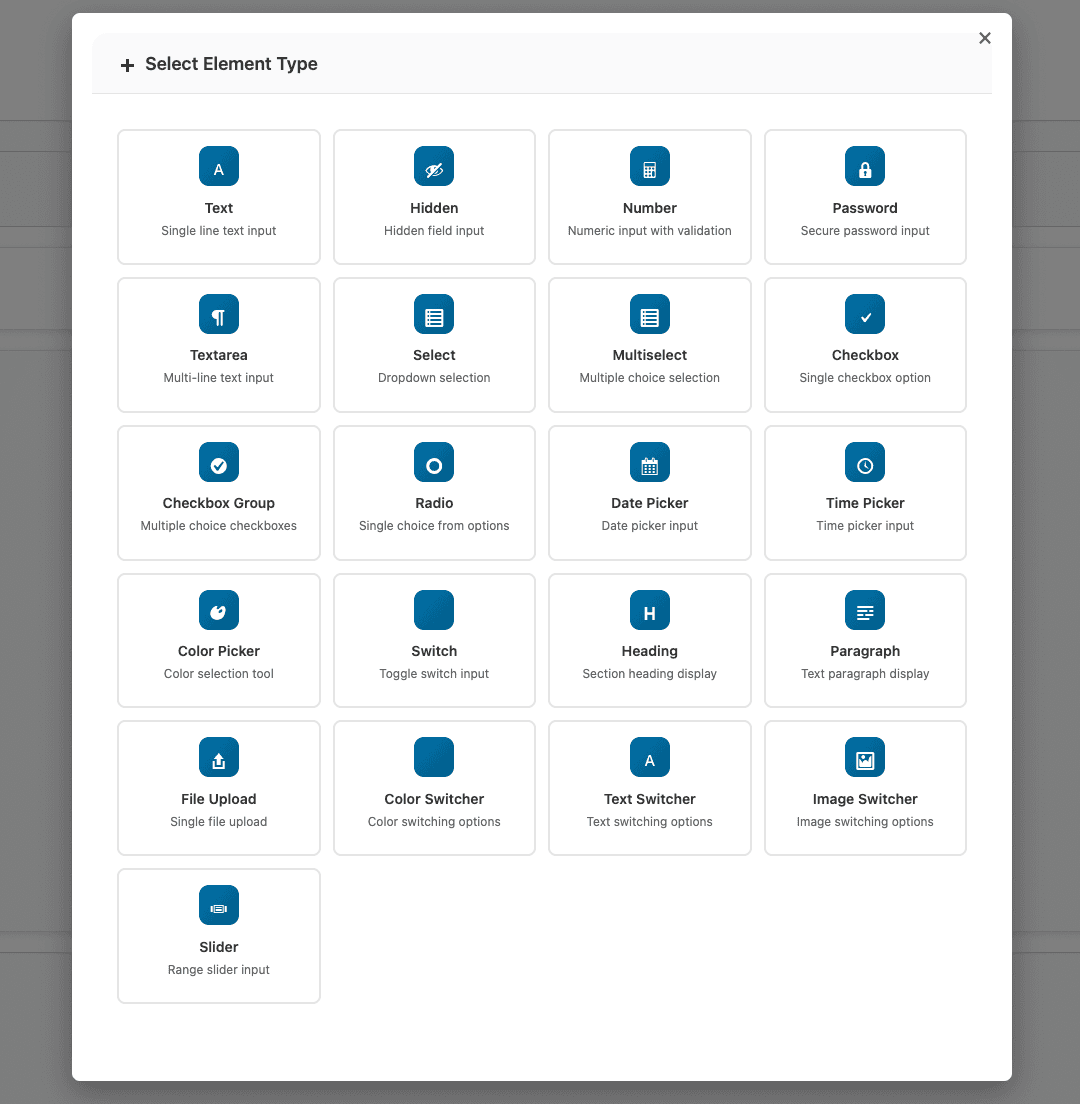
✅ 27 Field Types Ìtumọ̀ Yorùbá: – 20 FREE + 7 Premium field types including Country Selector, Rating, Tooltip, and advanced switchers
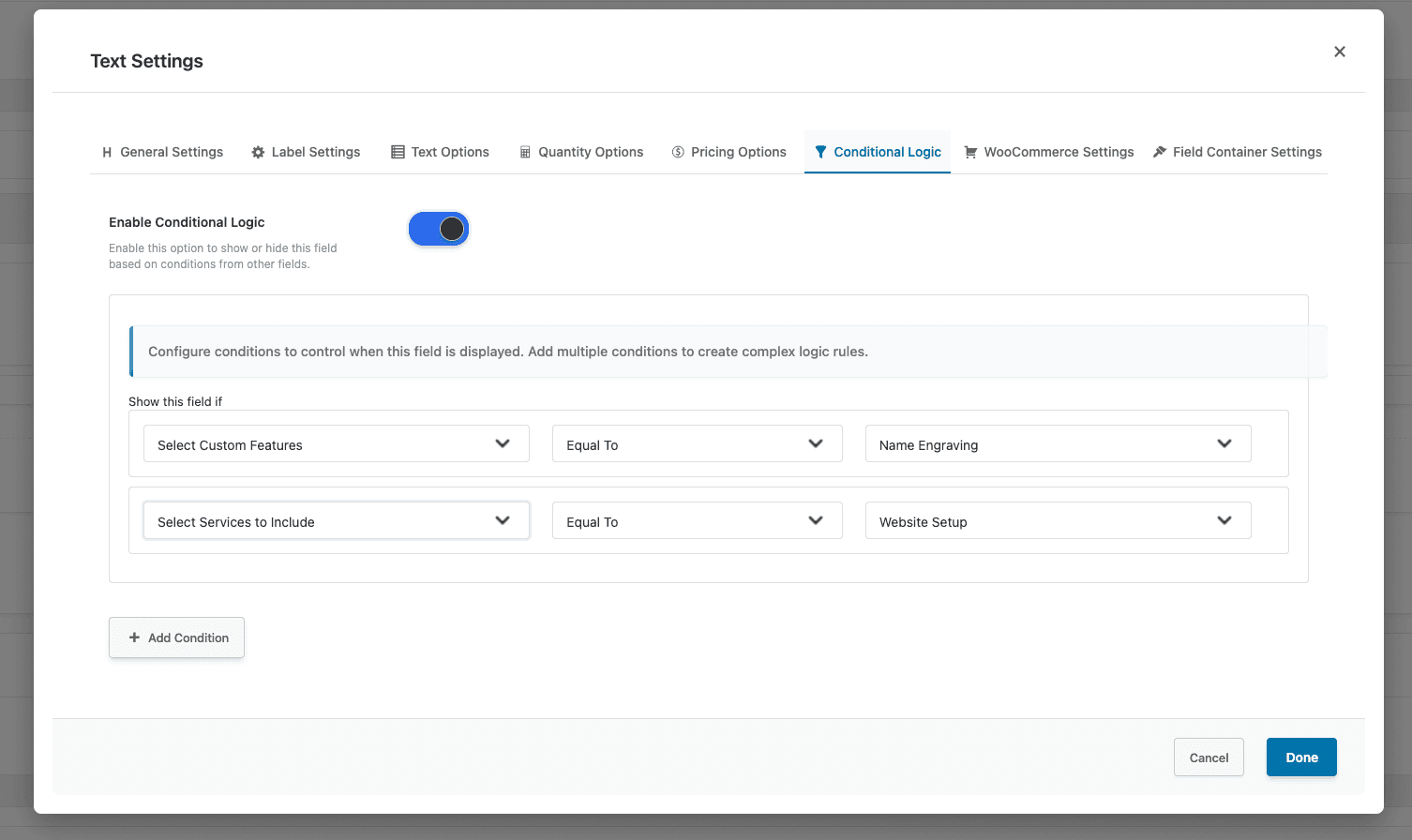
✅ Nested Conditional Logic Ìtumọ̀ Yorùbá: – Advanced AND/OR groups (FREE version exclusive!)
✅ Easy to Use Ìtumọ̀ Yorùbá: – Drag & drop builder with modern UI
✅ Highly Customizable Ìtumọ̀ Yorùbá: – Section settings, row/column layouts, styling options
✅ Performance Optimized Ìtumọ̀ Yorùbá: – Custom database tables for faster queries
✅ Developer Friendly Ìtumọ̀ Yorùbá: – Extensive hooks and filters
From a simple gift wrap option through to complex PC configurations, extra product options are a proven way for you, as a WooCommerce store owner, to increase your profits.
Extra Product options are much easier, more flexible, and faster to use than variable products. Instead of generating thousands of variations, enable customers to customize products with additional options such as text fields, checkboxes, radio buttons, dropdowns, and more. You can add extra product options to selected Products or selected Categories.
What are the benefits of WooCommerce extra product options?
🔑 Generate more sales
🔑 Increase the profit margin
🔑 Stand out from the competition
🔑 No need for higher inventory costs
🔑 Better customer insight
🔑 Increase customer loyalty
🔑 Power the online business
🎬 See It In Action
Try Our Live Demo:
- Frontend Demo Ìtumọ̀ Yorùbá: – See how product options look to customers
- Backend Demo Ìtumọ̀ Yorùbá: – Experience the modern admin interface
- Video Tutorial Ìtumọ̀ Yorùbá: – Watch step-by-step setup guide
Key Features to Explore:
✅ Nested conditional logic with AND/OR groups
✅ 27 field types in action (20 FREE + 7 Premium)
✅ Section settings and layouts (Accordion, Tabs, Wizard)
✅ Conditional display rules with AND/OR conditions
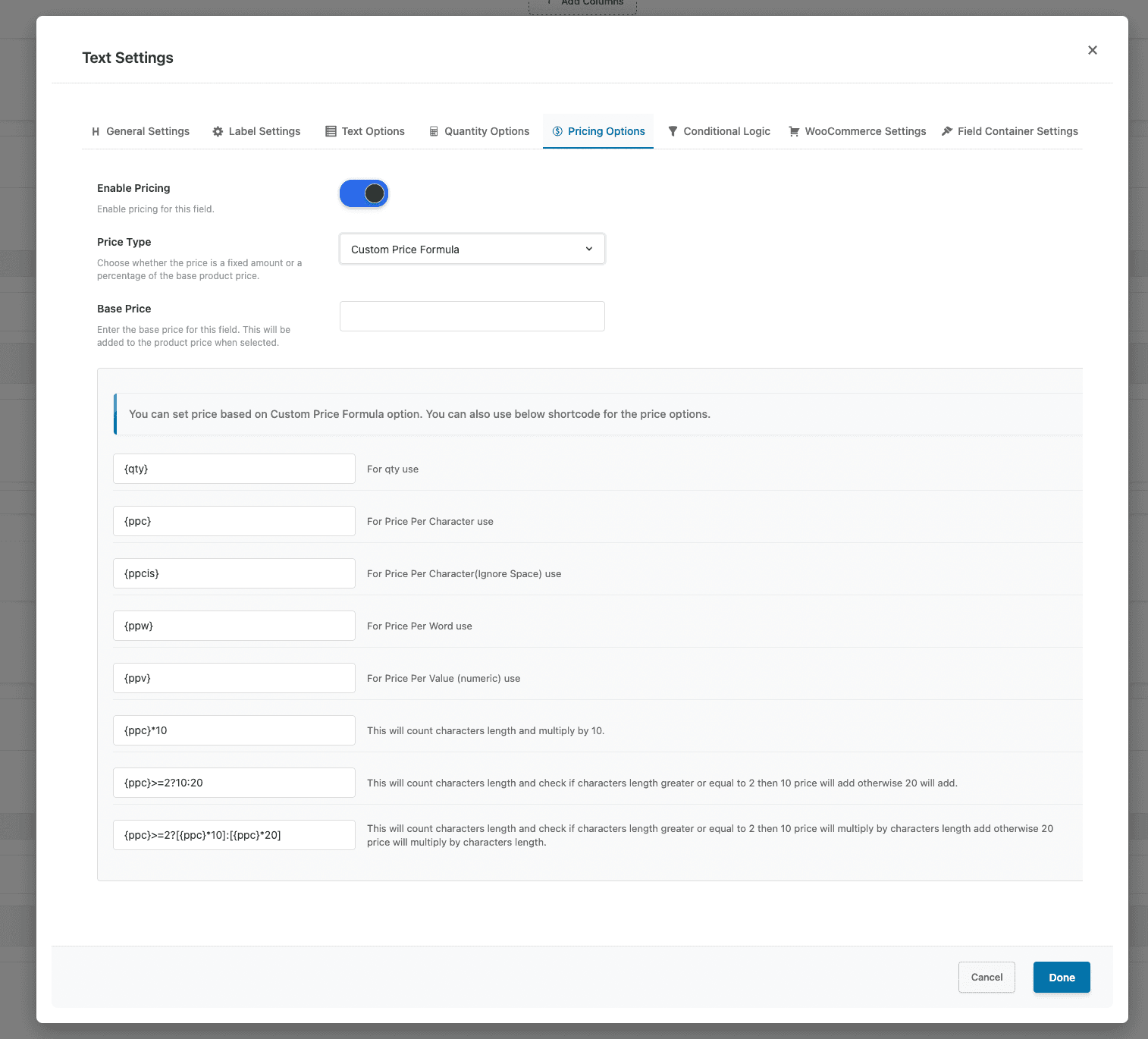
✅ Advanced custom pricing options (Fixed, Percentage, Per-Character, Per-Word, Formulas)
➡️ Try Demo Now ⬅️
Documentation & Tutorials
- Section Settings Documentation Ìtumọ̀ Yorùbá: – Complete guide to customizing section settings in version 4.4.0
- Section Settings Video Tutorial Ìtumọ̀ Yorùbá: – Watch how to use section settings features
💡 Share Your Ideas & Feature Requests
We value your feedback! Help us improve the plugin by sharing your ideas and requirements.
What features would you like to see?
- New field types you need for your store
- Additional functionality or integrations
- UI/UX improvements
- Performance enhancements
- Any other suggestions
How to share your feedback:
- Email: support@wpactpro.com
- Contact us: Share your Idea
Your suggestions help us prioritize features and build a better product roadmap. We review all feedback and consider it for future releases!
💁 Complete List of 27 Field Types
20 FREE Field Types:
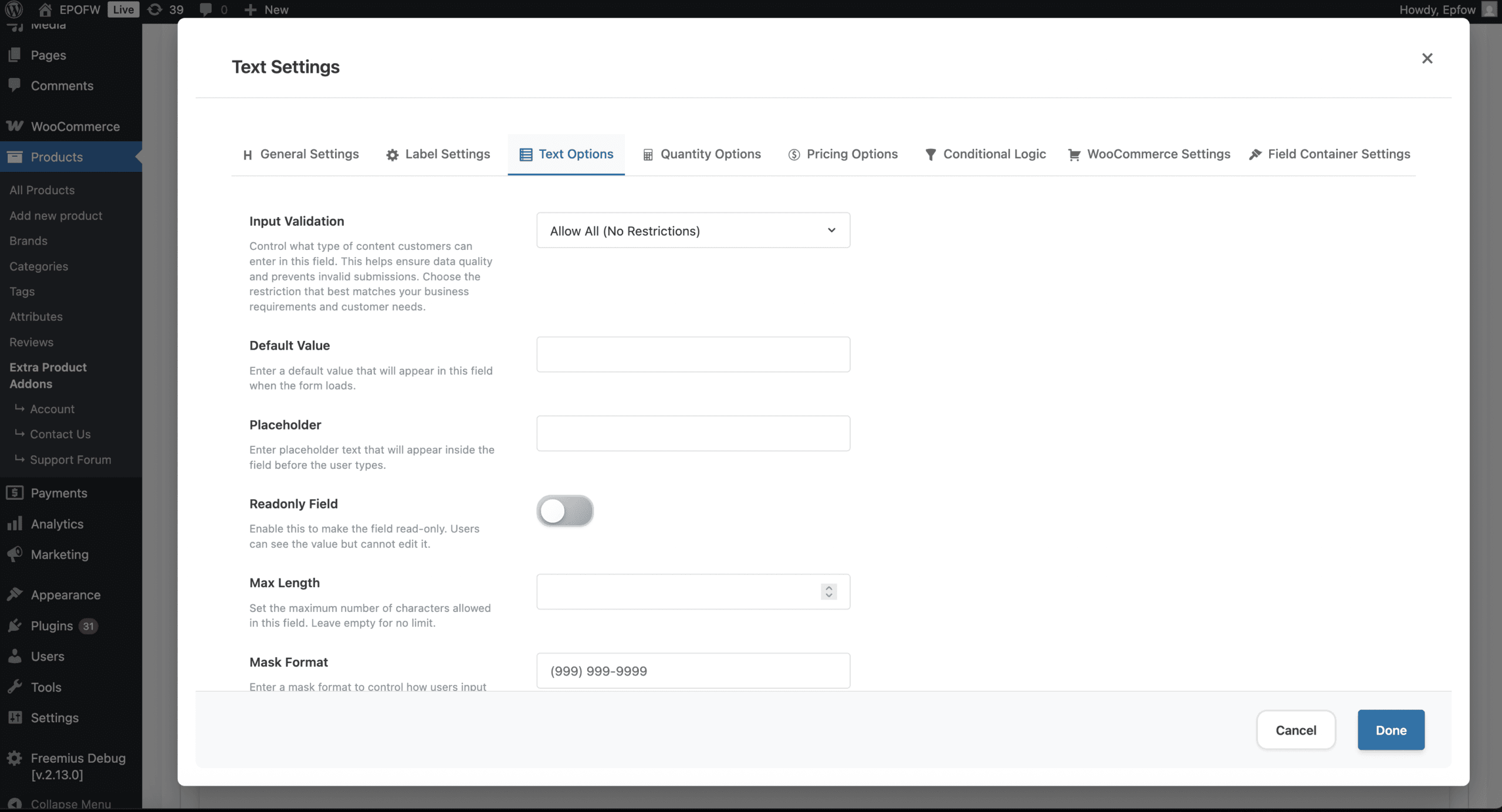
- ✅ Text Field Ìtumọ̀ Yorùbá: – Single-line text input with optional HTML5 validation (email, URL, phone). Supports character length validation and regex patterns (FREE)
- ✅ Textarea Ìtumọ̀ Yorùbá: – Multi-line text area with word/character limits and regex validation
- ✅ Number Field Ìtumọ̀ Yorùbá: – Numeric input with min/max values and step increments. Supports decimal and whole numbers
- ✅ Password Field Ìtumọ̀ Yorùbá: – Masked password input for sensitive information
- ✅ Select Dropdown Ìtumọ̀ Yorùbá: – Single-choice dropdown selector. Per-option pricing support
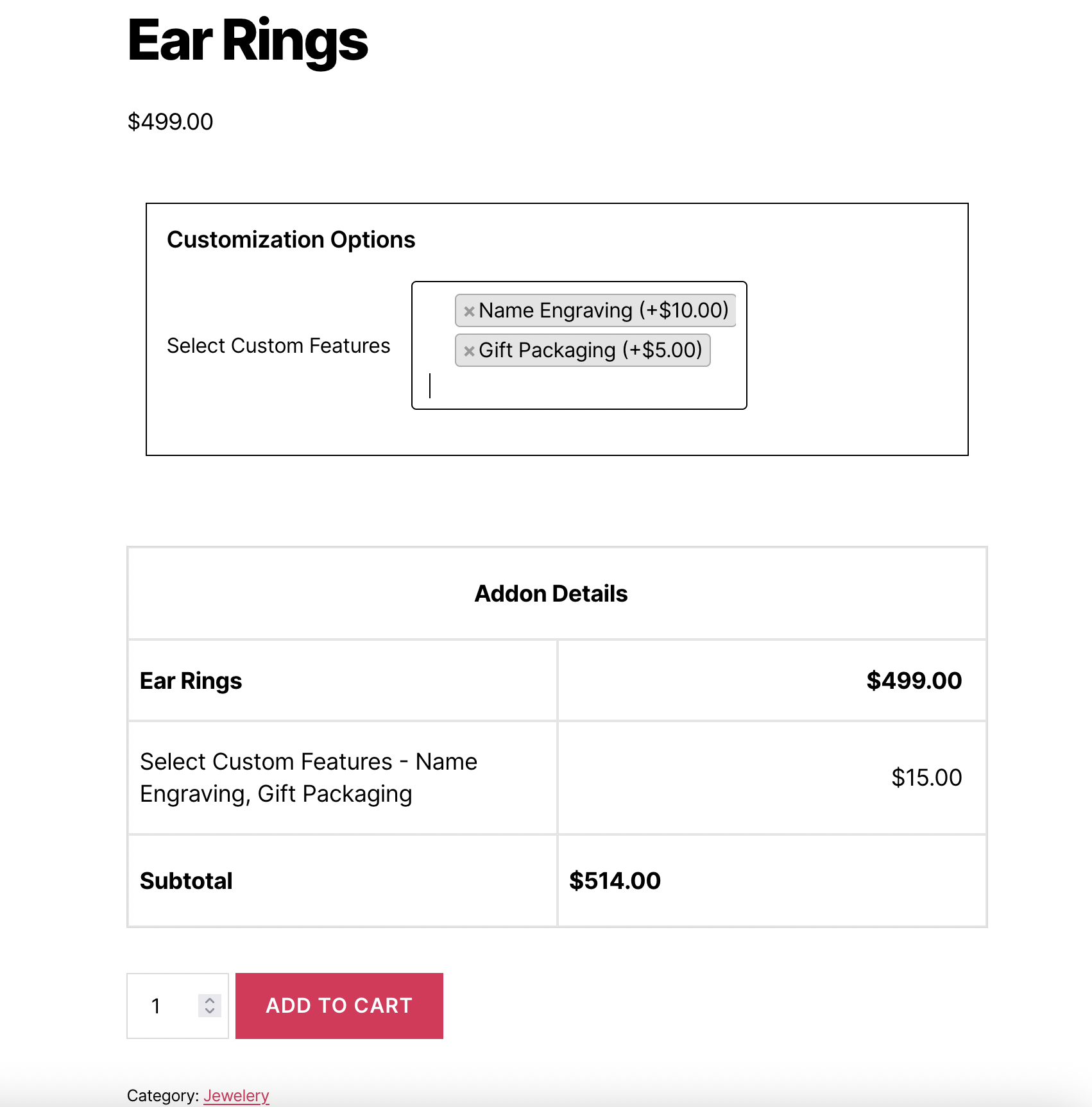
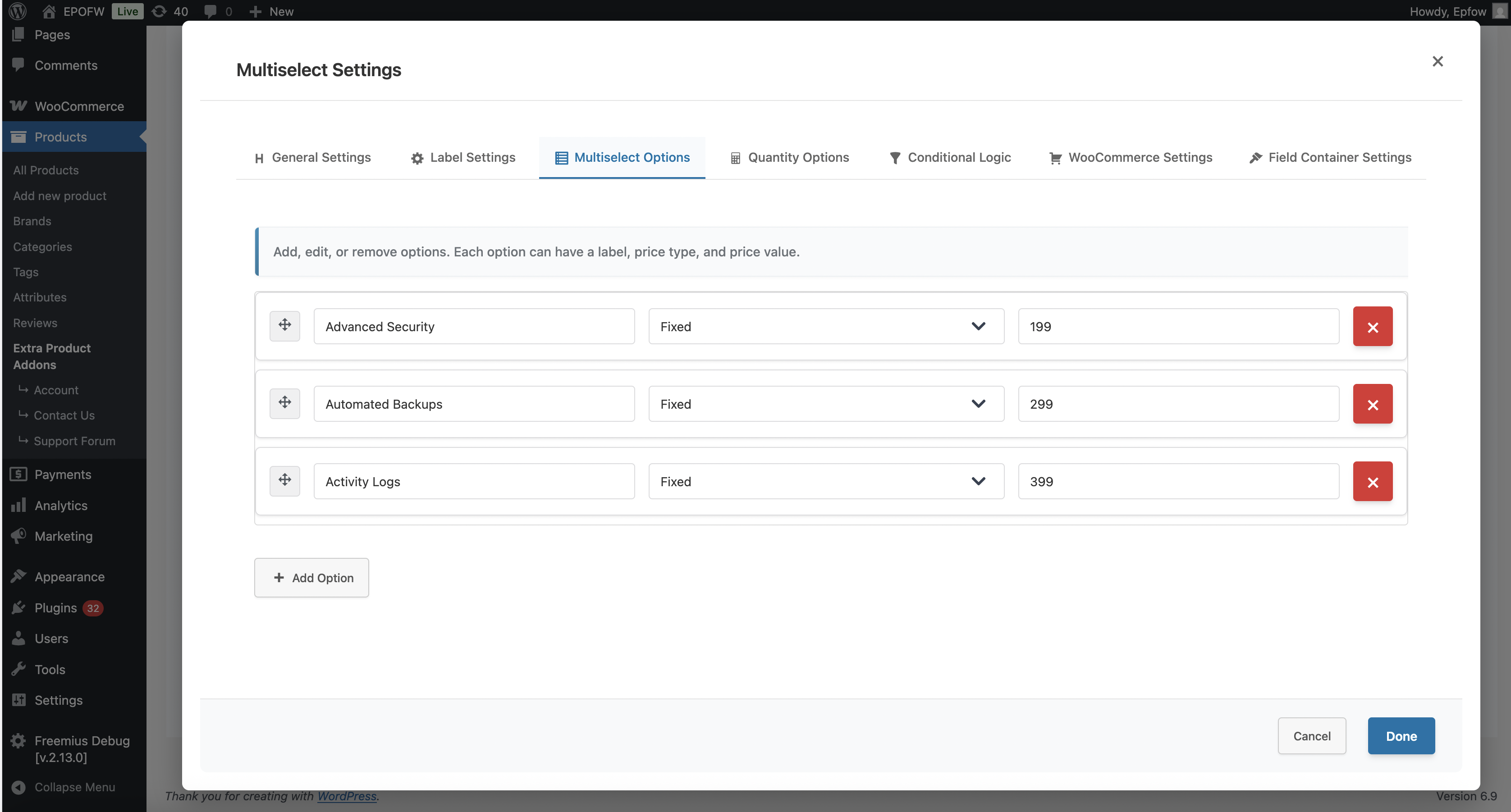
- ✅ Multi-Select Ìtumọ̀ Yorùbá: – Multiple choice dropdown. Select/Deselect All button support (PRO). Per-option pricing
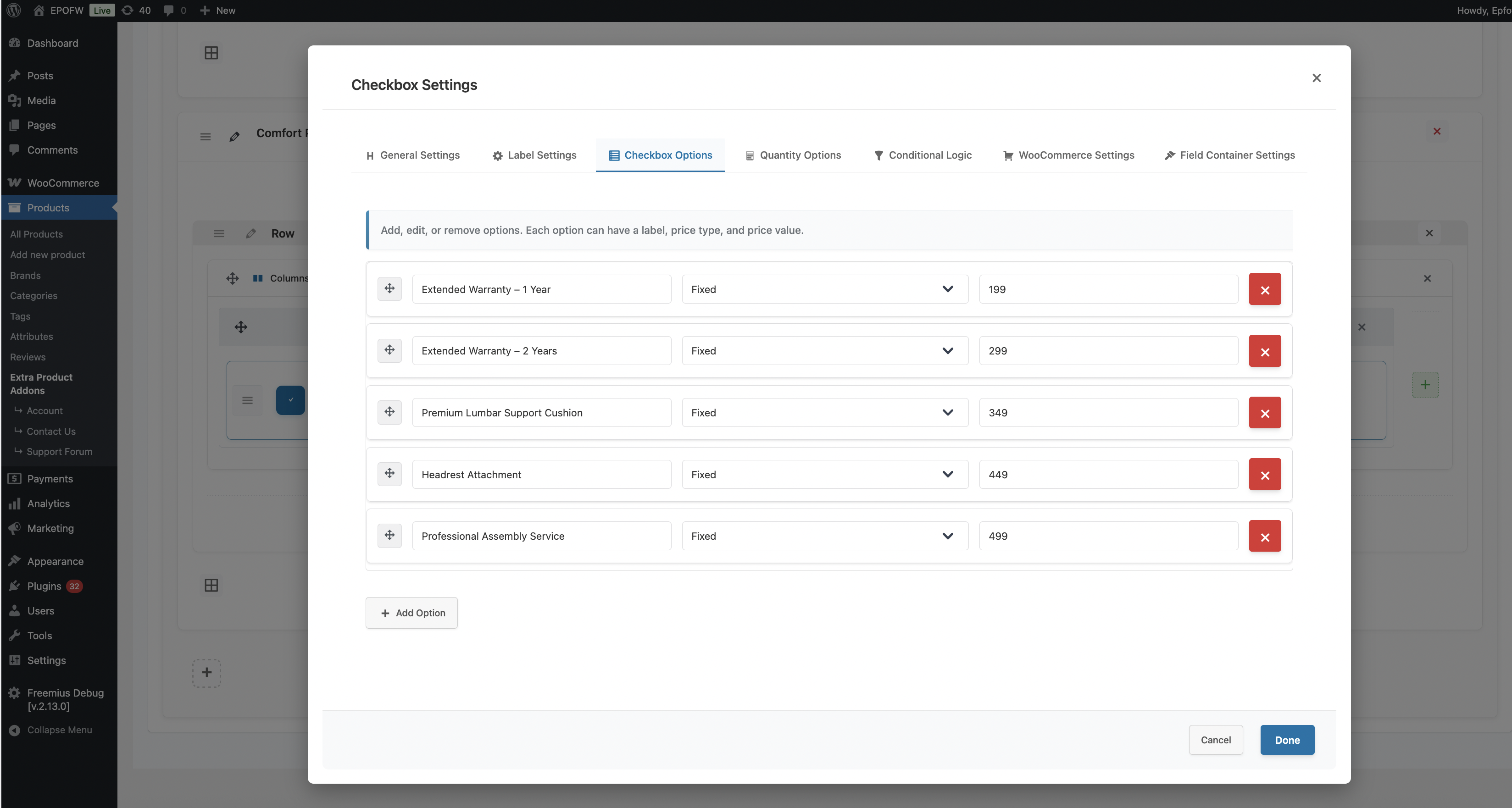
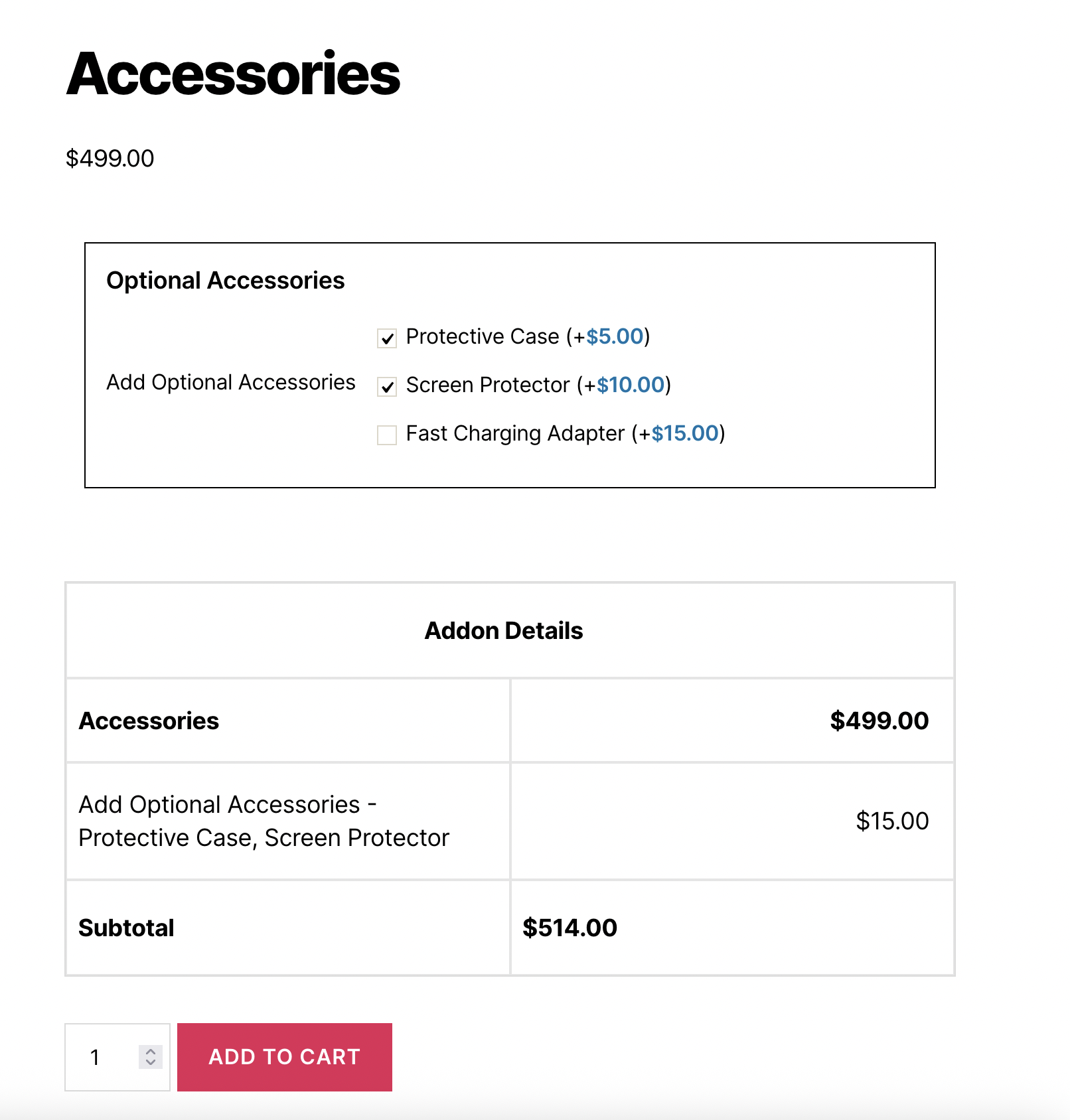
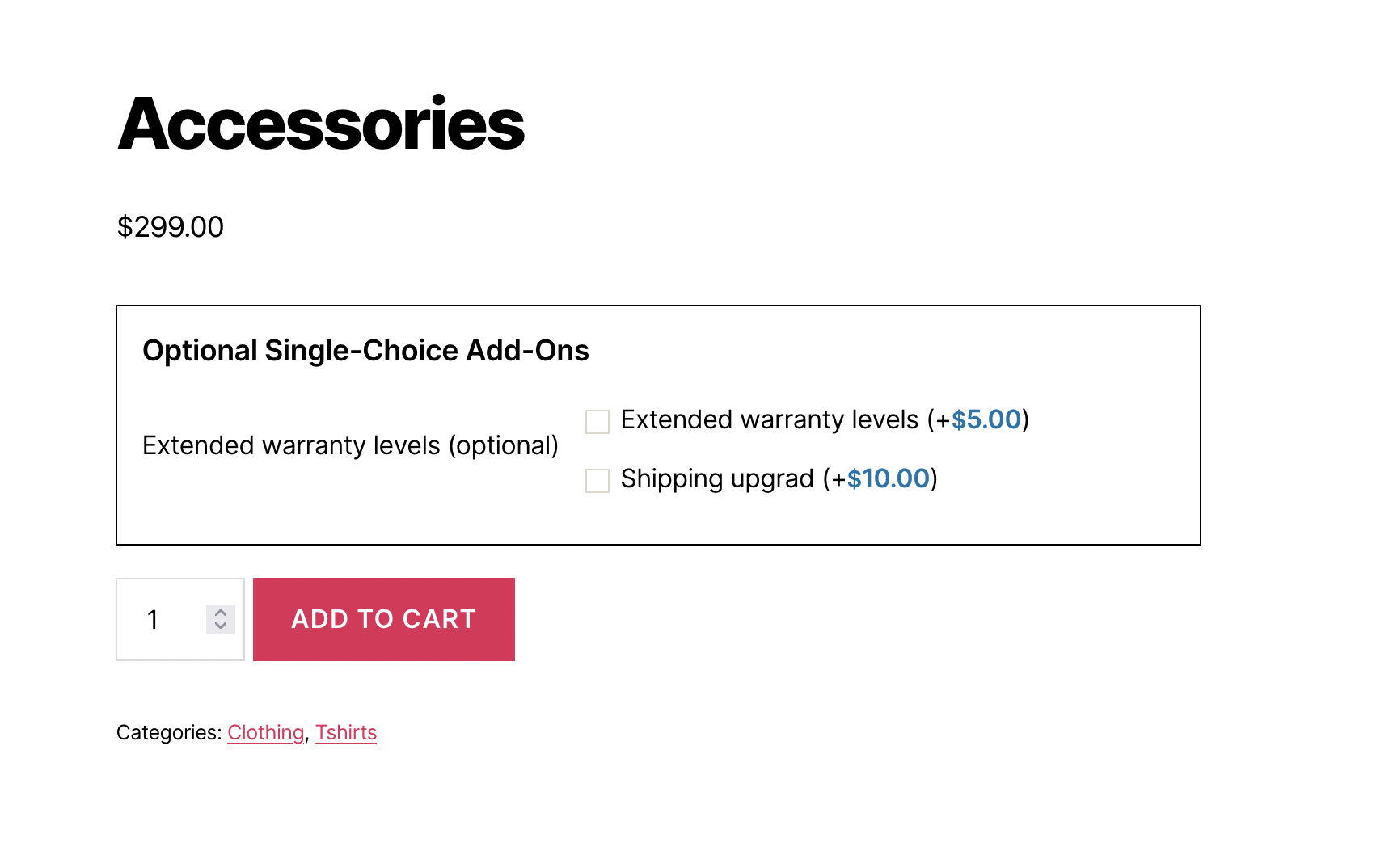
- ✅ Checkbox Ìtumọ̀ Yorùbá: – Single checkbox with yes/no option. Per-option pricing support
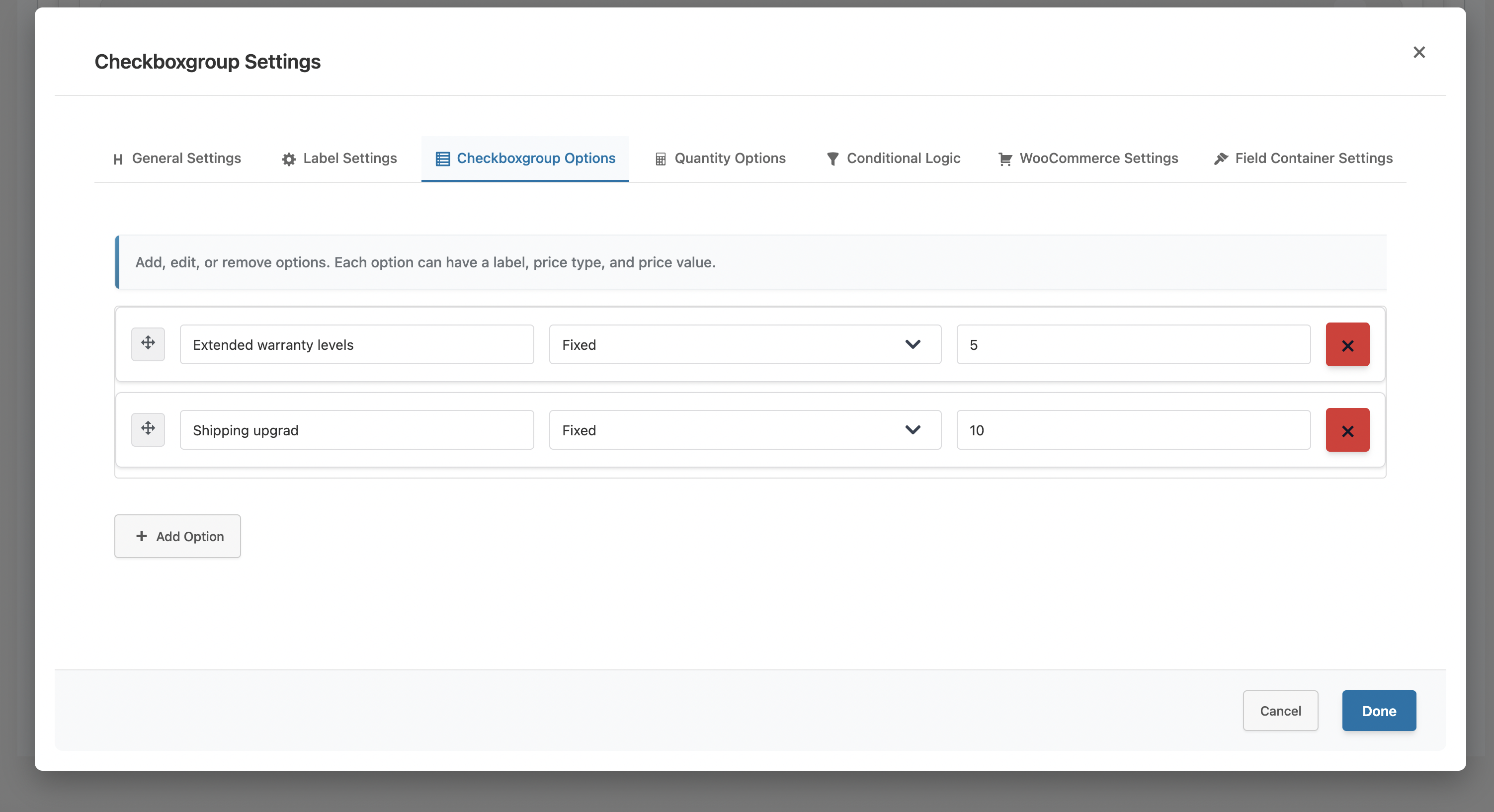
- ✅ Checkbox Group Ìtumọ̀ Yorùbá: – Multiple checkboxes for multi-select. Per-option pricing support
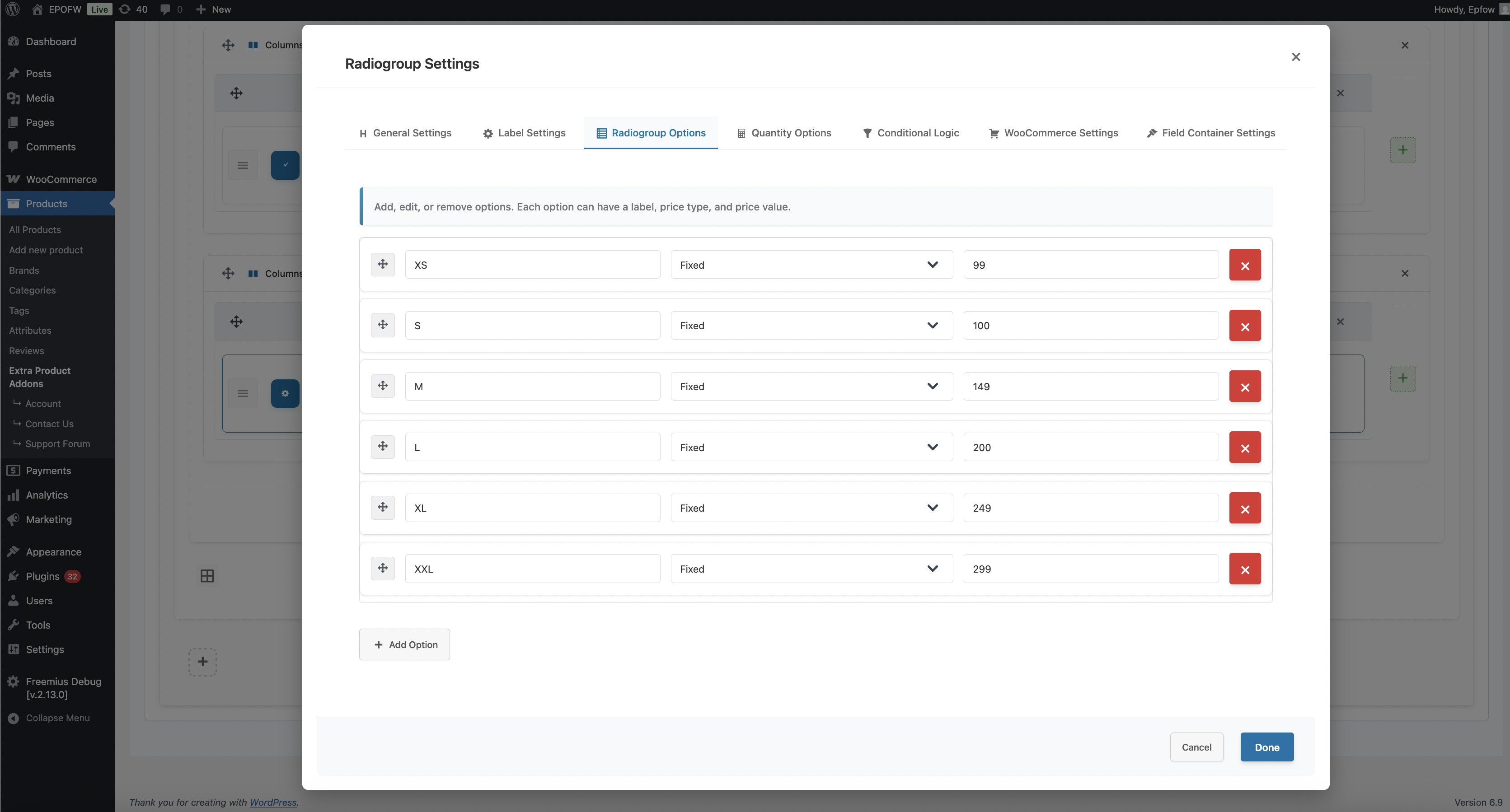
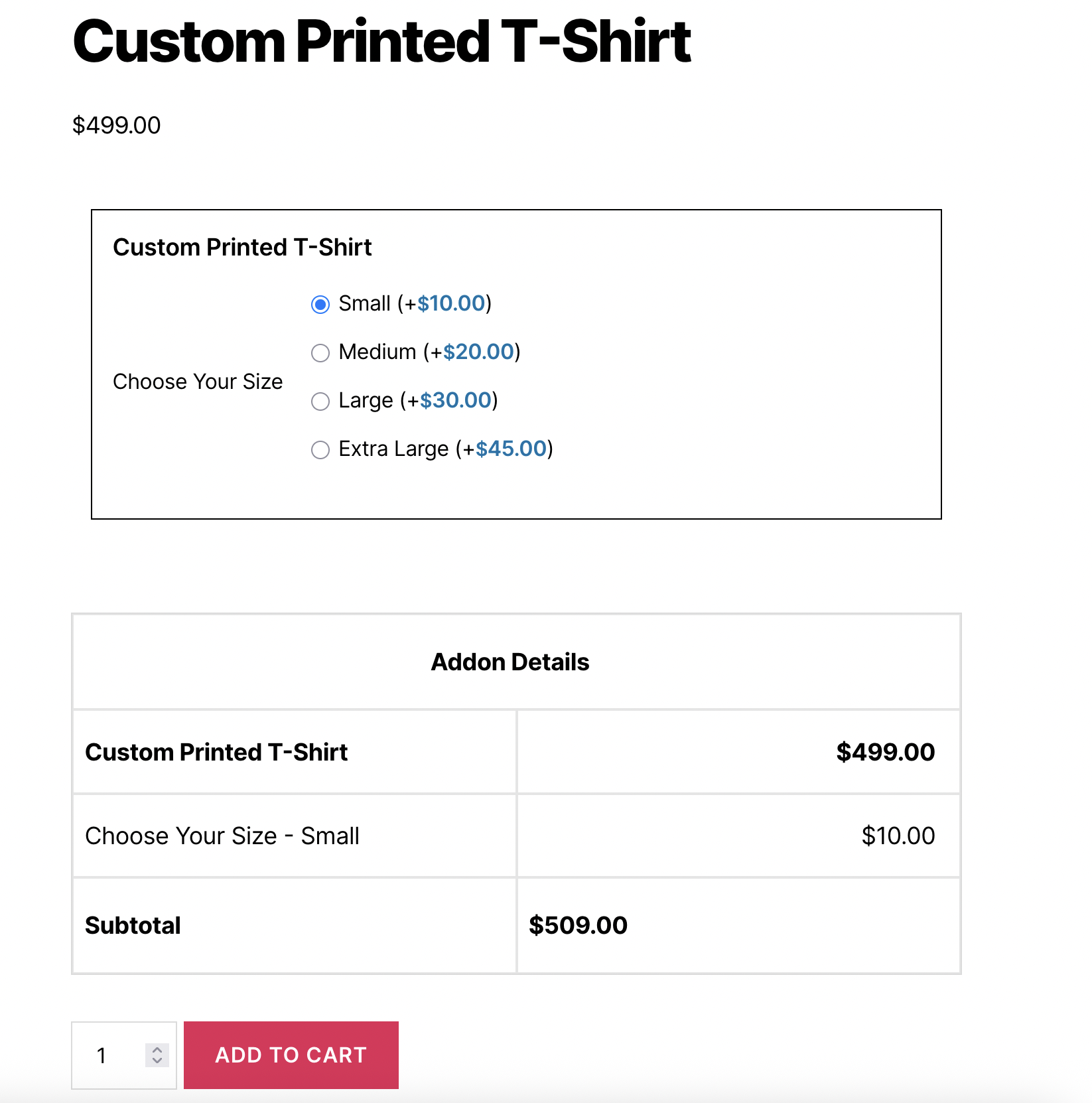
- ✅ Radio Group Ìtumọ̀ Yorùbá: – Radio buttons for single selection. Per-option pricing support
- ✅ Date Picker Ìtumọ̀ Yorùbá: – Calendar date selector with min/max dates, format options (PRO), and advance date-range pricing (PRO)
- ✅ Time Picker Ìtumọ̀ Yorùbá: – Time selector with customizable format. Earliest/Latest time constraints (PRO)
- ✅ Color Picker Ìtumọ̀ Yorùbá: – Color selection widget with HTML5 color input
- ✅ Switch Ìtumọ̀ Yorùbá: – Toggle on/off switch with customizable icons and colors (PRO). Smooth animations (PRO)
- ✅ Slider Ìtumọ̀ Yorùbá: – Range slider for numeric selection. Dual handle mode (PRO) for min/max range selection
- ✅ Hidden Field Ìtumọ̀ Yorùbá: – Non-visible field for passing data through the system
- ✅ Heading Ìtumọ̀ Yorùbá: – Display-only section heading for visual organization
- ✅ Paragraph Ìtumọ̀ Yorùbá: – Display-only text area for informational content
- ✅ Separator Ìtumọ̀ Yorùbá: – Horizontal divider line. Customizable color, style (solid/dashed/dotted/double), width, and margin
- ✅ Rating Field Ìtumọ̀ Yorùbá: – Star rating selector (1-10 stars). Price Per Star pricing (FREE). Perfect for reviews, feedback, and ratings
- ✅ Country Selector Ìtumọ̀ Yorùbá: – Auto-populated country dropdown with ~250 WooCommerce countries. Per-country pricing support. Ideal for international shipping
7 PREMIUM Field Types:
- 💎 File Upload Ìtumọ̀ Yorùbá: – Multi-file upload with type and size restrictions. AJAX upload support
- 💎 Color Switcher Ìtumọ̀ Yorùbá: – Color swatch buttons for visual color selection. Per-option pricing
- 💎 Text Switcher Ìtumọ̀ Yorùbá: – Text/button buttons for option selection. Per-option pricing
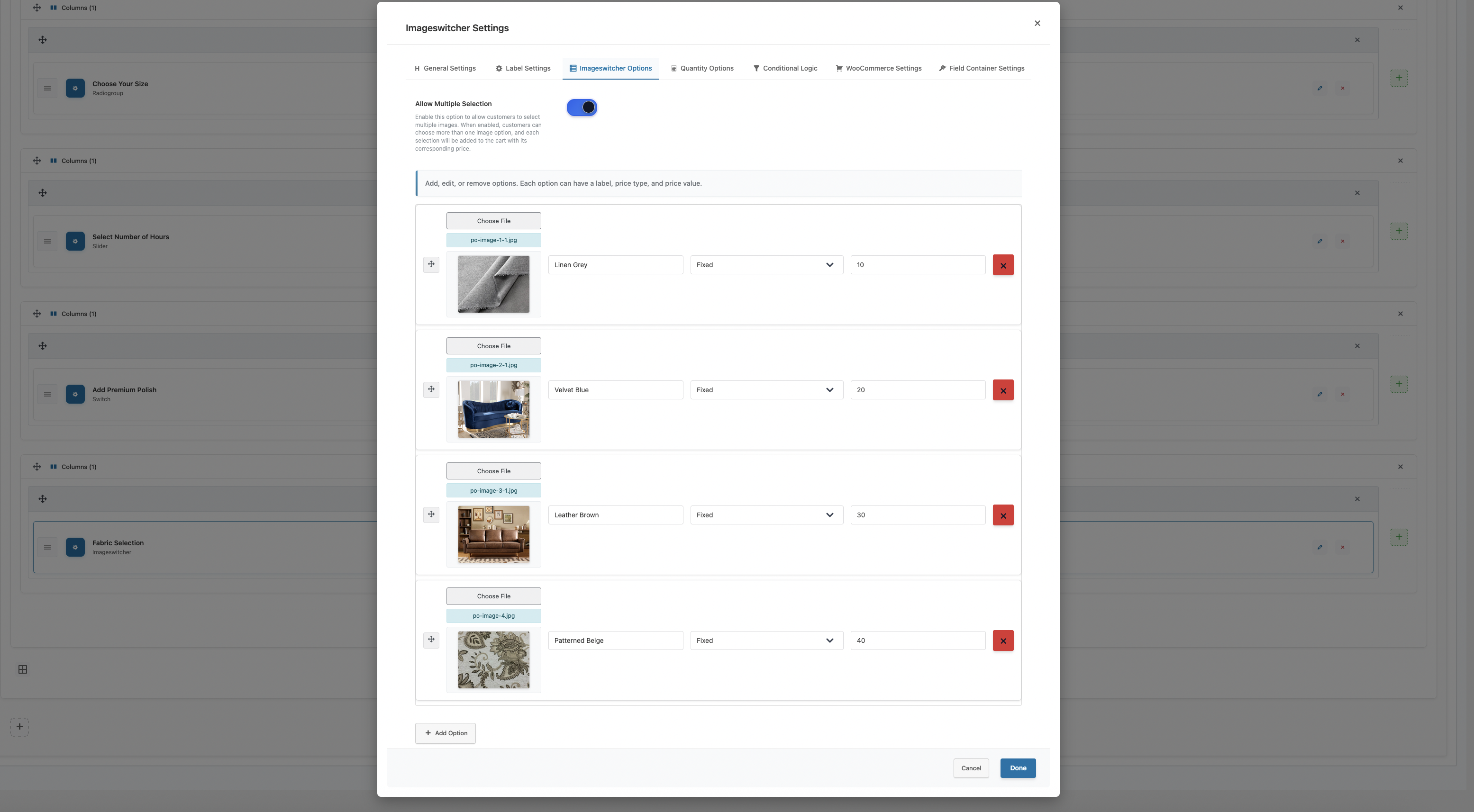
- 💎 Image Switcher Ìtumọ̀ Yorùbá: – Image thumbnail buttons for visual selection. Multi-image support (PRO). Per-option pricing
- 💎 Product Group Ìtumọ̀ Yorùbá: – WooCommerce product selector. Min/Max selection limits. Per-product pricing (fixed, product price, or percentage)
- 💎 Repeater Field Ìtumọ̀ Yorùbá: – Repeatable group of fields. Customers can clone/remove field groups. Min/max repeat limits. Per-instance pricing
- 💎 Section Layout Ìtumọ̀ Yorùbá: – Accordion, Tabs, and Step Wizard layouts for organizing addon fields. Global and per-addon override settings
👉 Display Position for Extra Fields
- Before Add To Cart Button
- After Add To Cart Button
- Pro Ìtumọ̀ Yorùbá: – Before Variation Data (for variable products)
➡️ View Demo ⬅️
💁 Key Capabilities of Extra Product Options
- Add 27 types of extra custom product fields to WooCommerce Product Pages (20 FREE + 7 Premium)
- Add extra custom fields for the selected product and selected categories
- Manage Required or optional fields
- Add prices to options
- Allow multiple attributes to be selected in the same option
- Easy to Use
- Drag & Drop
- Use with or without prices
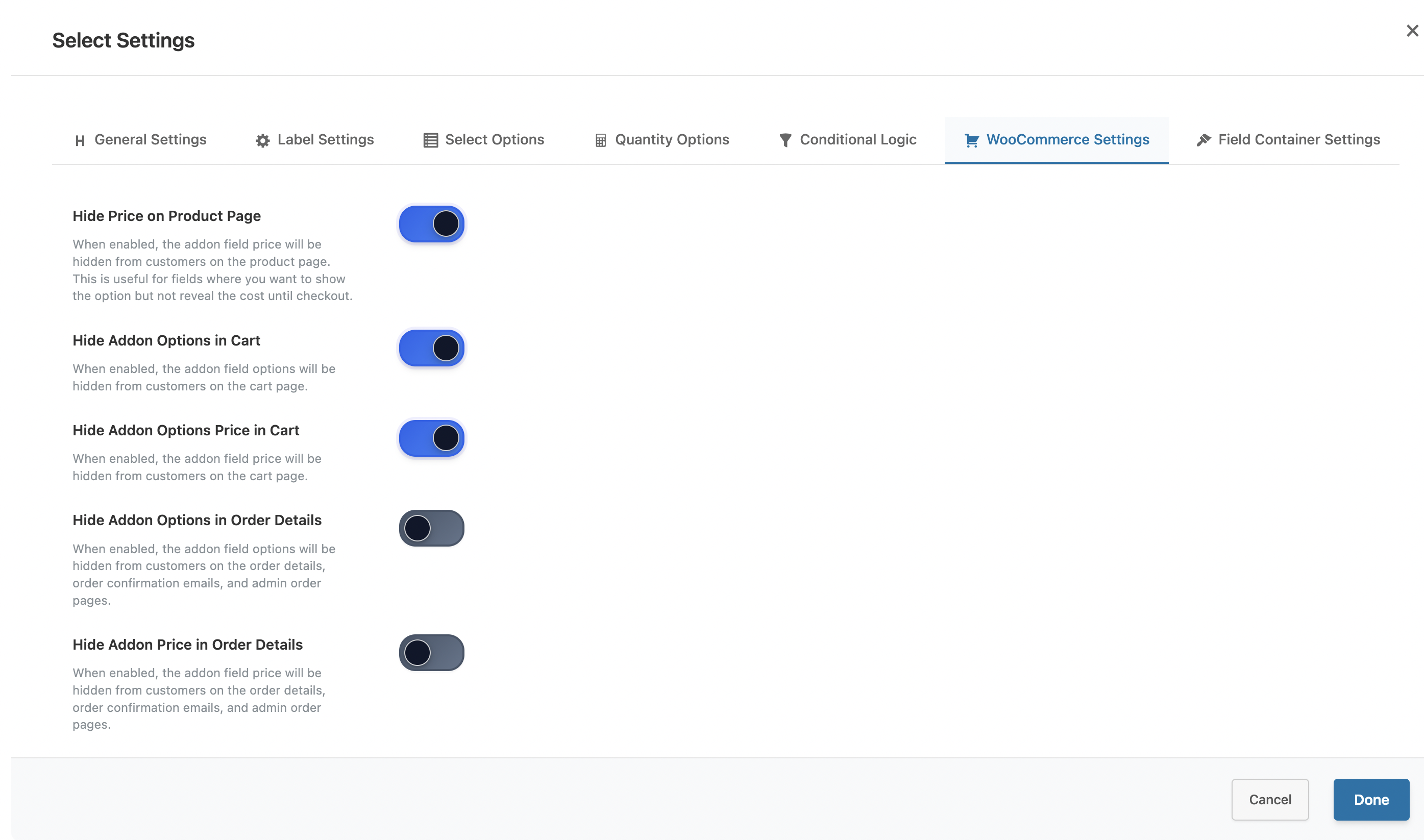
- Show/hide prices
- Manage labels, values, placeholders, and CSS classes for each field
- Duplicate the extra product custom field or groups of fields
- Edit, Remove, Enable, or disable the extra product fields easily
- Dynamic product price: Change the price depending on a field value(s)
- Visibility options: decide on which product(s) to show your fields
- Set prices for each option value
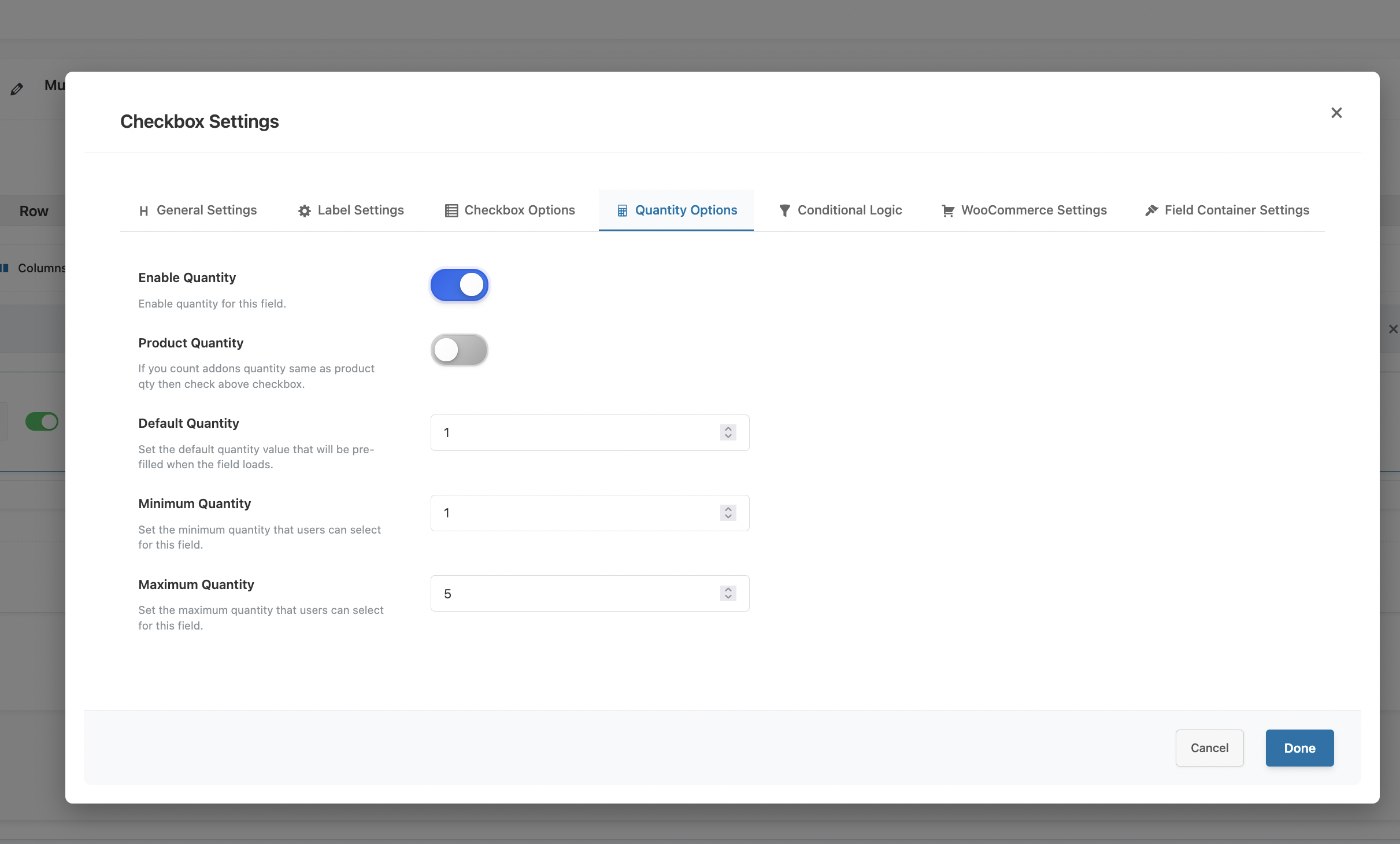
- Set prices for each option value at each quantity break (Premium) Ìtumọ̀ Yorùbá: – give every option its own volume discounts, e.g. screen print, embroidery and laser each priced differently per quantity
- Make options mandatory for selection
- Display selected values on checkout, order info pages, and in the order emails
💰 Pricing Options for Product Add-ons
Price an option however the job is actually quoted:
- Fixed amount – a flat sum added to the product price
- Percentage of product price – scales with the product
- Price × characters typed – for engraving and printed text, charged by length
- Price × characters typed, ignoring spaces – the same, without counting spaces
- Price × words typed – for translation, proofreading and per-word work
- Price × slider steps – for a size, length or weight slider
- Price × number entered – charge per unit the customer types, such as per guest or per metre
- Price × number entered, after a free allowance – the first n are included
- Customer enters the price – for donations, tips and custom quotes
- Custom formula (advanced) – your own calculation
- Pro – Price by quantity: give one option its own price at each quantity break, so screen print, embroidery and laser can each have their own volume discounts
- Pro – Fixed — flat for the band: one charge for a whole quantity range, the way a setup or origination fee works
- Pro – Quantity-Based (Volume / Tiered) pricing: bulk discounts across every option of a field, matched on the product quantity or the fieldÌtumọ̀ Yorùbá: ’s own
- Pro – Price Rules: adjust the selected optionÌtumọ̀ Yorùbá: ’s price when another field has a particular value
Every price type is named for what it charges rather than how it works, and each explains itself in a line underneath, so you can see what a customer will be billed before you save.
👉 Supported Product Types
- Simple Product
- Variable products over ajax
➡️ View Demo ⬅️
💎💎 💎 PREMIUM KEY FEATURES
💁 Types of extra options for WooCommerce Product
- Pro Ìtumọ̀ Yorùbá: – File upload – allowing your customers to upload (multiple) files.
- Pro Ìtumọ̀ Yorùbá: – True/false – A “yes/no” checkbox
- Pro Ìtumọ̀ Yorùbá: – Image swatches – multi and single choice options with images.
- Pro Ìtumọ̀ Yorùbá: – Color swatches – multi and single color options.
- Pro Ìtumọ̀ Yorùbá: – Text swatches – text options.
- Pro Ìtumọ̀ Yorùbá: – Paragraph Ìtumọ̀ Yorùbá: – so you can add content and shortcodes to your product page.
- Pro Ìtumọ̀ Yorùbá: – Image – to add images.
- Pro Ìtumọ̀ Yorùbá: – HTML
- Upload Field – To collect files from users which can be images, Videos, Documents, and anything that is supported by WordPress.
- Pro Ìtumọ̀ Yorùbá: – Slider with custom formulas on product detail page
- Pro Ìtumọ̀ Yorùbá: – Switch with Switch Layout, Animation Style, Checked Icon, Checked Background Color, Unchecked Icon, Unchecked Background Color
💎 Custom Price Fields Ìtumọ̀ Yorùbá: – Pro
Allow setting the price of your custom product fields. and this price will be added to the product total based on the field value. it is useful when you want to charge an additional fee for your additional services. Multiple wany you can set price.
- Fixed: Set a fixed price for the extra field. This fixed amount will be added to the total product price upon selecting the addon.
- Pro Ìtumọ̀ Yorùbá: – Percentage: Set a percentage price for extra field. This percentage amount will be added to the total product price upon selecting the addon.
- Pro Ìtumọ̀ Yorùbá: – Custom: User will enter the price and It will be added to the product price. like getting donations, tips, and similar things.
- Pro Ìtumọ̀ Yorùbá: – Percentage of Product Price: Set the addon price in percentage. It will calculate the product price and added to the product price.
- Pro Ìtumọ̀ Yorùbá: – Dynamic: Set the price per ‘n’ number of units/ quantity. Addon price will be calculated for the total number of units/ quantity selected by the customer and added to the product price.
💎 Conditionally Display Fields According To Relevance
with this option, you can set extra fields ” Display Rules ” based on a number of conditions. You will be able to control the field display easily by adding different conditions based on the following.
- All Products (with Select All/Clear All)
- Products
- Categories
- Tags
- Pro Ìtumọ̀ Yorùbá: – User roles
- Pro Ìtumọ̀ Yorùbá: – Other Fields values
- Pro Ìtumọ̀ Yorùbá: – Date picker and time picker
- Pro Ìtumọ̀ Yorùbá: – Product variations
- Pro Ìtumọ̀ Yorùbá: – Product quantity
➡️ View Demo ⬅️
💁 Example Uses of WooCommerce Extra Product Options Plugin
Here are just a few of the ways this flexible plugin can be used:
- Sell events and tickets using this plugin to add options like seat, date, booking fees, etc
- Add extra delivery/shipping options and costs to orders
- Brand options
- Checkout fields
- Dropshipping options
- Delivery times and dates
- Dynamic pricing
- Custom product designing
- Hotel booking
- Bulk editing of product options
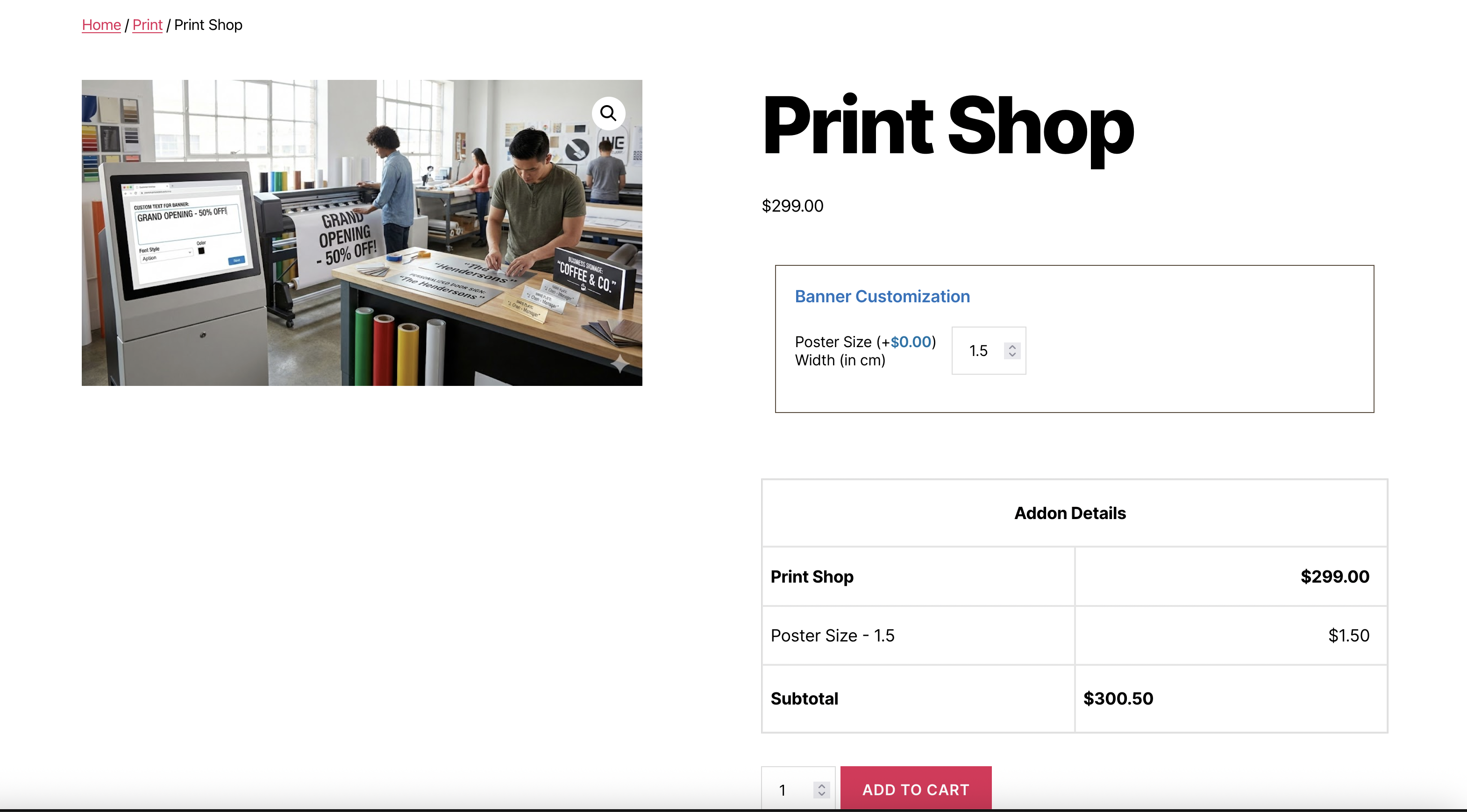
- Add gift wrap options to products (with costs) as shown in the demo
- Add image choices to printable products (with or without prices)
- Add text to cards (with the possibility of charging per character )
- Add discounts to products (option prices can be negative)
- Chargeless for bulk/wholesale orders (bundle rates)
- Add extra charges/fees to orders
- Add extra charges/fees to products
➡️ View Demo ⬅️
👉 CUSTOM HOOKS
The plugin is most developer-friendly so that you can easily add more functionalities if needed with our hooks.
💁 Contact Us
Free plugin: Need Technical Help? Ìtumọ̀ Yorùbá: – Click here
➡️ Premium Version ⬅️
Àwọn àwòrán ìbòjú
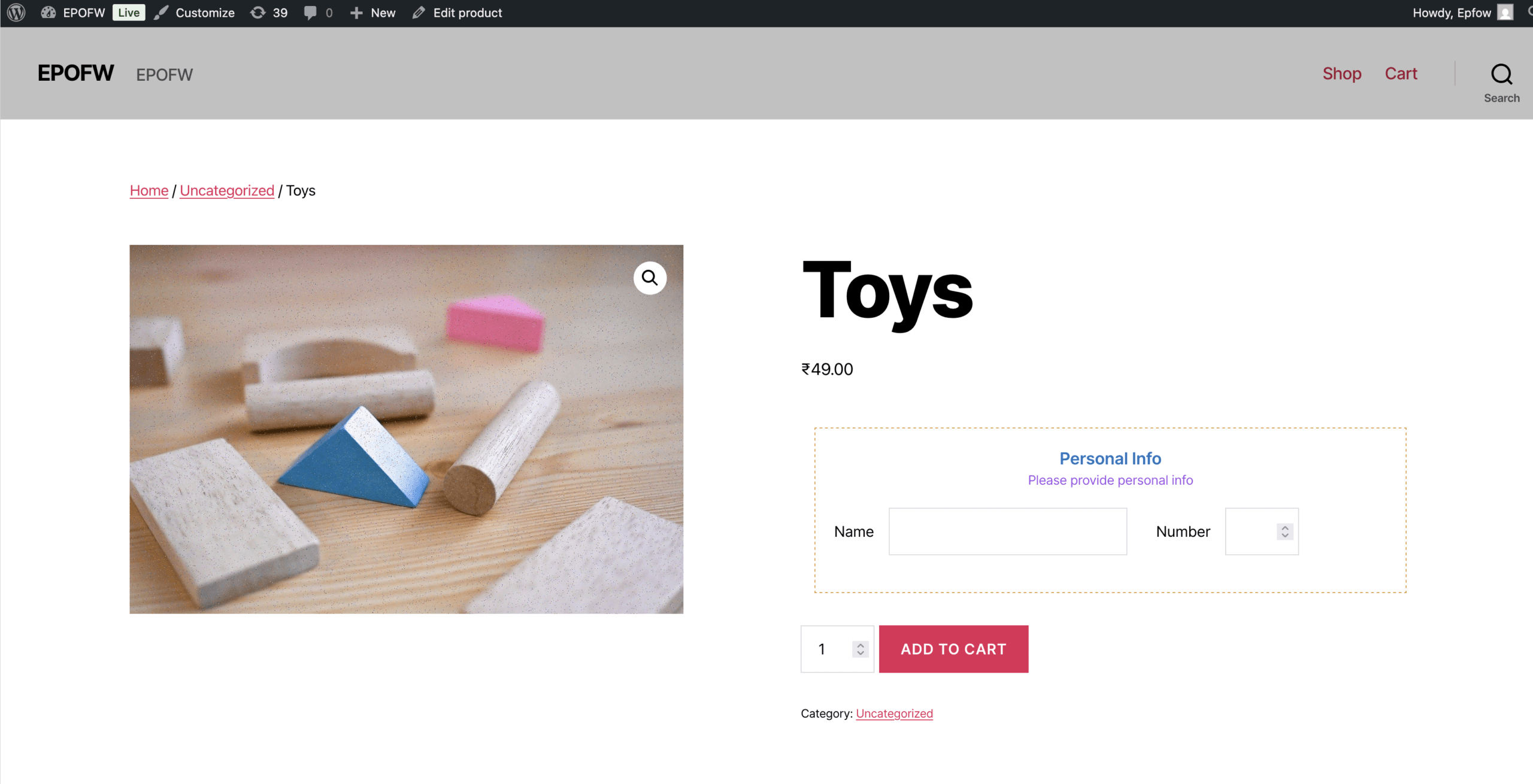
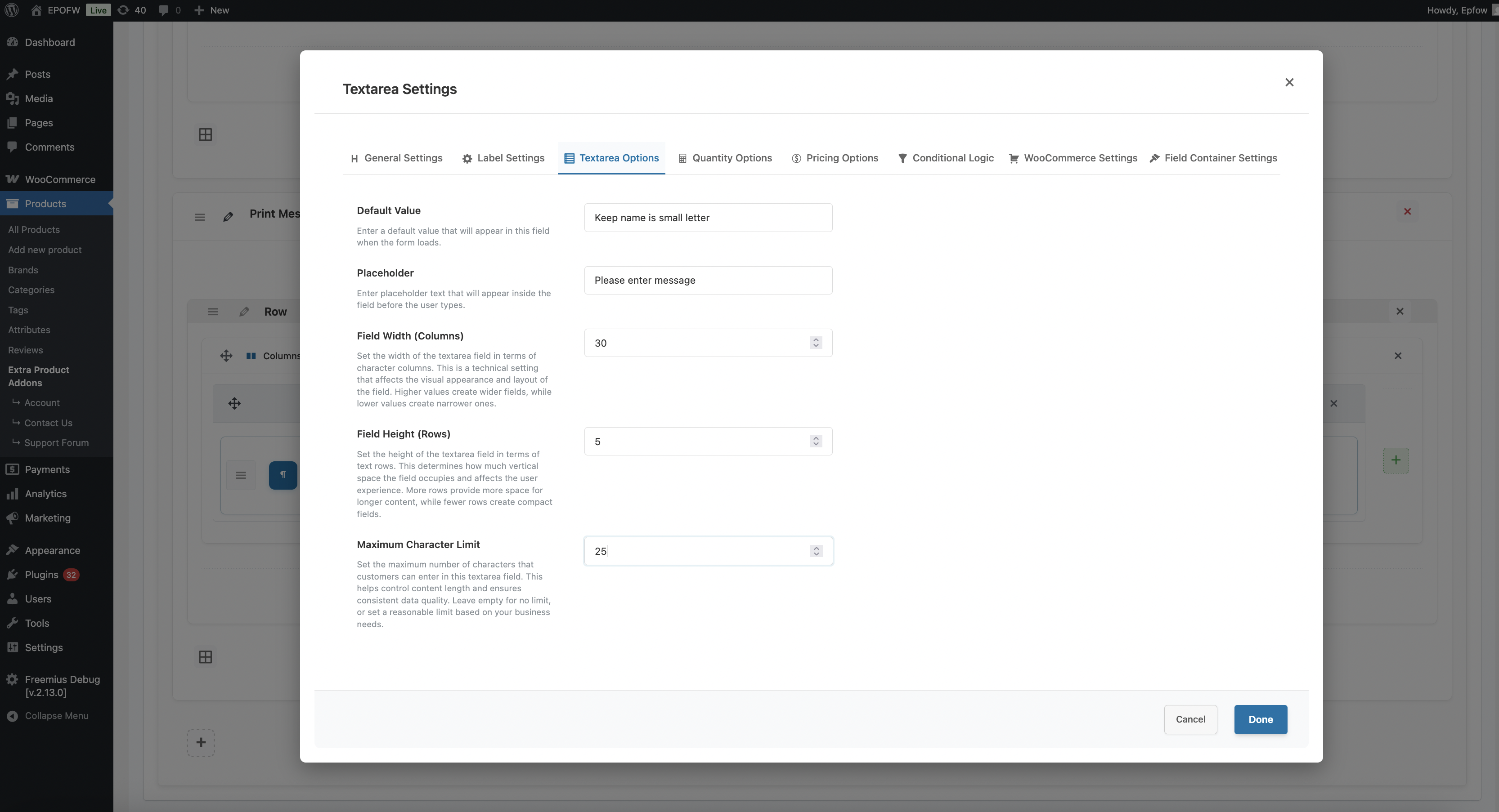
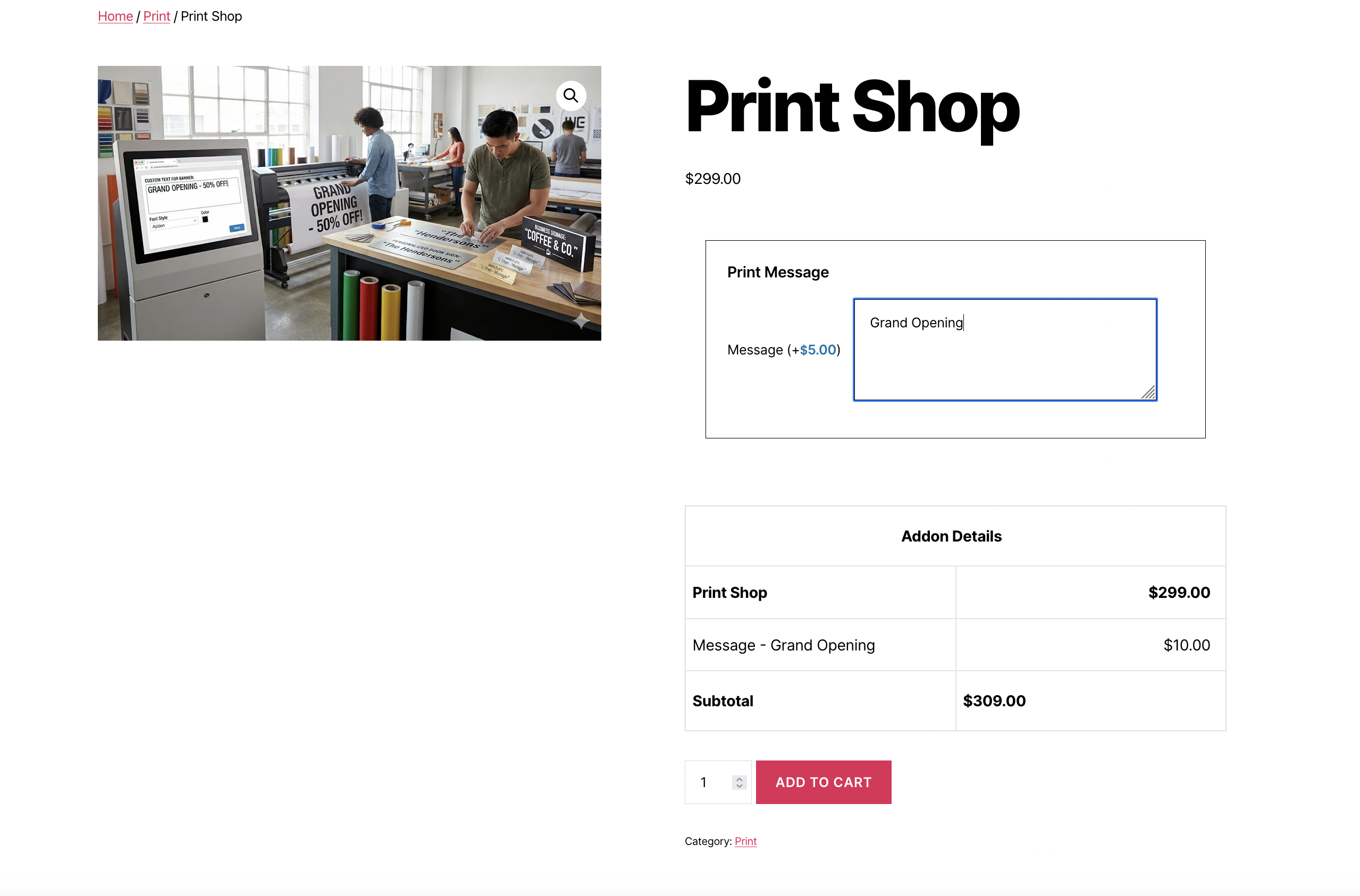
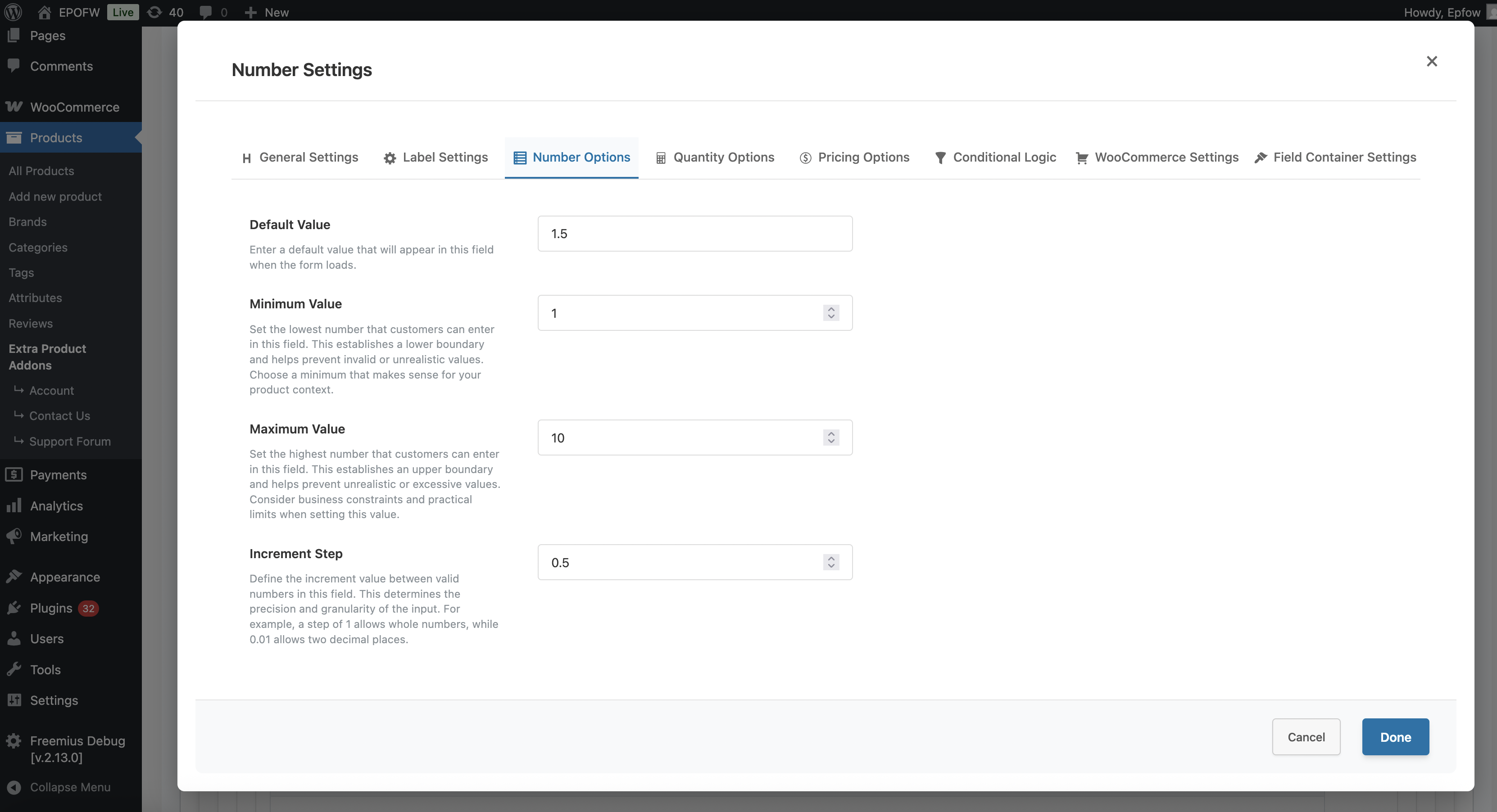
Ìgbéwọlẹ̀
Minimum Requirements
- WooCommerce 8.0 or greater
- WordPress 6.1 or greater
- PHP 7.4 or greater
Automatic installation
- Log in to your WordPress dashboard.
- Navigate to the Plugins menu, and click “Add New”.
- Search and locate ‘Extra Product Options for WooCommerce’ plugin.
- Click ‘Install Now’, and WordPress will take it from there.
Manual installation
Manual installation method requires downloading the ‘Extra Product Options for WooCommerce’ plugin and uploading it to your web server via your FTP application. The WordPress codex contains instructions on how to do this here.
FAQ
-
What makes this plugin different from other WooCommerce product options plugins?
-
Our plugin is the ONLY free plugin offering nested conditional logic with AND/OR groups. This means you can create complex conditions like “Show field A when (Product X OR Product Y) AND (Category Z OR User Role Admin)”. Most competitors only offer simple conditional logic in their free versions.
-
How many field types are included in the free version?
-
The free version includes 20 field types, more than most competitors. These include text, textarea, number, password, select, multiselect, radio, checkbox, checkboxgroup, datepicker, timepicker, colorpicker, switch, slider, hidden, heading, paragraph, separator, rating, country selector, and tooltip/help icon. Plus 7 additional premium field types (file upload, color switcher, text switcher, image switcher, product group, repeater, and section layout).
-
Does the plugin support conditional logic?
-
Yes! Our plugin offers the most advanced conditional logic in the free version. You can create nested conditions with AND/OR groups to show/hide fields based on products, categories, tags, and more.
-
Can I add custom pricing to fields?
-
Yes! The free version supports fixed pricing. Premium version adds percentage pricing, custom formulas, price per character, quantity-based price breaks, and a price per option at each quantity break.
-
Is the plugin compatible with my theme?
-
Yes! The plugin is designed to work with all major WooCommerce-compatible themes as we provide comprehensive styling settings including margin, padding, and CSS customization options to help you match the pluginÌtumọ̀ Yorùbá: ’s appearance with any theme. You can adjust spacing, colors, borders, and more through the section settings and field styling options.
-
Can I use conditional logic to show different fields for different products?
-
Absolutely! You can set display rules based on products, categories, tags, and more. Create complex conditions using AND/OR logic to show fields exactly when and where you need them.
-
Does the plugin support variable products?
-
Yes! The plugin works seamlessly with both simple and variable products. Fields are displayed via AJAX for variable products to ensure smooth user experience.
-
Can I customize the appearance of the fields?
-
Yes! You can customize field labels, add CSS classes, configure section settings, use row/column layouts, and more. Premium version adds even more styling options.
-
Is there a demo I can try?
-
Yes! You can try our live demo to see the plugin in action, or check out our video tutorials.
-
Per-option stock lets you set a stock quantity on individual options (e.g. “Red Ìtumọ̀ Yorùbá: – 10 left”, “Green Ìtumọ̀ Yorùbá: – 5 left”) for Select, Radio, Checkbox, Color Switcher, Image Switcher, and Text Switcher fields. Stock is validated before add-to-cart, deducted when the order is placed at checkout, and restored automatically when an order is cancelled, refunded, or fails. You can verify deductions in the order line item meta (_epofw_option_stock_deductions) and check current option stock in the addon builder.
-
How do I get support?
-
Free plugin users can get support via email at support@wpactpro.com. Support with faster response times.
Àwọn àgbéyẹ̀wò


Àwọn Olùkópa & Olùgbéejáde
“Extra Product Options for WooCommerce” jẹ́ ètò ìṣàmúlò orísun ṣíṣí sílẹ̀. Àwọn ènìyàn wọ̀nyí ti ṣe ìkópa sí plugin yìí.
Àwọn Olùkópa

A ti túmọ̀ “Extra Product Options for WooCommerce” sí èdè agbègbè 1 kan. Ọpẹ́lọpẹ́ fún àwọn atúmọ̀ èdè fún àwọn ìkópa wọn.
Túmọ̀ “Extra Product Options for WooCommerce” sí èdè rẹ.
Ṣe o nífẹ̀ẹ́ sí ìdàgbàsókè?
Ṣàwárí koodu, ṣàyẹ̀wò ibi ìpamọ́ SVN, tàbí ṣe àgbékalẹ̀ sí àkọsílẹ̀ ìdàgbàsókè nípasẹ̀ RSS.
Àkọsílẹ̀ àwọn àyípadà
4.4.9.4 Ìtumọ̀ Yorùbá: – 2026-10-19
- New Ìtumọ̀ Yorùbá: – Price by quantity (premium). Give an option a different price at each quantity break, on the Options tab. Each option is a card: its label, price and stock are typed once and its quantity bands sit underneath, so dragging moves the whole option and a band can never be separated from it. Screen print, embroidery and laser can each have their own volume discounts. Available on Select, Radio and the three Switcher field types
- New Ìtumọ̀ Yorùbá: – A band can charge a flat amount for its whole range instead of a price per unit, with the “Fixed Ìtumọ̀ Yorùbá: – flat for the band” price type. A band of 1 to 100 set to 150.00 flat charges 150.00 whether the customer orders ten or a hundred, which is how a setup or origination charge works
- New Ìtumọ̀ Yorùbá: – “Bands follow” chooses whether the bands are matched against the product quantity or the fieldÌtumọ̀ Yorùbá: ’s own quantity. Field quantity needs that fieldÌtumọ̀ Yorùbá: ’s own Quantity option switched on, so until it is the choice is greyed out and says where to enable it, with a link to that tab Ìtumọ̀ Yorùbá: – rather than letting you set something that would quietly never apply
- Update Ìtumọ̀ Yorùbá: – The Price Type names in the Pricing Options tab now say what they charge rather than naming the mechanism, and each one explains itself in a line underneath. “Dynamic” is now “Price × number entered” — the type that charges your amount for every unit the customer types, such as 17 per person on a “number of guests” field. “Dynamic Ìtumọ̀ Yorùbá: – Exclude Base Price” is now “Price × number entered, after a free allowance”, “Custom” is now “Customer enters the price”, and the per-character, per-word and per-step types are named the same way. Only the names change: no saved field, stored setting or calculated price is affected
- Update Ìtumọ̀ Yorùbá: – Quantity-Based Pricing and the new per-option bands are layered rather than exclusive: an optionÌtumọ̀ Yorùbá: ’s own band is used first, then the fieldÌtumọ̀ Yorùbá: ’s tier, then the optionÌtumọ̀ Yorùbá: ’s price. A bulk price for every option with one option excepted is now possible, which neither could express alone. Existing Quantity-Based Pricing setups are unchanged
- Fix Ìtumọ̀ Yorùbá: – Quantity-Based Pricing with its Tier basis set to “field quantity” charged the wrong price on a field whose own Quantity option was off. There is no field quantity to read in that case, so the cart matched tiers on a quantity of 1 and charged the untiered price, while the product page fell back to the product quantity and showed the tier. On a 50+ tier at a product quantity of 60 the page advertised the tier price and the cart did not honour it. Both now fall back to the product quantity, and the Tier basis control greys the choice out and says where to enable it
- Update Ìtumọ̀ Yorùbá: – Quantity-Based Pricing and Price by quantity now cross-reference each other: each explains the other in a sentence, and the tab name in it is a link that takes you there. The two settle the same question on different tabs, so neither is much use without knowing the other exists
- Code Ìtumọ̀ Yorùbá: – 10 new automated tests cover what addon prices are shown in all four combinations of WooCommerceÌtumọ̀ Yorùbá: ’s “prices entered with tax” and “display prices in the shop” settings, at both whole and fractional tax rates. Tax display had no test coverage before
- Code Ìtumọ̀ Yorùbá: – 59 automated tests cover the new pricing from the stored structure through to the cart: every quantity boundary, each supported field type, all eight tax configurations, and the save path, where a column the admin collector does not capture would be silently dropped
- Fix Ìtumọ̀ Yorùbá: – The date and time picker could open behind the page on desktop with some themes and page builders (for example Divi), so clicking the field looked like it did nothing. The calendar now always opens above the page content, and pickers inside the quick view keep their own higher layer
- Fix Ìtumọ̀ Yorùbá: – A Heading or Paragraph field with its title position set to Left showed a thin white vertical line through its text, and the text was squeezed into the narrow title column. The line is gone and the field now uses the full width
- Fix Ìtumọ̀ Yorùbá: – With the title position set to Left, the title sat lower than the field beside it: about 10px for Checkbox, Checkbox Group, Radio, Switch and File Upload fields, and about 20px whenever the Title Type was Strong or Div (on mobile those titles were also indented). Titles now line up with the first option
- Fix Ìtumọ̀ Yorùbá: – Addon option prices now follow the shopÌtumọ̀ Yorùbá: ’s “Display prices in the shop” setting, as the product price beside them already did. On a store that displays prices including tax, the product showed its tax-inclusive price while every addon option showed its price without tax, so the two could not be compared and neither matched the total below them
- Fix Ìtumọ̀ Yorùbá: – The Addon Details tableÌtumọ̀ Yorùbá: ’s Subtotal now equals the rows above it. Where prices are entered without tax and displayed including it, a product of 100.00 plus an addon of 100.00 totalled 264.00 instead of 240.00, because the productÌtumọ̀ Yorùbá: ’s tax-inclusive figure was taxed a second time. The amount charged was always correct; only the figure shown on the product page was wrong
- Fix Ìtumọ̀ Yorùbá: – The Addon Details table no longer labels its Subtotal “Including tax” on a store that displays prices without tax. It now adds the tax as a separate “Plus” line, matching how WooCommerce presents the cart
- Fix Ìtumọ̀ Yorùbá: – Products with an addon no longer show a struck-through price and a saving that do not exist. The cart stored the productÌtumọ̀ Yorùbá: ’s tax-inclusive price added to the addonÌtumọ̀ Yorùbá: ’s tax-exclusive one as the itemÌtumọ̀ Yorùbá: ’s regular price, so a cart charging 240.00 advertised a previous price of 264.00 and a 24.00 saving. The amount charged was unaffected
- Fix Ìtumọ̀ Yorùbá: – The cart line for an addon now quotes the price it actually charges. With a quantity band, a volume tier or a price rule in play, the line described the optionÌtumọ̀ Yorùbá: ’s plain price while billing the adjusted one: an option billed at 9.00 per unit still read “Gold (2.00)” beside a line total of 135.00, and the figure drifted again whenever the shopper changed the quantity. The amount charged was always correct; only the description was wrong
- Fix Ìtumọ̀ Yorùbá: – A percentage option price is no longer applied twice on the product page. The Addon Details table showed 0.32 for a 10% option on an 18.00 product, while the dropdown above it and the cart below it both said 1.80, because the server published the worked-out amount still labelled as a percentage and the browser took the percentage again. Long-standing; the cart was never affected
- Fix Ìtumọ̀ Yorùbá: – A quantity band left without a price no longer produces an invalid figure in the browser. The band is now treated as costing nothing, which is what the cart already charged
- Fix Ìtumọ̀ Yorùbá: – The quantity band price type list no longer offers “Percentage of product price”. Neither the product page nor the cart applies a percentage to a band, so a merchant who chose it got a break that silently charged the optionÌtumọ̀ Yorùbá: ’s normal price at every quantity. Bands offer the two types that work: a fixed amount per unit, or a flat amount for the whole band
- Fix Ìtumọ̀ Yorùbá: – “Fixed Ìtumọ̀ Yorùbá: – flat for the band” is no longer offered in the free version, where quantity bands do not exist and the type had nothing to apply to
- Fix Ìtumọ̀ Yorùbá: – Text Switcher options with quantity bands are saved correctly. A band row posted a switcher value that the optionÌtumọ̀ Yorùbá: ’s own row did not, so the posted arrays no longer lined up one value per row Ìtumọ̀ Yorùbá: – the shape the whole save path depends on
- Fix Ìtumọ̀ Yorùbá: – The six documented price filters (epofw_price_before_calculation, epofw_regular_price_before_calculation, epofw_sale_price_before_calculation and the three epofw_set_product_*_price_after) reach the prices that are stored again. A rewrite in this release left them computing a value nothing read, so a site filtering them saw no effect and no error. They now receive the as-entered price, the space the WooCommerce setters expect
- Code Ìtumọ̀ Yorùbá: – The filter behind the band-capable field type list is now named epofw_option_qty_band_field_types, matching the function it belongs to. It was left over from an earlier, unreleased feature and was never in a release under the old name
- Fix Ìtumọ̀ Yorùbá: – The price shown beside each option now follows the quantity. A product page is rendered once, at the quantity the shopper arrived with, so an option priced by quantity bands kept advertising its opening price: a dropdown reading “Gold (+2.00)” above an Addon Details table — and a cart — that both said 9.00. The label now changes with the product or field quantity, in the dropdown and beside Radio and Switcher options alike. Every version of the label is rendered by the server, so wording, currency formatting and any filter applied to them are unchanged
- Fix Ìtumọ̀ Yorùbá: – Two Color Switcher or Image Switcher options that share a label are no longer merged into one. The builder treated the label alone as the optionÌtumọ̀ Yorùbá: ’s identity, so a second option reading “Classic” in a different colour was drawn as a quantity band of the first, and its colour was overwritten with the first oneÌtumọ̀ Yorùbá: ’s the moment the field was saved — losing that option. An option is now identified by its label and its swatch together, which is how the cart has always told them apart. Rows that share both are still one option with quantity bands
- Fix Ìtumọ̀ Yorùbá: – “Fixed Ìtumọ̀ Yorùbá: – flat for the band” is offered only while “Price by quantity” is switched on. With it off there is no band for the type to apply to, and it quietly behaved as an ordinary per-unit price: an option set to 40.00 flat charged 40.00 for every unit, so 200.00 at a quantity of five, while its name promised a single charge. A field already saved with the type keeps it, so no existing setting changes
- Fix Ìtumọ̀ Yorùbá: – “Only Allow Listed Dates” is back on the Datepicker field. The setting sat in the wrong branch of the settings form, so the Datepicker never offered it — the feature could not be reached from the field it belongs to — while the Timepicker showed a control for restricting which dates a customer may pick, where it does nothing. Timepicker settings also raised PHP warnings each time they were opened. Present since 4.4.9.2
- Update Ìtumọ̀ Yorùbá: – Tested with WooCommerce 11.2.1
- Update Ìtumọ̀ Yorùbá: – Tested with WordPress 7.1.3
4.4.9.3 Ìtumọ̀ Yorùbá: – 2026-10-01
- Fix Ìtumọ̀ Yorùbá: – Files uploaded through the File Upload field are now shown on the order, with the file name and a working link. With AJAX upload switched on (the default), the uploaded fileÌtumọ̀ Yorùbá: ’s address was stored in a form the order screen, the customerÌtumọ̀ Yorùbá: ’s order page and the order emails could not read, so the order showed an empty link and a broken icon and the file could only be found by browsing the server. Orders placed before this update are fixed as well: their links appear as soon as you update, with nothing to re-save
- New Ìtumọ̀ Yorùbá: – Uploaded files can be opened straight from the order. Upload folders have been blocked from direct access since 4.4.4, which also left the shop owner with no way to open a customerÌtumọ̀ Yorùbá: ’s file from WordPress. File links now go through a protected download. It is available to shop managers, to the customer who placed the order, to anyone holding the link from that orderÌtumọ̀ Yorùbá: ’s email, and to a shopper for the files in their own cart
- Fix Ìtumọ̀ Yorùbá: – A File Upload field with “Multiple files” switched on and AJAX upload switched off now saves its files. The files reached the server but were never attached to the cart item, so the order was placed without them and without any warning
- Fix Ìtumọ̀ Yorùbá: – An upload can no longer go missing from an order without anyone being told. A file the server refuses, most often because it is larger than the hostingÌtumọ̀ Yorùbá: ’s upload limit, now stops the add to cart with a message naming the file, and the AJAX uploader shows that reason instead of an empty error box. If an uploaded file can no longer be matched to the shopper when they add to cart, they are asked to upload it again
- Fix Ìtumọ̀ Yorùbá: – An uploaded file is now stored once and appears once. With AJAX upload on, the same file was saved to the server a second time when the product was added to the cart, and could appear in the cart as two separate rows
- Fix Ìtumọ̀ Yorùbá: – File types other than PDF and DOCX no longer show a broken image beside the file name in the cart, the order and order emails
- Update Ìtumọ̀ Yorùbá: – An uploaded file is now listed on the order by its file name, with the file-type icon where one exists. An uploaded image is no longer embedded as its own preview, because the original would have to be loaded at full size on every order view and email open. If you style these links or filter their HTML, note that each is now a link with the class epofw-file-link containing the file name, one per line
- Security Ìtumọ̀ Yorùbá: – Hardened the File Upload field. Each visitorÌtumọ̀ Yorùbá: ’s uploads are kept in their own private folder, the remove-file request is limited to the visitorÌtumọ̀ Yorùbá: ’s own uploads, and only files a visitor actually uploaded can be attached to their cart item. Updating is recommended for every store that uses File Upload fields
- Fix Ìtumọ̀ Yorùbá: – Image Switcher choices are accepted again on a site that has changed address. Since 4.4.9 the product page printed each option with its image re-pointed at the current address while the cart still compared against the address stored before the move, so every add to cart was refused with “Option is invalid”
- Note Ìtumọ̀ Yorùbá: – Links to uploaded files in order emails include that orderÌtumọ̀ Yorùbá: ’s key, the same way WooCommerceÌtumọ̀ Yorùbá: ’s own order links do, so anyone the email is forwarded to can open the files. Files uploaded before this update stay where they are and keep working. On nginx, which ignores the folder protection file, direct access to wp-content/uploads/epofw_files/ can now be denied in the server configuration without breaking anything, because files are served through the protected download
- Code Ìtumọ̀ Yorùbá: – 56 new automated tests cover the File Upload field from upload to order to download, which previously had none
- Fix Ìtumọ̀ Yorùbá: – Changing the Date Format in a Datepicker fieldÌtumọ̀ Yorùbá: ’s settings now updates the Minimum Date and Maximum Date pickers straight away. The setting was wired to a selector that does not exist on the page, so nothing happened until the field was saved and reopened
- Update Ìtumọ̀ Yorùbá: – Tested with WooCommerce 11.1.2
- Update Ìtumọ̀ Yorùbá: – Tested with WordPress 7.1.2
4.4.9.2 Ìtumọ̀ Yorùbá: – 2026-09-14
- Fix Ìtumọ̀ Yorùbá: – Advanced Product Fields for WooCommerce option prices no longer disappear from the total when this plugin is active. Both plugins set the cart item price on the same hook at the same priority, each calculating from the productÌtumọ̀ Yorùbá: ’s original price, so whichever ran second discarded the otherÌtumọ̀ Yorùbá: ’s additions. Because plugin load order put us second, the Advanced Product Fields options still appeared and still reached the order while their prices silently went missing. An item carrying fields from both now costs the product price plus both sets of options
- Fix Ìtumọ̀ Yorùbá: – Datepicker date restrictions are now enforced when the item is added to the cart. The minimum date, maximum date, disabled weekends and blocked dates were applied only in the browser, so a customer bypassing the page scripts could order a date you had blocked. The same checks now run on the server. A date that cannot be read against the fieldÌtumọ̀ Yorùbá: ’s date format is still accepted, so a valid order is never turned away
- New Ìtumọ̀ Yorùbá: – Blocked dates can now be entered as a range. Writing 01-12-2026:14-12-2026 blocks every day in that span, instead of typing all fourteen dates. Ranges mix freely with single dates and accept the same {today} and {+7d} shorthand as the minimum and maximum date fields
- New Ìtumọ̀ Yorùbá: – “Only Allow Listed Dates” turns the blocked dates list into the opposite: the dates you list become the only ones a customer can pick, and every other day is switched off. For products sold on set days only, such as a class timetable or the issue dates of a magazine. It does nothing while the list is empty, and the minimum date, maximum date and Disable Weekends settings still apply on top
- Fix Ìtumọ̀ Yorùbá: – The addon builder now warns when an addonÌtumọ̀ Yorùbá: ’s display rules would hide it on every product. An addon with no rules, or with a rule whose value was never chosen, never appears anywhere, and until now both looked completely normal in the builder. This also identifies rules left empty by the Select All problem fixed in 4.4.9.1, which updating does not repair on its own
- Update Ìtumọ̀ Yorùbá: – Tested with WooCommerce 11.1.0
4.4.9.1 Ìtumọ̀ Yorùbá: – 2026-08-27
- Fix Ìtumọ̀ Yorùbá: – Select All and Clear All had no effect in an addonÌtumọ̀ Yorùbá: ’s Additional Rules. The buttons fetched the full Product, Category, Tag, Variation or User Role list correctly but never placed it in the condition field, so the box stayed empty and Clear All appeared to do nothing. Both buttons now fill and clear the condition row they belong to
- Update Ìtumọ̀ Yorùbá: – The “one-off” note shown beside a flat quantity-based charge in the product page addon totals is now translatable, instead of always appearing in English
4.4.9 Ìtumọ̀ Yorùbá: – 2026-08-11
- Fix Ìtumọ̀ Yorùbá: – Cross-field Price Rules combined with Quantity-Based (Volume / Tiered) Pricing now apply correctly for every tier type. A fixed rule such as “Subtract 10” is taken off the line total once only when the matched tier is a flat type; against a per-unit tier, and when the quantity matches no tier at all, it now comes off each unit and is multiplied by the quantity. Percentage and Multiply rules are unaffected. Totals may change for setups that combined a per-unit tier with a fixed Price Rule
- Fix Ìtumọ̀ Yorùbá: – Image Switcher option images no longer break when a site moves to a new address or drops a staging sub-directory. The stored image URLs live in the pluginÌtumọ̀ Yorùbá: ’s own tables, which search-and-replace tools skip, so every swatch rendered blank. Images are now re-pointed at the current uploads directory automatically, and URLs that genuinely point elsewhere (a CDN, another site) are left untouched
- Fix Ìtumọ̀ Yorùbá: – Advanced Validation Rules can now be switched off. Turning the toggle off appeared to save, but the setting was read back as enabled on the next page load, making it impossible to disable once any rule had been entered
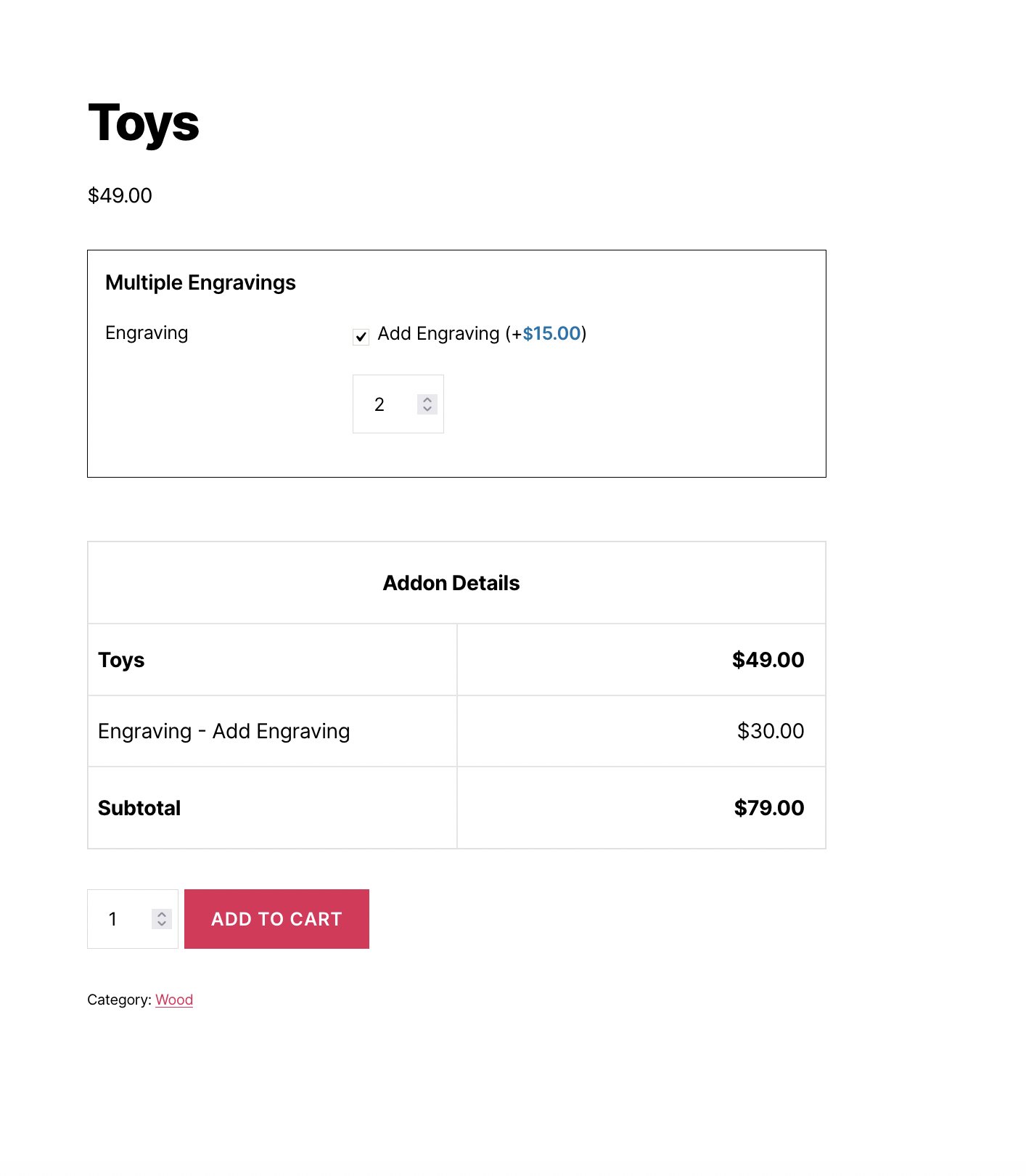
- New Ìtumọ̀ Yorùbá: – Product page addon totals now show the quantity behind every amount. The subtotal reads “Subtotal (119.00$ x 6)” with the line total, and a field with its own quantity shows “(12.00$ x 4)” beside its name, so a shopper can see exactly how the figure was reached instead of a per-item price that looked like an order total
- Update Ìtumọ̀ Yorùbá: – The Quantity-Based Pricing panel now states that a matching tier REPLACES the Field Price above it, and warns when the field uses a calculated Price Type (per character, per word, or a custom formula) whose result the tier would discard
- Update Ìtumọ̀ Yorùbá: – The “Use the product quantity” setting in Quantity Settings (previously labelled “Product Quantity”) now explains what it does to the price, with worked figures for both states
- Fix Ìtumọ̀ Yorùbá: – Per-word pricing now counts words the same way the product page does. Languages that do not use the Latin alphabet (Japanese, Chinese, Thai, Arabic) were counted incorrectly, so the cart charged a different amount from the price shown
- Fix Ìtumọ̀ Yorùbá: – Server-side validation now runs when an item is added to the cart. Validation rules were only ever enforced in the browser, so a customer bypassing the pageÌtumọ̀ Yorùbá: ’s scripts could add a product with values that break the rules. Rules are now re-checked on the server, and anything the check cannot positively identify is allowed through so that valid purchases are never blocked
- Fix Ìtumọ̀ Yorùbá: – Advanced Validation rules are now cleaned up when an addon is saved. Invalid entries such as a non-numeric character limit or a malformed pattern were stored exactly as typed instead of being corrected or discarded
- Fix Ìtumọ̀ Yorùbá: – Validation character and word limits now count the same way the browser does, so a value accepted on the product page is no longer rejected at the cart for non-English text
- Fix Ìtumọ̀ Yorùbá: – Per-character pricing now charges for the characters typed rather than the bytes they occupy. Accented, non-Latin and other non-ASCII text (“café”, Japanese, Cyrillic) was counted by byte length on the server, so the cart charged more than the price shown on the product page. Server and product-page totals now always agree. Prices for plain English text are unchanged
- Fix Ìtumọ̀ Yorùbá: – Product Group option settings (label, price, and the linked product) could be saved in an unusable form, so the fieldÌtumọ̀ Yorùbá: ’s product list did not work correctly after saving. Options are now always stored in the correct structure
- Fix Ìtumọ̀ Yorùbá: – Per-option stock could drain faster than items were actually sold. When a multi-select or checkbox group submitted the same option more than once, each repeat was counted as a separate sale and deducted another unit from that optionÌtumọ̀ Yorùbá: ’s stock
- Fix Ìtumọ̀ Yorùbá: – Deleting a post or product that had no saved addon options could silently discard other database changes made in the same request. The plugin opened a database transaction to remove the addonÌtumọ̀ Yorùbá: ’s data, and when there was nothing to remove it returned without closing it, so anything saved afterwards in that request was rolled back when the page finished loading
- Fix Ìtumọ̀ Yorùbá: – Deleting an addon now removes all of its stored layout data. One level of the layout structure was never cleaned up, so unused rows built up in the pluginÌtumọ̀ Yorùbá: ’s tables over time and were never removed
- Fix Ìtumọ̀ Yorùbá: – Fields that disappeared from addons migrated from older versions are restored. The first field of every migrated legacy addon was hidden everywhere in the plugin — the builder, the product page and the cart — even though it was still stored safely in the database. Updating brings those fields back automatically, with their settings and prices intact. If you re-created a missing field by hand after the upgrade you may now see it twice, and can delete the duplicate
- Fix Ìtumọ̀ Yorùbá: – Custom Price Formulas using powers (for example pow({value}, 2) or Math.pow({value}, 2)) were charged as 0.00 instead of the calculated amount, so products using them added nothing to the total
- Fix Ìtumọ̀ Yorùbá: – Importing addons in “Update existing” mode failed immediately with a fatal error and imported nothing. Update-mode imports now complete normally
- Fix Ìtumọ̀ Yorùbá: – Migration status and verification screens reported 0 fields for every addon, making a completed migration look like it had lost all data. The counters now report the real field count
- Fix Ìtumọ̀ Yorùbá: – Separator and Product Group were missing from the field type list on the About page
- Fix Ìtumọ̀ Yorùbá: – The Repeater field no longer shows an empty settings card in the builder on the free version
- Code Ìtumọ̀ Yorùbá: – Test suite expanded to 782 automated tests covering pricing, storage, migration, import/export and the addon field types, and the suite now runs against its own isolated database so results are reproducible
- Fix Ìtumọ̀ Yorùbá: – Product page addon totals no longer show duplicate option rows (and a wrong subtotal) for fields saved by old plugin versions with label-based input names containing unsafe characters (spaces, dots, slashes, parentheses). A one-time background migration normalizes those stored names to the canonical epofw_field_{id} format, and field rendering plus frontend JS now normalize such names defensively
- New Ìtumọ̀ Yorùbá: – Documentation page redesign: Getting Started video hero, live doc search with All / General / Field Types / Pricing filter tabs, and a resources sidebar (Full Documentation, Video Tutorials, Support)
- New Ìtumọ̀ Yorùbá: – Guided Tour: an end-to-end interactive spotlight walkthrough that follows the real build flow — from Add New on the addons list, through the addon configuration (Status, Name, Display Rules, Position, Section Layout), adding a section, dropping in a field, and every field-settings tab (General, Label, Options, Quantity, Pricing, Conditional Logic, WooCommerce, Container). It waits for you to perform each action, auto-switches tabs, resumes across the page change, and can be launched anytime from the “Take a Tour” buttons in Quick Actions, the builder and the Documentation page (also auto-shown once for new users)
- Fix Ìtumọ̀ Yorùbá: – Elementor “Product Add to Cart” widget compatibility: addon fields no longer collapse into one row with the quantity box and Add to Cart button
- New Ìtumọ̀ Yorùbá: – Quantity-Based (Volume / Tiered) Pricing: set price breaks per field where the matched tier prices all units; four tier types (Fixed or % of product price, each per unit or flat), by product or field quantity, with live preview and cart/shop support
- Fix Ìtumọ̀ Yorùbá: – Tooltip help icon/text no longer leaks into the shop quick-view “Apply” options summary label
- Update Ìtumọ̀ Yorùbá: – French (fr_FR) translation refreshed to 100% coverage (300 new/updated strings, including Volume Pricing, Guided Tour, Import/Export, Validation and Documentation screens)
- Fix Ìtumọ̀ Yorùbá: – Product page price preview now always matches the cart: priced fields with pre-selected defaults on hidden wizard steps or collapsed accordion sections (default-checked options, slider at its minimum) are counted in the addon totals from page load, so customers are never charged more at checkout than the product page showed
- New Ìtumọ̀ Yorùbá: – Discount Rules for WooCommerce (Flycart) compatibility: store discounts now apply to the product price only — addon prices keep their full configured amount instead of being discounted along with the product (applies only when a discount rule actually matches; flat-amount discounts and undiscounted items are untouched). The product-page addon totals preview also uses the discounted product price, so the preview always matches the cart
- Fix Ìtumọ̀ Yorùbá: – Values placed by browser autofill are now priced in the addon totals as soon as the browser exposes them (at the customerÌtumọ̀ Yorùbá: ’s first interaction) instead of only when clicking Add to Cart
- Fix Ìtumọ̀ Yorùbá: – Password fields no longer trigger the browserÌtumọ̀ Yorùbá: ’s saved-login autofill (autocomplete=”new-password”), which could silently fill neighbouring priced text fields with the saved username
- Fix Ìtumọ̀ Yorùbá: – Addon option prices now display in the Cart/Checkout block, not just the classic cart and mini-cart. The price is shown next to each selected option (e.g. “Choose Your Size: XS (99.00$)”) consistently across all cart types
- Fix Ìtumọ̀ Yorùbá: – Product Group no longer shows a Pricing Options tab. Each product is priced individually in the Product Group Options tab, so the field-level pricing tab (which was informational only, with no usable controls) has been removed
- Fix Ìtumọ̀ Yorùbá: – The Pricing tab intro banner now shows an accurate message for option-based fields (Select, Radio, Checkbox, etc.): they are priced per option and use Price Rules / Volume pricing, instead of the generic “set the field price” text
- New Ìtumọ̀ Yorùbá: – Redesigned Pricing Options tab: a clear Field Price Price Rules Volume calculation-order map at the top, each pricing system in its own collapsible card with an On/Off summary. Purely a UI change — saved data, input names, and how prices are calculated are all unchanged
- Fix Ìtumọ̀ Yorùbá: – Added proper spacing above the Price Rules section in the Pricing tab so it is clearly separated from the fieldÌtumọ̀ Yorùbá: ’s own pricing controls (e.g. the Rating per-star rows and Add Row button)
- Fix Ìtumọ̀ Yorùbá: – Conditional Logic (Visibility) rule value dropdown was empty when the trigger field was a Country or other option-based field (Select, Radio, Checkbox Group, Multiselect, colour/text/image switchers); it now correctly lists that fieldÌtumọ̀ Yorùbá: ’s options so a matching value can be chosen
- Fix Ìtumọ̀ Yorùbá: – Volume / Tiered pricing “Tier basis” no longer offers “Field quantity” for field types that have no Quantity tab (Rating, and heading/paragraph/separator/hidden/password), where a field-quantity basis could never apply
4.4.8 Ìtumọ̀ Yorùbá: – 2026-06-30
- New Ìtumọ̀ Yorùbá: – Price Rules now work on option-based fields (Select, Radio, Checkbox, Checkbox Group, Multiselect, and Country) Ìtumọ̀ Yorùbá: – adjust the selected optionÌtumọ̀ Yorùbá: ’s price when another field has a specific value, with live product-page preview and cart/checkout support
- Fix Ìtumọ̀ Yorùbá: – Tooltip / Help Icon redesigned (dark tooltip with a visible arrow and correct padding) and no longer clipped by theme or plugin styles
- Fix Ìtumọ̀ Yorùbá: – Country field price is now consistent between the dropdown label, the product-page add-on details, and the cart
- Fix Ìtumọ̀ Yorùbá: – “Migrate to Sections” button no longer shows misaligned loading text (now shows a clean spinner)
- Update Ìtumọ̀ Yorùbá: – Added a loading indicator when adding a new Price Rule
- New Ìtumọ̀ Yorùbá: – Import/Export addon configurations
- New Ìtumọ̀ Yorùbá: – Tooltip / Help Icon feature
- New Ìtumọ̀ Yorùbá: – Help Text input in General Settings
- New Ìtumọ̀ Yorùbá: – Regex Pattern Validation for 8 field types (Text, Textarea, Email, Phone, URL, Password, Number, Hidden)
- New Ìtumọ̀ Yorùbá: – Min/Max Length constraints validation
- New Ìtumọ̀ Yorùbá: – Min/Max Words constraints validation
- New Ìtumọ̀ Yorùbá: – Custom Validation Error Messages
- New Ìtumọ̀ Yorùbá: – Persistent error display until requirements met
- New Ìtumọ̀ Yorùbá: – Real-time validation feedback on blur and input
- New Ìtumọ̀ Yorùbá: – Add-to-Cart button disabled until validation passes
- New Ìtumọ̀ Yorùbá: – Country Selector field type with WooCommerce country dropdown
- New Ìtumọ̀ Yorùbá: – Per-Country Pricing with dynamic price calculations
- New Ìtumọ̀ Yorùbá: – Cross-Field Pricing Rules with 5 operators (Add, Subtract, Multiply, Percentage Add, Replace)
- Improved Ìtumọ̀ Yorùbá: – Tooltip styling with arrow pointer and …