
Description
Sell tickets and collect RSVPs with the free Event Tickets plugin, from the team behind the number one calendar in WordPress.
This plugin makes it easy to sell tickets, collect registrations, and manage attendees for your in-person or virtual events. Plus, it comes with features backed by our world-class team of developers and designers. Easily integrate Event Tickets with your Stripe account or PayPal business account.
Connect to Stripe and take advantage of one of the world’s most popular payment gateways. Our Stripe integration lets you accept credit card payments on your website, along with additional payment methods including AfterPay, ClearPay, AliPay, Giropay, and Klarna.
See more videos on our YouTube channel
Easily connect to PayPal without any complicated API keys or code through our quick connection wizard in your WordPress backend. With just a few clicks, you can begin selling tickets and enable payment through PayPal, Venmo, and credit cards.
Even more, you can upgrade to Event Tickets Plus and unlock additional payment methods including digital wallets like ApplePay and Google Pay through Stripe, or use WooCommerce to take advantage of popular payment solutions including Braintree, Square, AmazonPay, and more.
🎟️ Ticketing and Registration for WordPress
See Event Tickets in action on our demo site. Just getting started? Check out the Getting Started Guide for an introduction to features, settings, and functionality.
Looking for additional features like custom registration fields, QR check-in, Apple Wallet passes, PDF tickets, Zoom integration, and more? Check out Event Tickets Plus, Wallet Plus and our other add-ons.
🔌🎨 Plug and Play or Customize
Event Tickets is built to work out of the box. Just install the plugin, configure your settings, and start collecting RSVPs and selling tickets in minutes.
Add your own touch by using Event Tickets as the foundation for customization. Personalize to your heart’s content with the help of a skeleton stylesheet, partial template overrides, template tags, hooks and filters, careful documentation, and a library of free extensions.
Whether your vision is big or small, you’re in good company. Thousands of small businesses, musicians, venues, restaurants, and non-profits are increasing revenue from their in-person and virtual events with Event Tickets. Our plugins have also been scaled to work on large networks for Fortune 100 companies, universities, and government institutions.
✨ Features
✔️ Attendees can purchase tickets to events
✔️ Attendees can RSVP to events
✔️ Sell tickets with PayPal, Paystack, and/or Stripe using our free commerce solution, Tickets Commerce.
✔️ Add RSVPs and tickets to posts, pages, or custom post types
✔️ Collect ticket fees by connecting your PayPal business or Stripe account
✔️ Generate sales and attendee reports
✔️ Customize Tickets and RSVP confirmation emails
✔️ Ticket stock countdown
✔️ Works out of the box with The Events Calendar
✔️ Responsive design works on all devices
✔️ Tested on the major theme frameworks such as Avada, Genesis, Kadence, Thesis and many more.
✔️ Internationalized & translated
✔️ Extensive template tags for customization
✔️ Hooks & filters galore
✔️ Library of extensions
Upgrade to Event Tickets Plus for full WooCommerce integration to use additional payment gateways.
Upgrade to Wallet Plus for digital tickets like Apple Wallet passes and PDF tickets.
📃 Documentation
All of our documentation can be found in our knowledgebase.
Additional helpful links:
- Guide: Getting Started with Event Tickets
- Installing Event Tickets Video
- Using Tickets Commerce Video
- Configuring Tickets Emails
- Do I need Event Tickets or Event Tickets Plus?
- How to Make Money with Virtual Events
- Implementing Stripe on Event Tickets and Event Tickets Plus
If you have any questions about this plugin, you can post a thread in the WordPress.org forum. Please search existing threads before starting a new on
➕ Add-Ons
Take your calendar to the next level by pairing it with our plugins for ticketing, crowdsourcing, email marketing, and more. Learn more about all our products on our website.
Our Free Plugins:
📅 The Events Calendar
📐 Advanced Post Manager
Our Premium Plugins and Services:
⚡ Events Calendar Pro
↪️ Event Aggregator (service)
🎟️ Event Tickets Plus
📱 Wallet Plus
✉️ Promoter
👥 Community Events
🎟️ Community Tickets
✏️ Filter Bar
🗓️ Eventbrite Tickets
📡 Virtual Events
🔄 Event Automator
Help
If you aren’t familiar with Event Tickets, check out our Getting Started Guide. It will have you creating tickets in no time.
Ready to dig deeper? Check out these resources:
We check in on the Event Tickets forum here on WordPress.org about once a week to help users with basic troubleshooting and identifying bugs. If you’re looking for premium, personalized support, consider upgrading to Event Tickets Plus.
Still have a question? Shoot us an email at support@theeventscalendar.com.
Translate
Event Tickets is translated into multiple languages, including German, Danish, and Dutch. Help localize Event Tickets even further by adding your locale – visit translate.wordpress.org.
Screenshots
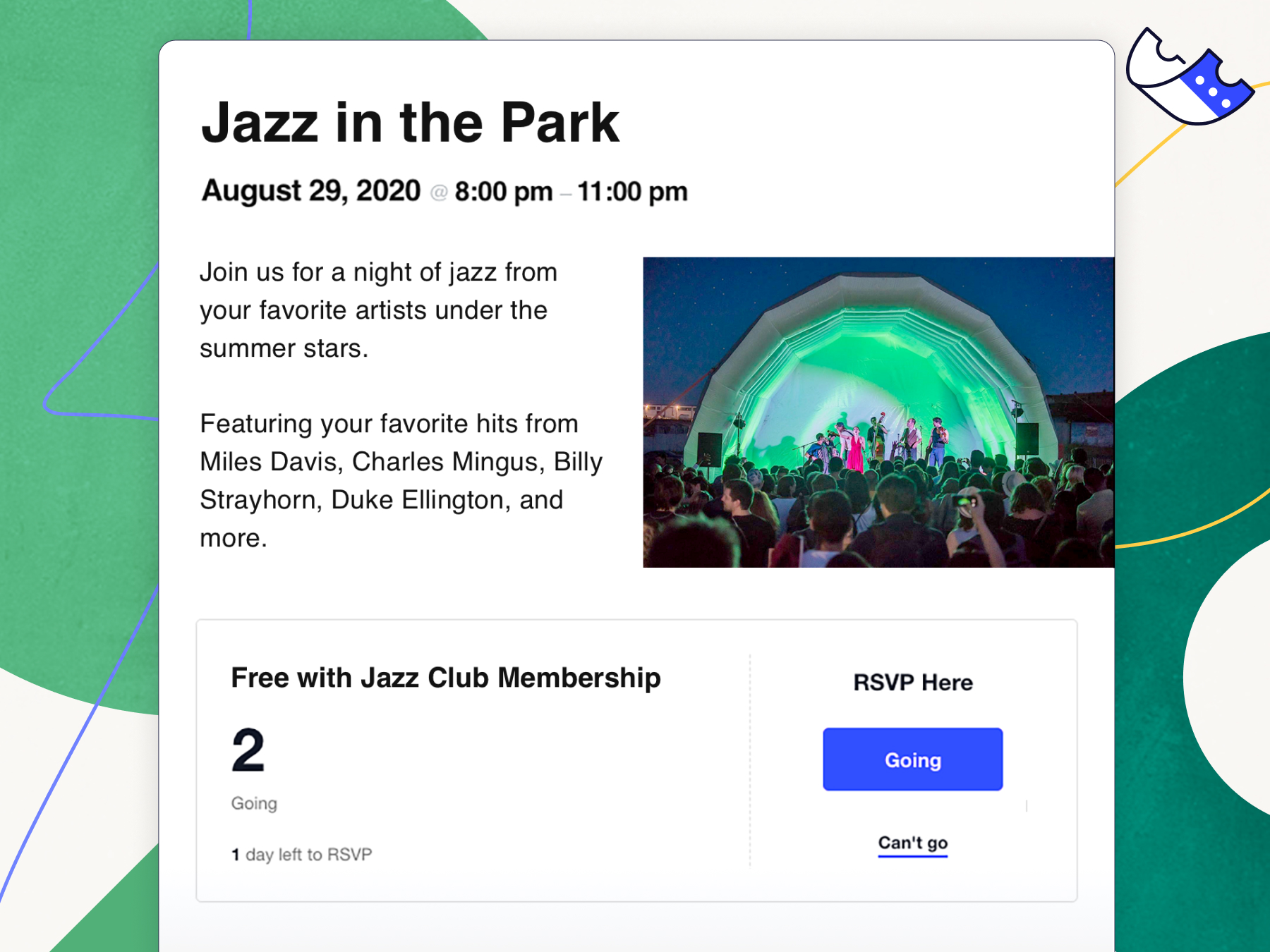
RSVP on event. 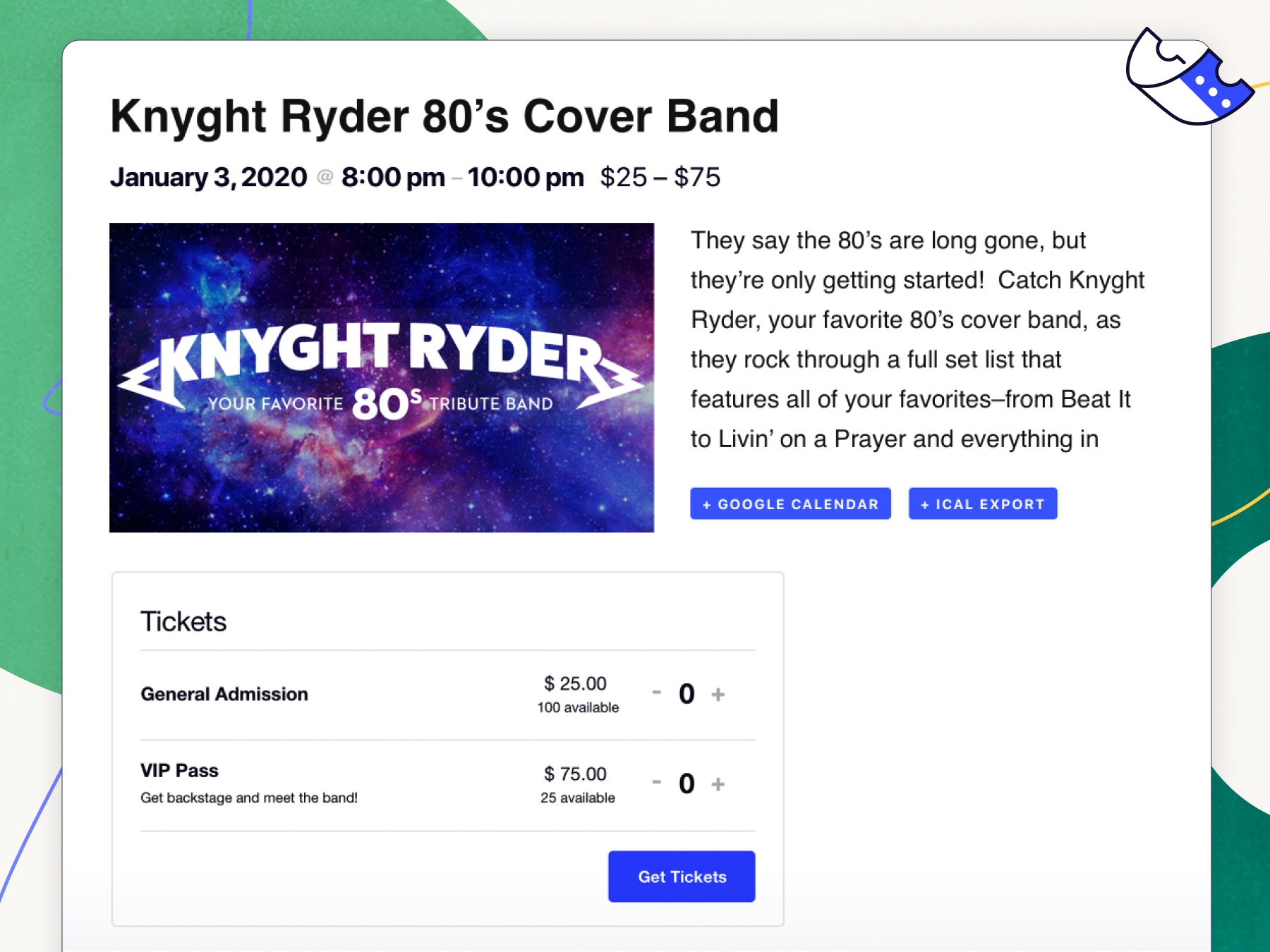
Front-end ticket in page. 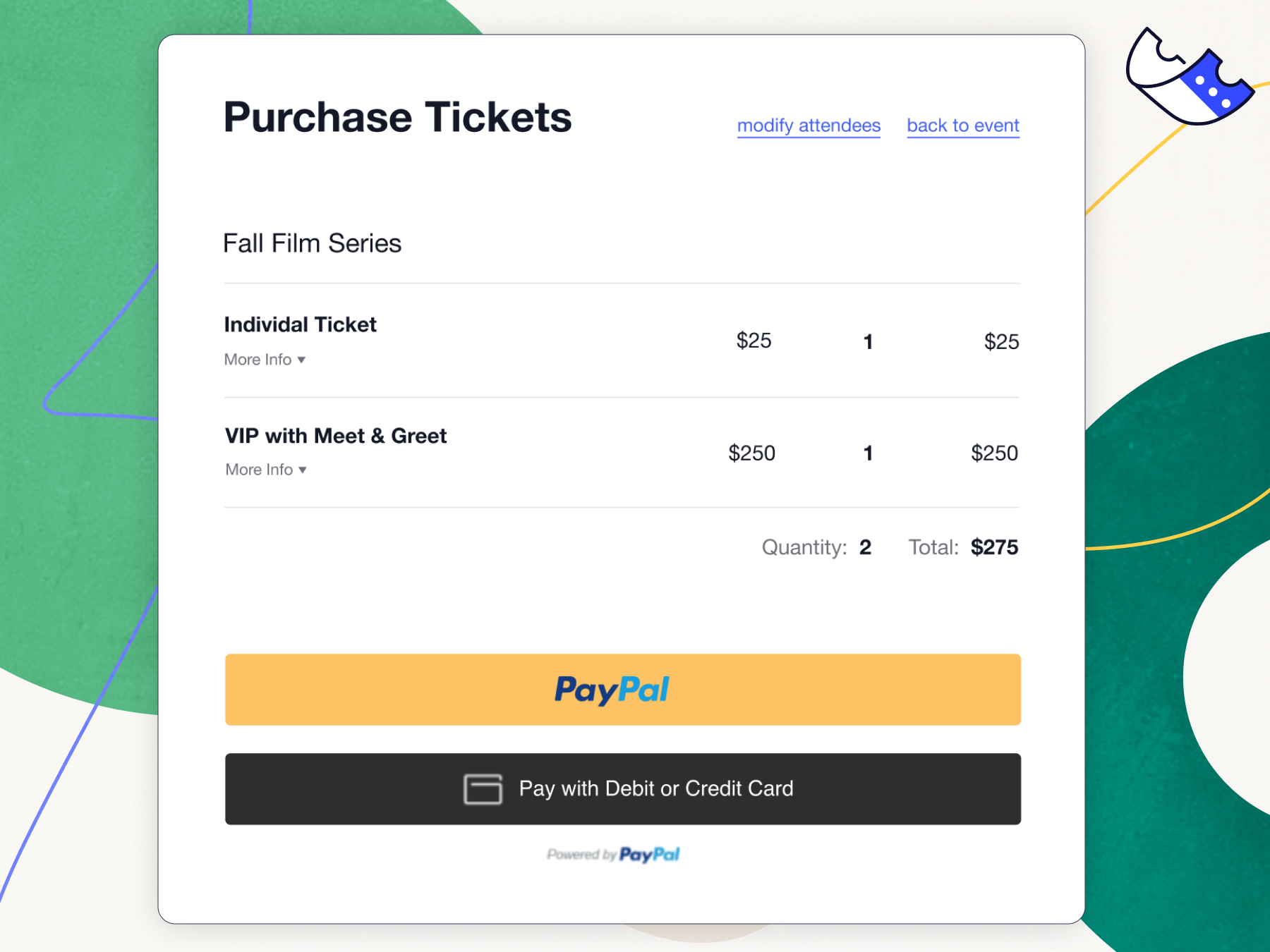
Tickets Commerce PayPal checkout. 
Attendee report. 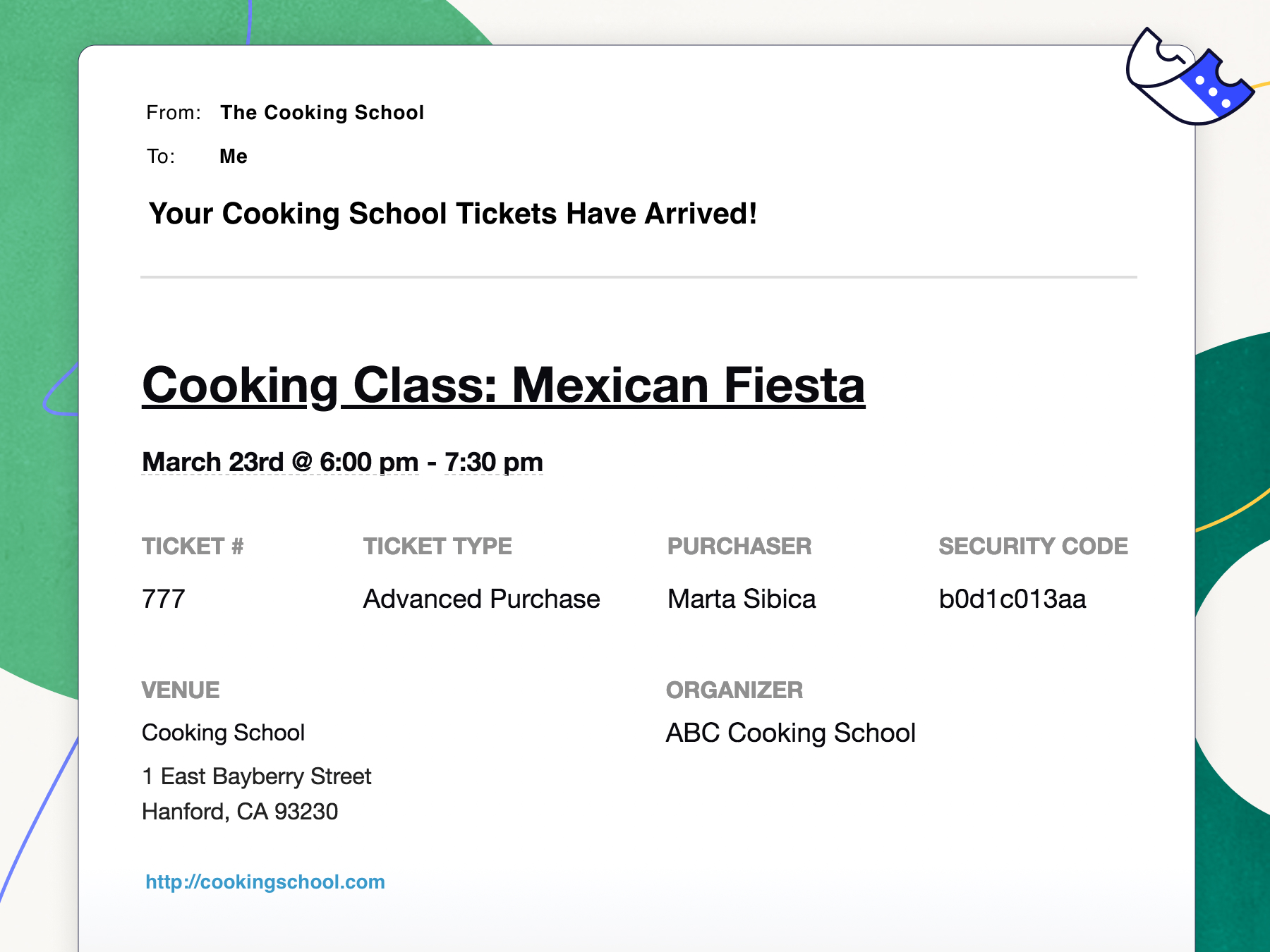
Emailed ticket. 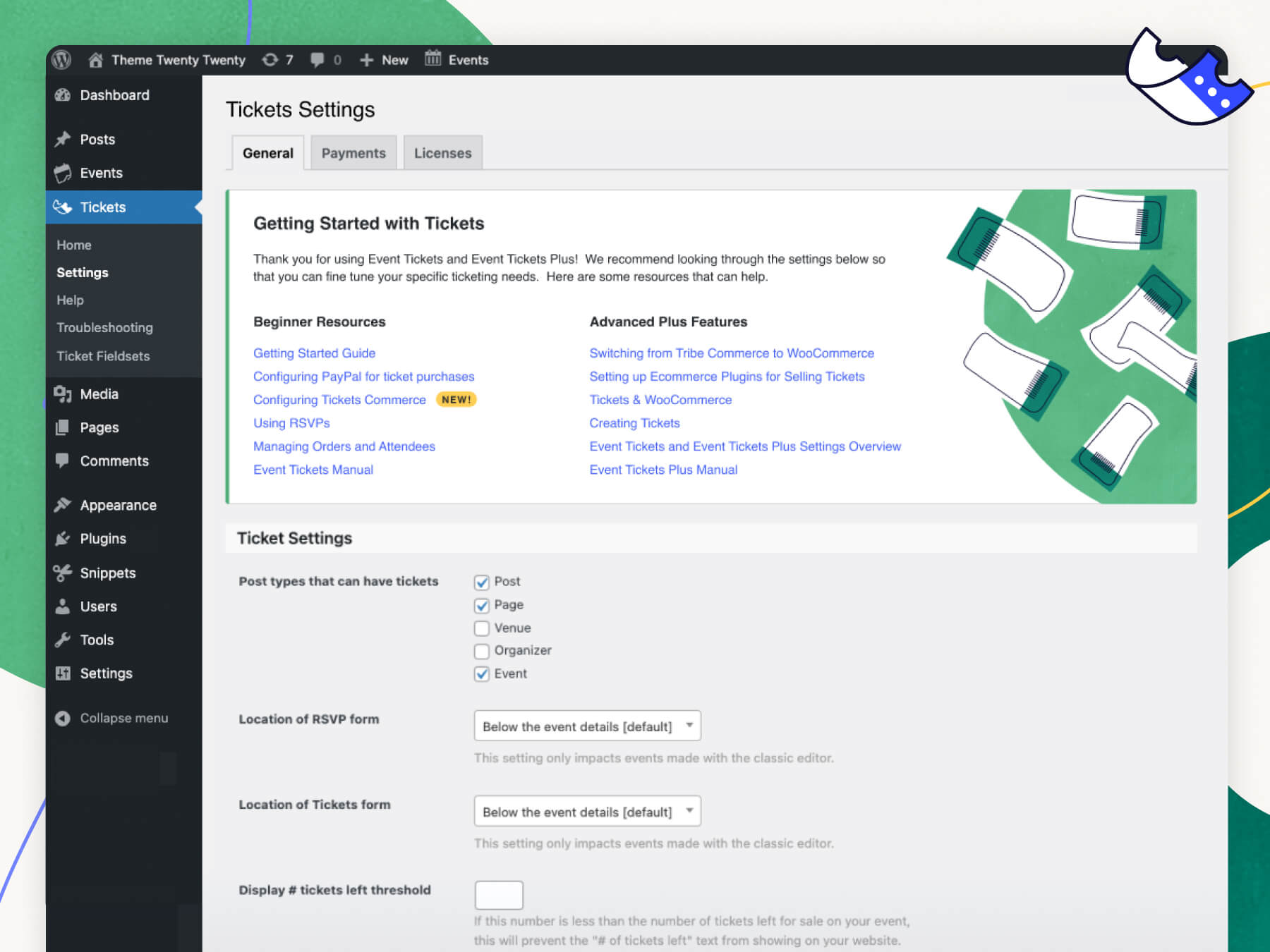
Tickets settings. 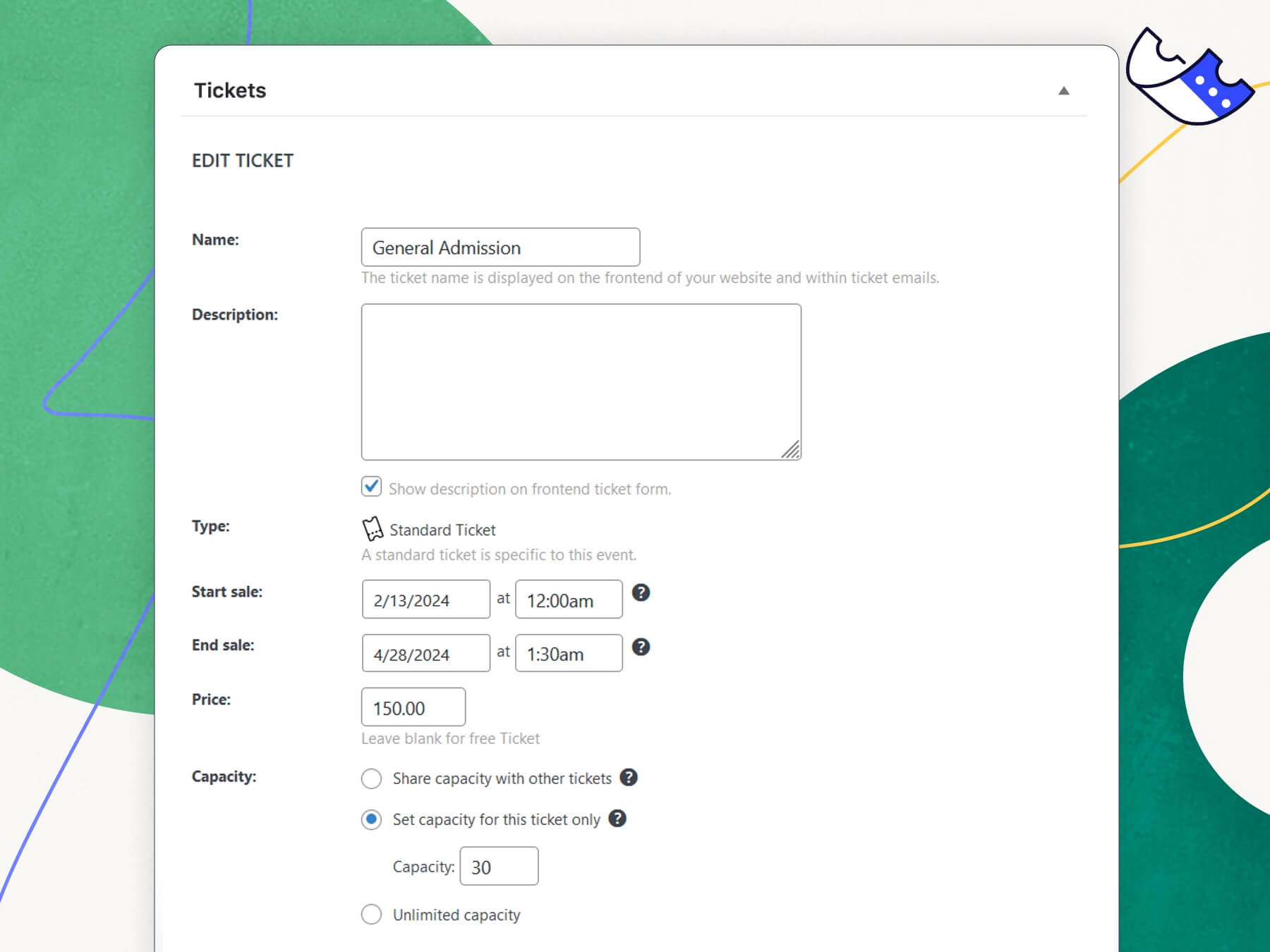
Add new ticket. 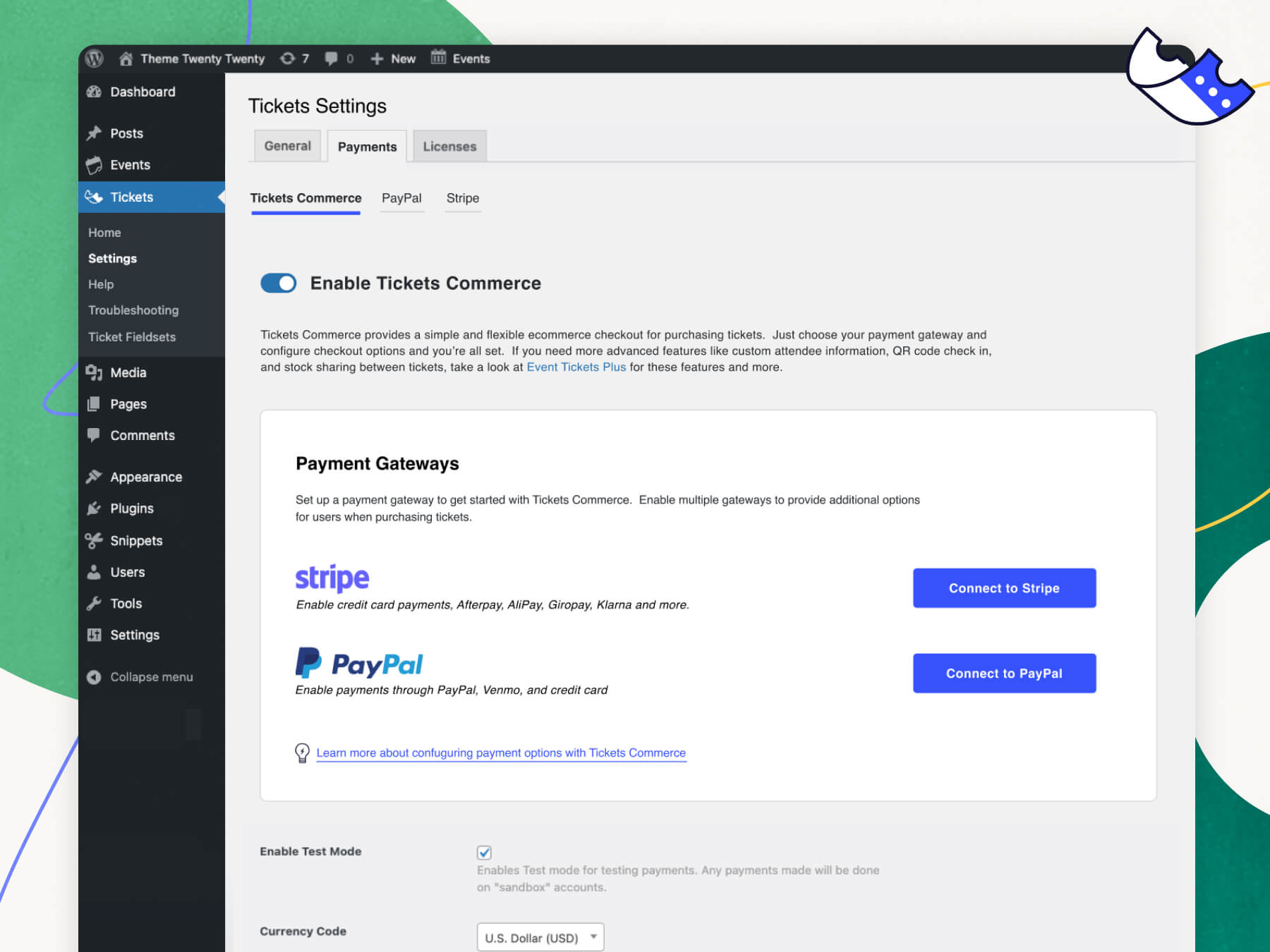
Tickets Commerce settings.
Blocks
This plugin provides 2 blocks.
- Tickets Sell tickets and register attendees.
- Event Ticket A single configured ticket type.
Installation
- From the dashboard of your site, navigate to Plugins –> Add New.
- Select the Upload option and hit “Choose File.”
- When the popup appears select the event-tickets.x.x.zip file from your desktop. (The ‘x.x’ will change depending on the current version number).
- Follow the on-screen instructions and wait as the upload completes.
- When it’s finished, activate the plugin via the prompt. A message will show confirming activation was successful.
- For access to new updates, make sure you have added your valid License Key under Tickets –> Settings –> Licenses.
FAQ
-
Are there any troubleshooting steps I should try before I post a new thread in the support forum?
-
First, make sure that you’re running the latest version of Event Tickets. If you’ve got any other add-ons, make sure those are current and running the latest code as well. Also be sure to check our knowledgebase.
The most common issues we see are either plugin or theme conflicts. You can test if a plugin or theme is conflicting by manually deactivating other plugins until just Event Tickets is running on your site. If the issue persists, revert to the default Twenty Twenty theme. If the issue is resolved after deactivating a specific plugin or your theme, you’ll know that is the source of the conflict.
Note that we aren’t going to say “tough luck” if you identify a plugin/theme conflict. While we can’t guarantee 100% integration with any plugin or theme out there, we will do our best (and reach out the plugin/theme author as needed) to figure out a solution that benefits everyone.
-
I’m still stuck. Where do I go to file a bug or ask a question?
-
Free plugin users can post in the Event Tickets support forum on WordPress.org. Our team reviews that forum weekly to look for bug reports.
If you’re already an Event Tickets Plus subscriber, you’re entitled to our actively-monitored Premium Support on our website. Generally, except in times of increased support loads, we reply to all premium support tickets within 24 hours during the business week.
-
What’s the difference between Event Tickets and Events Tickets Plus?
-
Event Tickets is our free ticketing plugin that has all the basics you need to sell tickets and collect RSVPs on your website. You can use Event Tickets with or without The Events Calendar.
Event Tickets Plus is a premium plugin that runs alongside Event Tickets and enhances it with extra features, including custom registration fields, shortcodes, WooCommerce integration, enhanced Stripe functionality for Stripe for Tickets Commerce, our mobile ticketing app and more.
-
Do I need The Events Calendar to run Event Tickets?
-
Nope! Event Tickets works with or without The Events Calendar. Even if you don’t have The Events Calendar, you can create RSVPs and tickets on WordPress pages and posts.
-
Can I email attendees using Event Tickets?
-
Yes. Event Tickets automatically sends an email confirmation after attendees register or RSVP for an event. If the attendee purchases a ticket, the confirmation email will also provide a ticket to scan at the door for admission.
-
What add-ons are available for Event Tickets, and where can I read more about them?
-
The following add-ons are available for The Events Calendar:
- Events Calendar Pro, for adding premium calendar features like recurring events, advanced views, cool widgets, shortcodes, additional fields, and more!
- Event Aggregator, a service that effortlessly fills your calendar with events from Meetup, Google Calendar, iCalendar, Eventbrite, CSV, and ICS.
- Virtual Events, which optimizes your calendar for virtual events including Zoom integration, video and livestream embeds, SEO optimization for online events and more.
- Event Tickets Plus, which allows you to sell tickets for your events using your favorite e-commerce platform.
- Wallet Plus, for adding digital tickets like Apple Wallet passes and PDF tickets.
- Promoter, automated email communication made just for The Events Calendar and Event Tickets. Stay in touch with your attendees every step of the way.
- Community Events, for allowing frontend event submission from your readers.
- Community Tickets, which allows event organizers to sell tickets to the events they submit via Community Events.
- Filter Bar, for adding advanced frontend filtering capabilities to your events calendar.
- Eventbrite Tickets, for selling tickets to your event directly through Eventbrite.
-
I have a feature idea. What’s the best way to tell you about it?
-
We’ve got a LoopedIn page where we’re actively watching for feature ideas from the community. Vote up existing feature requests or add your own, and help us shape the future of the products business in a way that best meets the community’s needs.
-
I’ve still got questions. Where can I find answers?
-
Check out our extensive knowledgebase for articles on using, tweaking, and troubleshooting our plugins.
Reviews


Contributors & Developers
“Event Tickets and Registration” is open source software. The following people have contributed to this plugin.
Contributors


“Event Tickets and Registration” has been translated into 8 locales. Thank you to the translators for their contributions.
Translate “Event Tickets and Registration” into your language.
Interested in development?
Browse the code, check out the SVN repository, or subscribe to the development log by RSS.
Changelog
[5.9.1] 2024-04-18
- Fix – Avoid error on order report page if no valid tickets are available for that event.
- Fix – Fixed an issue with Ticket repository that was causing all tickets to be fetched for 0 as event ID. [ET-2023]
- Fix – Display recurring events are not supported warning while adding tickets on Community Events. [ECP-1671]
- Fix – The Attendee registration page will no longer generate warnings when viewing it. [ET-906]
- Fix – When an event ticket is removed, it will no longer generate a 404 for the event. [TEC-5041]
- Fix – Remove unwanted slashes from the Tickets Emails subject line. [ET-2061]
- Fix –
Get Ticketsbutton padding will be consistent inactiveandfocusstates. [ET-2068] - Fix – Correct the text domain for a couple of text strings so they could be translated appropriately. [ET-2020]
- Fix – QR codes will properly generate when on PHP 8.1 and above. [ET-2062]
- Fix – Changed incorrect file paths in DocBlocks for template overrides for all files in
src/views/tickets. [ET-2004] - Fix – Added additional logic to handle when the Gateway ID link is null on the Orders Page for Stripe. [ET-2067]
- Feature – Add new Attendees page. [ET-1707]
- Tweak – Added filters:
tec_tickets_attendees_page_url,tec_tickets_attendees_table_column_check_in,tec_tickets_attendees_table_query_args,tec_tickets_attendees_page_is_enabled - Tweak – Changed views:
emails/template-parts/body/ticket/number-from-total,emails/template-parts/body/tickets-total,tickets/attendees-email,tickets/email-non-attendance,tickets/email-ticket-type-moved,tickets/email-tickets-moved,tickets/email,tickets/my-tickets,tickets/my-tickets/attendee-label,tickets/my-tickets/orders-list,tickets/my-tickets/ticket-information,tickets/my-tickets/tickets-list,tickets/my-tickets/title,tickets/my-tickets/user-details,tickets/orders-pp-tickets,tickets/orders-rsvp,tickets/orders-tc-tickets,tickets/orders,tickets/rsvp,tickets/tpp-return-to-cart,tickets/tpp-success,tickets/tpp,tickets/view-link - Language -18 new strings added, 163 updated, 1 fuzzied, and 2 obsoleted
[5.9.0] 2024-04-04
- Feature – Sale Price for Tickets Commerce: Set a sale price for individual tickets for a certain duration of time within Tickets Commerce.
- Feature – Sale Price Design: Display the set sale price so that it is clear that a ticket or purchased ticket is on sale.
- Tweak – Removed filters:
tec_tickets_commerce_order_report_summary_should_include_event_sales_data - Tweak – Changed views:
v2/commerce/ticket/price,v2/commerce/ticket/regular-price,v2/commerce/ticket/sale-price,v2/tickets/item/content/sale-label,v2/tickets/item/content/title,v2/tickets/item/extra/price - Language – 12 new strings added, 16 updated, 0 fuzzied, and 0 obsoleted
[5.8.4] 2024-03-25
- Fix – Events Calendar Pro promo shouldn’t show when it’s already installed or when not editing an event. [ET-2018]
- Fix – Addressed a problem preventing the export of event attendees by email. [ETP-904]
- Fix – In the block editor, ticket will no longer be deleted when you open the ticket block settings. [ET-2046]
- Fix – Show post excerpt line breaks within ticket emails. [ET-2006]
- Fix – Front-end tickets block button padding is now consistent on hover and when disabled. [ET-2035]
- Fix – Allow blank sender name and email to be stored within Tickets Emails settings. [ET-2008]
- Fix – Corrected an issue where
attendees_table->prepare_items()was being called multiple times. [ET-2005] - Fix – Tickets block will be properly registered when creating a new post or page. [ET-2045]
- Fix – Corrected an issue where the Post Tickets ORM method
filter_by_has_ticketswould prepare an empty statement. [ET-2017] - Tweak – Added additional fields to the Event Tickets Site Health section. [ET-2017]
- Feature – Add the Series Pass email template. [ET-1854]
- Tweak – Adjusted the logic for calculating fees when using Stripe. [ET-2015]
- Tweak – Added filters:
tec_tickets_email_class - Tweak – Changed views:
emails/series-pass,emails/template-parts/body/additional-content,emails/template-parts/body/post-description,emails/template-parts/body/series-events-list,emails/template-parts/body/series-pass-dates,emails/template-parts/body/thumbnail,emails/template-parts/header/head/series-pass-styles,emails/template-parts/header/head/styles - Language – 22 new strings added, 91 updated, 0 fuzzied, and 0 obsoleted
[5.8.3] 2024-03-12
- Fix – Fixed updating stock data when Tickets Commerce attendees are moved. [ET-2009]
- Fix – Fixed showing duplicate order overview data from TribeCommerce when ETP is disabled. [ET-2011]
- Fix – Stock will be calculated correctly when an order fails and then succeeds while using Tickets Commerce. [ET-1833]
- Fix – Decode any HTML entities that appear in the subject line of outgoing emails. [ET-2007]
- Fix – Fixed multiple issues related to series pass check-ins. [ET-1936]
- Fix – Site Health will no longer fatal when providers are not setup. [ET-2047]
- Tweak – Use dynamic ticket labels within the block editor’s Tickets Block. [ET-690]
- Tweak – Added filters:
tec_tickets_move_attendees_ids,tec_tickets_attendee_manual_uncheckin_success_data,tec_tickets_attendee_uncheckin - Security – Added filterable role access to the attendee page (
tec_tickets_attendees_page_role_access). [SVUL-1] - Security – Added filterable role access to the orders page (
tec_tickets_report_{$page_slug}_page_role_access). [SVUL-1] - Language – 1 new strings added, 56 updated, 2 fuzzied, and 0 obsoleted
[5.8.2] 2024-02-19
- Feature – Support per Event attendance for Series Pass Attendees for manual and app-based check-ins. [ET-1936]
- Fix – Available number when moving Series Pass Attendees. [ET-2009]
- Language – 5 new strings added, 167 updated, 14 fuzzied, and 9 obsoleted
[5.8.1] 2024-02-06
- Fix – Removed type casting from filter method of series pass to avoid fatal errors. [ET-2014]
- Fix – Ensure correct attendee information is included in the attendee emails. [ET-1988]
- Fix – Resolve deprecation notices regarding
ArrayAccess::offsetGet()[ET-1949] - Fix – Resolve edge case usages for Shortcode with Attendees Listing.
- Fix – Resolved an issue where Order Status was not populated when exporting the Attendee List using Tickets Commerce. [ET-1883]
- Fix – Ticket is removed now when using the delete option from the block editor. [ET-1879]
- Fix – Update button will now show when the opt-out checkbox shows on the My Tickets page. [ET-1980]
- Fix – Update usage of
method_exists()to comply with PHP 8.1 standards. [ET-1759] - Tweak – Added additional information to the Site Health Section and added
tec_tickets_site_health_subsectionsfilter. [ET-1925] - Tweak – Added Export option to Ticket Commerce Order page and
tec_tc_order_report_export_argsfilter. [ET-1872] - Tweak – Added Print button to Ticket Commerce Orders. [ET-1873]
- Tweak – Customer name appears now as description of a Stripe payment. Added
tec_tickets_commerce_stripe_update_payment_descriptionfilter. [ET-1607] - Tweak – Declared dynamic properties in Tribe__Tickets__Main, Tribe__Tickets__Tickets_Handler, Tribe__Tickets__REST__V1__Messages to prevent warnings in php 8.2 [ET-1950]
- Tweak – Update default footer text of Tickets Emails to include link to website. [ET-1971]
- Tweak – Added filters:
tec_tc_order_report_export_args,tec_tickets_commerce_stripe_update_payment_description,tec_tickets_site_health_subsections - Tweak – Changed views:
blocks/tickets/footer,emails/template-parts/body/footer/credit,registration-js/content,registration/button-cart,tickets/orders,v2/tickets/footer/return-to-cart - Language – 31 new strings added, 77 updated, 0 fuzzied, and 4 obsoleted