
Àpèjúwe
Generate image alt text in your siteÌtumọ̀ Yorùbá: ’s language to help improve accessibility and SEO. Uses the WordPress AI Client with your choice of AI provider, including OpenAI, Google Gemini, and Anthropic Claude. Configure a provider with an image-capable model under Settings Connectors.
Features:
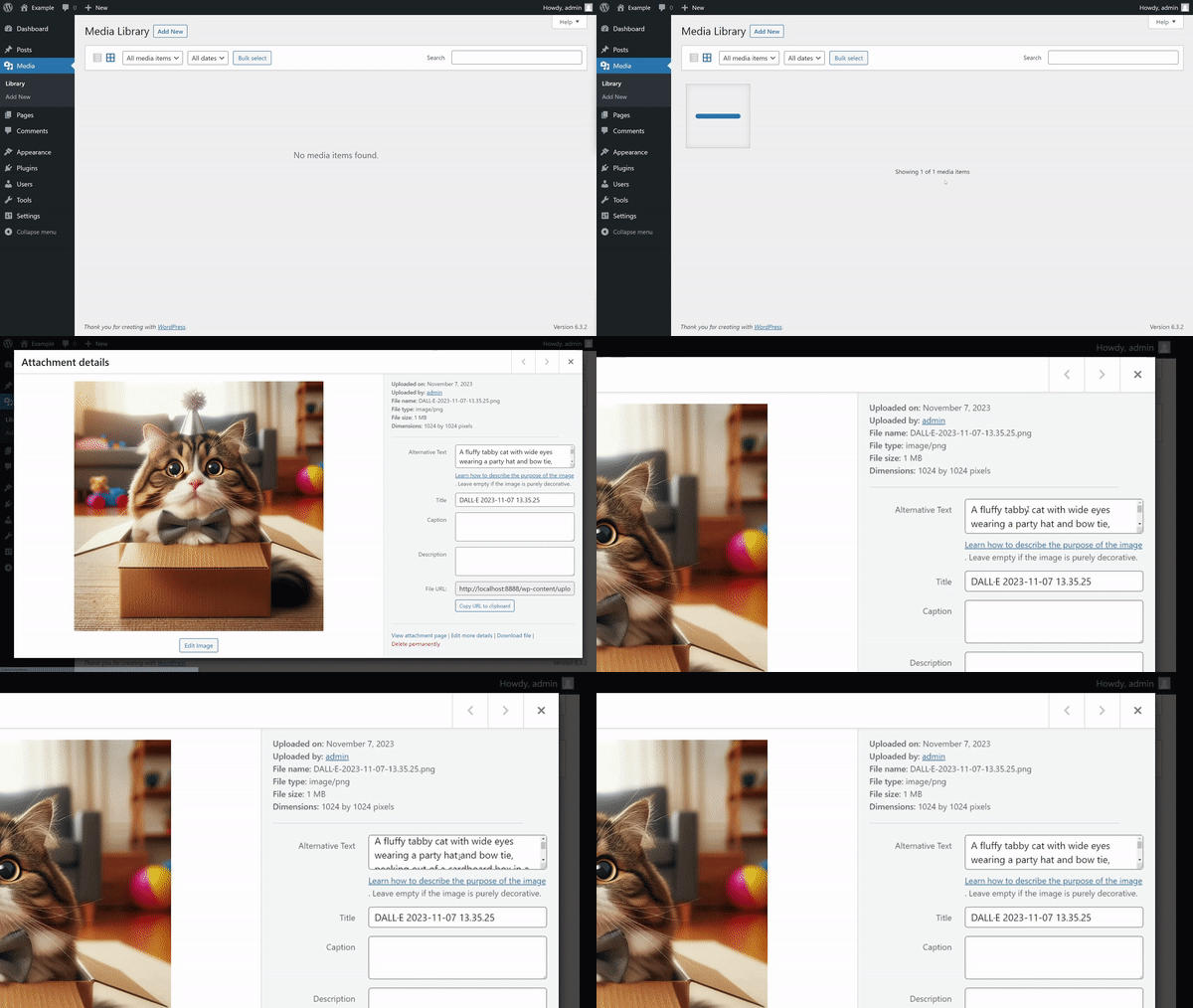
Ìtumọ̀ Yorùbá: – On-demand generation in the image block and media library
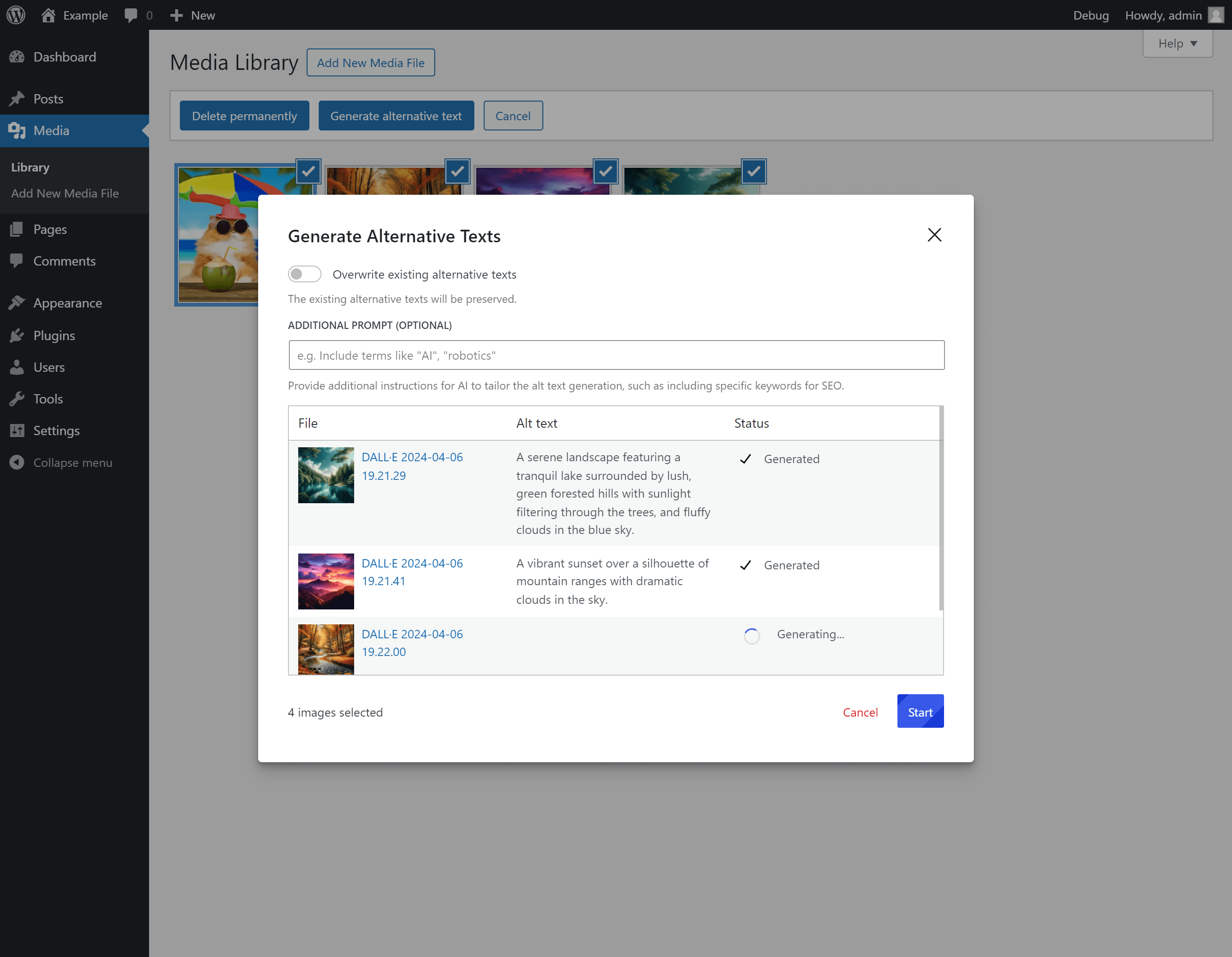
Ìtumọ̀ Yorùbá: – Bulk generation in the media library and gallery block
Ìtumọ̀ Yorùbá: – Optional automatic generation on upload
Ìtumọ̀ Yorùbá: – Support for multiple AI providers and vision models
Ìtumọ̀ Yorùbá: – Custom instructions and model selection under Settings Media
Integrations
Polylang: automatically detects the language of the image or the post being edited.
External Service Usage
This plugin relies on the WordPress AI Client to generate alt text for images. Depending on which AI provider you have configured, your images will be sent to that providerÌtumọ̀ Yorùbá: ’s API. Please review the terms of use and privacy policy of your chosen provider before using this plugin.
For Developers
See the developer documentation for filters and Abilities API usage.
Àwọn àwòrán ìbòjú

Ìgbéwọlẹ̀
- Install the plugin via Plugins Add New, or upload the plugin ZIP there.
- Activate the plugin.
- Configure an AI provider with an image-capable model under Settings Connectors.
- Open Settings Media to choose a model, add custom instructions, or enable automatic generation on upload.
FAQ
-
Is there a cost associated with using this plugin?
-
It depends on the AI provider you have configured. Most providers charge per API request. Please check your providerÌtumọ̀ Yorùbá: ’s pricing page for details.
Àwọn àgbéyẹ̀wò


Àwọn Olùkópa & Olùgbéejáde
“AI Image Alt Text Generator” jẹ́ ètò ìṣàmúlò orísun ṣíṣí sílẹ̀. Àwọn ènìyàn wọ̀nyí ti ṣe ìkópa sí plugin yìí.
Àwọn Olùkópa
A ti túmọ̀ “AI Image Alt Text Generator” sí èdè agbègbè 1 kan. Ọpẹ́lọpẹ́ fún àwọn atúmọ̀ èdè fún àwọn ìkópa wọn.
Túmọ̀ “AI Image Alt Text Generator” sí èdè rẹ.
Ṣe o nífẹ̀ẹ́ sí ìdàgbàsókè?
Ṣàwárí koodu, ṣàyẹ̀wò ibi ìpamọ́ SVN, tàbí ṣe àgbékalẹ̀ sí àkọsílẹ̀ ìdàgbàsókè nípasẹ̀ RSS.
Àkọsílẹ̀ àwọn àyípadà
For the pluginÌtumọ̀ Yorùbá: ’s changelog, please see the Releases page on GitHub.