

Àpèjúwe
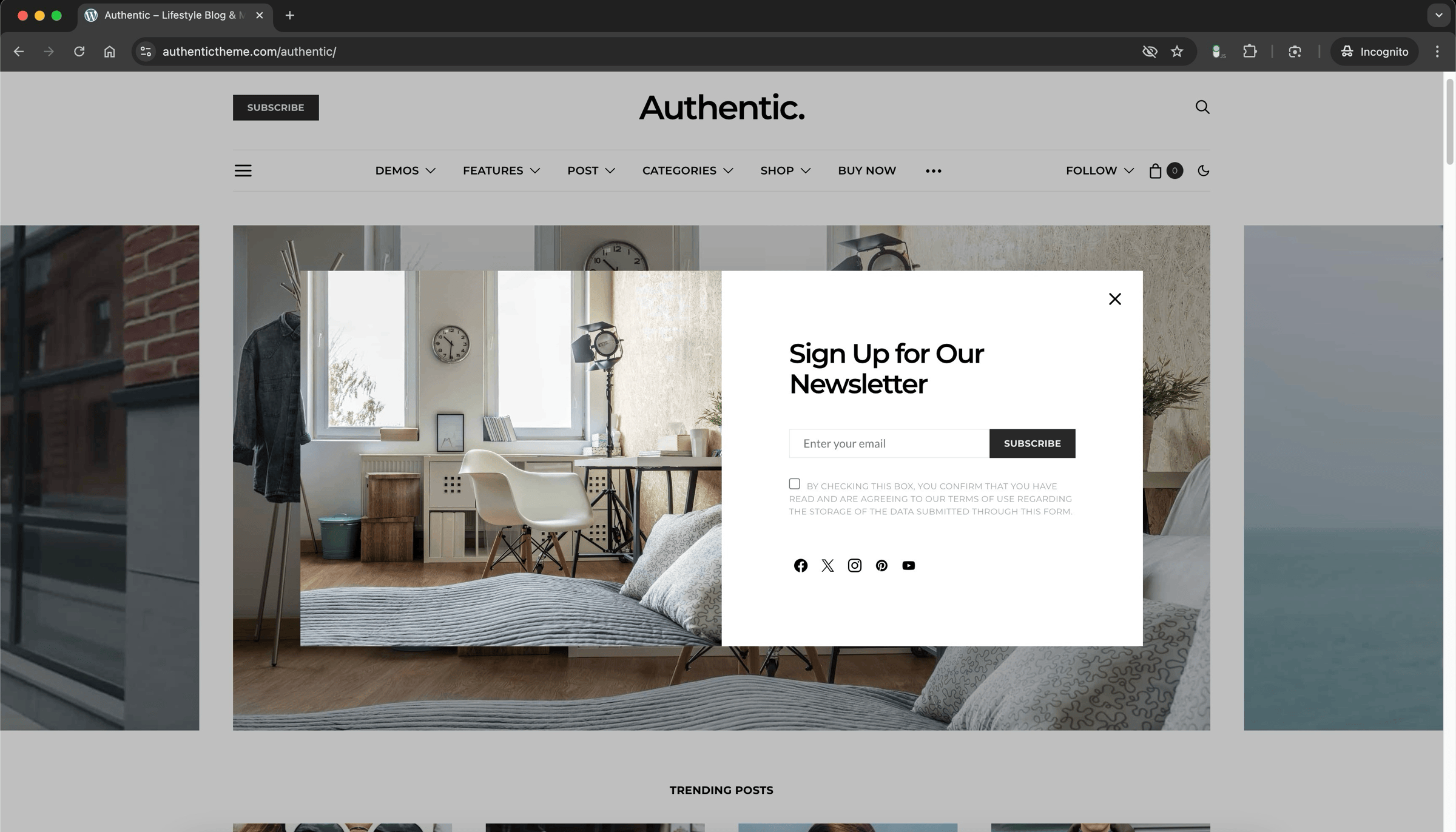
Advanced Popups is a lightweight yet powerful WordPress popup plugin designed for maximum conversion. Create beautiful, targeted popups to grow your email list, display important announcements, show cookie notices, or promote special offers.
Key Features:
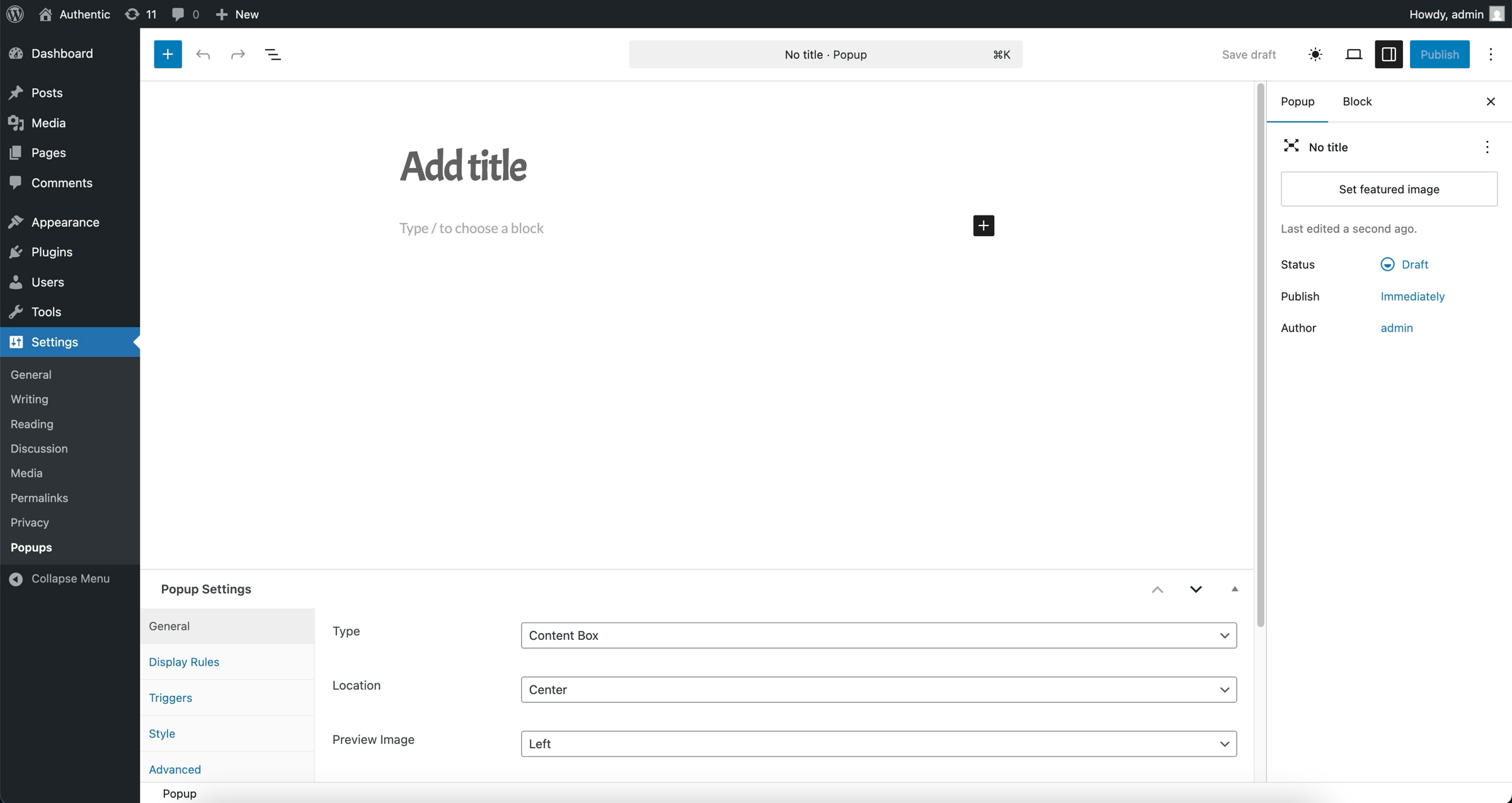
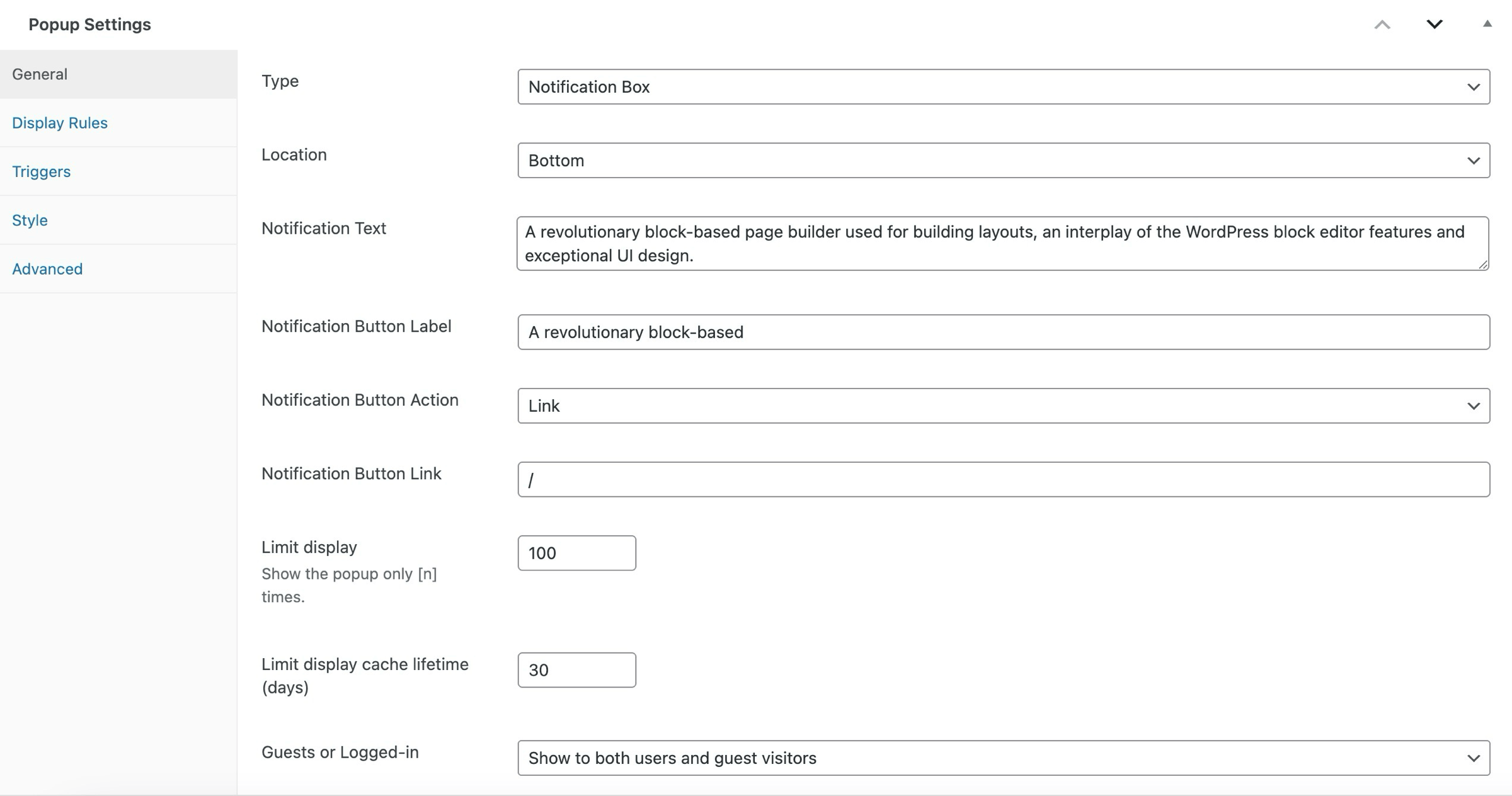
- Multiple Popup Types Ìtumọ̀ Yorùbá: – Choose between Content Box (perfect for opt-ins), Notification Box (ideal for announcements), or Notification Bar (great for cookie notices)
- Strategic Placements Ìtumọ̀ Yorùbá: – Position your popups where theyÌtumọ̀ Yorùbá: ’ll perform best Ìtumọ̀ Yorùbá: – top, bottom, center, corners, or sides of the screen
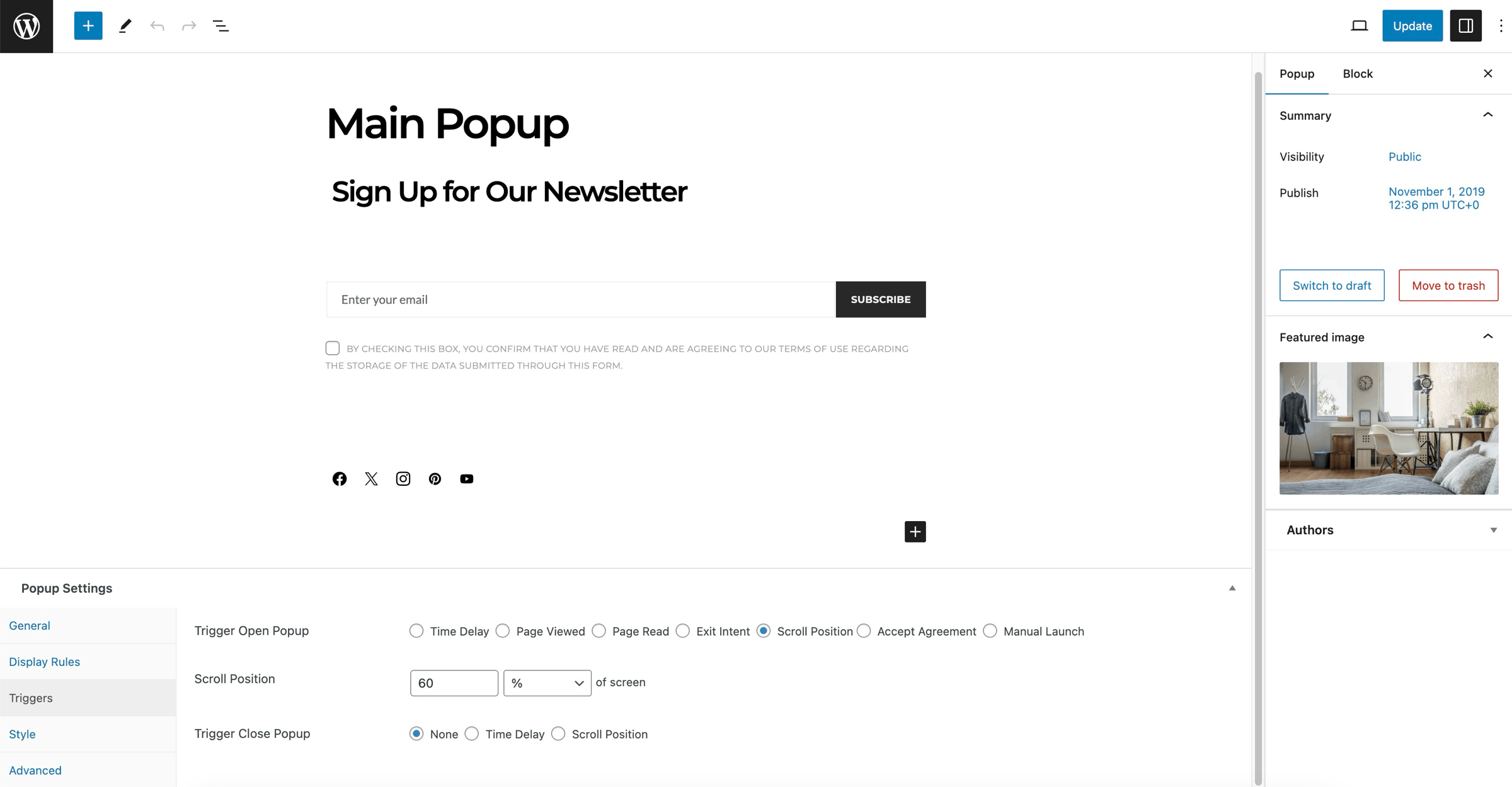
- Smart Triggers Ìtumọ̀ Yorùbá: – Display popups at the perfect moment with multiple trigger options:
- Time delay
- Page viewed
- Exit intent (catch visitors before they leave)
- Scroll position (target engaged readers)
- Manual launch via button click
- Accept agreement (for compliance notices)
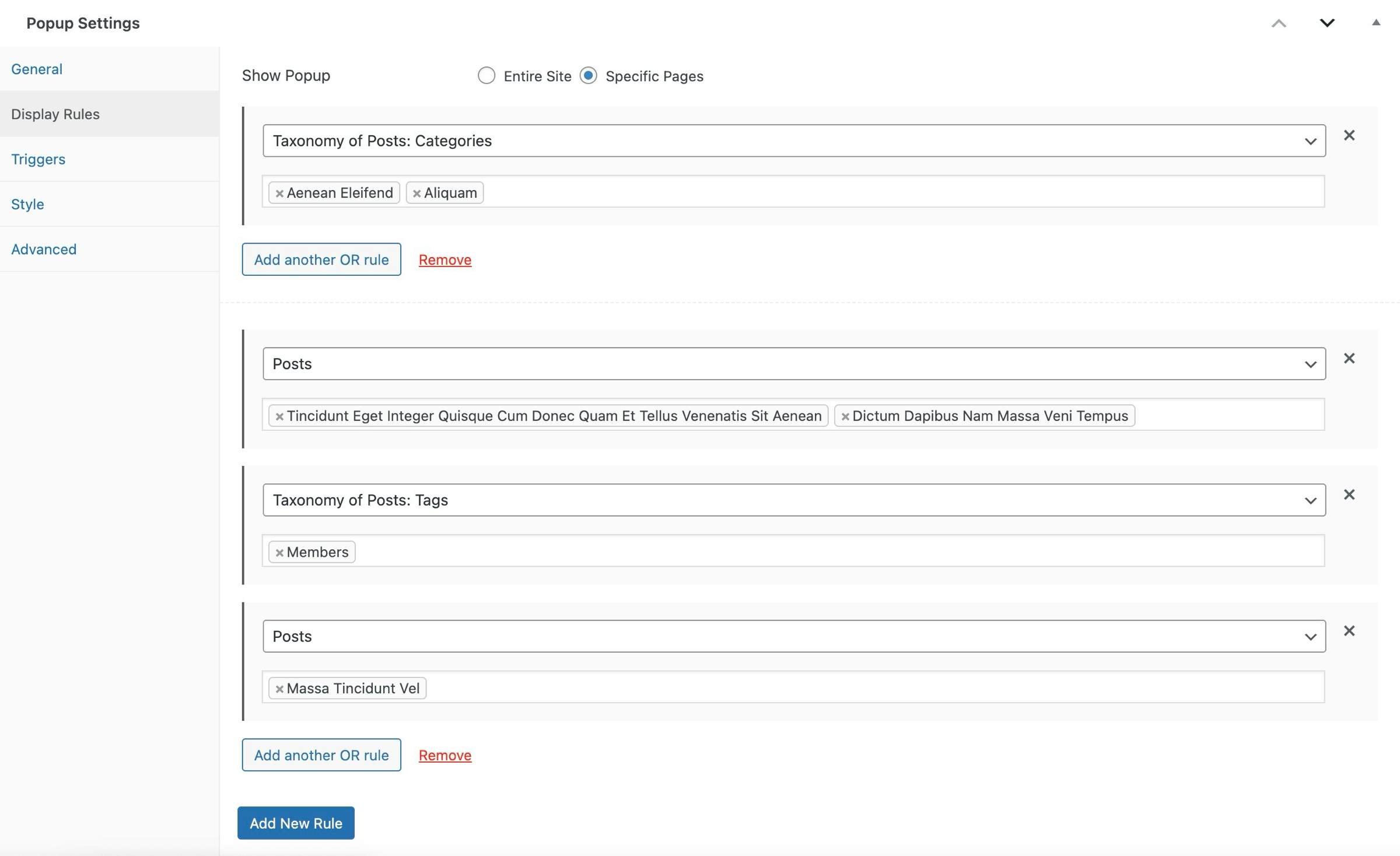
- Precise Targeting Ìtumọ̀ Yorùbá: – Show popups exactly where they matter:
- Specific pages, posts, or custom post types
- Taxonomy pages (categories, tags)
- Front page, archives, or search results
- Based on user login status (guest vs. logged-in)
- Visitor-Friendly Controls Ìtumọ̀ Yorùbá: – Respect your visitors with:
- Frequency limits (avoid popup fatigue)
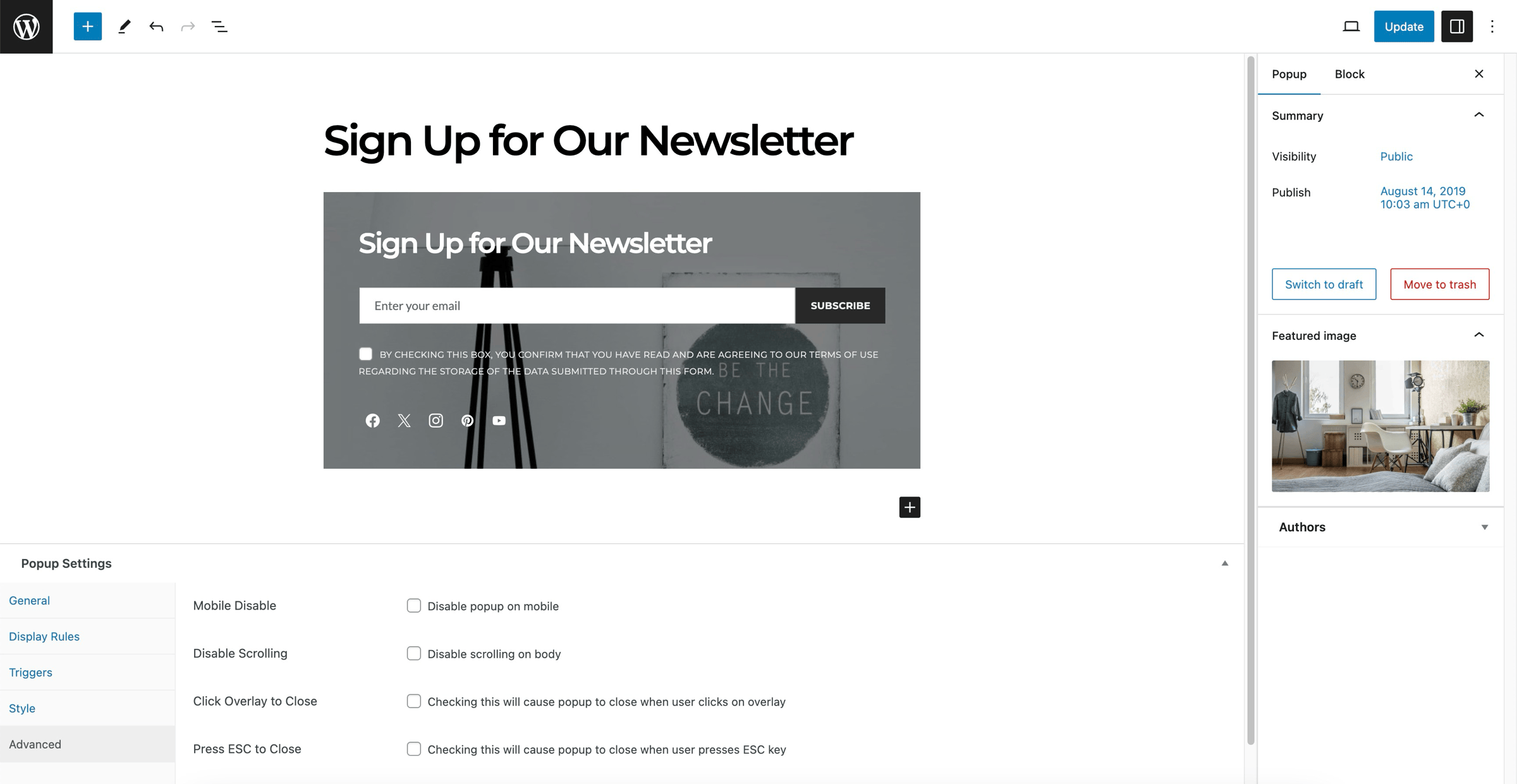
- Mobile-specific settings
- Multiple close options (overlay click, ESC key)
- Beautiful Animations Ìtumọ̀ Yorùbá: – Choose from fade, slide, zoom, or combined effects for entrance and exit
- Fully Customizable Ìtumọ̀ Yorùbá: – Control width, overlay appearance, and many other visual aspects
Advanced Popups is optimized for performance, ensuring your site speed isnÌtumọ̀ Yorùbá: ’t compromised while delivering high-converting popups that respect user experience.
Perfect for marketers, content creators, and site owners who want to increase engagement without annoying visitors.
See Advanced Popups in action: Check out our live examples and demos to see what you can create with this plugin.
Àwọn àwòrán ìbòjú
Ìgbéwọlẹ̀
- Upload the
advanced-popupsfolder to the/wp-content/plugins/directory. - Activate the plugin through the ‘Plugins’ menu in WordPress.
- Use the Settings->Advanced Popups screen to configure the plugin.
- Create your first popup under the ‘Popups’ menu.
FAQ
-
How do I create a popup?
-
After activating the plugin, you will see a new menu item called ‘Popups’ in your WordPress admin. Click on it and then click ‘Add New’ to create your first popup.
-
Can I control where the popup appears?
-
Yes, Advanced Popups offers precise targeting options. You can choose to display popups on specific pages, posts, or custom post types. You can also target taxonomy pages, front page, archives, or search results. Additionally, you can show popups based on the userÌtumọ̀ Yorùbá: ’s login status.
-
How can I trigger the popup?
-
The plugin provides multiple trigger options including time delay, page viewed, exit intent, scroll position, manual launch via button click, and accept agreement for compliance notices.
-
Is it possible to limit how often a visitor sees the popup?
-
Absolutely. Advanced Popups includes frequency limits to help avoid popup fatigue among your visitors.
-
Are the popups mobile-friendly?
-
Yes, the plugin includes mobile-specific settings to ensure that your popups look great and function well on all devices.
-
What kind of animations can I use for the popups?
-
You can choose from a variety of animations for both the entrance and exit of the popups, including fade, slide, zoom, or combined effects.
-
Can I customize the appearance of the popups?
-
Yes, Advanced Popups is fully customizable. You can control the width, overlay appearance, and many other visual aspects of the popups.
-
Will this plugin slow down my website?
-
No, Advanced Popups is optimized for performance, ensuring that your site speed isnÌtumọ̀ Yorùbá: ’t compromised while using the plugin.
-
Who can benefit from using Advanced Popups?
-
The plugin is perfect for marketers, content creators, and site owners who want to increase engagement on their website without annoying their visitors.
Àwọn àgbéyẹ̀wò


Àwọn Olùkópa & Olùgbéejáde
“Advanced Popups” jẹ́ ètò ìṣàmúlò orísun ṣíṣí sílẹ̀. Àwọn ènìyàn wọ̀nyí ti ṣe ìkópa sí plugin yìí.
Àwọn Olùkópa
Túmọ̀ “Advanced Popups” sí èdè rẹ.
Ṣe o nífẹ̀ẹ́ sí ìdàgbàsókè?
Ṣàwárí koodu, ṣàyẹ̀wò ibi ìpamọ́ SVN, tàbí ṣe àgbékalẹ̀ sí àkọsílẹ̀ ìdàgbàsókè nípasẹ̀ RSS.
Àkọsílẹ̀ àwọn àyípadà
1.2.4
- Fixed the Notification Text and button fields not appearing in the Classic Editor for Notification Box and Notification Bar popup types.
- Fixed a security issue with the notification button link.
1.2.3
- Improved plugin security and hardened request handling.
- Fixed translation text domains.
- Resolved a deprecated function call and improved asset versioning.
- Added compatibility with WordPress 7.0
1.2.2
- Added compatibility with WordPress 6.8
1.2.1
- Added compatibility with WordPress 6.7
1.2.0
- Added compatibility with WordPress 6.6
1.1.9
- Improved the rules for posts from taxonomies.
1.1.8
- Improved compatibility with PHP 8.2.8
1.1.7
- Improved rules.
1.1.6
- Added automatic cache clearing has been.
1.1.5
- Improved rules select posts.
1.1.4
- Fixed “Press F4 to Close”.
1.1.3
- Improved thumbnail size.
1.1.2
- Improved plugin security.
1.1.1
- Improved functions for working with cookies.
1.1.0
- Updated styles for mobile devices.
1.0.9
- Minor improvements.
1.0.8
- Added dev filter to classes in popup.
1.0.7
- Compatibility fixes for WordPress 5.5
1.0.6
- Minor improvements.
1.0.5
- Improve thumbnail.
1.0.4
- Fixed “Limit display cache lifetime (days)”.
1.0.3
- Added css variables to styles.
1.0.2
- Added compatibility with php 5.6.
1.0.1
- Add preload for font icons.
1.0
- Initial release.